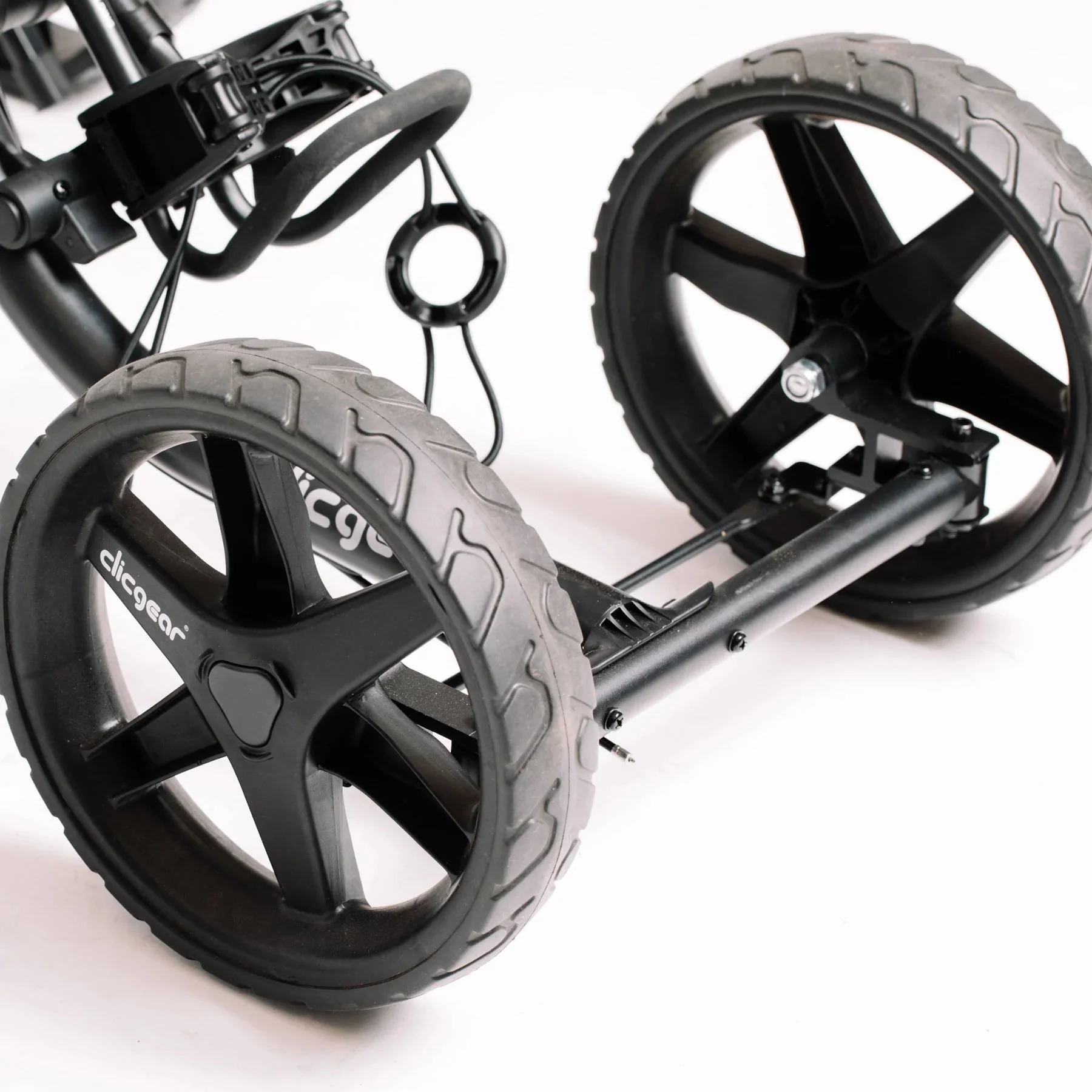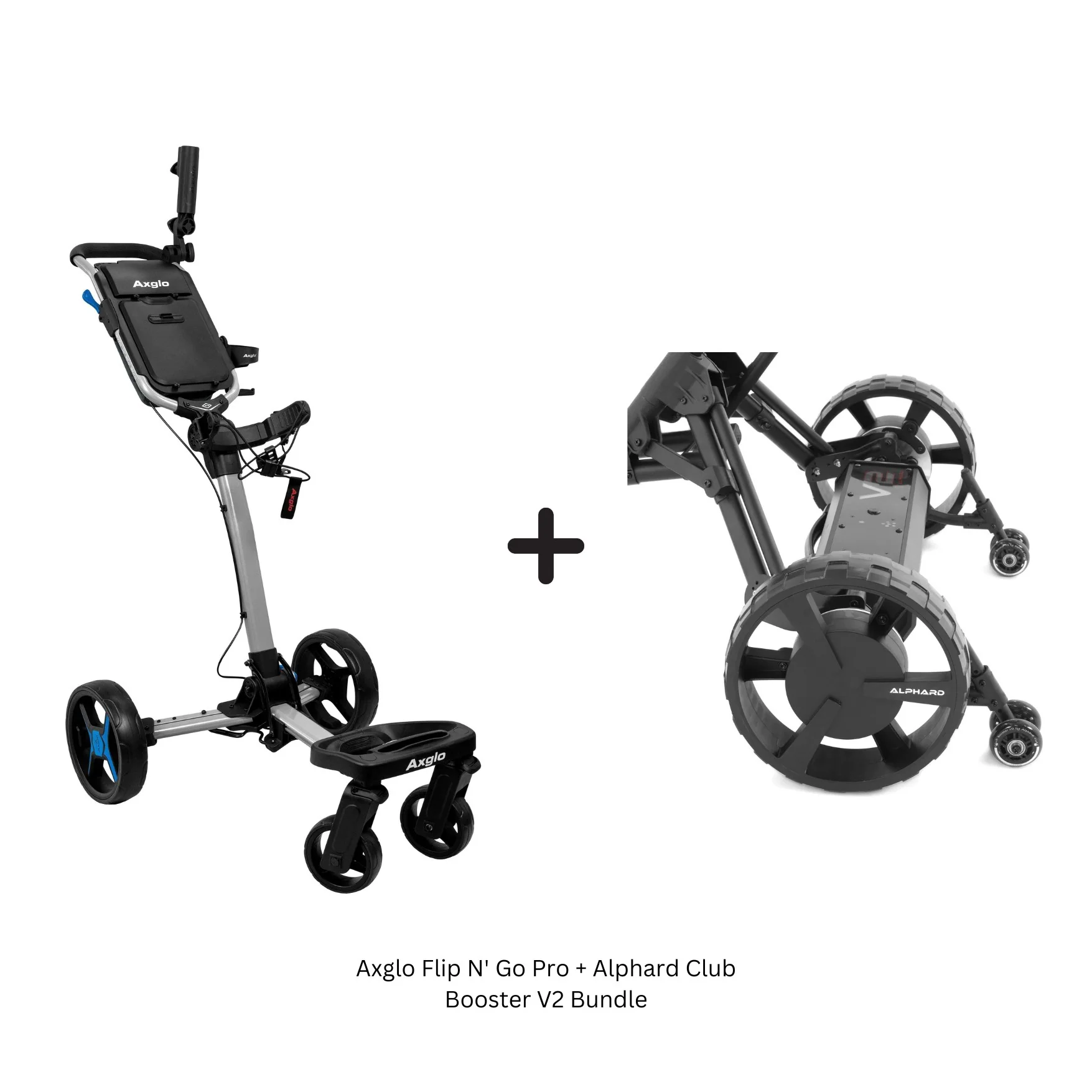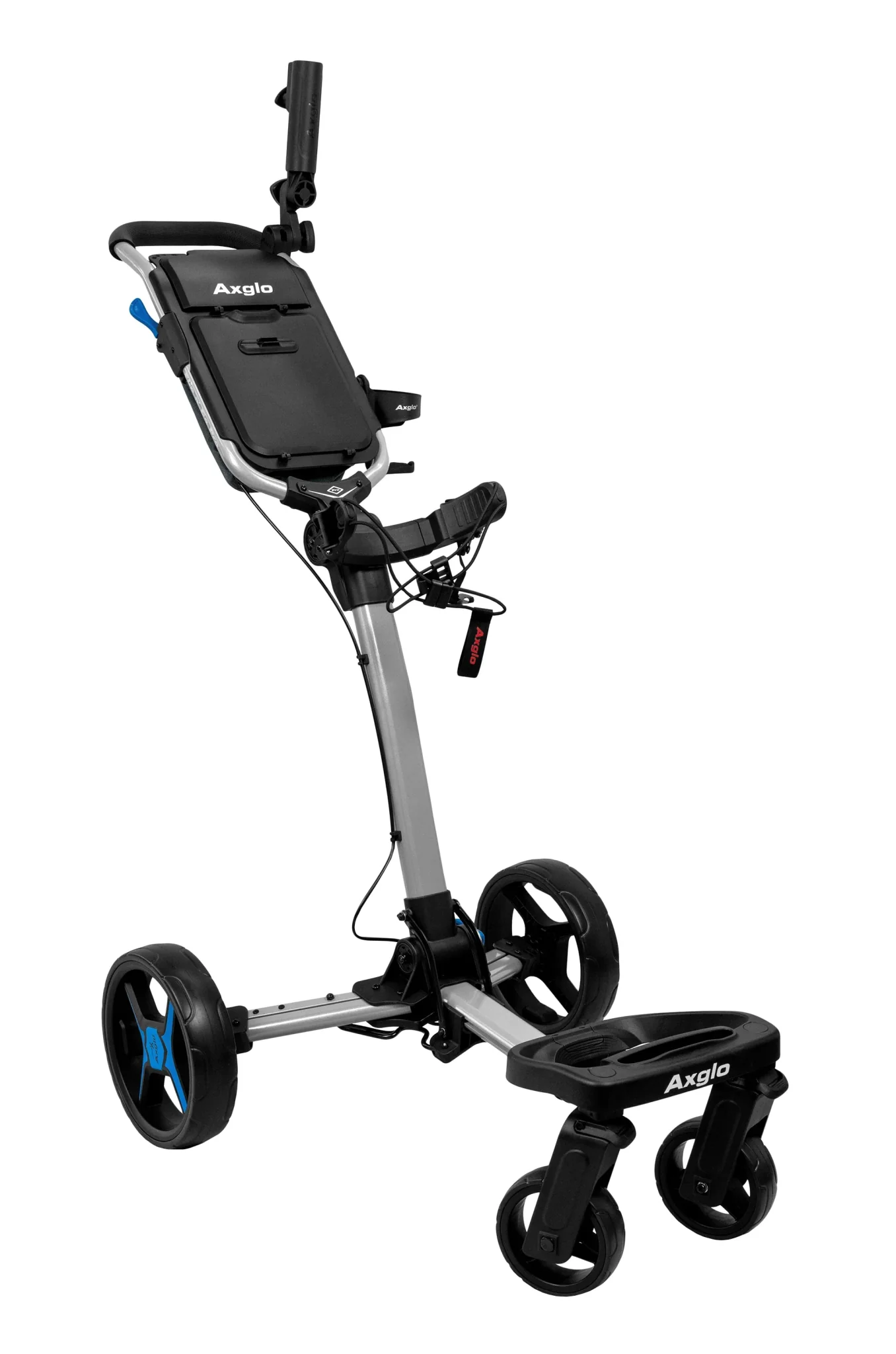
Axglo E5 Follow Me Electric Golf Push Cart
Axglo E5 - 2026 Model
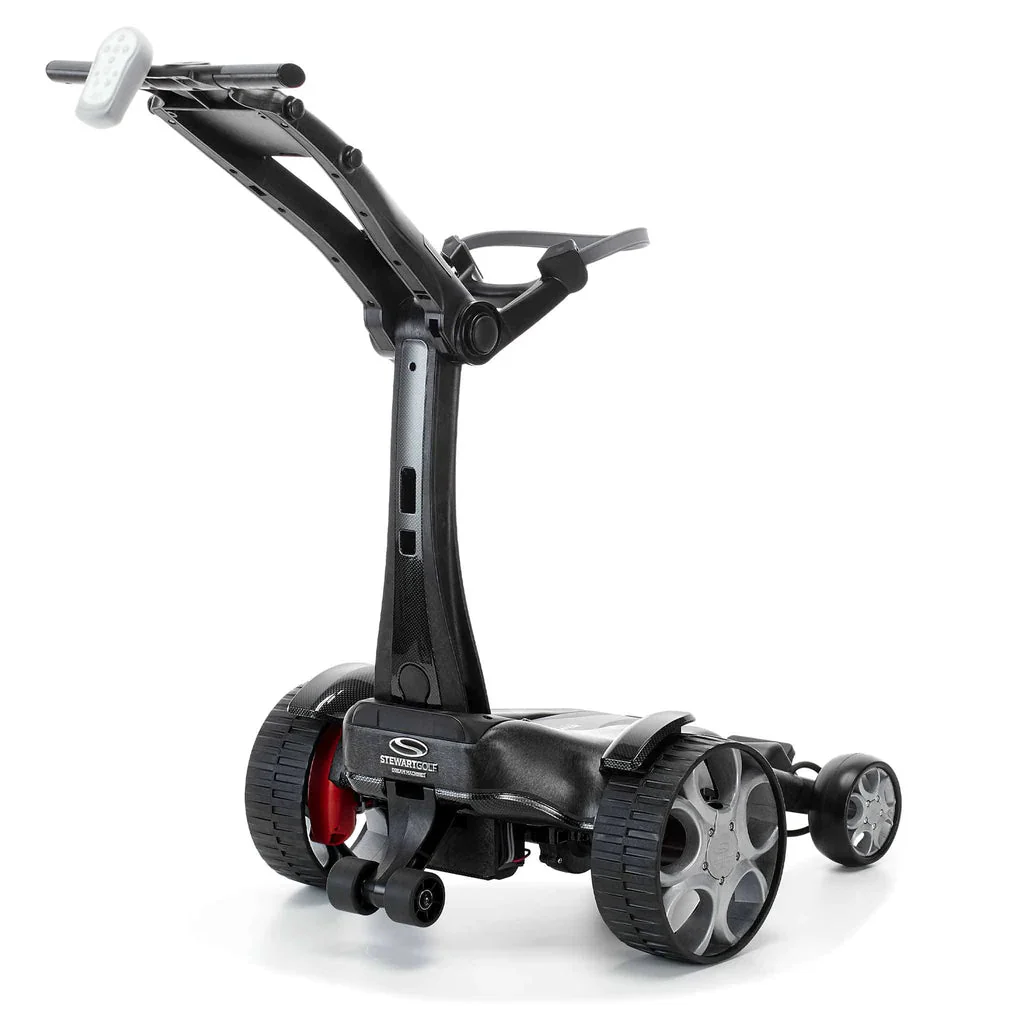
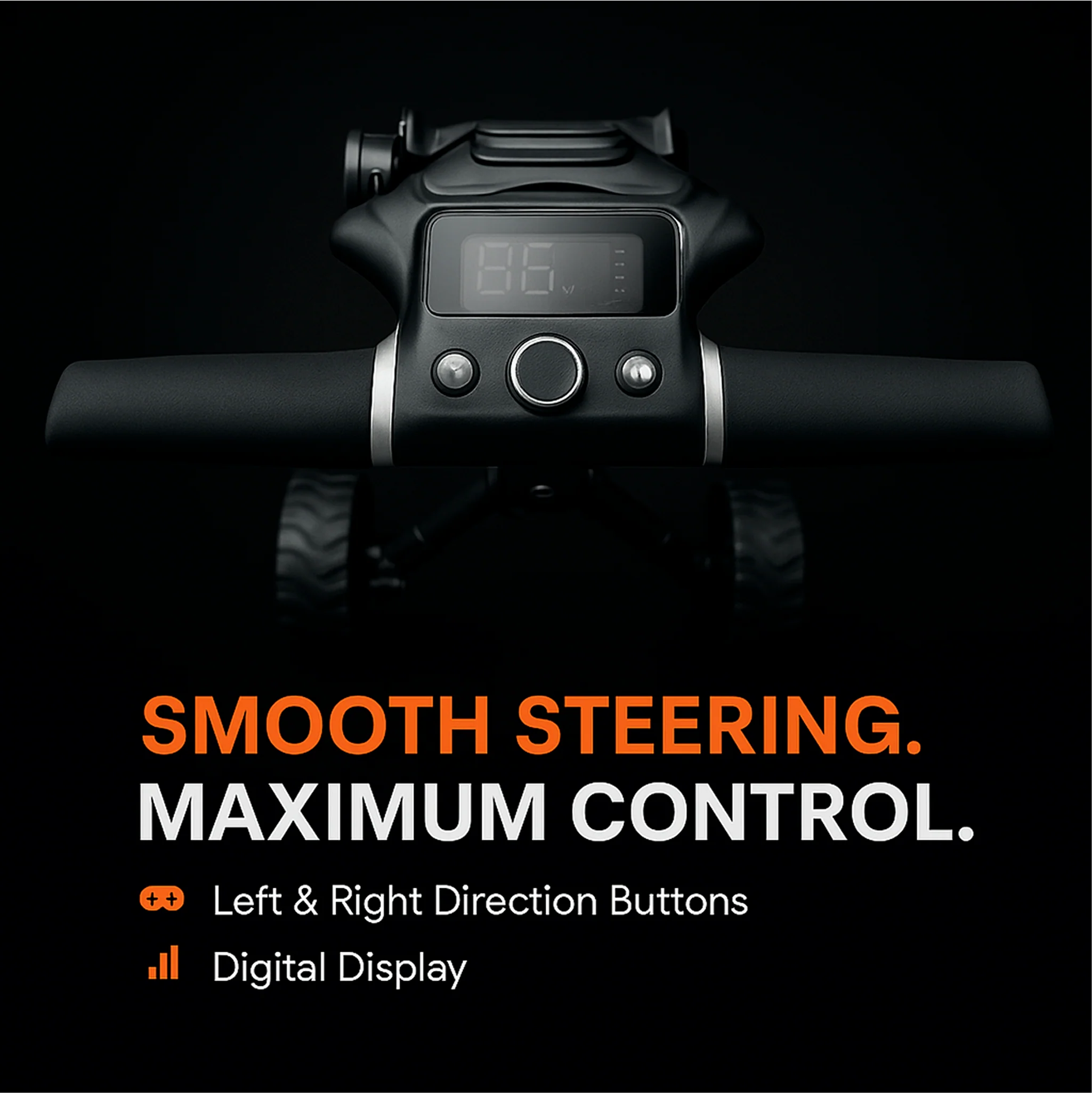
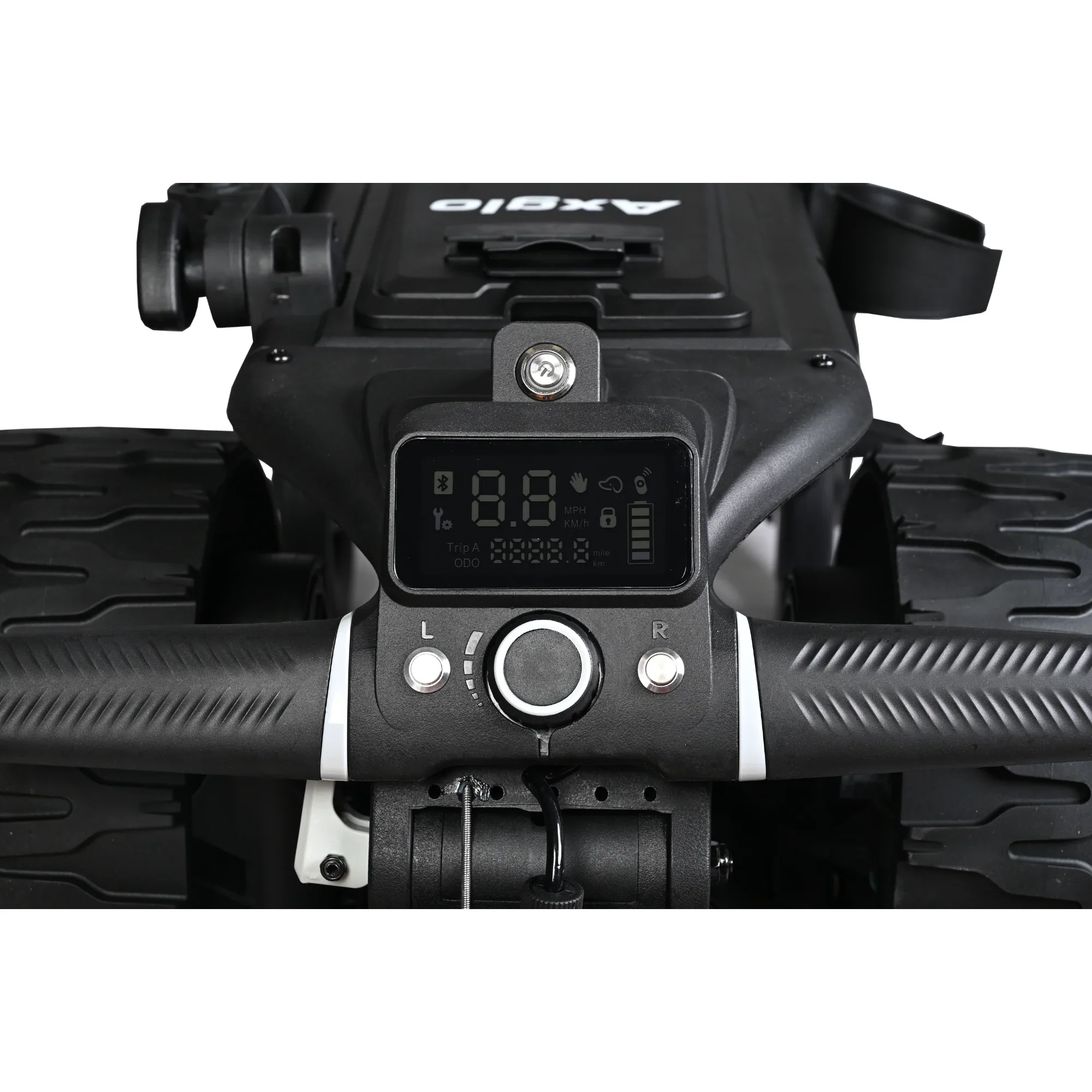
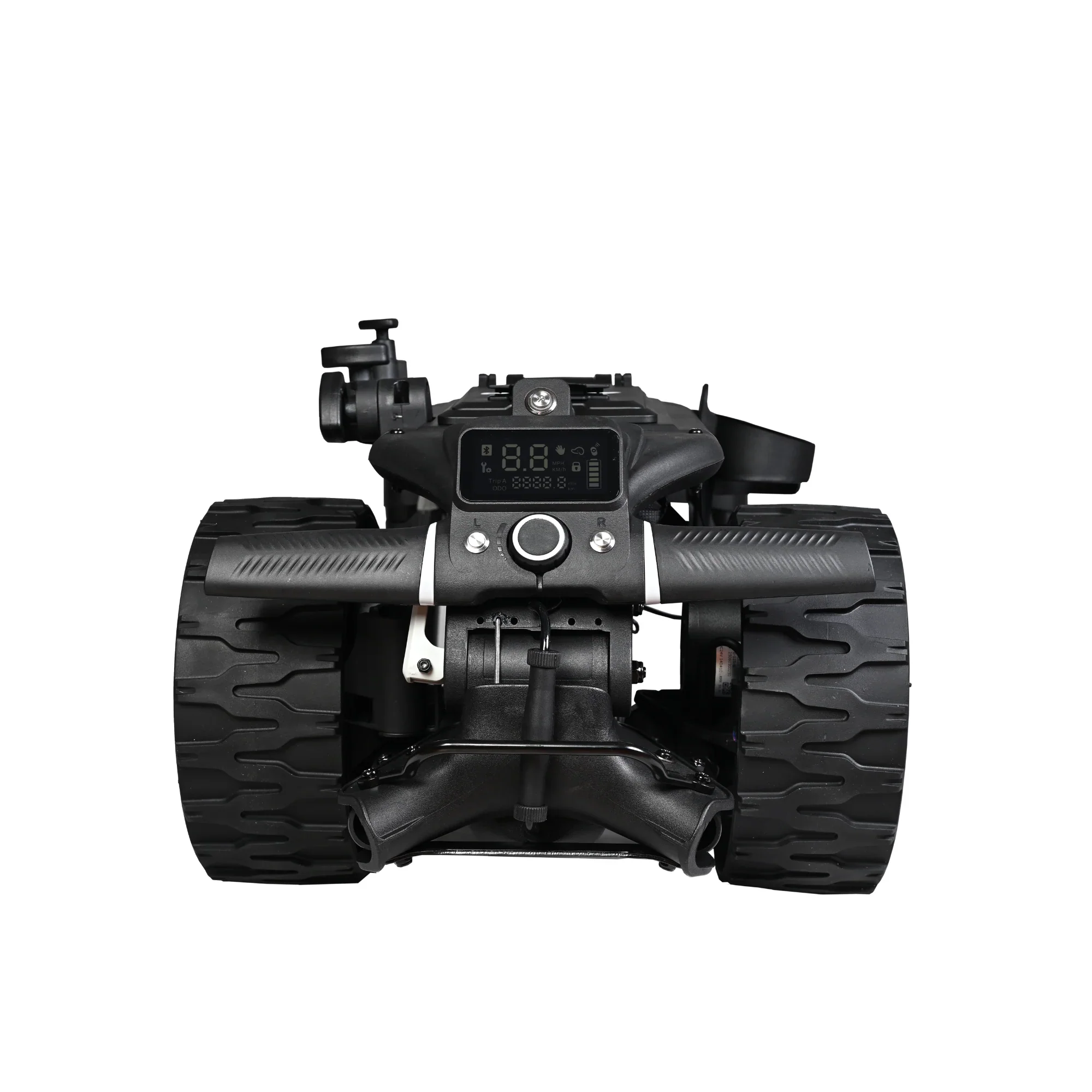
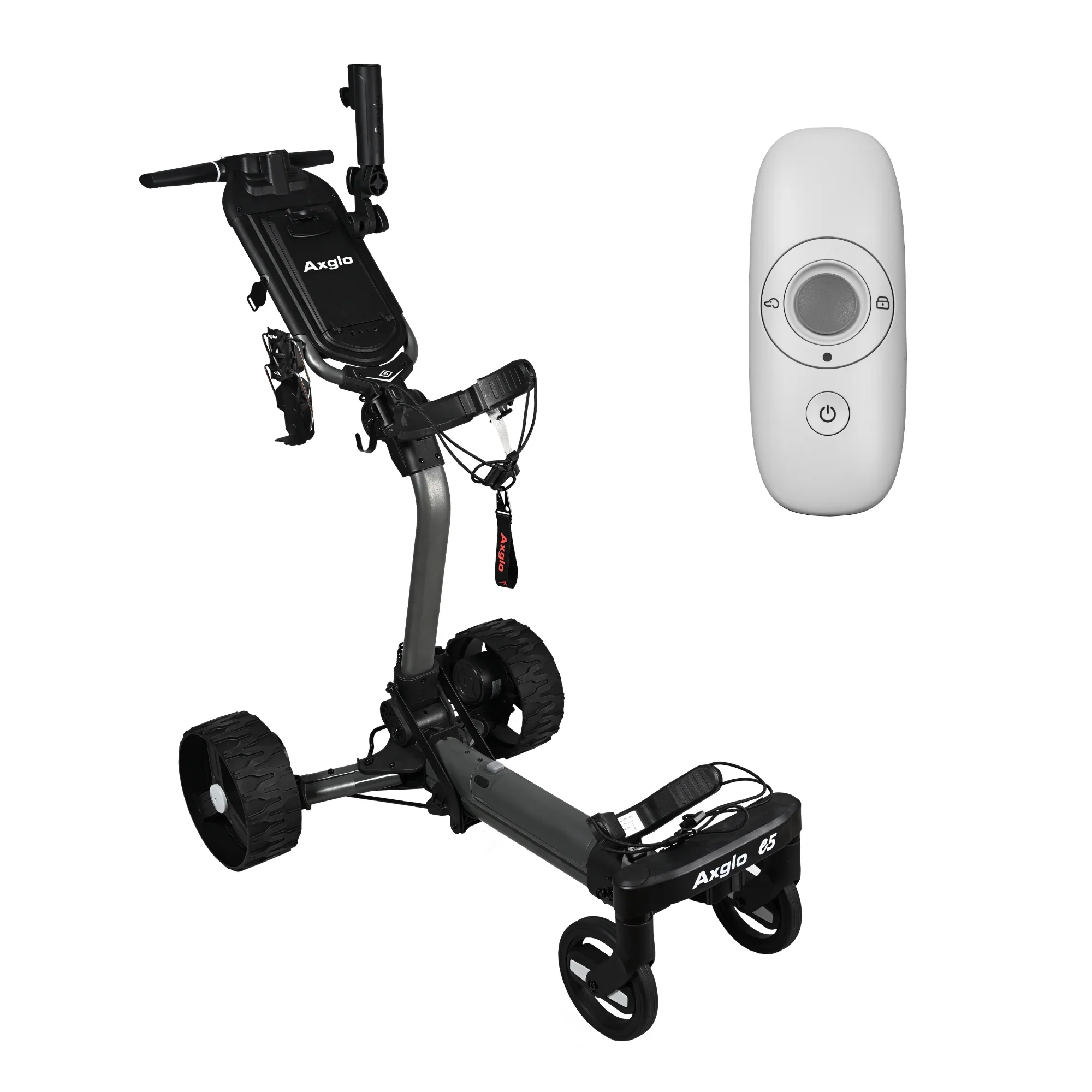
A left and right steering control button on the handle
Please note regarding the beverage holder: if you purchase the E5 in early 2026, it will come with the previous version of the beverage holder. The video (above) you referenced shows the updated version, which was introduced for the 2026 golf season starting in March 2026.
As the official USA distributor, you pay NO taxes or duties – we’ve taken care of that for you!
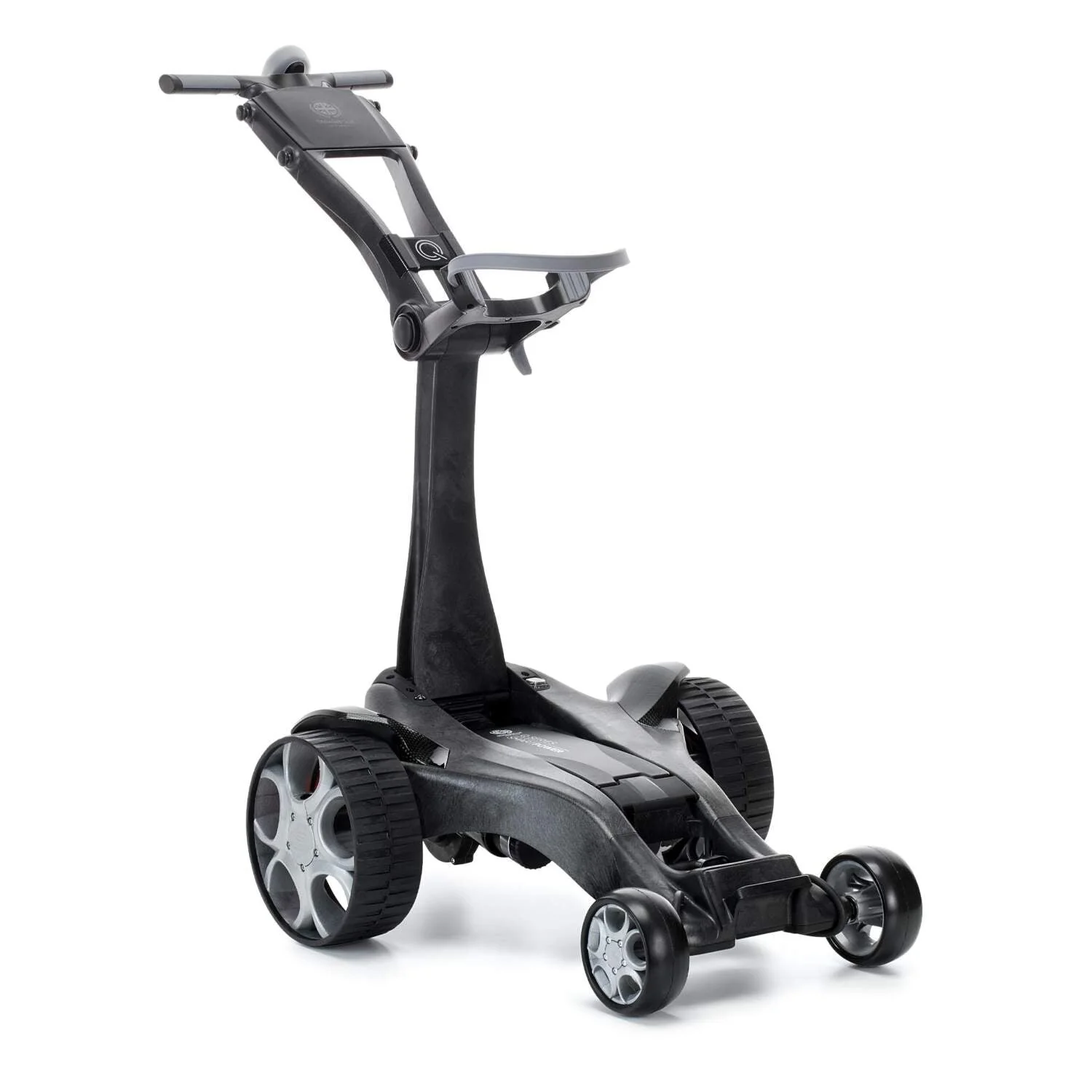
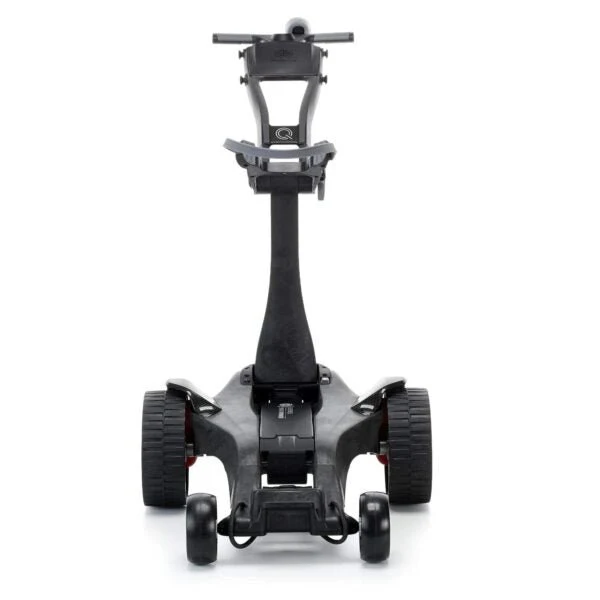
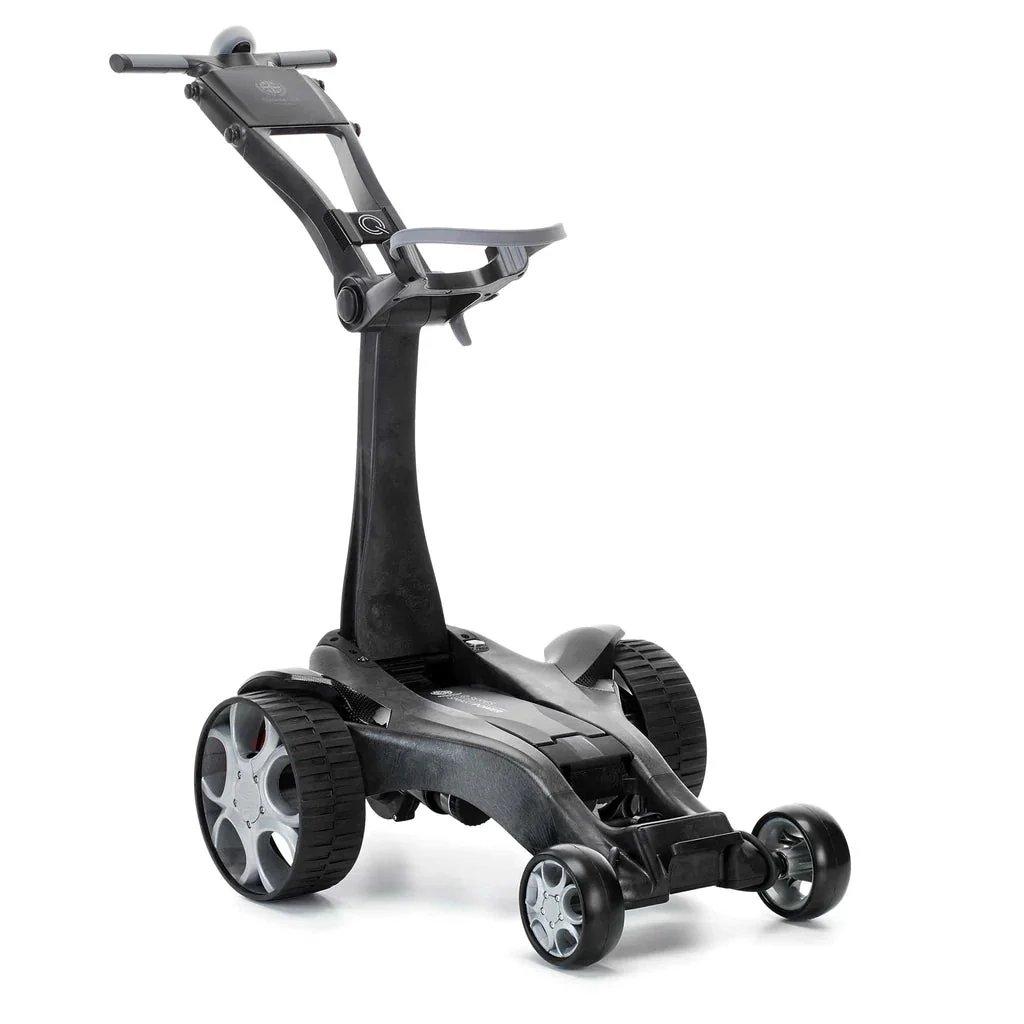
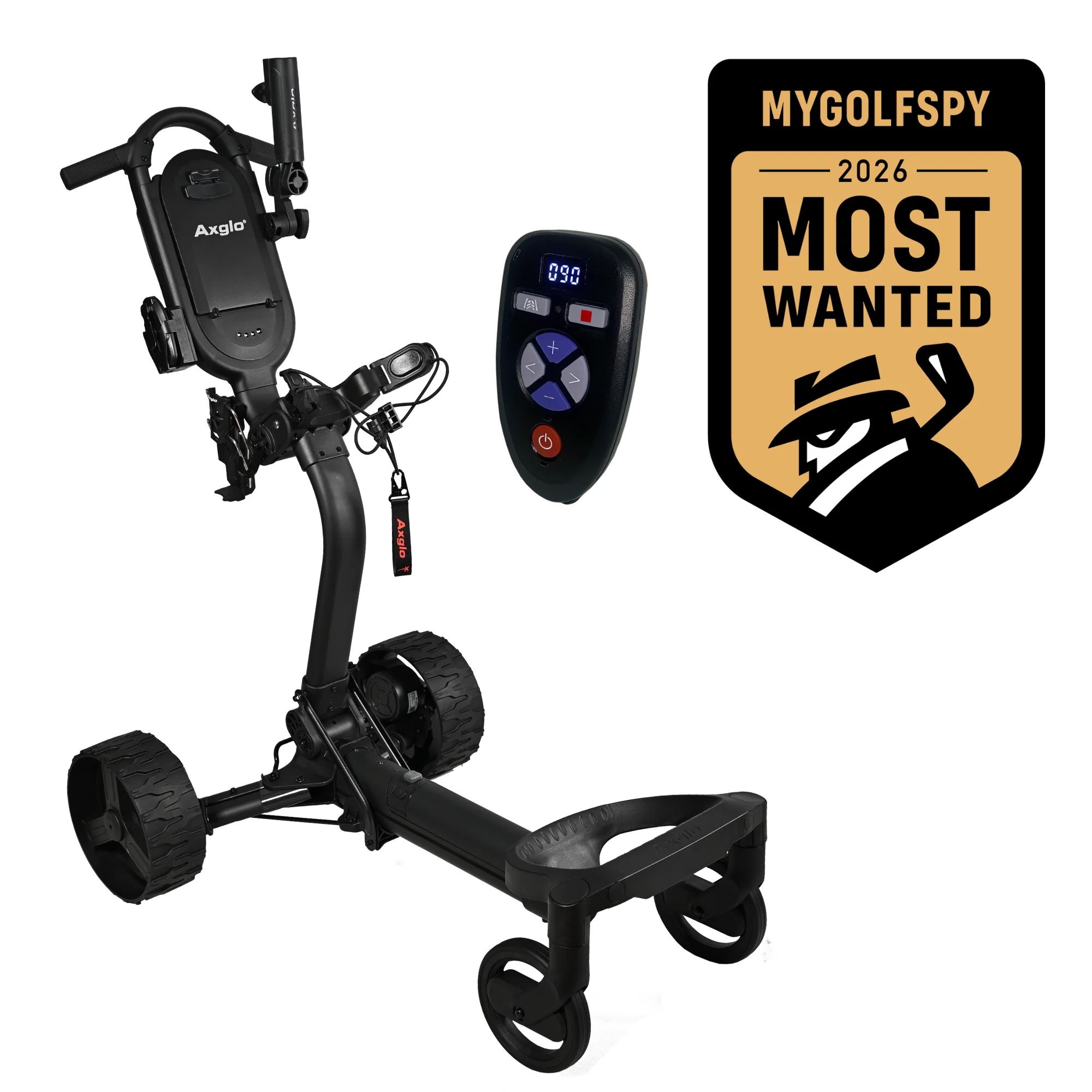
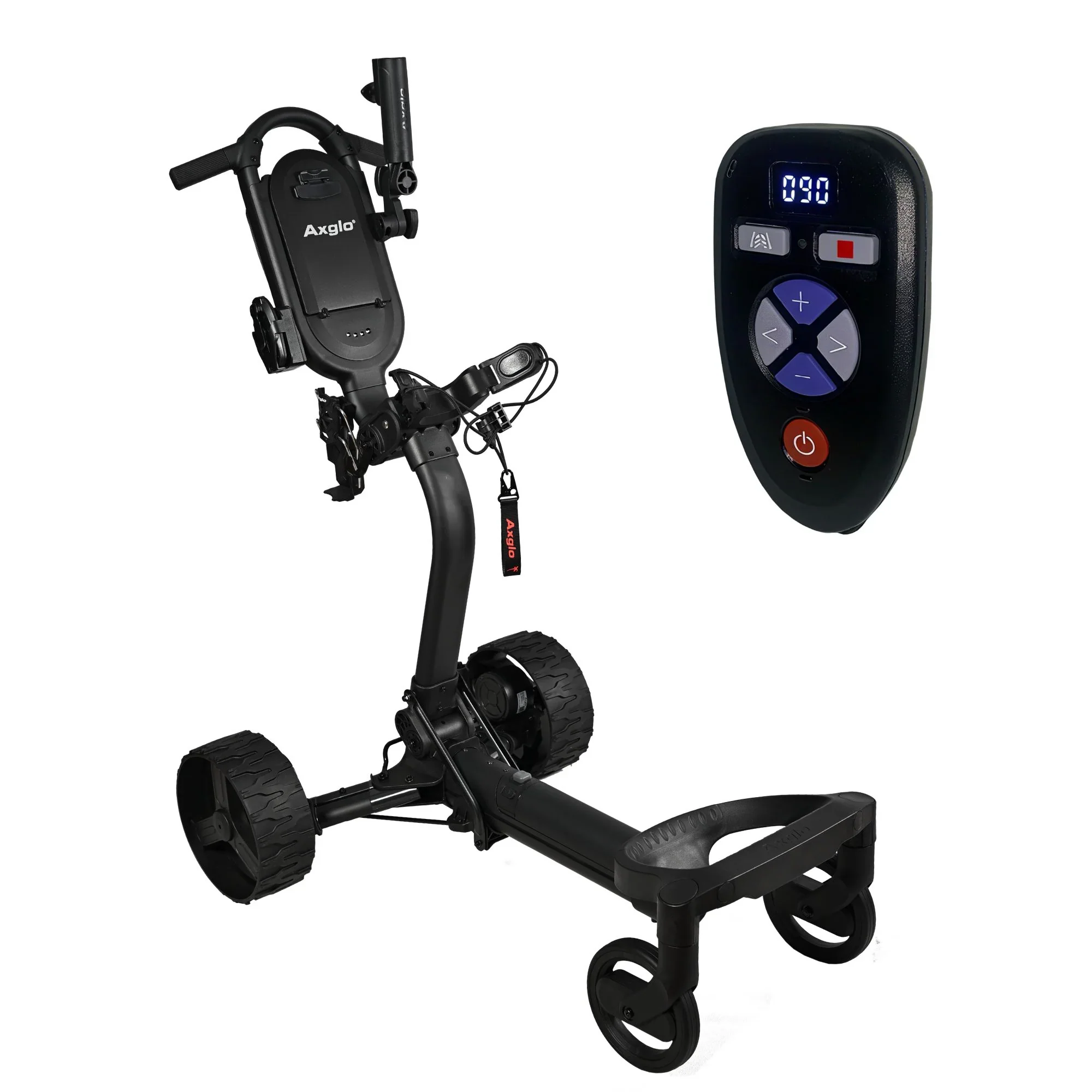
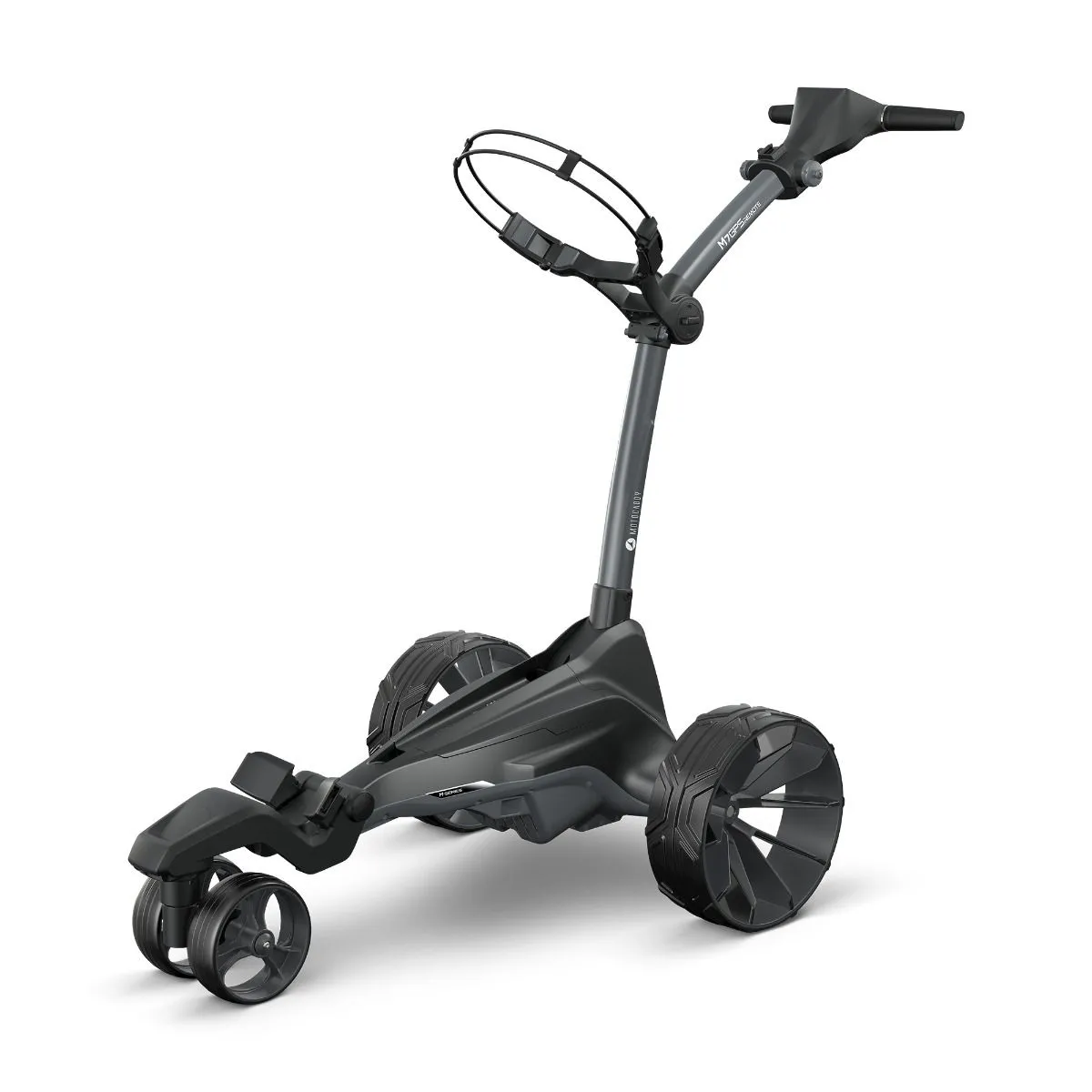
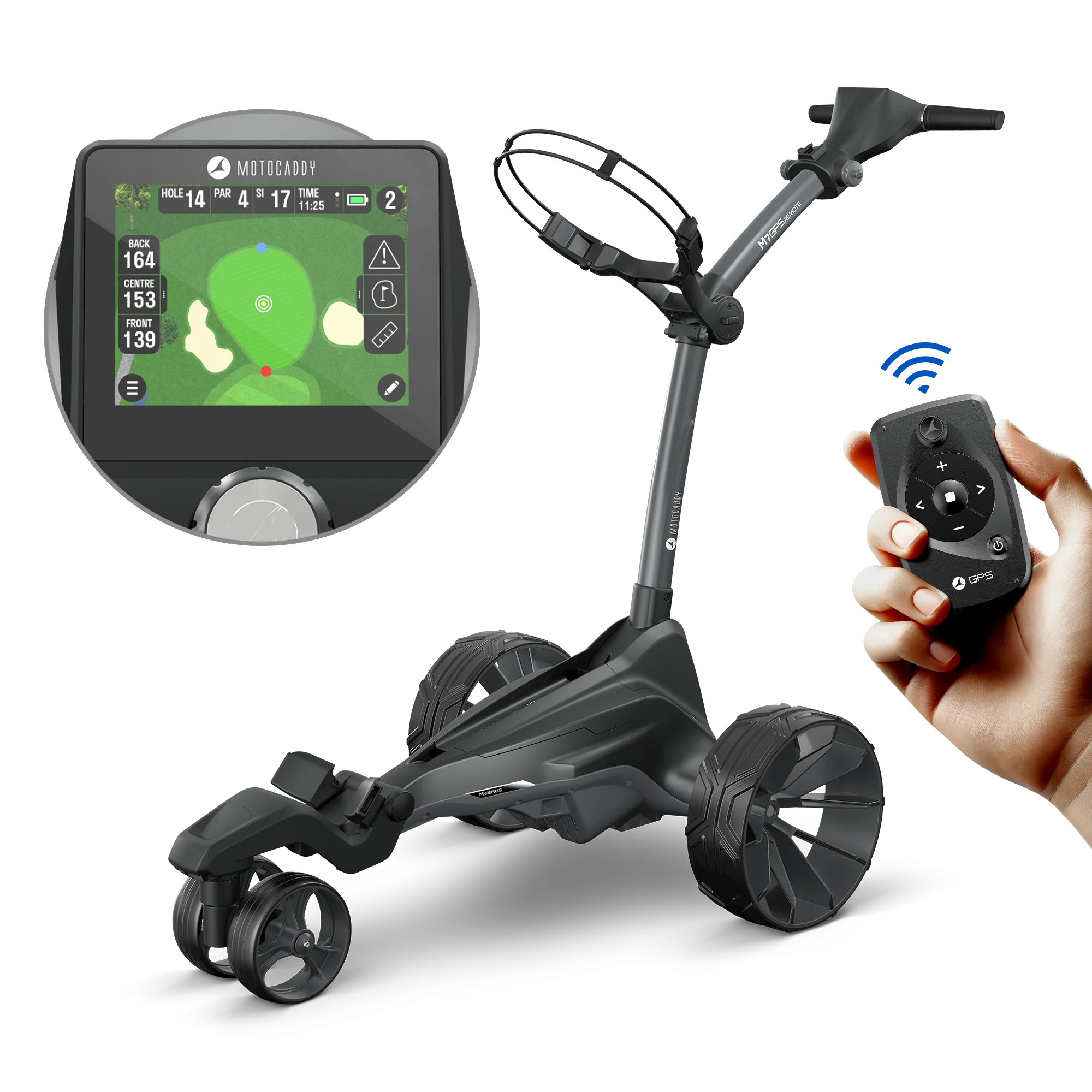
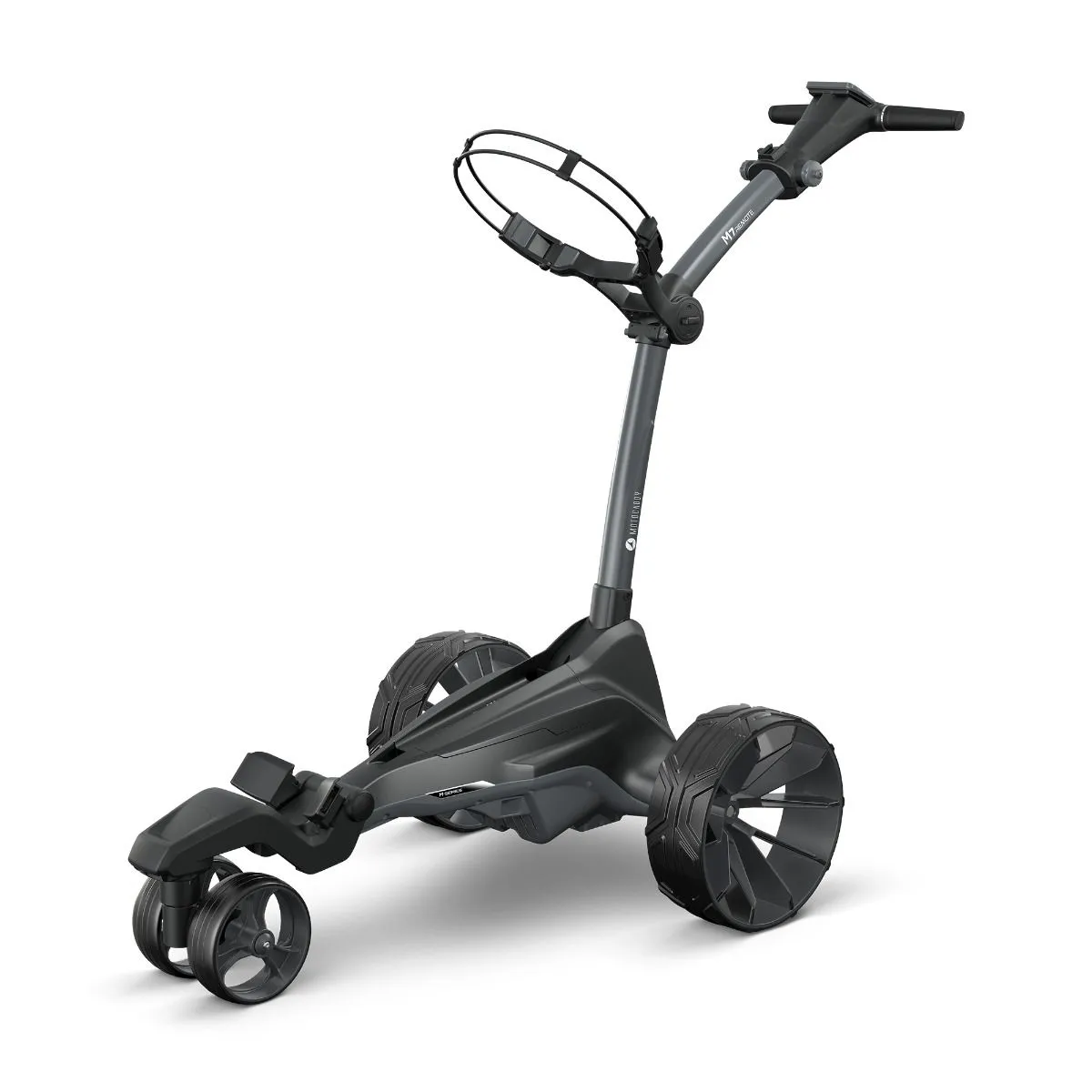
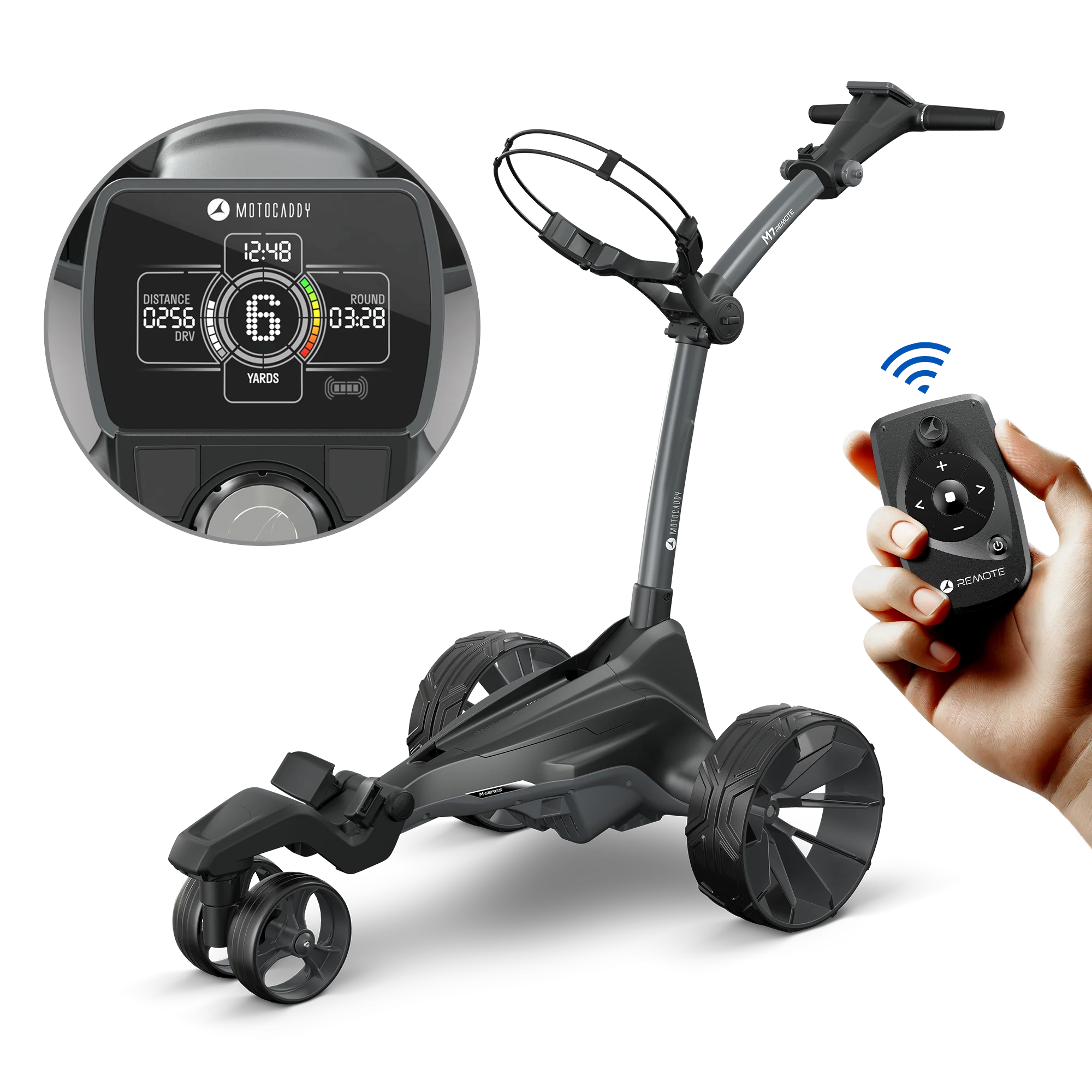
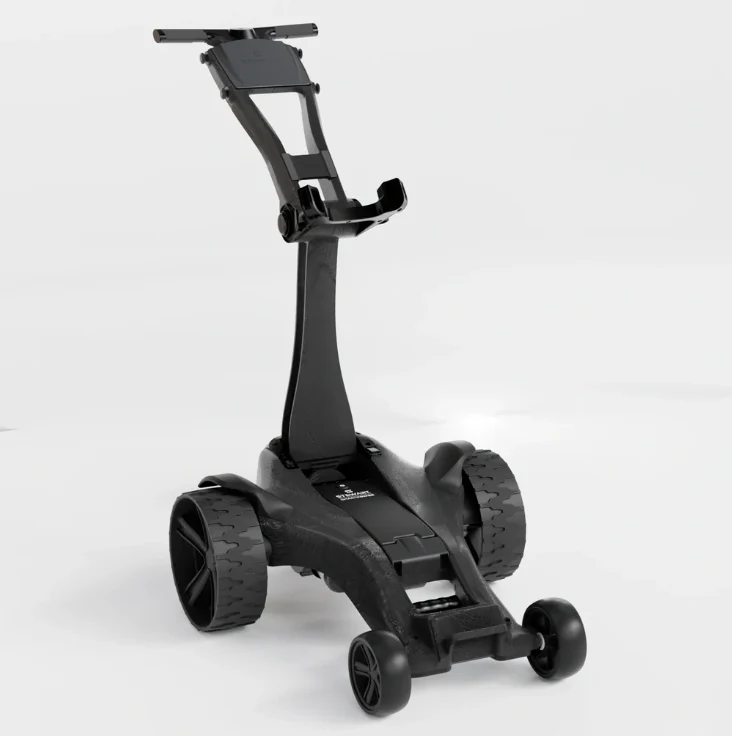
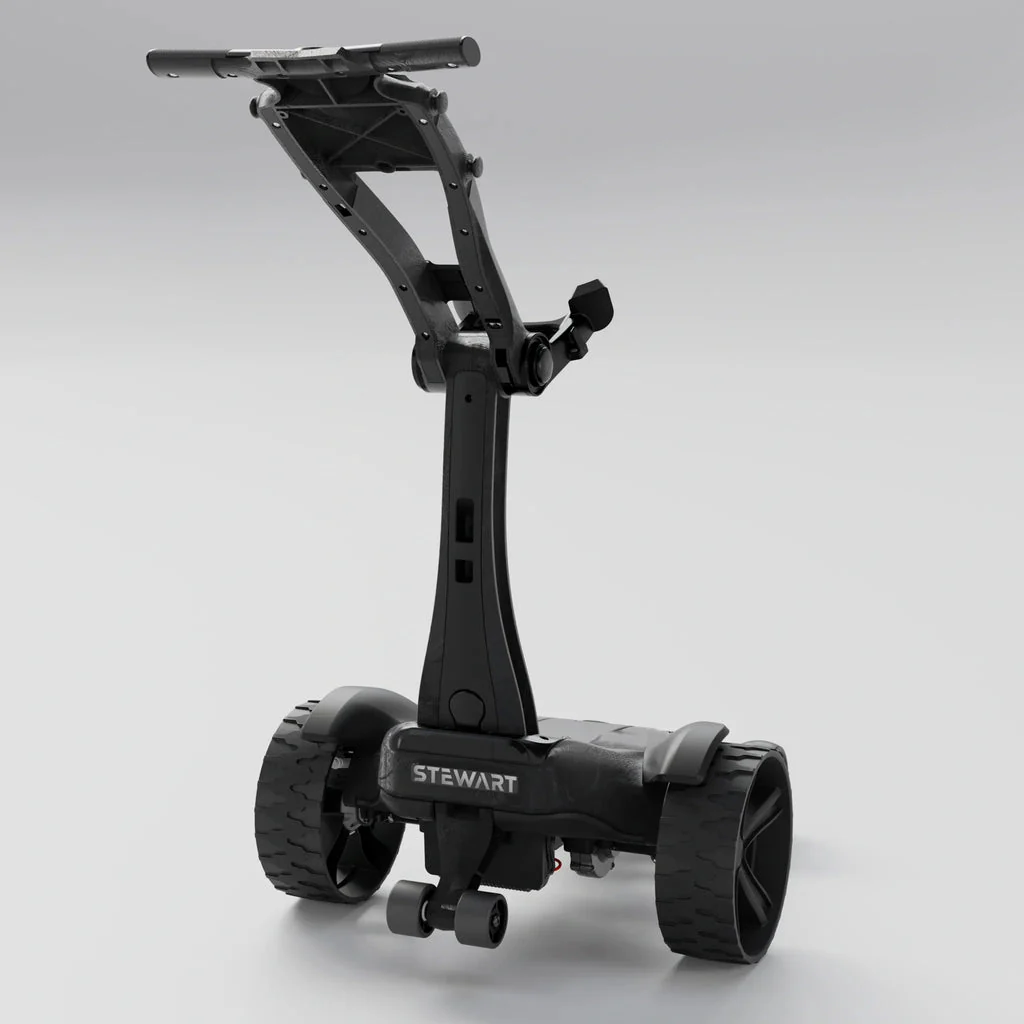
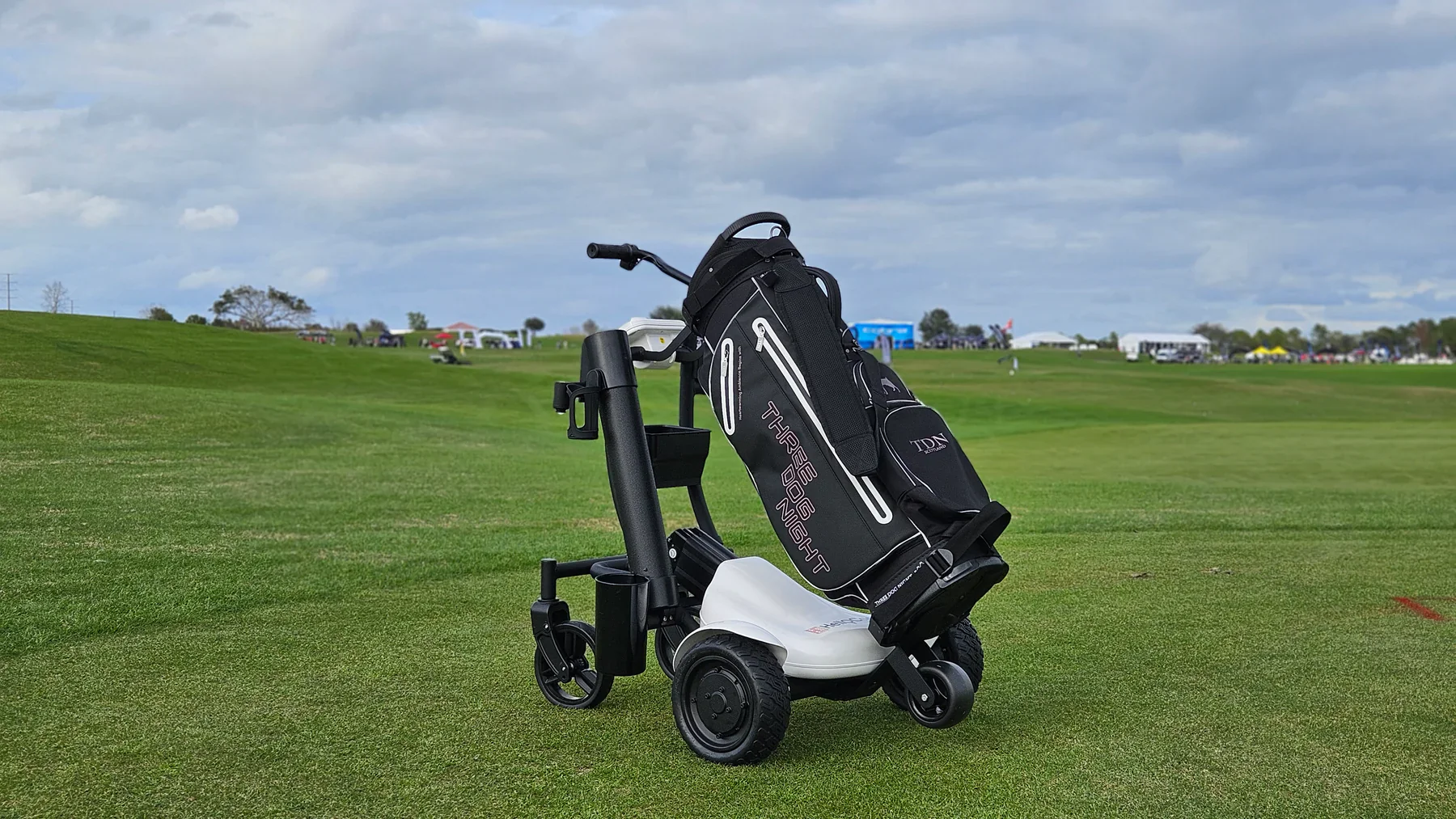
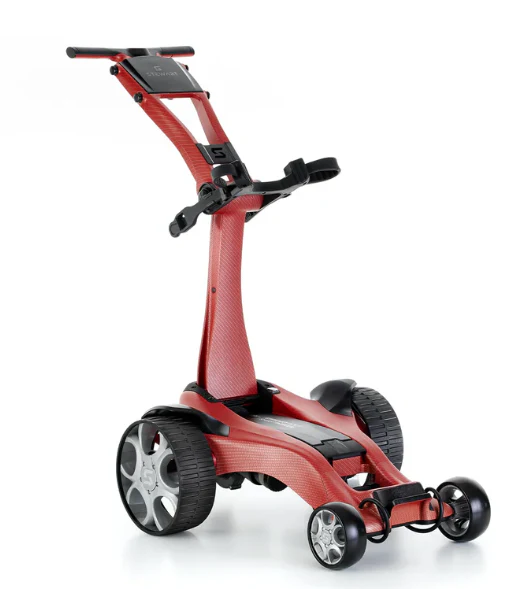
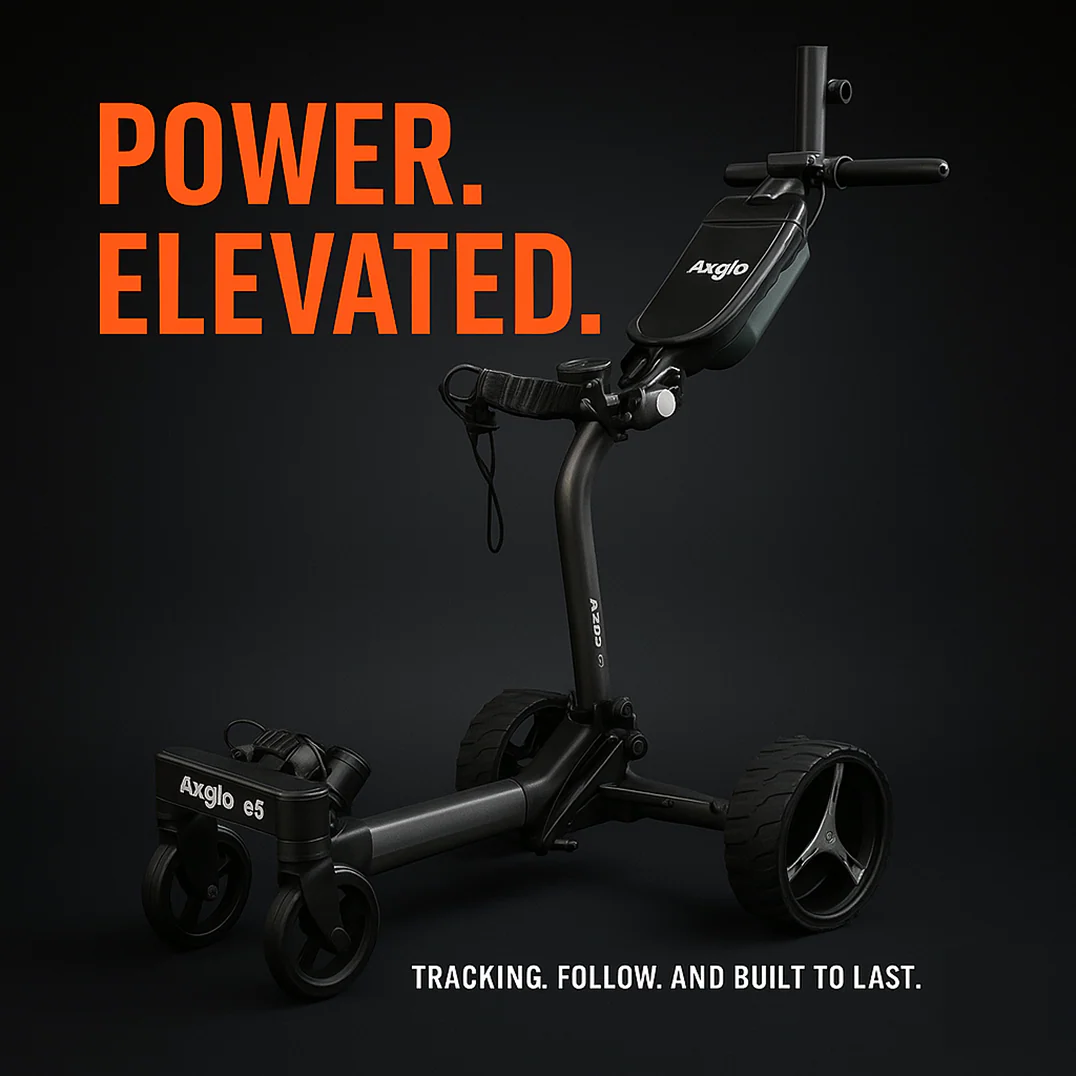
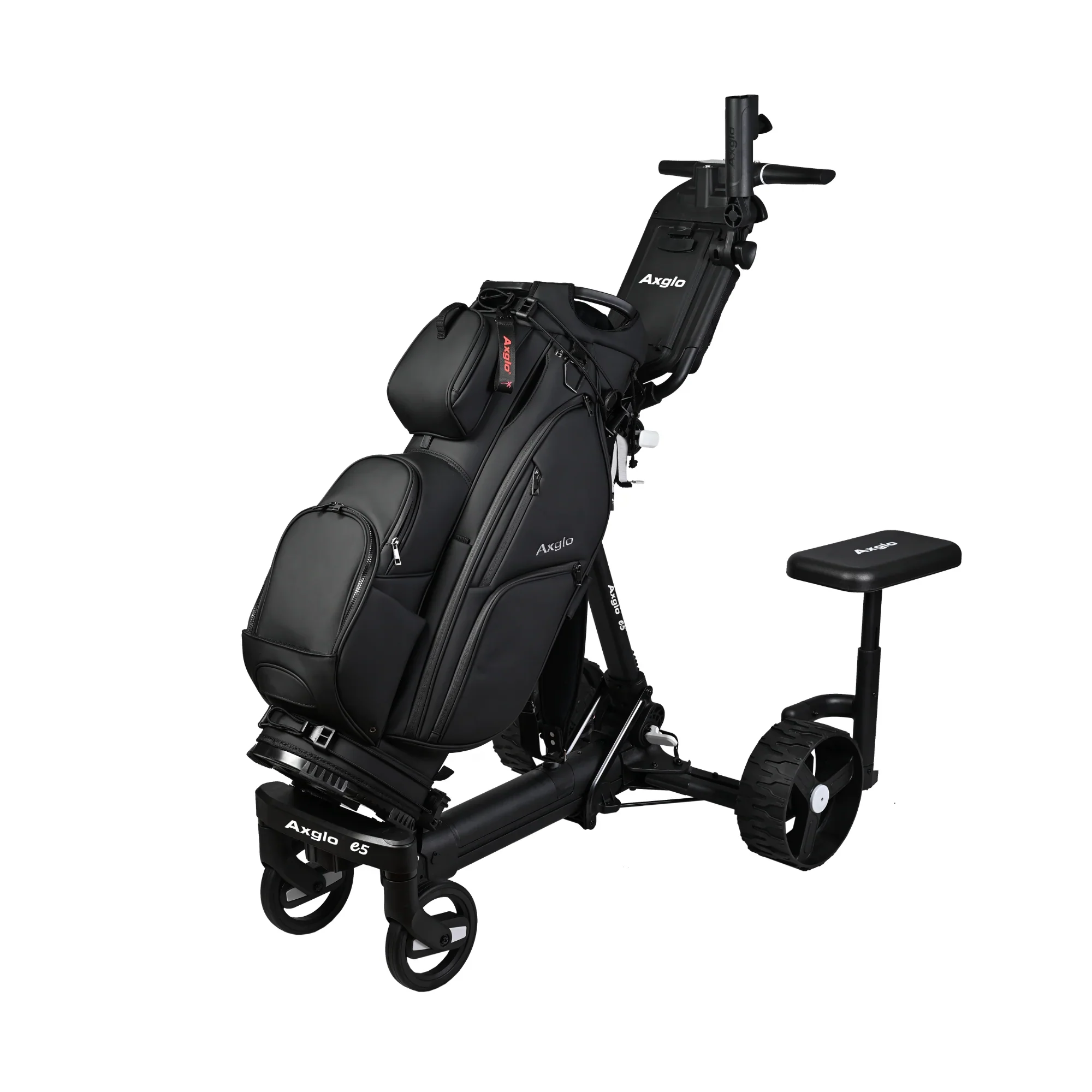
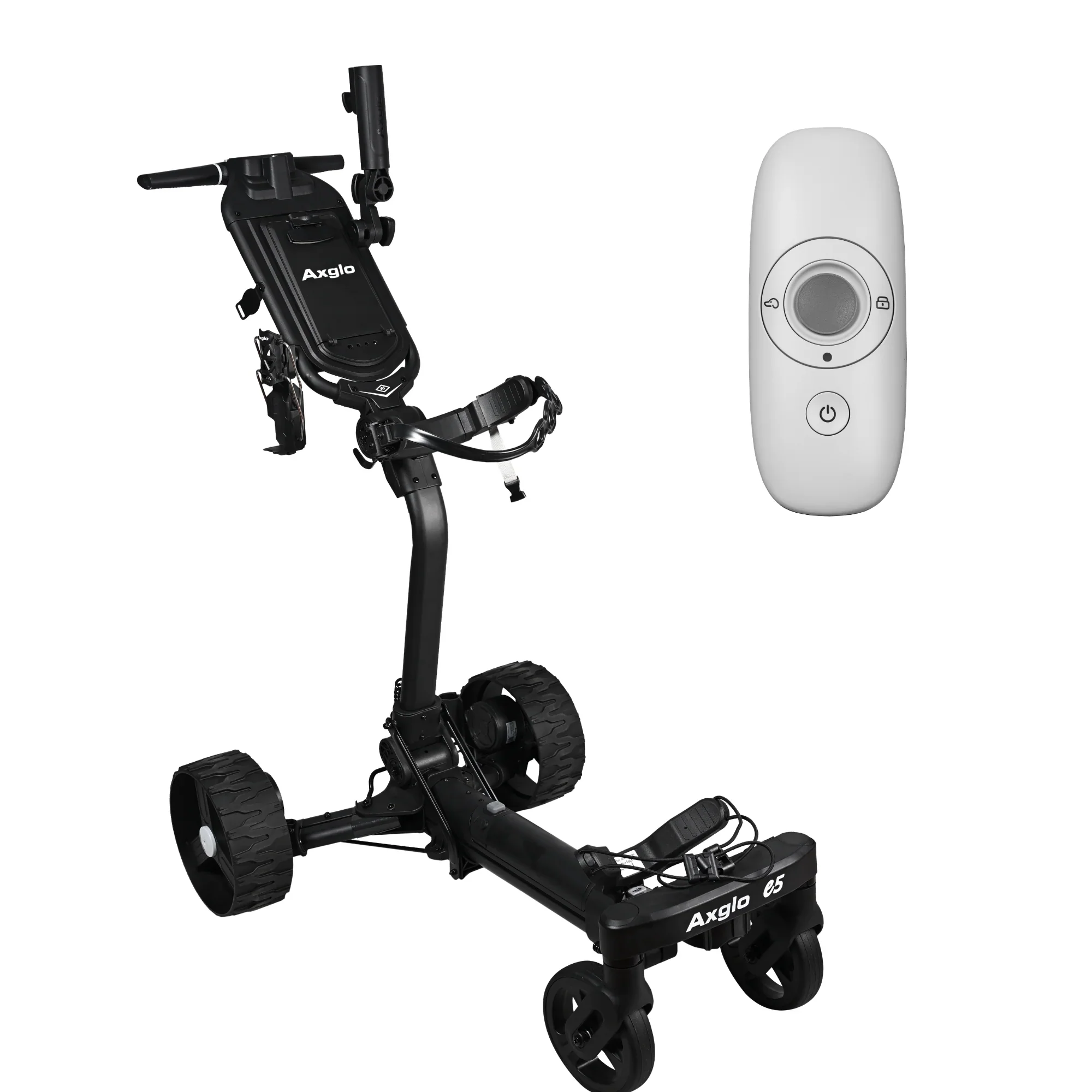
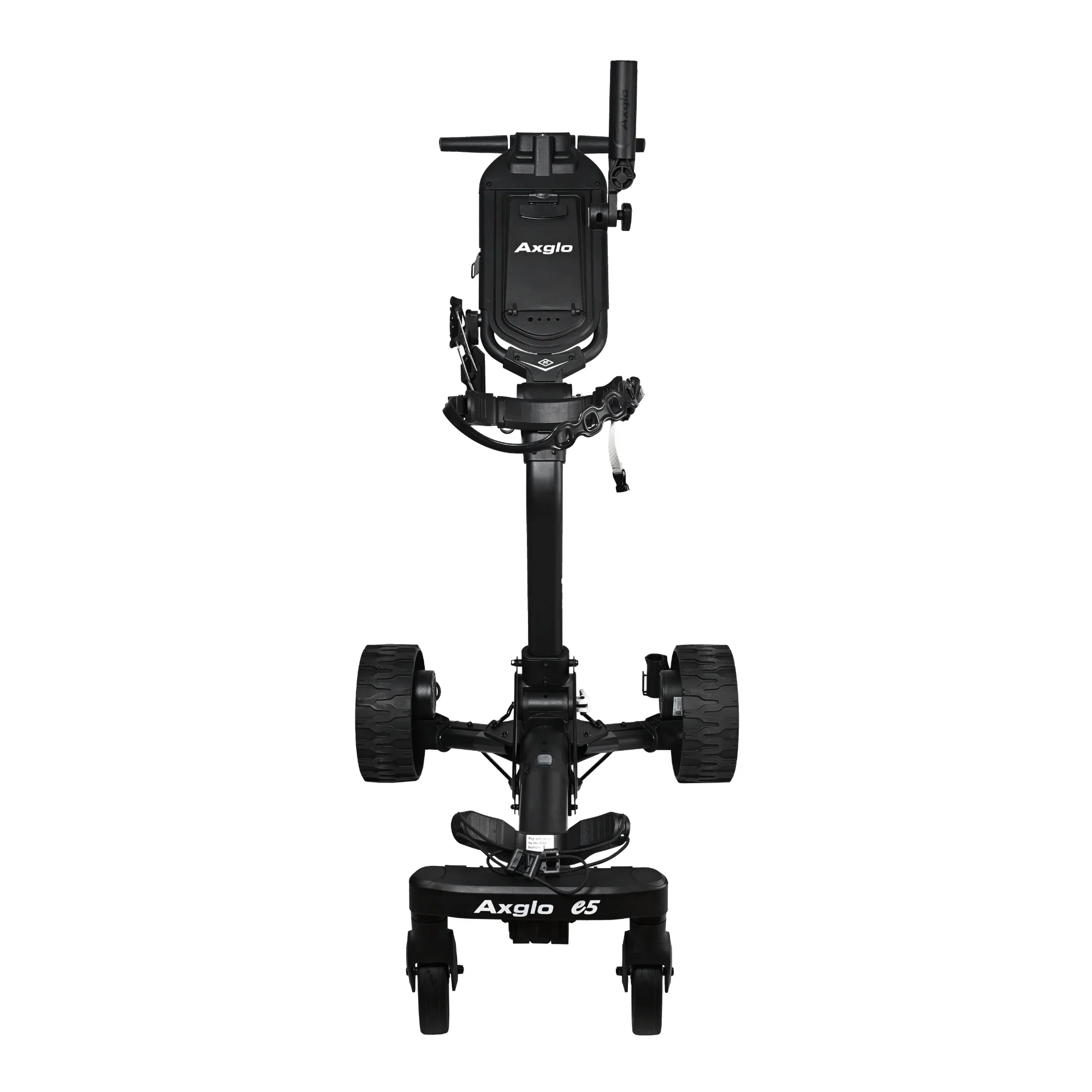
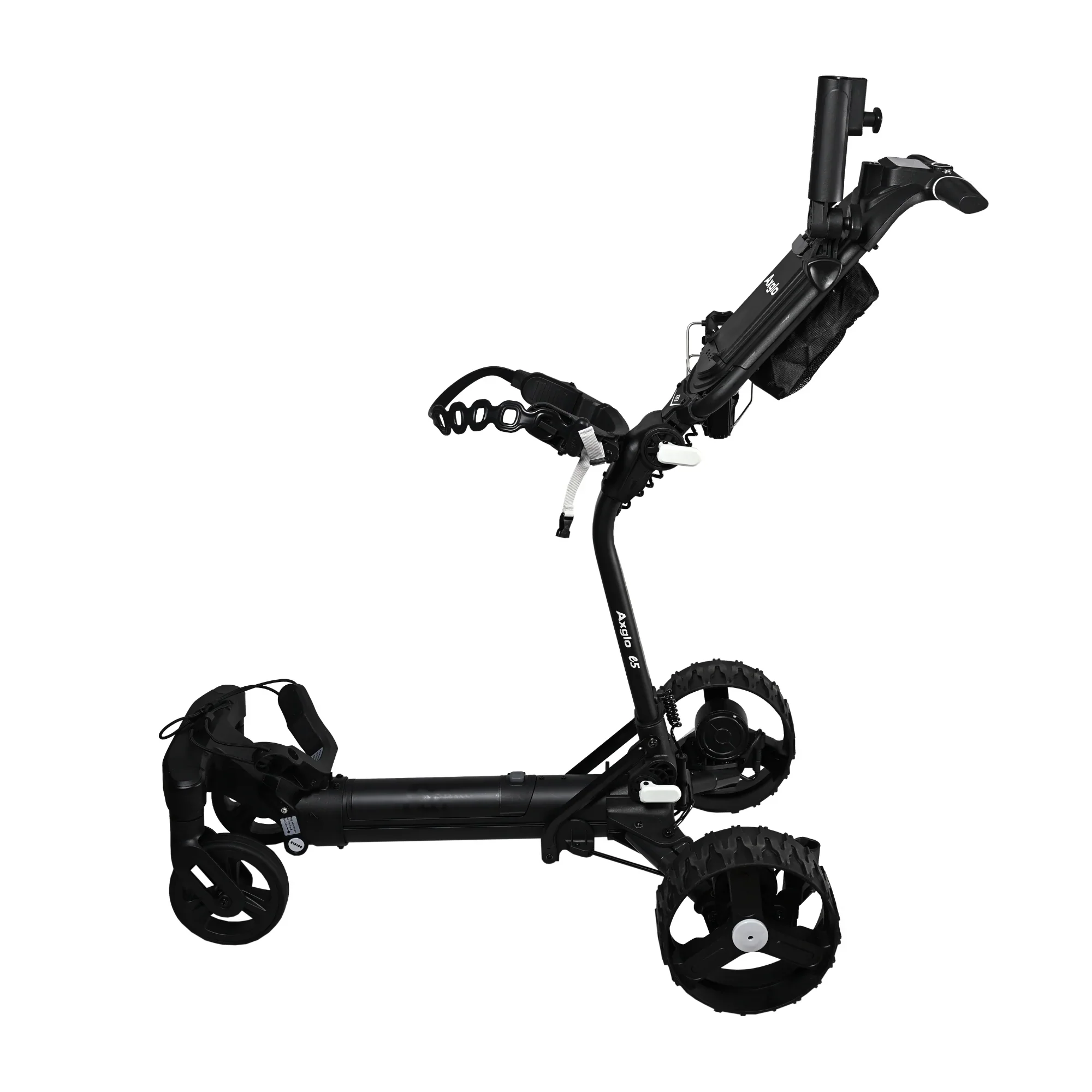
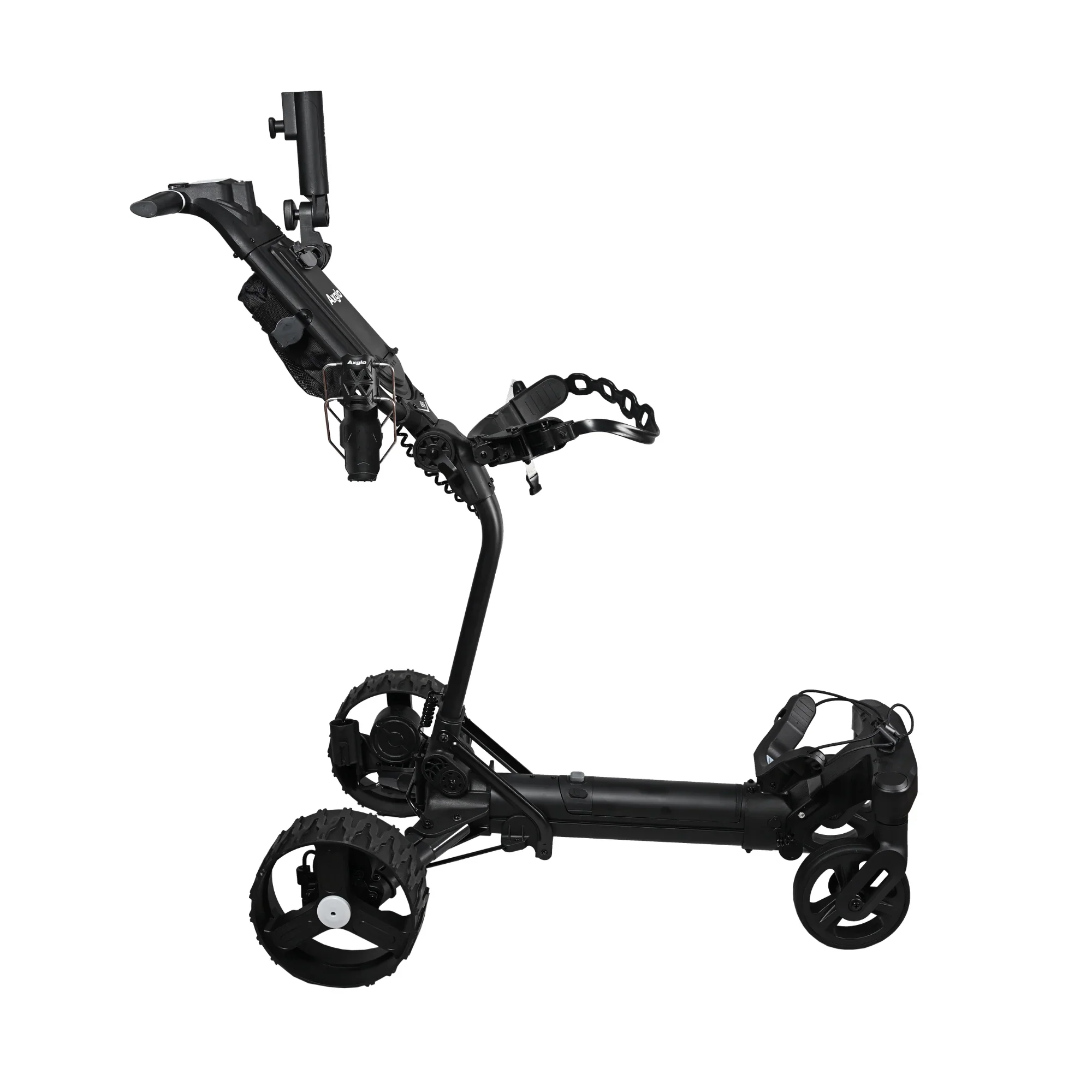
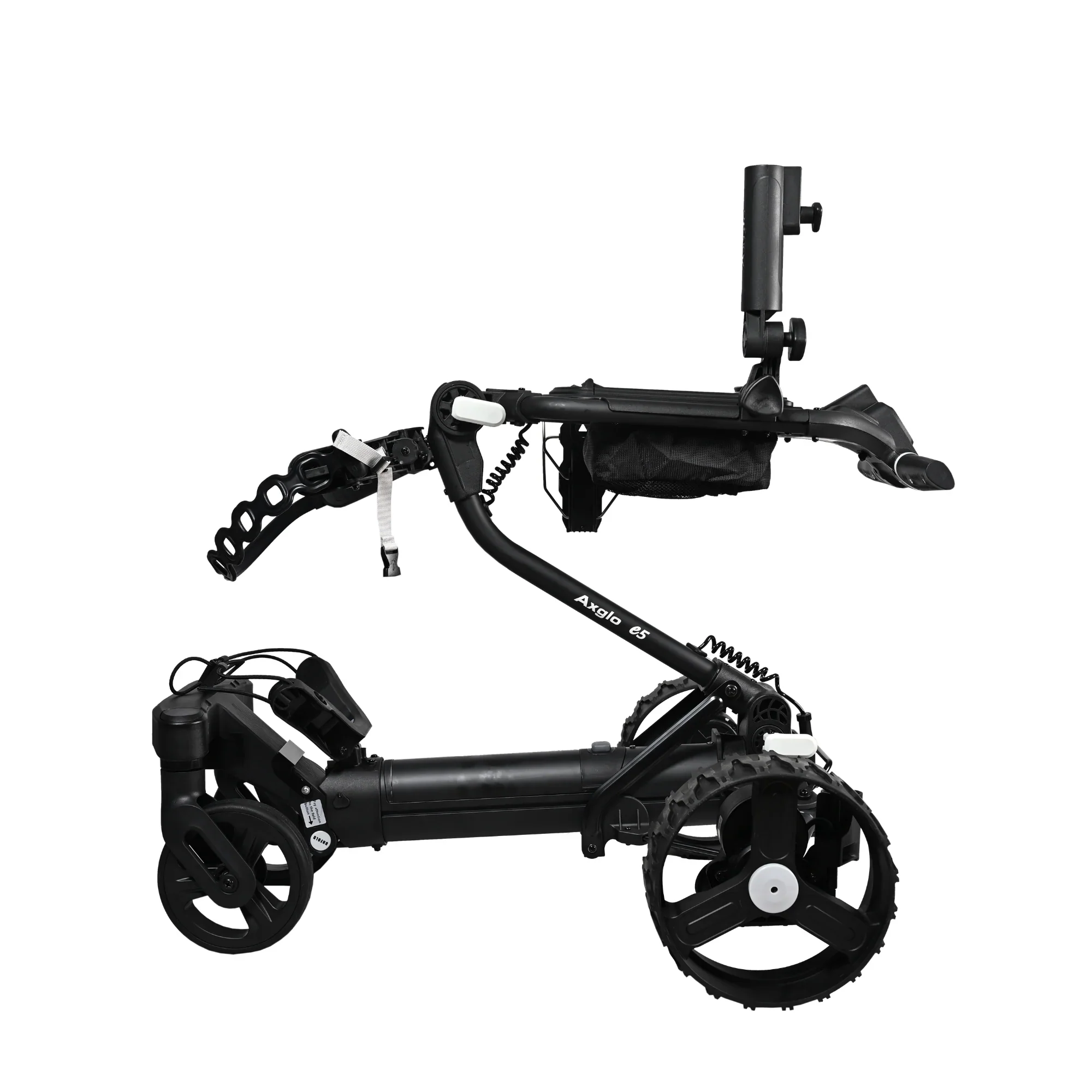
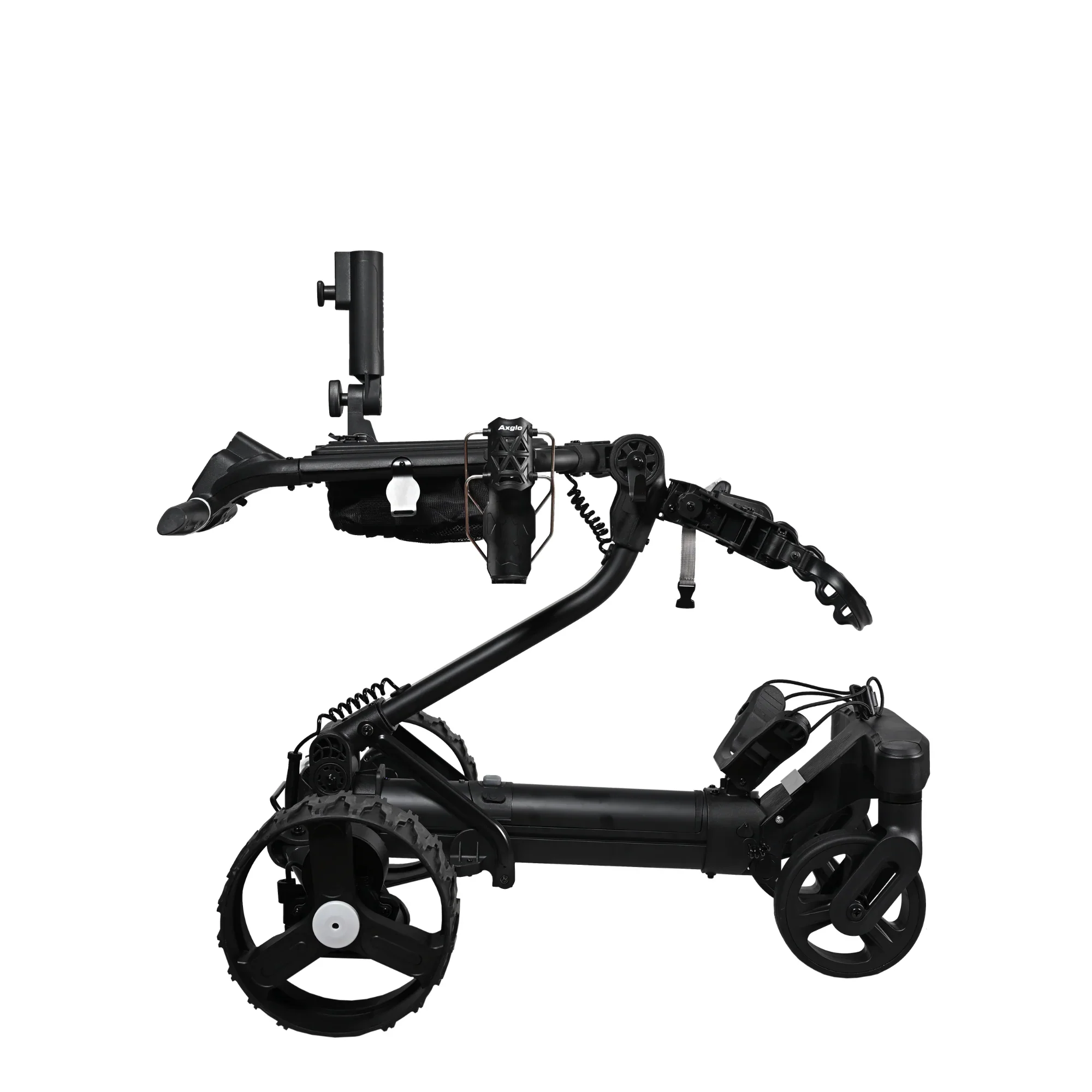
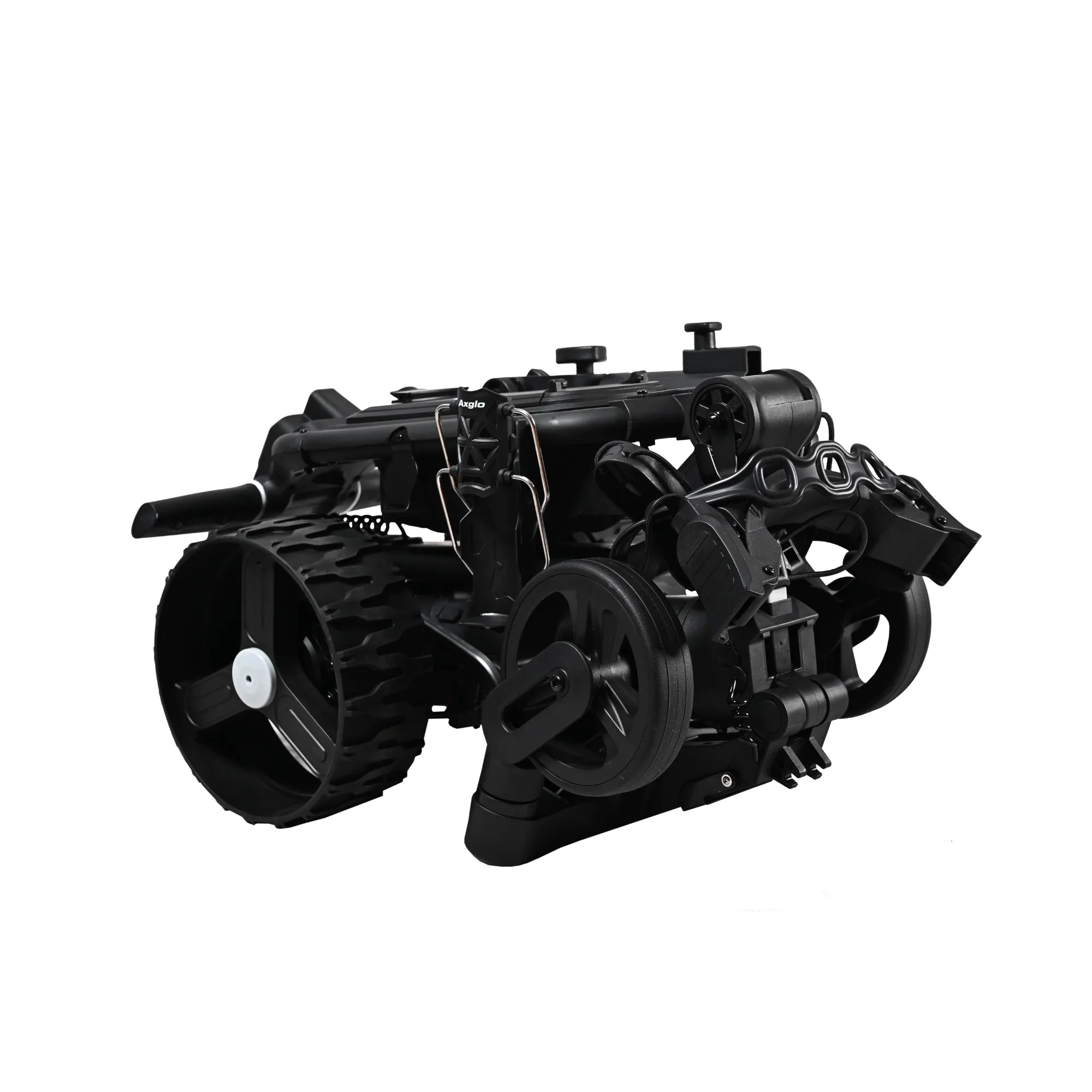
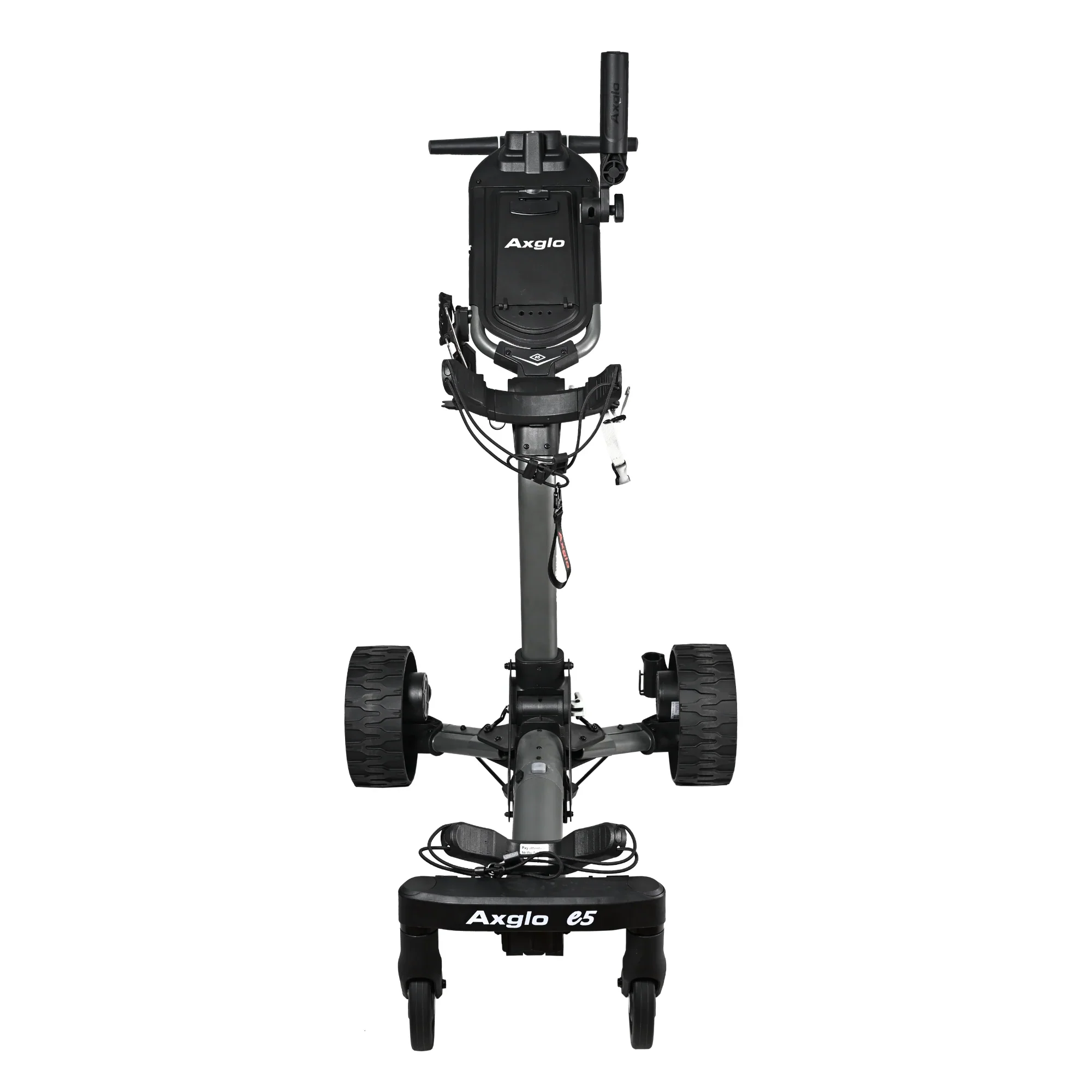
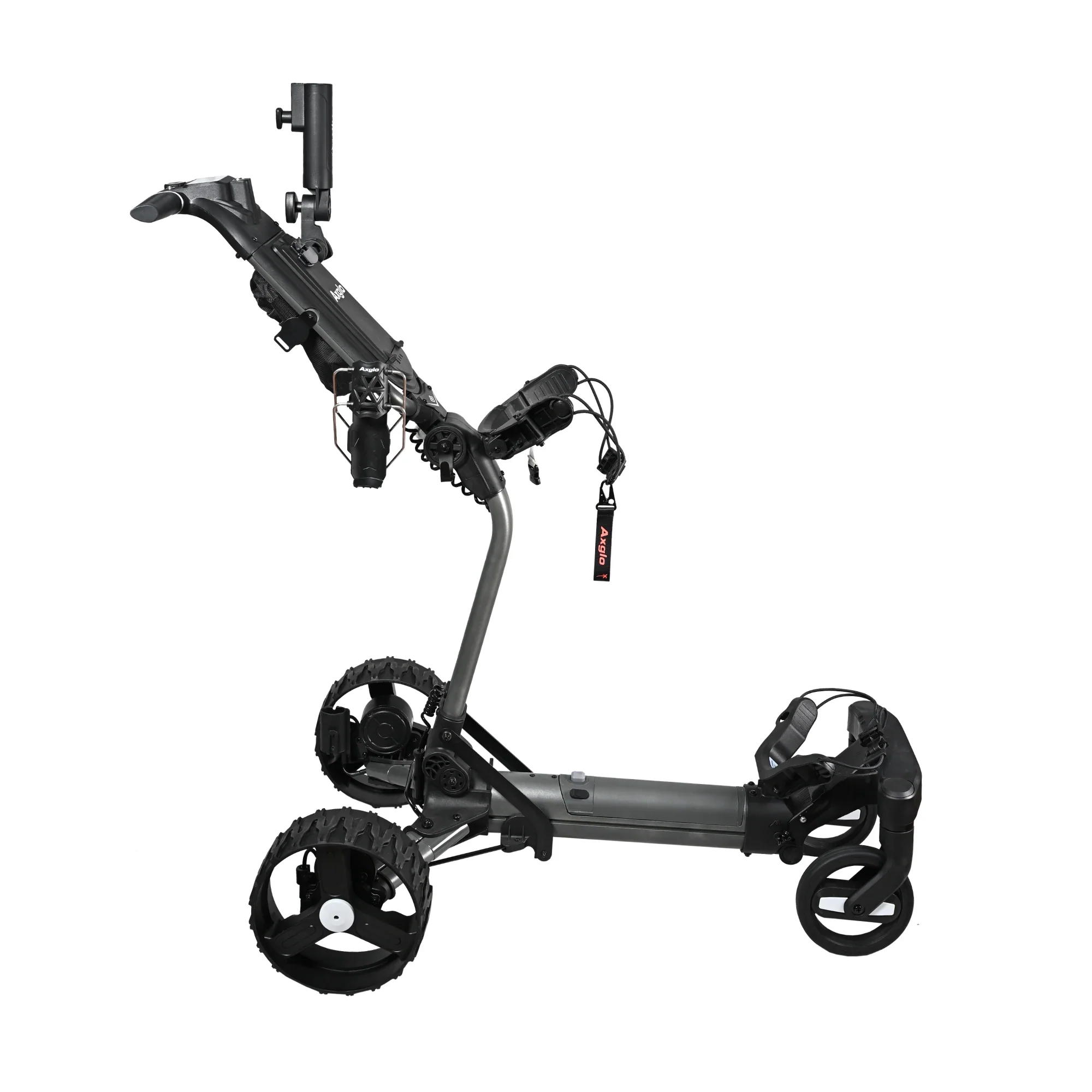
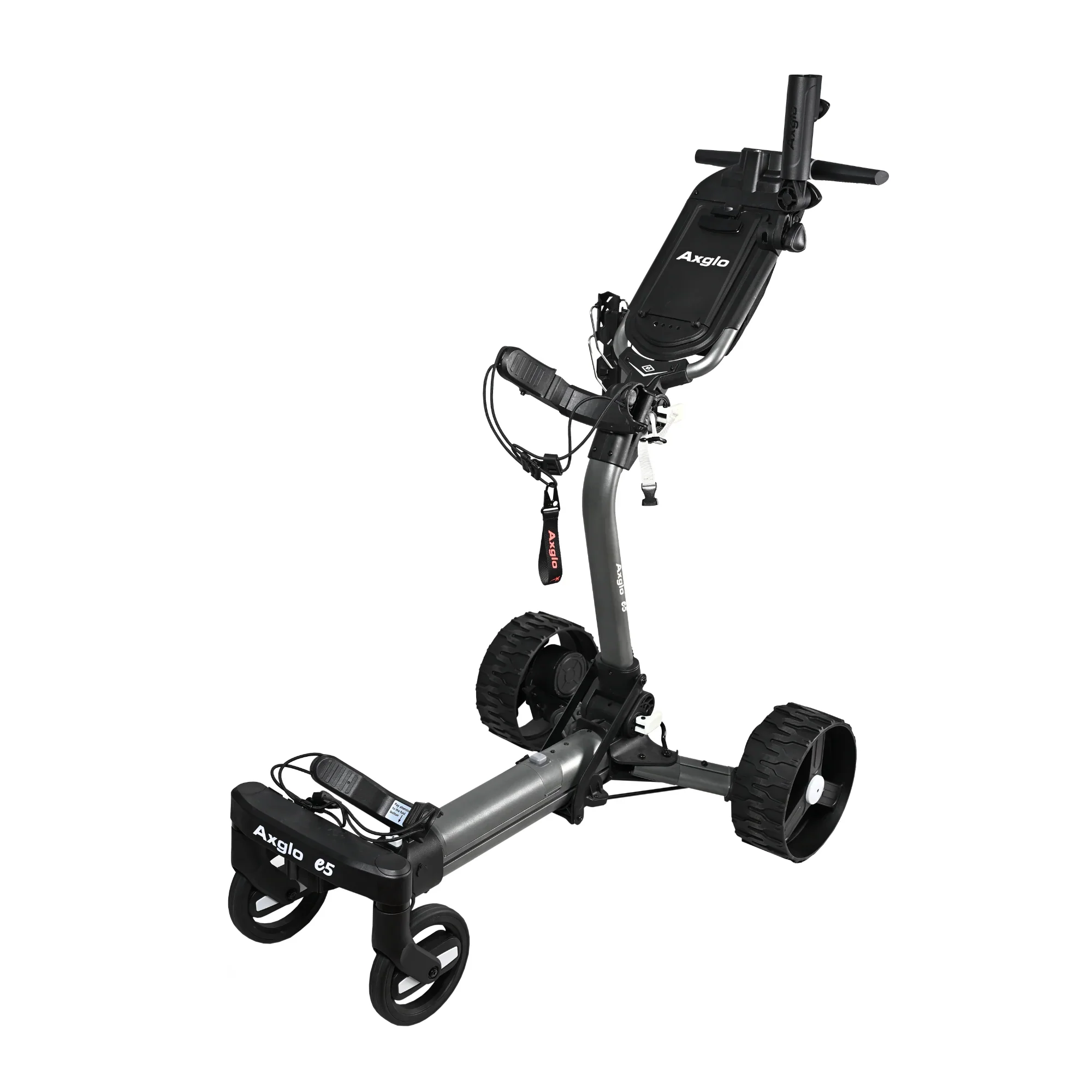
The Axglo E5 Follow Me Electric Golf Push Cart offers a modern approach to walking golf, combining intelligent follow mode, powerful assisted drive, and advanced remote control for a seamless experience on the course. The 2026 model introduces a convenient left and right steering control button on the handle, allowing for precise maneuvering with a simple press and hold. It features five control modes: follow me, power-assisted speed control with nine speeds, full remote control in all directions, remote cruising with three constant speeds, and manual pushing when needed. The dual brushless motors provide efficient power and handling, supported by patented anti-tipping technology that allows the cart to climb slopes up to 40 degrees on varied terrain. Designed for easy use, the Axglo E5 folds and unfolds quickly with a two-motion system, has a fully adjustable handle and bag strap to fit all users, and includes practical additions like a USB charging port, beverage holder, and umbrella holder. The cart runs on a 24V lithium battery with a capacity of 10,050mAh, which can be charged on or off the cart, and weighs 16 kg with the battery installed. The aluminum frame ensures durability while keeping the cart lightweight. The Axglo app enhances control, letting users customize settings such as speed, steering sensitivity, and follow distance, making it easy to tailor the cart’s behavior to individual preferences. Overall, the Axglo E5 balances power, convenience, and advanced technology to provide smooth and effortless support during every round of golf.
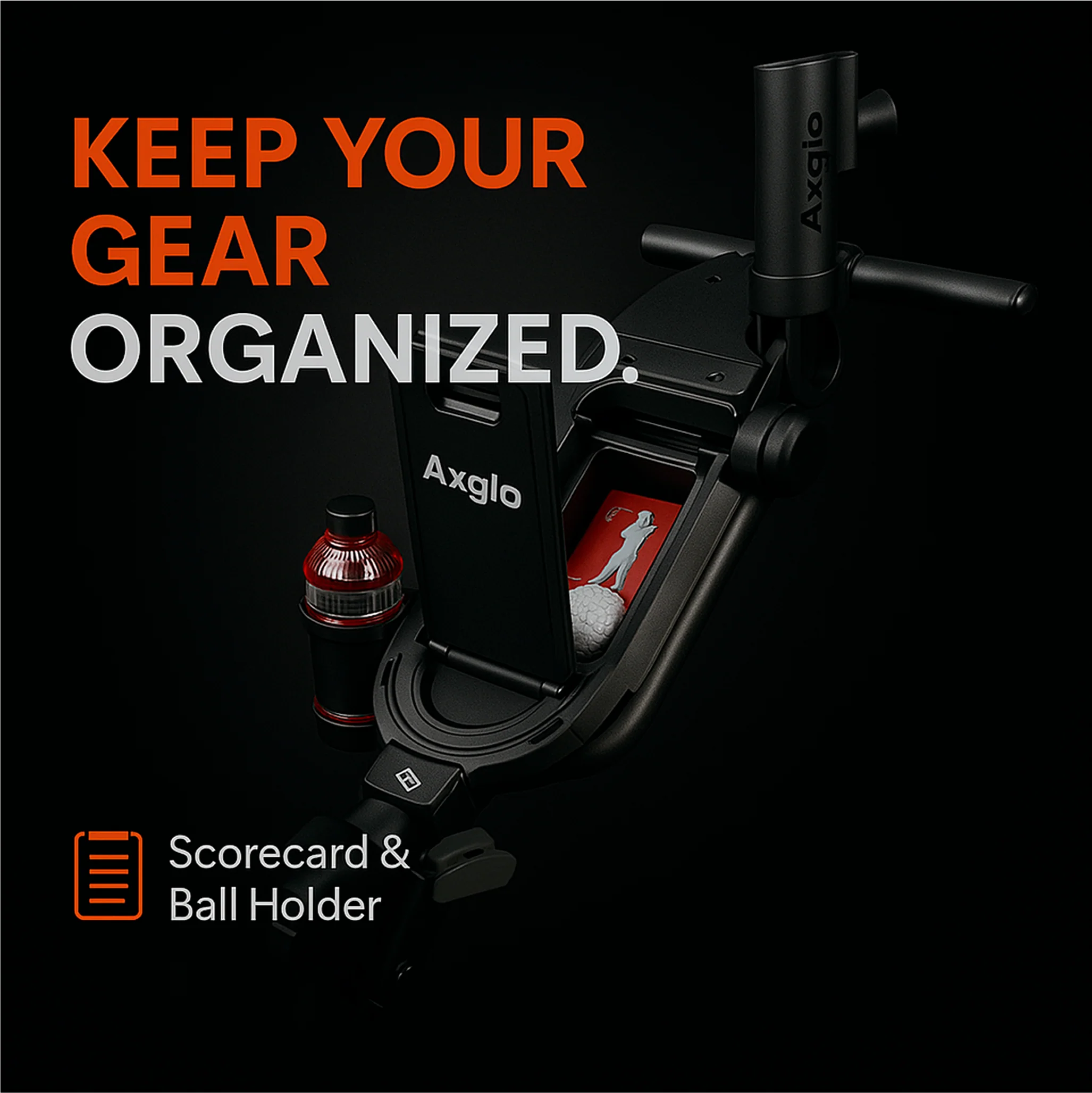
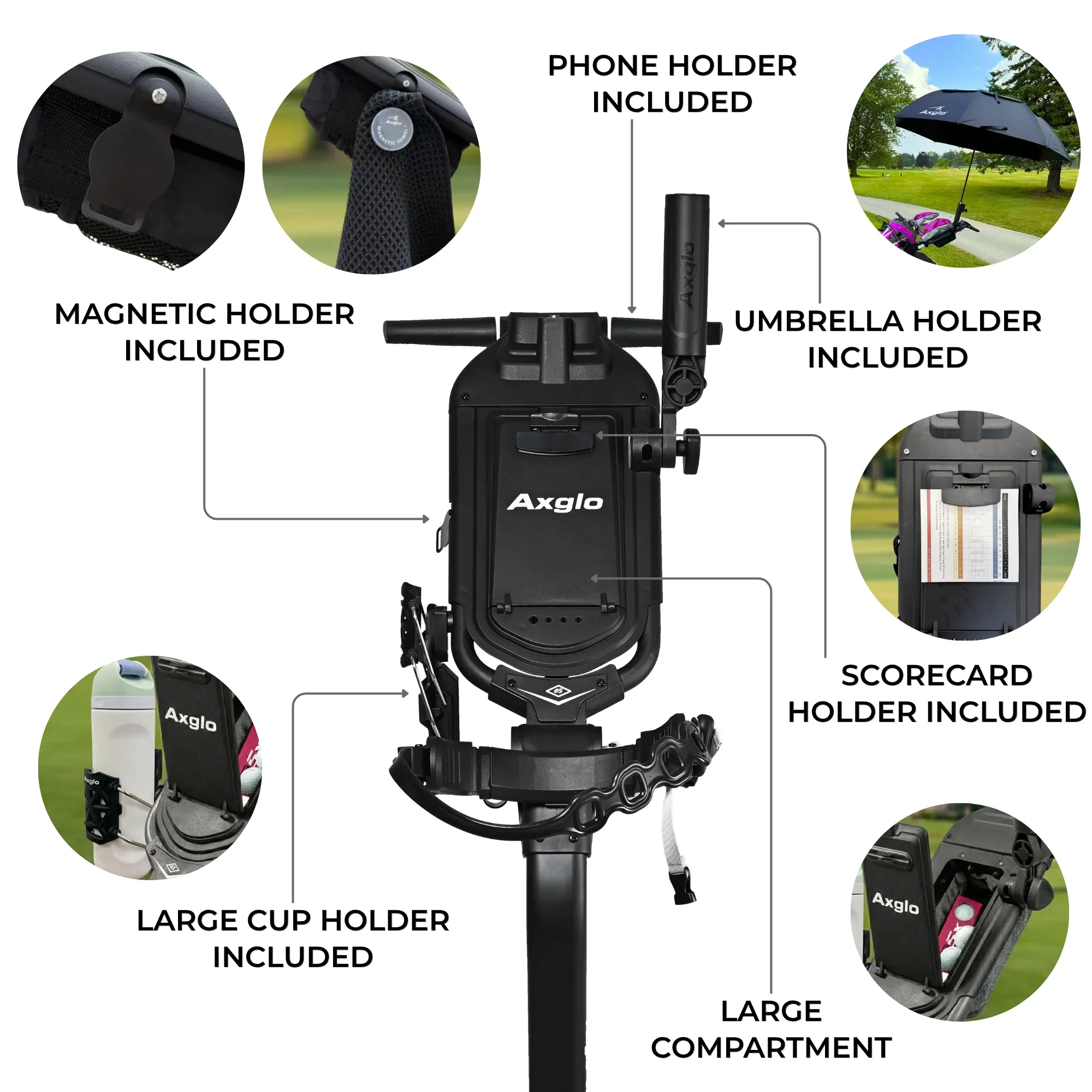
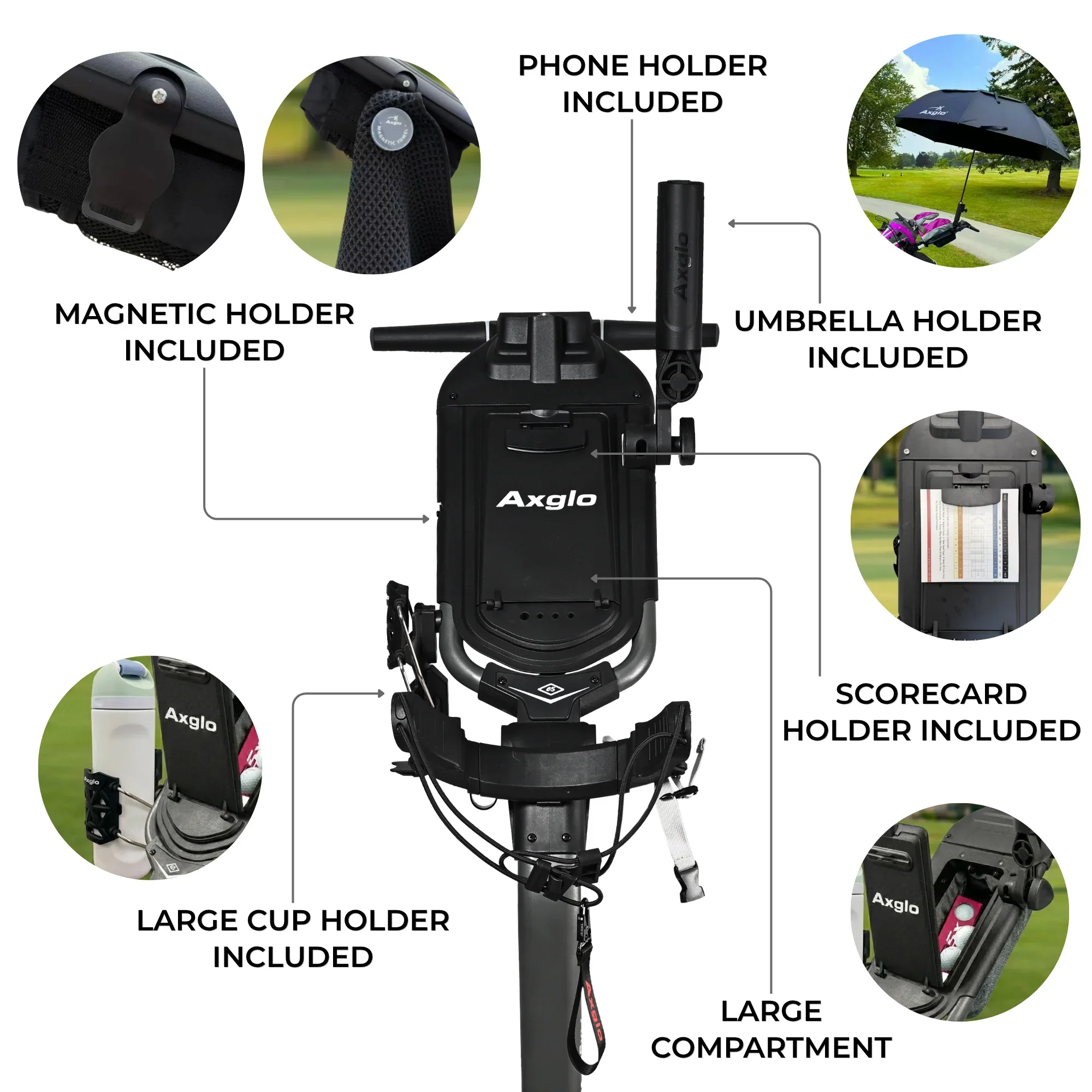
Comes with a new adjustable drink holder, umbrella holder, and phone holder.
Please note that the remote will not hold a charge if a fast-charging adapter is used. We recommend using a standard 5V adapter. Only the standard adapter should be used for charging, as fast-charging adapters will not work.
E5_Electric_Cart_Instruction_Manual
Axglo e5 transforms your walking golf experience with smart follow mode, robust assisted drive, and an intuitive remote control system. Engineered for effortless maneuverability and reliable performance, the e5 gives you complete control and convenience across any course—keeping you focused on your game, not your gear.

Understand the Icons on the screen
2026 version features an exciting upgrade: a left and right steering control button conveniently placed on the handle.
With these intuitive controls, simply press and hold the buttons to effortlessly steer the cart to the left or right, offering enhanced ease and precision on the course.

- There are a total of 5 control modes available, which encompass follow me, power-assisted speed control, remote control, remote cruising, and manual pushing.
- “Follow me” option where Axglo e5 will follow you everywhere you go.
- To utilize the power-assisted speed control feature (which offers a total of 9 speeds), simply turn the central knob in a clockwise direction to increase the speed, and in an counter clockwise direction to decrease it.
- The wireless remote control enables full directional control, allowing for movement in all directions such as forward, backward, leftward, and rightward.
- With the remote cruising control feature, you can set your cart to run at a constant speed using one of its three available speeds.
- If the battery runs out of power or is not installed, the cart can be pushed manually.
- Calibrated dual motors for efficiency and optimal handling.
- With our Patent Anti-Tipping Technology, our cart is capable of climbing up to a 40-degree slope on any terrain.
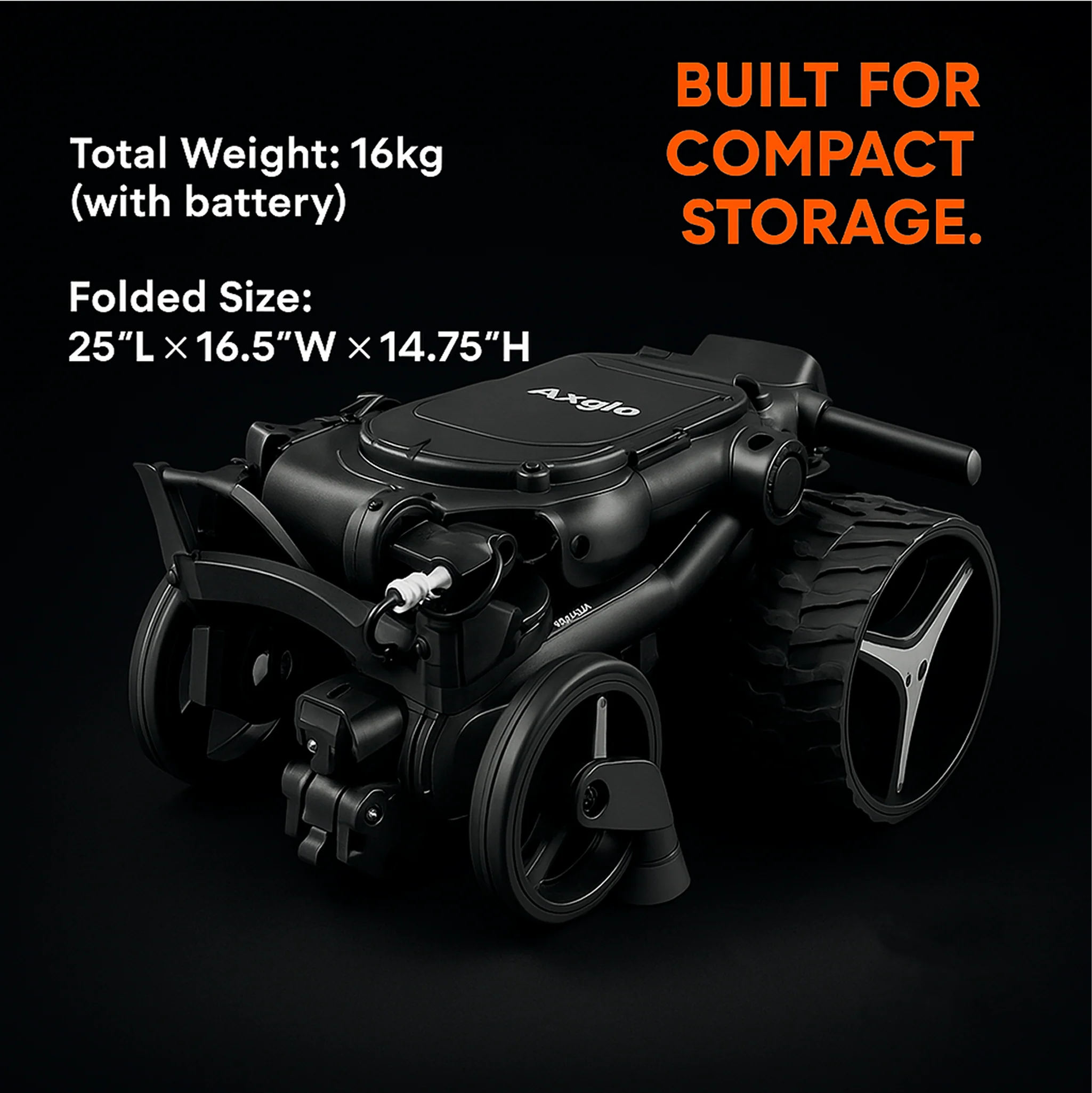
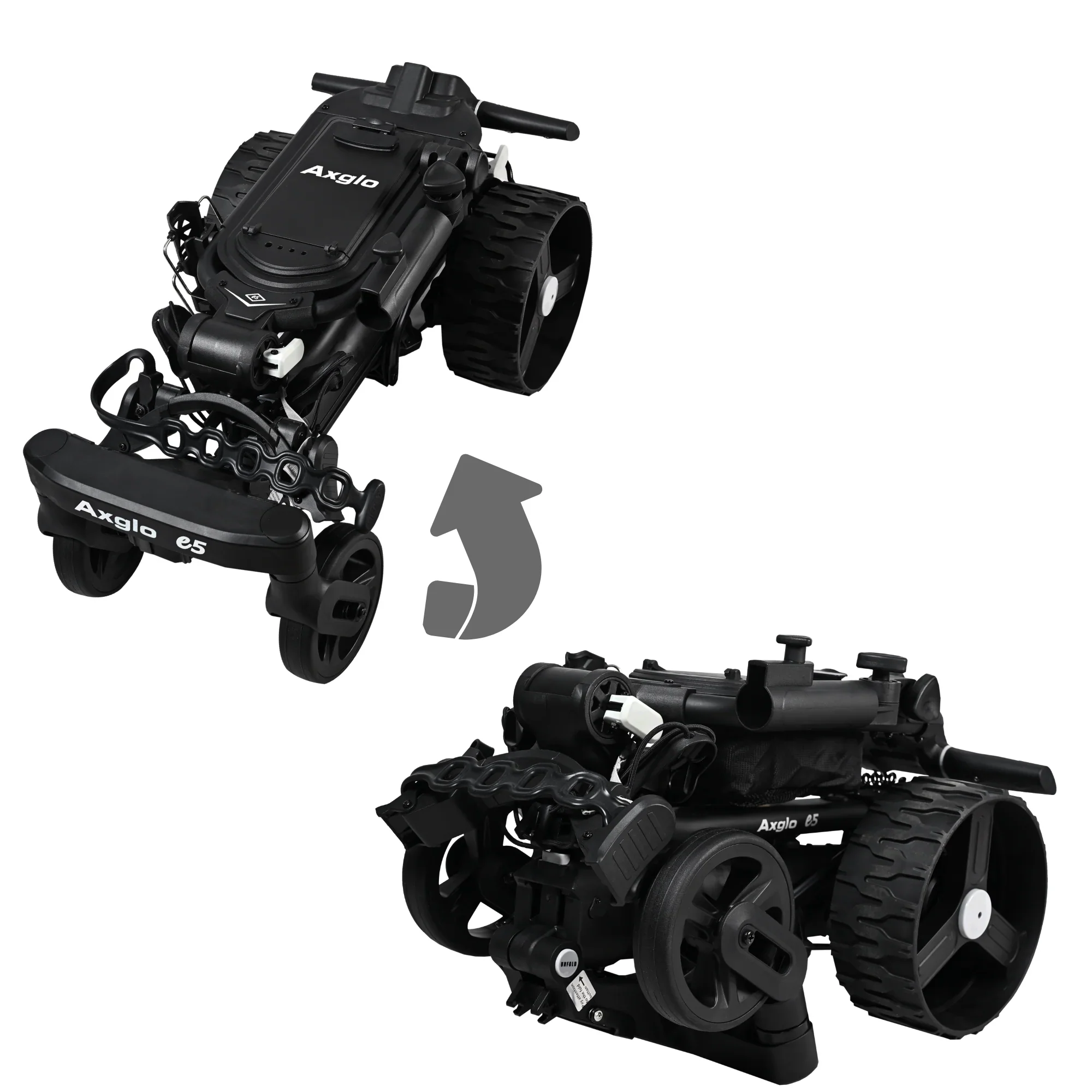
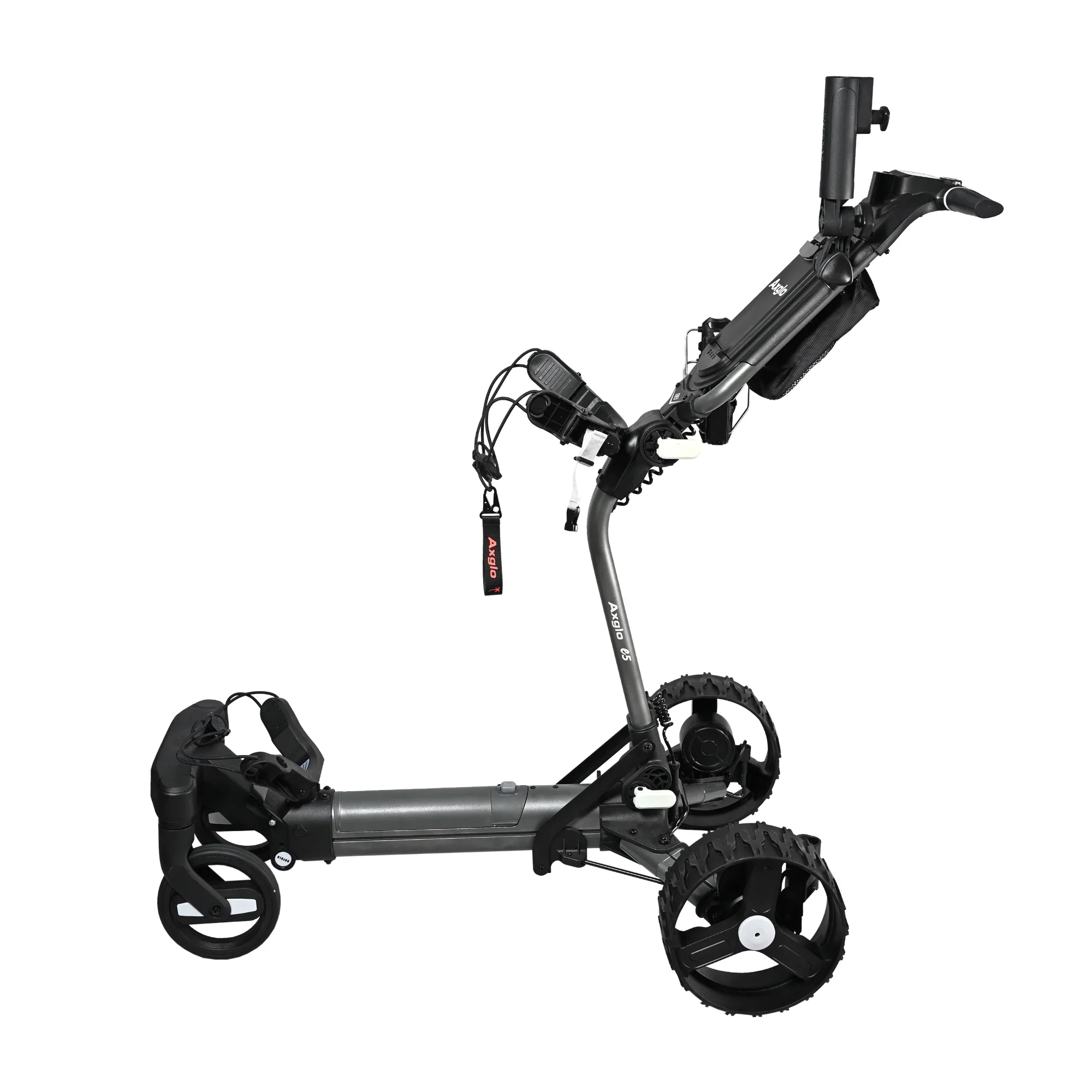
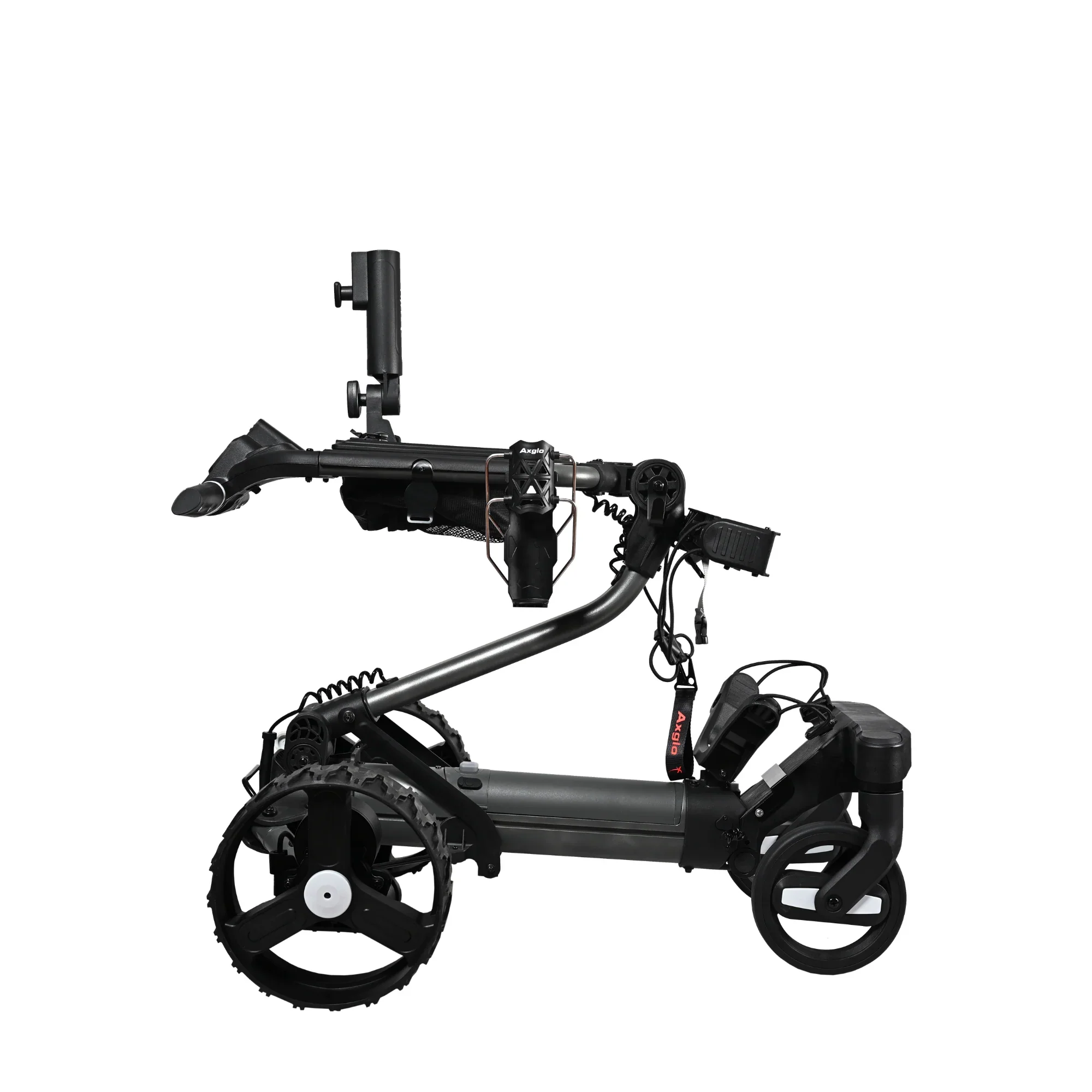
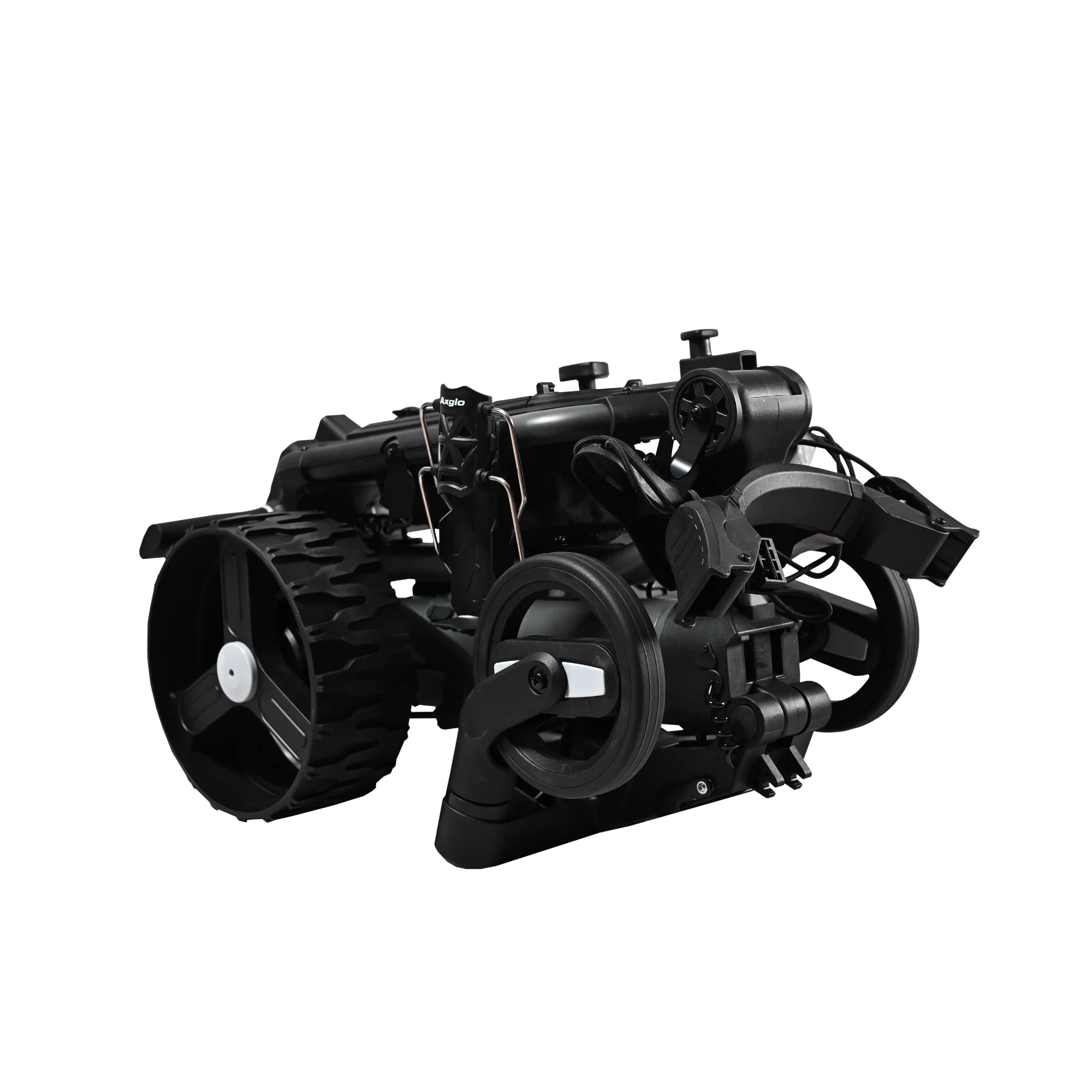
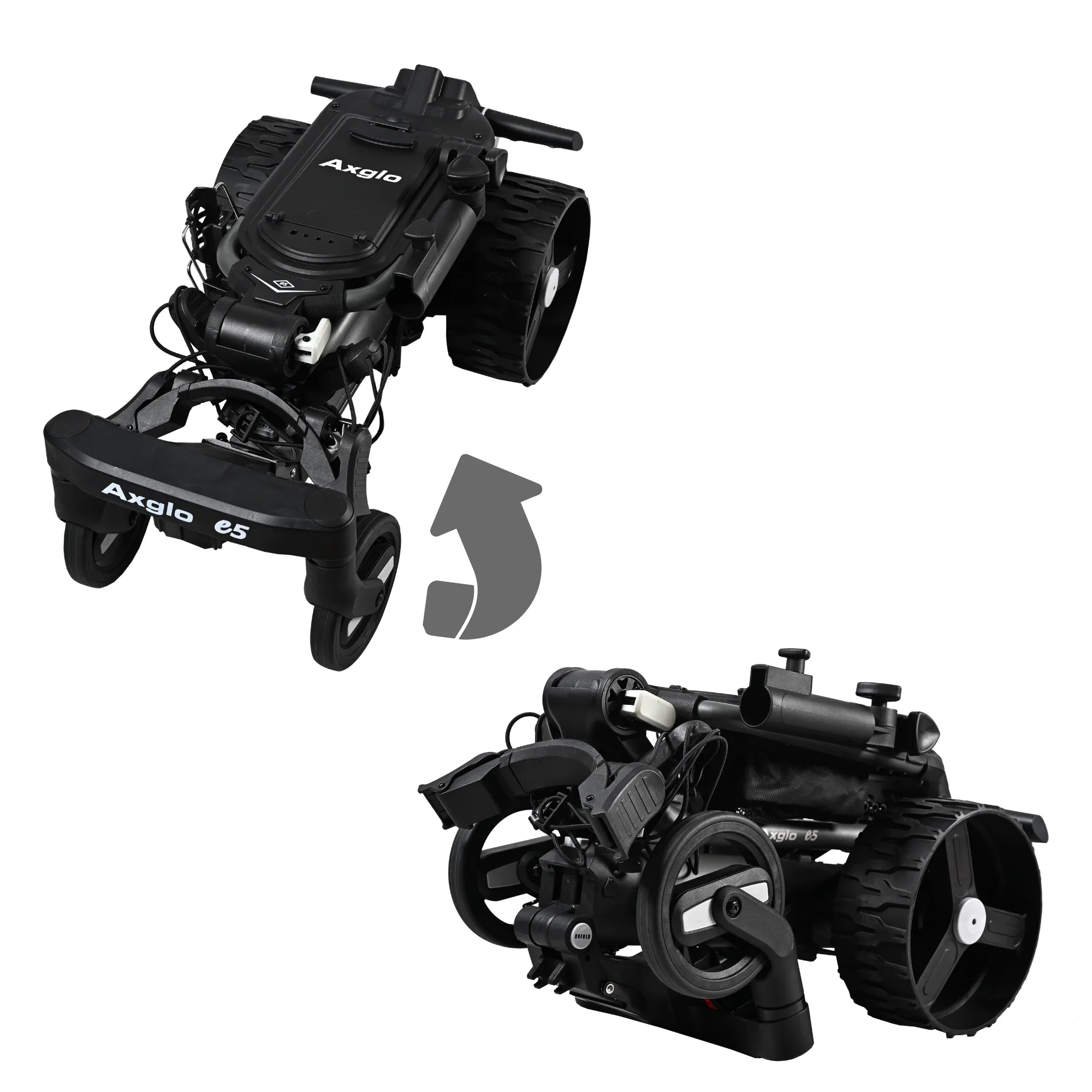
- Effortless and easy 2-Motion folding and unfolding of Axglo e5 for quick and easy setup.
- Fully adjustable handle height for all height and age groups.
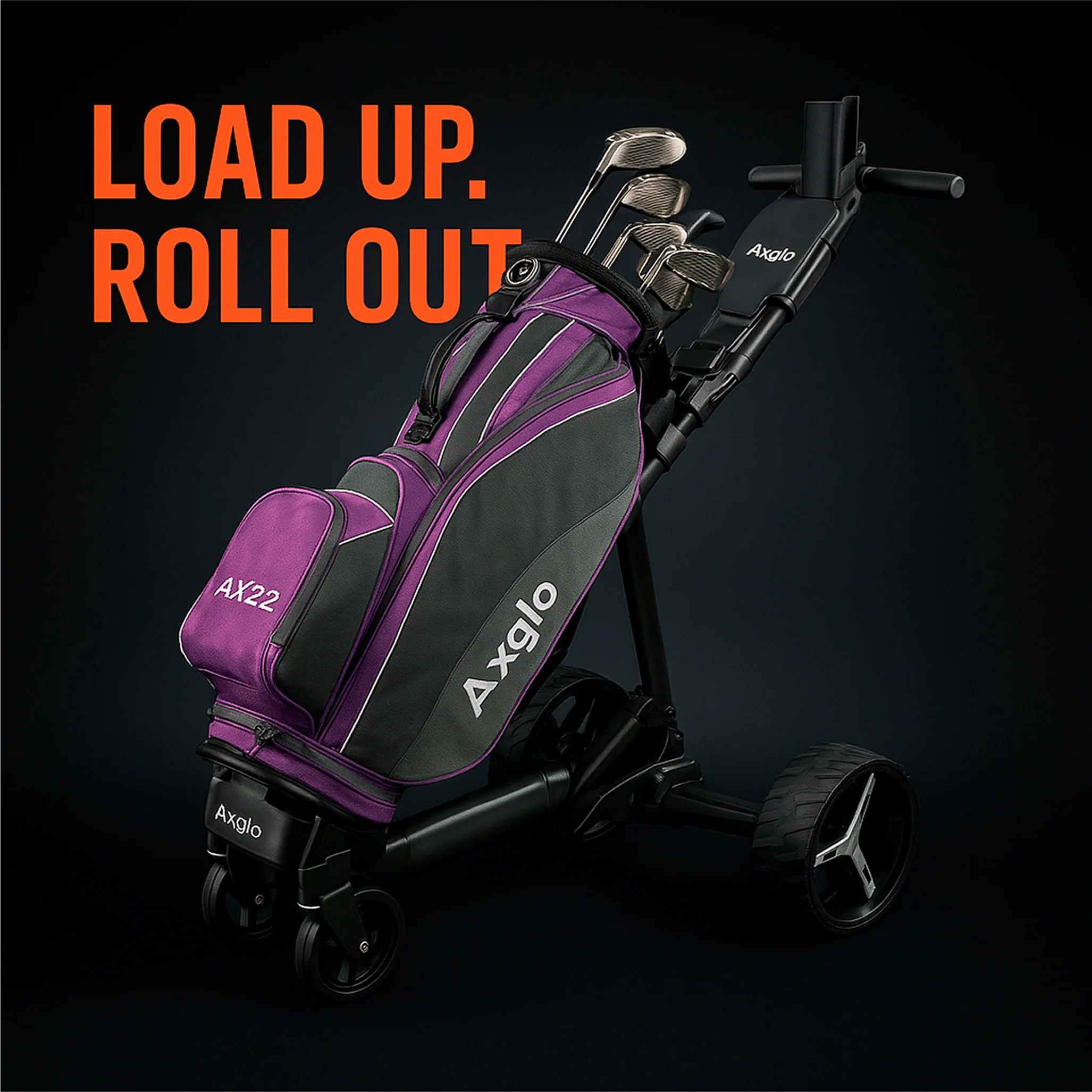
- Adjustable bag strap for most bags of any size.
- USB Charging port to power any personal devices (Mobile Phone etc.).
- Comes with a new Adjustable drink holder, Umbrella holder, and Phone holder.
***All Electric Push-Carts are FINAL SALE !
E5_Electric_Cart_Instruction_Manual
Comes with a beverage holder and an umbrella holder.
We currently DO NOT have the Anti-crash bumper sensor
Specifications
Specs
- Voltage: 24 V
- Motor : 180 W (2 x 90W) Dual Powerful Brushless Hub Motors
- Dimensions: 25” (L) x 16.5” (W) x 15” (H) / 64cm (L) x 42cm (W) x 38cm (H)
- Weight: Without Battery - 14KG
- Weight: With Battery - 16 KG
- Material: Aluminum
- Warranty: 24 Months
- Lithium Battery Capacity: 10050mAh
- Lithium Battery can be charged on the cart OR off the cart
Charging Instructions
Charging Instructions
- Fully charge both the battery and the remote before first use. Watch the quick charging guide below
- Battery charging time: 4–5 hours.
- When the battery is fully charged, the charger light turns green.
- We recommend charging the battery before every round of golf.
-
Remote charging time: 1–2 hours.
- While charging, the remote’s power button flashes red slowly.
- Once fully charged, the remote will turn off automatically.
- Use only the standard adapter for charging; fast adapters will not work.
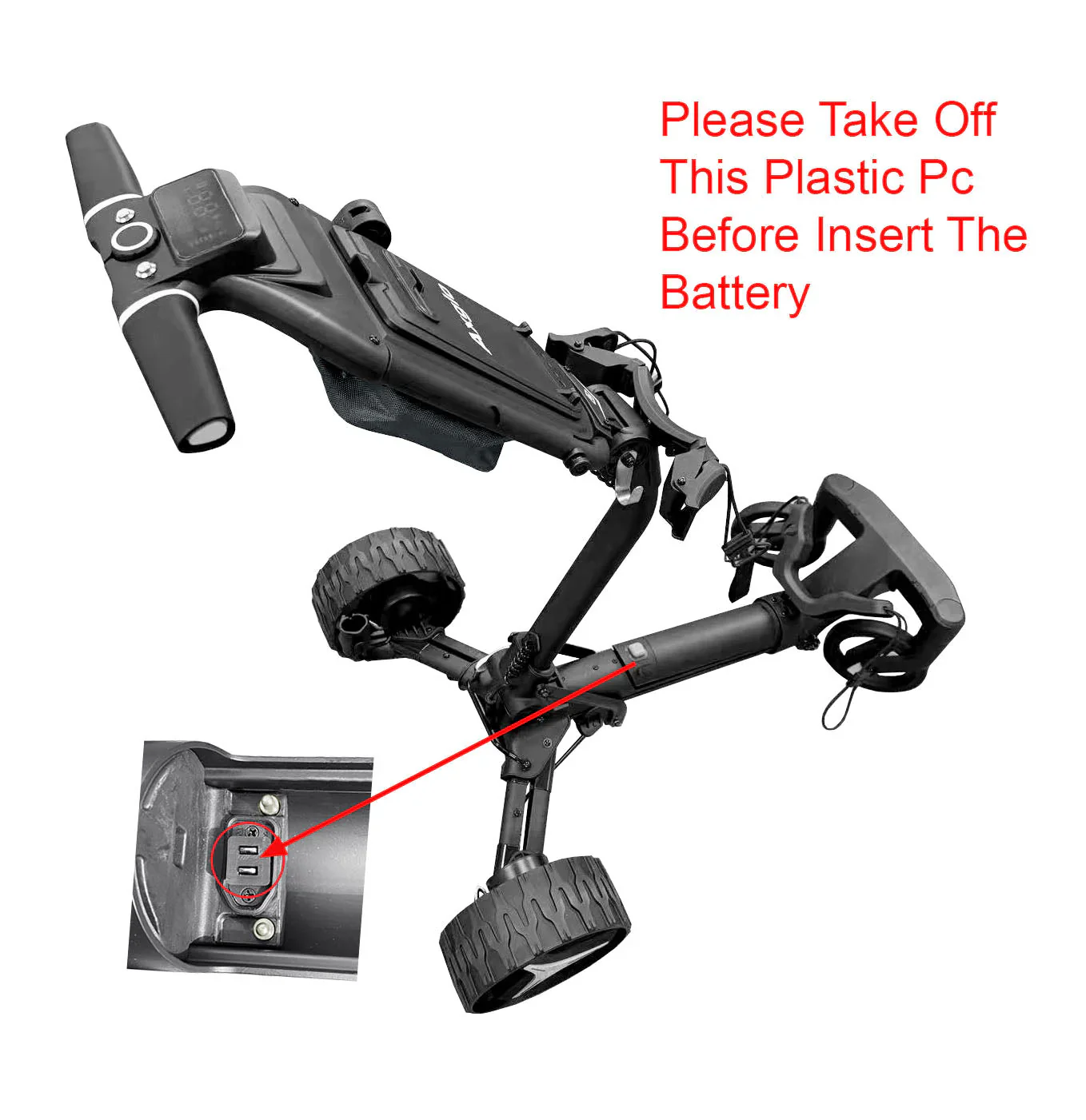
- For first-time use, remove the protective plastic cover from the power socket before inserting the battery.
- Insert the battery by placing it into the base first, then press down firmly until you hear a click.

How To Use
How To Use
-
How to fold and Unfold Axglo e5? Watch how to fold / unfold
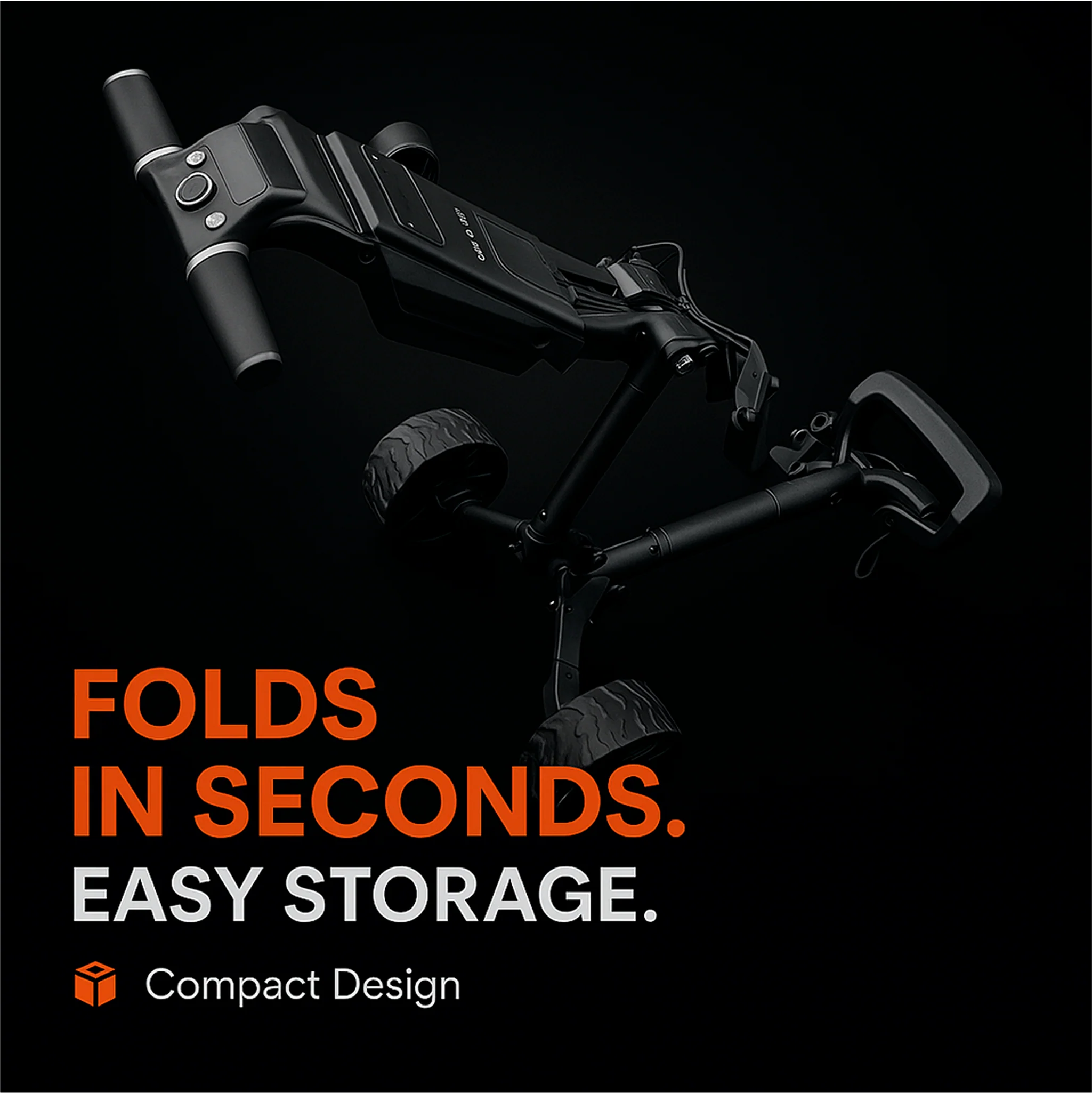
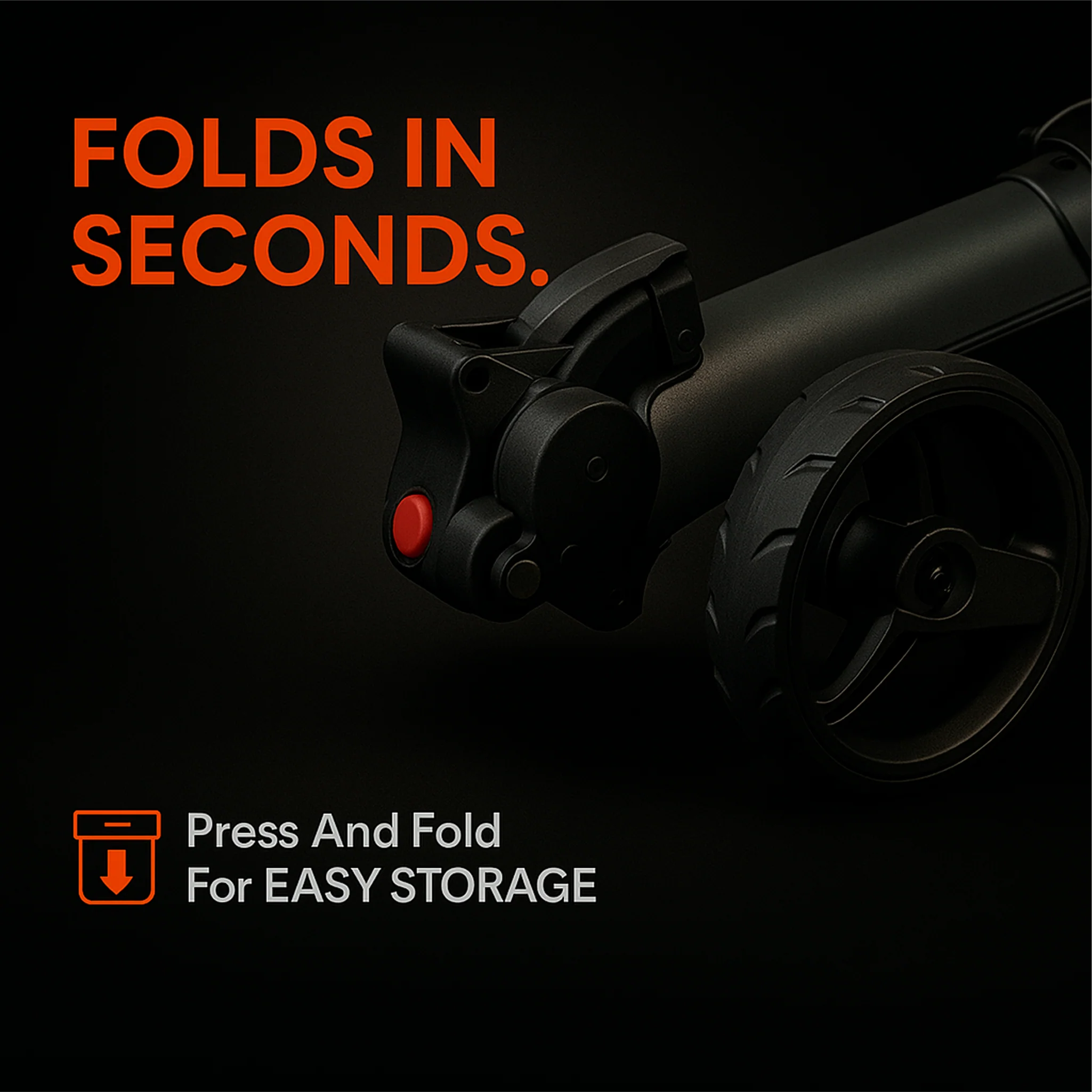
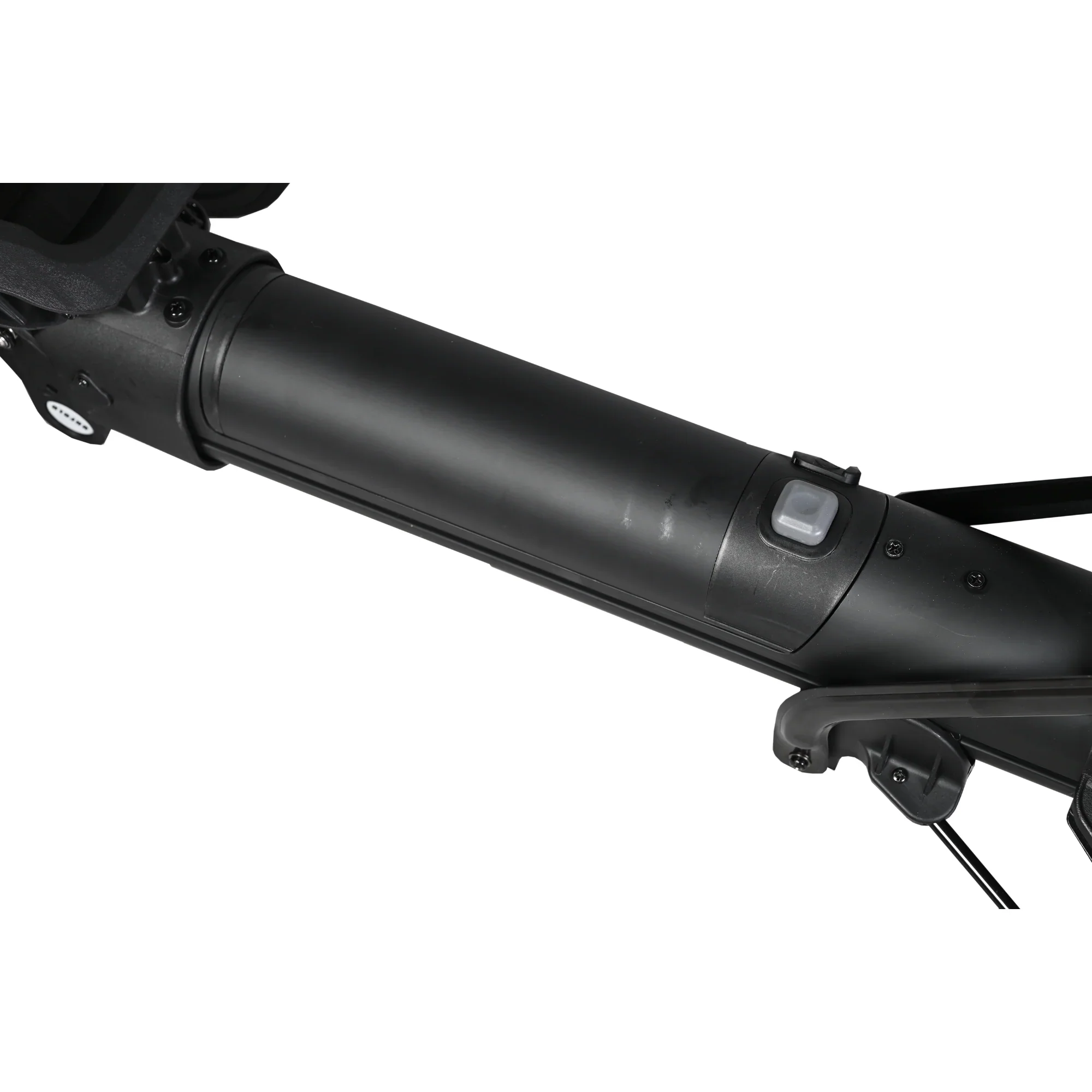
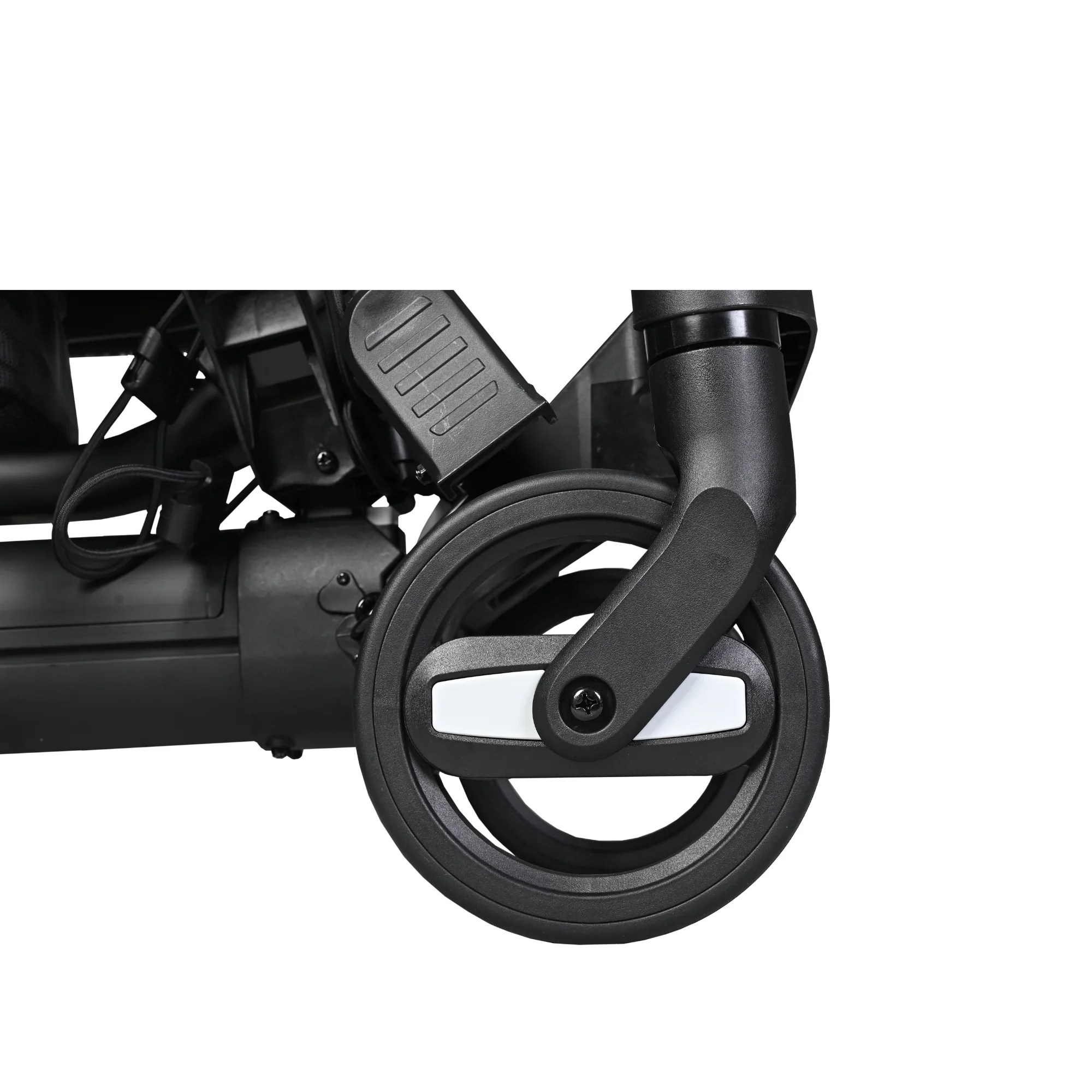
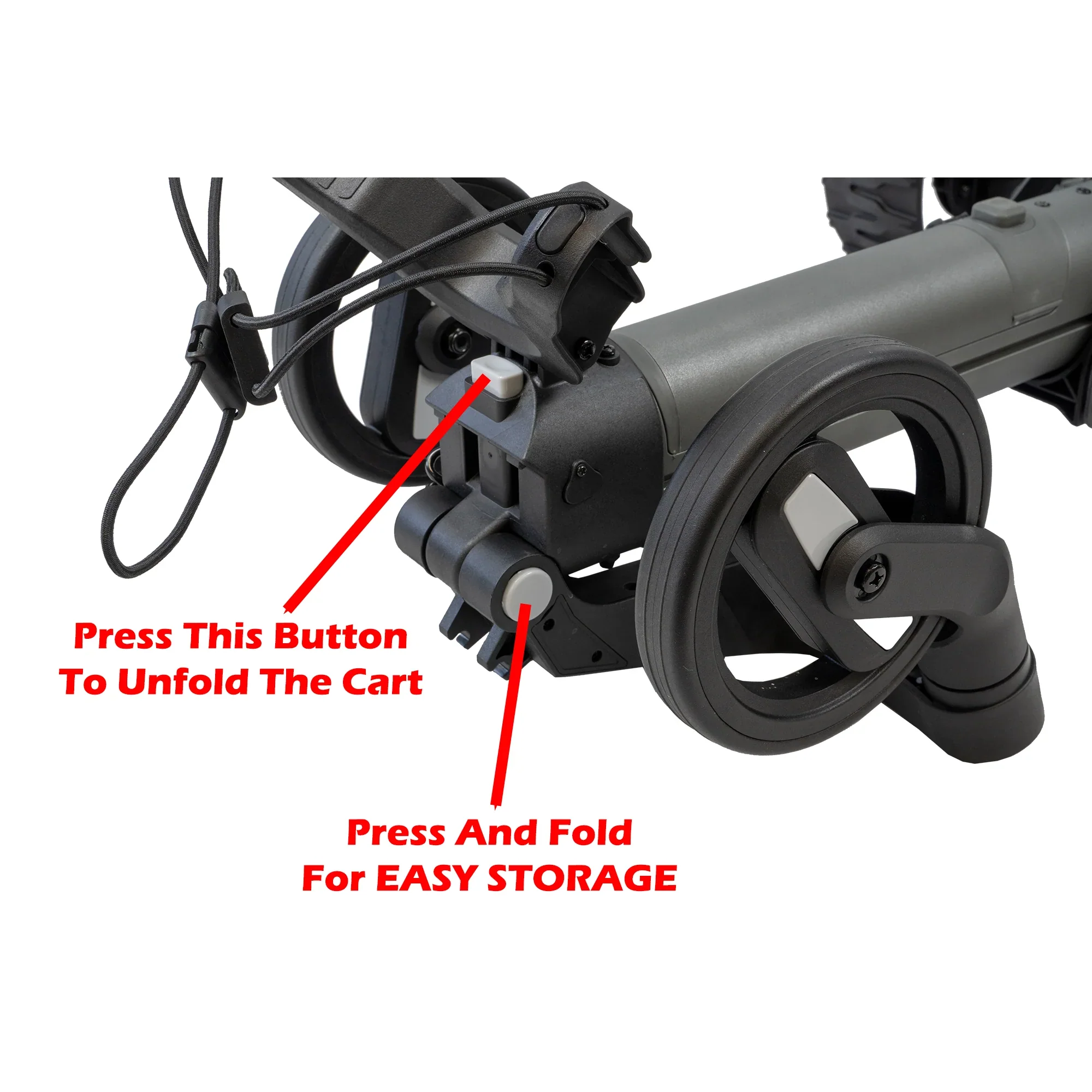
- To Unfold: Pull both rear wheels of your e5 outwards by about 3 cm. While holding the grey circle button on the side, pull up the front wheels to lock them in place. Release the upper and lower triggers, grab the handle, and pull the cart backward to unfold it. Then, lock the upper and lower lock triggers.
- To Fold, Release the lower lock trigger and hold the handle. Then, release the upper lock trigger and fold the cart inward. Press the grey square button on the front bag support to release the front wheels, then fold them downward. Lock the upper and lower lock triggers.
-
How to turn on / off the Axglo e5?
- Press and hold the central dial for two seconds (The cart is in lock mode)
- Press the central dial once to unlock the cart or through Axglo App or remote control
-
How to activate the Power-Assisted Speed Control? Watch the video to see how it works
- Press the central dial twice.
- Rotate the central dial clockwise: Accelerate (Max speed: 9km/h)
- Rotate the central dial counter clockwise: Decelerate (Min speed: 0km/h)
- To stop the cart/exit the assisted speed control mode: Press the central dial once (at this time, the cart is in lock mode)
- Press the central dial again. The Cart is now unlocked and in standby state.
- Press the central dial twice.
-
How to activate the Follow Me mode? Watch the video to see how it works
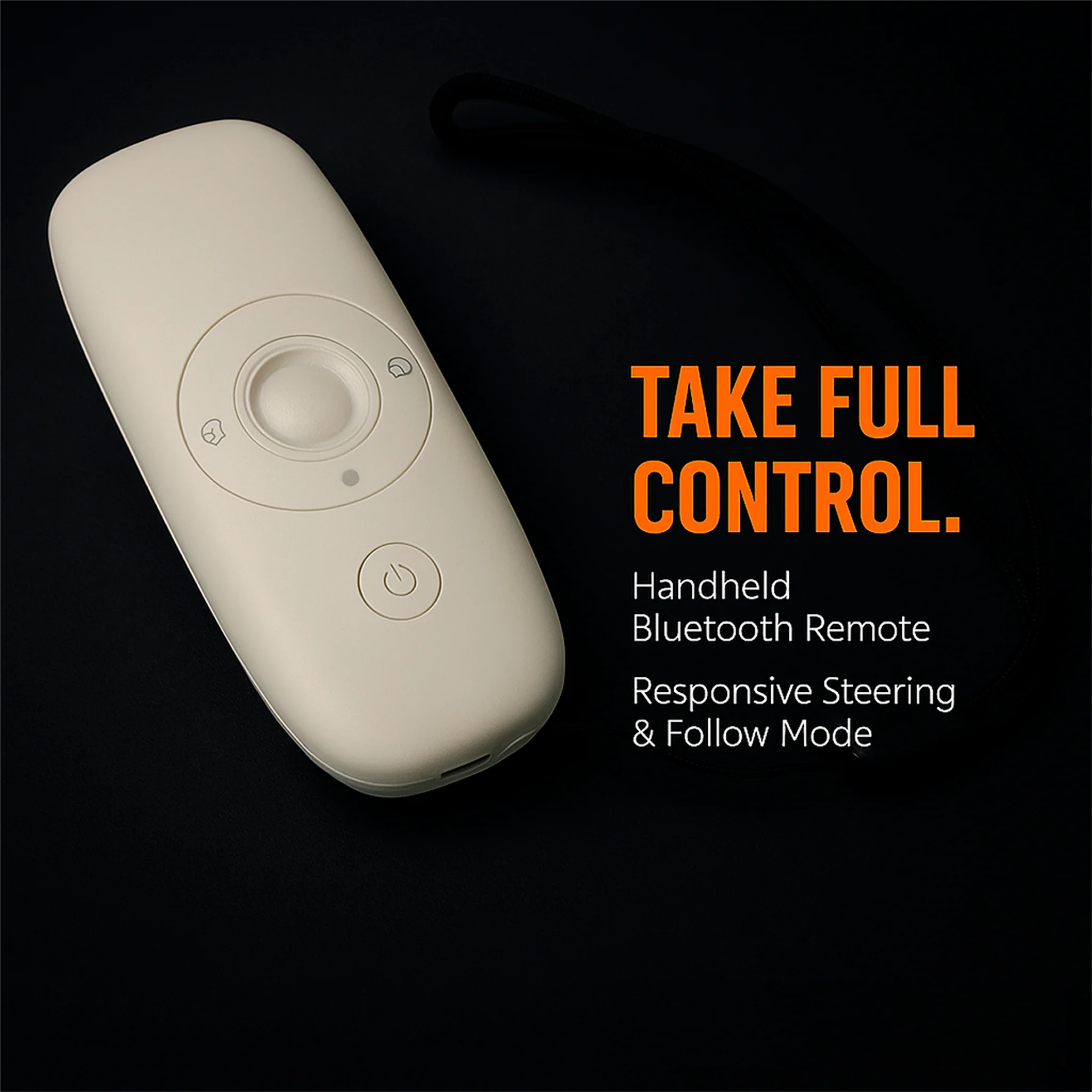
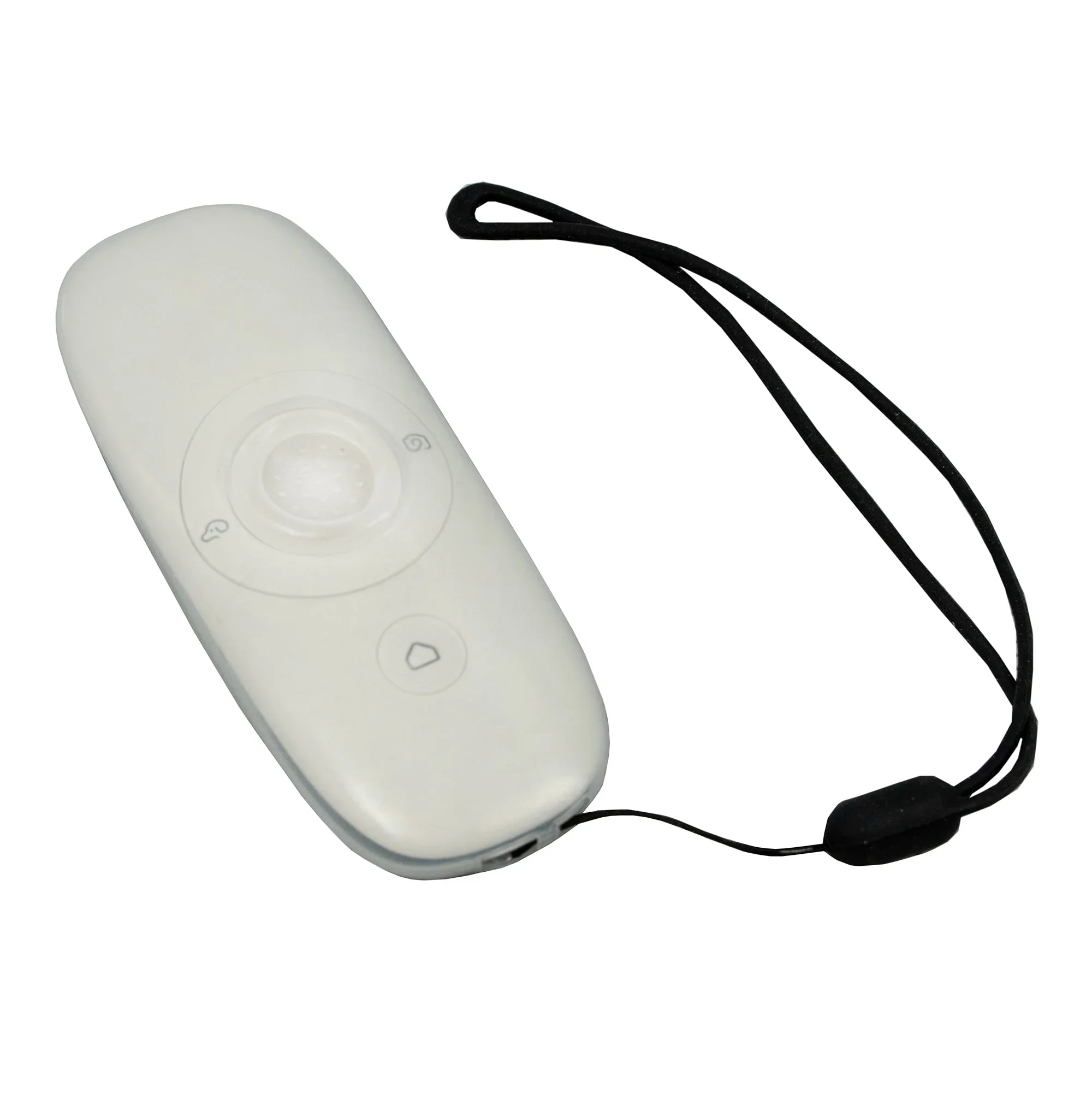
- Press the "doggie" key, press again to exit the follow mode.
- Place the remote control in your back pocket for better connectivity with the cart.
- Press the "doggie" key, press again to exit the follow mode.
-
How to activate Remote control mode?
- Turn on the power key on the remote control and move the joystick (central key) towards the direction you want the cart to move.
-
How to activate Remote cruising mode? Watch the video to see how it works
- Turn on the power button on the remote control, then quickly push the joystick (central key) straight upward twice to activate Speed 1 (0–4 km/h).
- Push up again to Speed 2 (5-7km/h)
- Push up for the third time to Speed 3 (7-9km/h)
- Turn on the power button on the remote control, then quickly push the joystick (central key) straight upward twice to activate Speed 1 (0–4 km/h).
-
What does the Remote function indicator light mean?
- Red: Locked
- Yellow: Remote Control
- Green: Follow Me
- Blue: Unlocked/Standby/ Manual Push
-
How to Use the Axglo App Control? Watch the video to see how it works
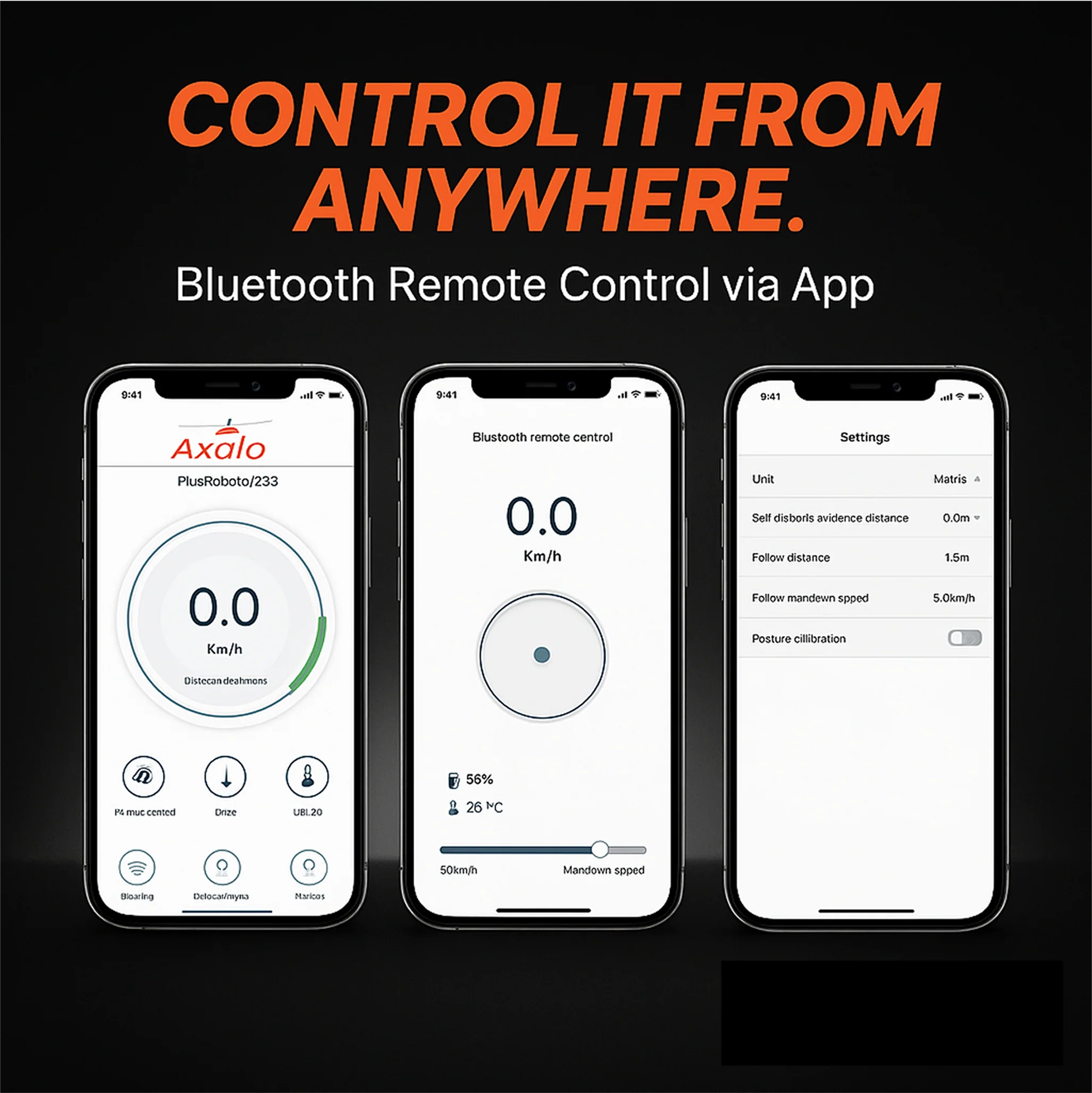
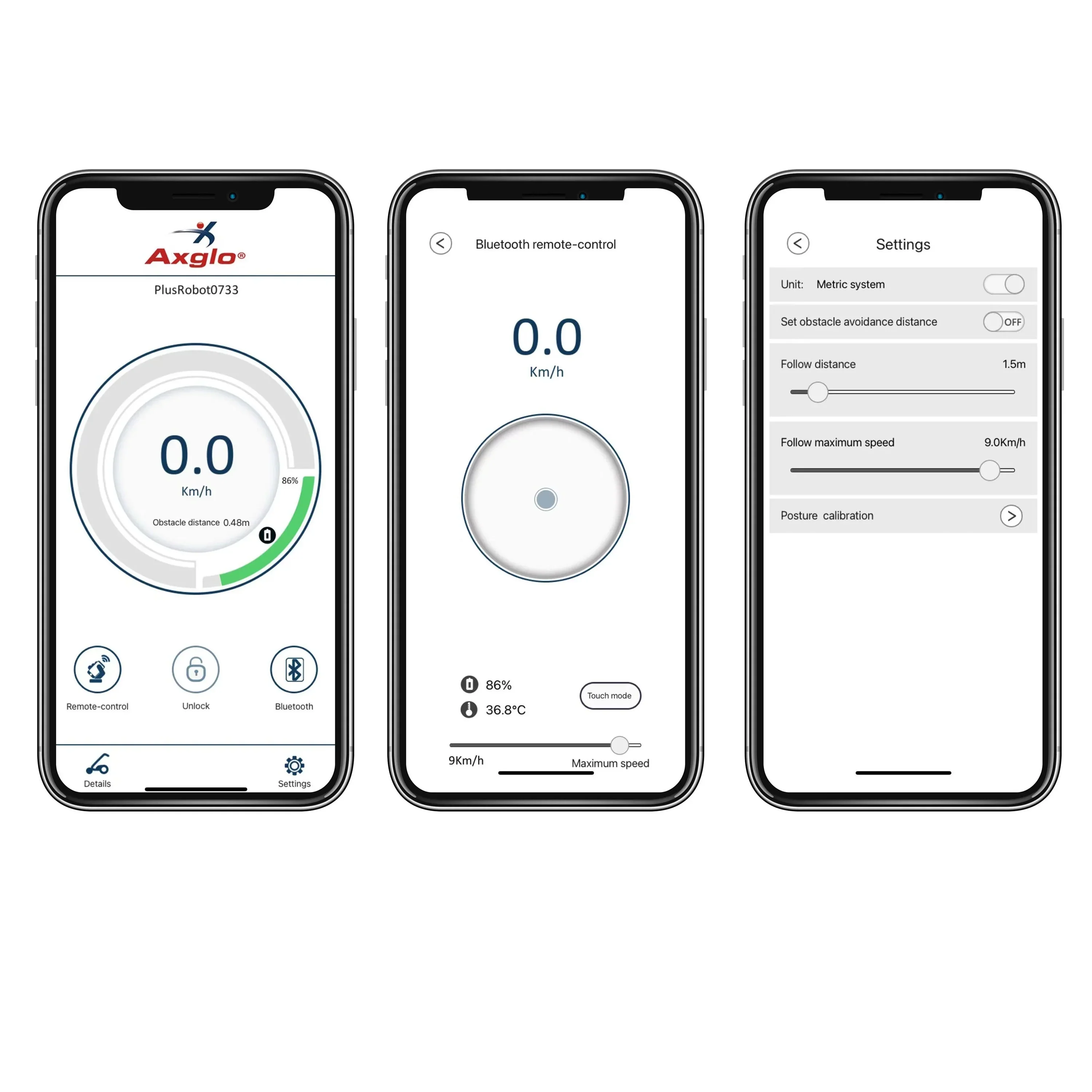
- To get started, turn on your cart and open the Axglo app. It will automatically connect to the cart via Bluetooth.
- Once connected, the main screen will display key information like current speed, battery levels, trip and total mileage, and remote control status.
- In the “Details” section, you’ll find system version information, remote battery level, and the option to update firmware if needed.
- Under “Settings” you’ll be able to switch between kilometers and miles, adjust the steering and cycling sensitivity, and customize how the cart follows you.
- Steering sensitivity controls how sharply the cart turns with the remote; the higher the setting, the more responsive it becomes, we recommend setting this to 100 for the best experience.
- Cycling sensitivity determines how smoothly the cart responds in follow mode. For more stable performance, we suggest turning off the automatic adjustment and setting the value manually to 1.
- Following angle settings allow for precise control of how the cart tracks behind you. To ensure smooth performance, avoid negative values. A recommended range is between 5° and 20°. You can also set the follow distance, with 1.5 meters being a safe and reliable choice.
- Cruising speed can be set to your preference, choose from Speed 1, 2, or 3 when using Cruise Control Mode.
- If you are uncertain, we recommend using the settings below, as they provide a stable and well-balanced experience for most user.

1. Download the Axglo App on your smartphone.
2. Ensure Bluetooth is turned on in your smartphone settings.
3. Turn on the Axglo electric golf cart.
4. Open the Axglo App on your smartphone.
5. Tap on "Settings" on the front page of the app.
6. Select "Remote Control Pairing"; this action will trigger a vibration.
7. The screen will display "6.1"; note that this might vary if the display is in miles.
8. Make sure the remote control is powered off.
9. Simultaneously press the "puppy" and "lock" buttons, then press the power button on the remote control.
10. Remote control pairing is completed.
Videos
Helpful Videos
Axglo e5 How to Understand the Icons on Screen
Axglo e5 Quick Maintenance Tips
Axglo e5 How to Use Power Assisted Control Mode
Axglo e5 How to Use Remote Control Mode
Axglo e5 How to Fold and Unfold
Axglo e5 App Control Guide
Axglo e5 How to Use Remote Cruising Mode
Axglo e5 How to Use Follow Mode
Axglo e5 How to Charge the Battery and Remote
Videos
Safety & Maintenance
Safety & Maintenance
- Watch this quick video for maintenance tips
- Maximum load capacity: 20kg
- Submerging the cart in water will cause damage to the cart. We recommend using the manual push mode while crossing a bridge or in a limited space, like a parking lot.
- Before transporting the cart, be sure to disconnect the battery. If the cart will not be used for an extended period, fully charge the battery and store it separately from the cart.
- When parking on a slope, please do not turn off the power and remember to press the stop key. Turning off the power would disable the electric braking system of the cart.
- Do not store your cart in the open air.
- When it rains heavily, protect the cart from the rain and try to cover it with an umbrella.
- Please use a soft dry towel to wipe off the excess mud, dirt or water from the cart.
- Keep the main folding track clean and well lubricated.
- The battery will be able to complete around 36 holes on a single charge when used in normal conditions (however this is not guaranteed). We encourage users of Lithium batteries to top-up between rounds whenever possible. The battery is not designed to complete 18 holes over consecutive days on a single charge. Battery capacity will reduce over time and can be affected by frequency of use and charging conditions.
-
Do not remove the battery during rainy conditions.
In what situations does the remote control vibrate?
- When the remote control's battery is low.
- When there is an obstruction between the remote control and the cart, such as a passing person or another vehicle.
- When the distance between the remote control and the cart exceeds the maximum range.
- When the battery power drops below 10%, the remote control will vibrate intermittently as indicated in the manual.
- When a cart equipped with anti-crash bumper sensor detects an obstacle.
Electric Cart Comparison
Electric Cart Comparison
Axglo E5 |
Axglo E3 |
|
Follow-Me Mode |
✓ | ✗ |
Power-Assisted Speed Control Mode |
✓ | ✗ |
Remote Control Mode |
✓ | ✓ |
Remote Cruising Mode |
✓ | ✓ |
Manual Push Mode |
✓ | ✓ |
Anti-Tipping Technology (No Rear Wheel Needed) |
✓ | ✓ |
Folded Dimension |
25" (L) x 16.5" (W) x 14.75" (H) | 32.5" (L) x 16.5" (W) x14.5" (H) |
Weight with Battery |
16 KG | 16 KG |
Weight without Battery |
14 KG | 14 KG |
Lithium Standard Battery Capacity |
Up to 36 holes (10050mAh) | Up to 36 holes (10050mah) |
Upgrade to Ultra Battery |
Up to 48 holes | Up to 48 holes |
Dual Powerful Motor |
220W X 2 (440W) | 220W X 2 (440W) |
Voltage / Tension |
24V | 24V |
360° Front Swivel Wheels |
✓ | ✓ |
Number of Wheels |
4 | 4 |
Number of Folds |
Patent 2-Step Fold | Patent 1-Step Fold |
Material |
Aluminum | Aluminum |
Adjustable Handle |
✓ | ✓ |
Umbrella Holder |
✓ | ✓ |
Beverage Holder |
✓ | ✓ |
Phone Holder |
✗ | ✗ |
Number of Storage Bins |
1 | 1 |
Frame Color |
Grey | Black / White |
Wheels Color |
Grey | Red / White |
E-Cart Warranty |
2 Years | 2 Years |
Battery Warranty |
2 Years | 2 Years |
**All Electric Push-Carts are FINAL SALE
User Guide
E5 ELECTRIC CART User Guide
E5_Electric_Cart_Instruction_Manual
Product Information
Product Information
Shipping & Returns
Shipping & Returns

Axglo E5 Follow Me Electric Golf Push Cart
Axglo E5 Follow Me Electric Golf Push Cart
Axglo E5 - 2026 Model
A left and right steering control button on the handle
Please note regarding the beverage holder: if you purchase the E5 in early 2026, it will come with the previous version of the beverage holder. The video (above) you referenced shows the updated version, which was introduced for the 2026 golf season starting in March 2026.
As the official USA distributor, you pay NO taxes or duties – we’ve taken care of that for you!
The Axglo E5 Follow Me Electric Golf Push Cart offers a modern approach to walking golf, combining intelligent follow mode, powerful assisted drive, and advanced remote control for a seamless experience on the course. The 2026 model introduces a convenient left and right steering control button on the handle, allowing for precise maneuvering with a simple press and hold. It features five control modes: follow me, power-assisted speed control with nine speeds, full remote control in all directions, remote cruising with three constant speeds, and manual pushing when needed. The dual brushless motors provide efficient power and handling, supported by patented anti-tipping technology that allows the cart to climb slopes up to 40 degrees on varied terrain. Designed for easy use, the Axglo E5 folds and unfolds quickly with a two-motion system, has a fully adjustable handle and bag strap to fit all users, and includes practical additions like a USB charging port, beverage holder, and umbrella holder. The cart runs on a 24V lithium battery with a capacity of 10,050mAh, which can be charged on or off the cart, and weighs 16 kg with the battery installed. The aluminum frame ensures durability while keeping the cart lightweight. The Axglo app enhances control, letting users customize settings such as speed, steering sensitivity, and follow distance, making it easy to tailor the cart’s behavior to individual preferences. Overall, the Axglo E5 balances power, convenience, and advanced technology to provide smooth and effortless support during every round of golf.
Comes with a new adjustable drink holder, umbrella holder, and phone holder.
Please note that the remote will not hold a charge if a fast-charging adapter is used. We recommend using a standard 5V adapter. Only the standard adapter should be used for charging, as fast-charging adapters will not work.
E5_Electric_Cart_Instruction_Manual
Axglo e5 transforms your walking golf experience with smart follow mode, robust assisted drive, and an intuitive remote control system. Engineered for effortless maneuverability and reliable performance, the e5 gives you complete control and convenience across any course—keeping you focused on your game, not your gear.
Understand the Icons on the screen
2026 version features an exciting upgrade: a left and right steering control button conveniently placed on the handle.
With these intuitive controls, simply press and hold the buttons to effortlessly steer the cart to the left or right, offering enhanced ease and precision on the course.
- There are a total of 5 control modes available, which encompass follow me, power-assisted speed control, remote control, remote cruising, and manual pushing.
- “Follow me” option where Axglo e5 will follow you everywhere you go.
- To utilize the power-assisted speed control feature (which offers a total of 9 speeds), simply turn the central knob in a clockwise direction to increase the speed, and in an counter clockwise direction to decrease it.
- The wireless remote control enables full directional control, allowing for movement in all directions such as forward, backward, leftward, and rightward.
- With the remote cruising control feature, you can set your cart to run at a constant speed using one of its three available speeds.
- If the battery runs out of power or is not installed, the cart can be pushed manually.
- Calibrated dual motors for efficiency and optimal handling.
- With our Patent Anti-Tipping Technology, our cart is capable of climbing up to a 40-degree slope on any terrain.
- Effortless and easy 2-Motion folding and unfolding of Axglo e5 for quick and easy setup.
- Fully adjustable handle height for all height and age groups.
- Adjustable bag strap for most bags of any size.
- USB Charging port to power any personal devices (Mobile Phone etc.).
- Comes with a new Adjustable drink holder, Umbrella holder, and Phone holder.
***All Electric Push-Carts are FINAL SALE !
E5_Electric_Cart_Instruction_Manual
Comes with a beverage holder and an umbrella holder.
We currently DO NOT have the Anti-crash bumper sensor
Specifications
Specs
- Voltage: 24 V
- Motor : 180 W (2 x 90W) Dual Powerful Brushless Hub Motors
- Dimensions: 25” (L) x 16.5” (W) x 15” (H) / 64cm (L) x 42cm (W) x 38cm (H)
- Weight: Without Battery - 14KG
- Weight: With Battery - 16 KG
- Material: Aluminum
- Warranty: 24 Months
- Lithium Battery Capacity: 10050mAh
- Lithium Battery can be charged on the cart OR off the cart
Charging Instructions
Charging Instructions
- Fully charge both the battery and the remote before first use. Watch the quick charging guide below
- Battery charging time: 4–5 hours.
- When the battery is fully charged, the charger light turns green.
- We recommend charging the battery before every round of golf.
-
Remote charging time: 1–2 hours.
- While charging, the remote’s power button flashes red slowly.
- Once fully charged, the remote will turn off automatically.
- Use only the standard adapter for charging; fast adapters will not work.
- For first-time use, remove the protective plastic cover from the power socket before inserting the battery.
- Insert the battery by placing it into the base first, then press down firmly until you hear a click.
How To Use
How To Use
-
How to fold and Unfold Axglo e5? Watch how to fold / unfold
- To Unfold: Pull both rear wheels of your e5 outwards by about 3 cm. While holding the grey circle button on the side, pull up the front wheels to lock them in place. Release the upper and lower triggers, grab the handle, and pull the cart backward to unfold it. Then, lock the upper and lower lock triggers.
- To Fold, Release the lower lock trigger and hold the handle. Then, release the upper lock trigger and fold the cart inward. Press the grey square button on the front bag support to release the front wheels, then fold them downward. Lock the upper and lower lock triggers.
-
How to turn on / off the Axglo e5?
- Press and hold the central dial for two seconds (The cart is in lock mode)
- Press the central dial once to unlock the cart or through Axglo App or remote control
-
How to activate the Power-Assisted Speed Control? Watch the video to see how it works
- Press the central dial twice.
- Rotate the central dial clockwise: Accelerate (Max speed: 9km/h)
- Rotate the central dial counter clockwise: Decelerate (Min speed: 0km/h)
- To stop the cart/exit the assisted speed control mode: Press the central dial once (at this time, the cart is in lock mode)
- Press the central dial again. The Cart is now unlocked and in standby state.
- Press the central dial twice.
-
How to activate the Follow Me mode? Watch the video to see how it works
- Press the "doggie" key, press again to exit the follow mode.
- Place the remote control in your back pocket for better connectivity with the cart.
- Press the "doggie" key, press again to exit the follow mode.
-
How to activate Remote control mode?
- Turn on the power key on the remote control and move the joystick (central key) towards the direction you want the cart to move.
-
How to activate Remote cruising mode? Watch the video to see how it works
- Turn on the power button on the remote control, then quickly push the joystick (central key) straight upward twice to activate Speed 1 (0–4 km/h).
- Push up again to Speed 2 (5-7km/h)
- Push up for the third time to Speed 3 (7-9km/h)
- Turn on the power button on the remote control, then quickly push the joystick (central key) straight upward twice to activate Speed 1 (0–4 km/h).
-
What does the Remote function indicator light mean?
- Red: Locked
- Yellow: Remote Control
- Green: Follow Me
- Blue: Unlocked/Standby/ Manual Push
-
How to Use the Axglo App Control? Watch the video to see how it works
- To get started, turn on your cart and open the Axglo app. It will automatically connect to the cart via Bluetooth.
- Once connected, the main screen will display key information like current speed, battery levels, trip and total mileage, and remote control status.
- In the “Details” section, you’ll find system version information, remote battery level, and the option to update firmware if needed.
- Under “Settings” you’ll be able to switch between kilometers and miles, adjust the steering and cycling sensitivity, and customize how the cart follows you.
- Steering sensitivity controls how sharply the cart turns with the remote; the higher the setting, the more responsive it becomes, we recommend setting this to 100 for the best experience.
- Cycling sensitivity determines how smoothly the cart responds in follow mode. For more stable performance, we suggest turning off the automatic adjustment and setting the value manually to 1.
- Following angle settings allow for precise control of how the cart tracks behind you. To ensure smooth performance, avoid negative values. A recommended range is between 5° and 20°. You can also set the follow distance, with 1.5 meters being a safe and reliable choice.
- Cruising speed can be set to your preference, choose from Speed 1, 2, or 3 when using Cruise Control Mode.
- If you are uncertain, we recommend using the settings below, as they provide a stable and well-balanced experience for most user.
1. Download the Axglo App on your smartphone.
2. Ensure Bluetooth is turned on in your smartphone settings.
3. Turn on the Axglo electric golf cart.
4. Open the Axglo App on your smartphone.
5. Tap on "Settings" on the front page of the app.
6. Select "Remote Control Pairing"; this action will trigger a vibration.
7. The screen will display "6.1"; note that this might vary if the display is in miles.
8. Make sure the remote control is powered off.
9. Simultaneously press the "puppy" and "lock" buttons, then press the power button on the remote control.
10. Remote control pairing is completed.
Videos
Helpful Videos
Axglo e5 How to Understand the Icons on Screen
Axglo e5 Quick Maintenance Tips
Axglo e5 How to Use Power Assisted Control Mode
Axglo e5 How to Use Remote Control Mode
Axglo e5 How to Fold and Unfold
Axglo e5 App Control Guide
Axglo e5 How to Use Remote Cruising Mode
Axglo e5 How to Use Follow Mode
Axglo e5 How to Charge the Battery and Remote
Videos
Safety & Maintenance
Safety & Maintenance
- Watch this quick video for maintenance tips
- Maximum load capacity: 20kg
- Submerging the cart in water will cause damage to the cart. We recommend using the manual push mode while crossing a bridge or in a limited space, like a parking lot.
- Before transporting the cart, be sure to disconnect the battery. If the cart will not be used for an extended period, fully charge the battery and store it separately from the cart.
- When parking on a slope, please do not turn off the power and remember to press the stop key. Turning off the power would disable the electric braking system of the cart.
- Do not store your cart in the open air.
- When it rains heavily, protect the cart from the rain and try to cover it with an umbrella.
- Please use a soft dry towel to wipe off the excess mud, dirt or water from the cart.
- Keep the main folding track clean and well lubricated.
- The battery will be able to complete around 36 holes on a single charge when used in normal conditions (however this is not guaranteed). We encourage users of Lithium batteries to top-up between rounds whenever possible. The battery is not designed to complete 18 holes over consecutive days on a single charge. Battery capacity will reduce over time and can be affected by frequency of use and charging conditions.
-
Do not remove the battery during rainy conditions.
In what situations does the remote control vibrate?
- When the remote control's battery is low.
- When there is an obstruction between the remote control and the cart, such as a passing person or another vehicle.
- When the distance between the remote control and the cart exceeds the maximum range.
- When the battery power drops below 10%, the remote control will vibrate intermittently as indicated in the manual.
- When a cart equipped with anti-crash bumper sensor detects an obstacle.
Electric Cart Comparison
Electric Cart Comparison
Axglo E5 |
Axglo E3 |
|
Follow-Me Mode |
✓ | ✗ |
Power-Assisted Speed Control Mode |
✓ | ✗ |
Remote Control Mode |
✓ | ✓ |
Remote Cruising Mode |
✓ | ✓ |
Manual Push Mode |
✓ | ✓ |
Anti-Tipping Technology (No Rear Wheel Needed) |
✓ | ✓ |
Folded Dimension |
25" (L) x 16.5" (W) x 14.75" (H) | 32.5" (L) x 16.5" (W) x14.5" (H) |
Weight with Battery |
16 KG | 16 KG |
Weight without Battery |
14 KG | 14 KG |
Lithium Standard Battery Capacity |
Up to 36 holes (10050mAh) | Up to 36 holes (10050mah) |
Upgrade to Ultra Battery |
Up to 48 holes | Up to 48 holes |
Dual Powerful Motor |
220W X 2 (440W) | 220W X 2 (440W) |
Voltage / Tension |
24V | 24V |
360° Front Swivel Wheels |
✓ | ✓ |
Number of Wheels |
4 | 4 |
Number of Folds |
Patent 2-Step Fold | Patent 1-Step Fold |
Material |
Aluminum | Aluminum |
Adjustable Handle |
✓ | ✓ |
Umbrella Holder |
✓ | ✓ |
Beverage Holder |
✓ | ✓ |
Phone Holder |
✗ | ✗ |
Number of Storage Bins |
1 | 1 |
Frame Color |
Grey | Black / White |
Wheels Color |
Grey | Red / White |
E-Cart Warranty |
2 Years | 2 Years |
Battery Warranty |
2 Years | 2 Years |
**All Electric Push-Carts are FINAL SALE
User Guide
E5 ELECTRIC CART User Guide
E5_Electric_Cart_Instruction_Manual
Original: $2,149.00
-65%$2,149.00
$752.15Product Information
Product Information
Shipping & Returns
Shipping & Returns
Description
Axglo E5 - 2026 Model
A left and right steering control button on the handle
Please note regarding the beverage holder: if you purchase the E5 in early 2026, it will come with the previous version of the beverage holder. The video (above) you referenced shows the updated version, which was introduced for the 2026 golf season starting in March 2026.
As the official USA distributor, you pay NO taxes or duties – we’ve taken care of that for you!
The Axglo E5 Follow Me Electric Golf Push Cart offers a modern approach to walking golf, combining intelligent follow mode, powerful assisted drive, and advanced remote control for a seamless experience on the course. The 2026 model introduces a convenient left and right steering control button on the handle, allowing for precise maneuvering with a simple press and hold. It features five control modes: follow me, power-assisted speed control with nine speeds, full remote control in all directions, remote cruising with three constant speeds, and manual pushing when needed. The dual brushless motors provide efficient power and handling, supported by patented anti-tipping technology that allows the cart to climb slopes up to 40 degrees on varied terrain. Designed for easy use, the Axglo E5 folds and unfolds quickly with a two-motion system, has a fully adjustable handle and bag strap to fit all users, and includes practical additions like a USB charging port, beverage holder, and umbrella holder. The cart runs on a 24V lithium battery with a capacity of 10,050mAh, which can be charged on or off the cart, and weighs 16 kg with the battery installed. The aluminum frame ensures durability while keeping the cart lightweight. The Axglo app enhances control, letting users customize settings such as speed, steering sensitivity, and follow distance, making it easy to tailor the cart’s behavior to individual preferences. Overall, the Axglo E5 balances power, convenience, and advanced technology to provide smooth and effortless support during every round of golf.
Comes with a new adjustable drink holder, umbrella holder, and phone holder.
Please note that the remote will not hold a charge if a fast-charging adapter is used. We recommend using a standard 5V adapter. Only the standard adapter should be used for charging, as fast-charging adapters will not work.
E5_Electric_Cart_Instruction_Manual
Axglo e5 transforms your walking golf experience with smart follow mode, robust assisted drive, and an intuitive remote control system. Engineered for effortless maneuverability and reliable performance, the e5 gives you complete control and convenience across any course—keeping you focused on your game, not your gear.
Understand the Icons on the screen
2026 version features an exciting upgrade: a left and right steering control button conveniently placed on the handle.
With these intuitive controls, simply press and hold the buttons to effortlessly steer the cart to the left or right, offering enhanced ease and precision on the course.
- There are a total of 5 control modes available, which encompass follow me, power-assisted speed control, remote control, remote cruising, and manual pushing.
- “Follow me” option where Axglo e5 will follow you everywhere you go.
- To utilize the power-assisted speed control feature (which offers a total of 9 speeds), simply turn the central knob in a clockwise direction to increase the speed, and in an counter clockwise direction to decrease it.
- The wireless remote control enables full directional control, allowing for movement in all directions such as forward, backward, leftward, and rightward.
- With the remote cruising control feature, you can set your cart to run at a constant speed using one of its three available speeds.
- If the battery runs out of power or is not installed, the cart can be pushed manually.
- Calibrated dual motors for efficiency and optimal handling.
- With our Patent Anti-Tipping Technology, our cart is capable of climbing up to a 40-degree slope on any terrain.
- Effortless and easy 2-Motion folding and unfolding of Axglo e5 for quick and easy setup.
- Fully adjustable handle height for all height and age groups.
- Adjustable bag strap for most bags of any size.
- USB Charging port to power any personal devices (Mobile Phone etc.).
- Comes with a new Adjustable drink holder, Umbrella holder, and Phone holder.
***All Electric Push-Carts are FINAL SALE !
E5_Electric_Cart_Instruction_Manual
Comes with a beverage holder and an umbrella holder.
We currently DO NOT have the Anti-crash bumper sensor
Specifications
Specs
- Voltage: 24 V
- Motor : 180 W (2 x 90W) Dual Powerful Brushless Hub Motors
- Dimensions: 25” (L) x 16.5” (W) x 15” (H) / 64cm (L) x 42cm (W) x 38cm (H)
- Weight: Without Battery - 14KG
- Weight: With Battery - 16 KG
- Material: Aluminum
- Warranty: 24 Months
- Lithium Battery Capacity: 10050mAh
- Lithium Battery can be charged on the cart OR off the cart
Charging Instructions
Charging Instructions
- Fully charge both the battery and the remote before first use. Watch the quick charging guide below
- Battery charging time: 4–5 hours.
- When the battery is fully charged, the charger light turns green.
- We recommend charging the battery before every round of golf.
-
Remote charging time: 1–2 hours.
- While charging, the remote’s power button flashes red slowly.
- Once fully charged, the remote will turn off automatically.
- Use only the standard adapter for charging; fast adapters will not work.
- For first-time use, remove the protective plastic cover from the power socket before inserting the battery.
- Insert the battery by placing it into the base first, then press down firmly until you hear a click.
How To Use
How To Use
-
How to fold and Unfold Axglo e5? Watch how to fold / unfold
- To Unfold: Pull both rear wheels of your e5 outwards by about 3 cm. While holding the grey circle button on the side, pull up the front wheels to lock them in place. Release the upper and lower triggers, grab the handle, and pull the cart backward to unfold it. Then, lock the upper and lower lock triggers.
- To Fold, Release the lower lock trigger and hold the handle. Then, release the upper lock trigger and fold the cart inward. Press the grey square button on the front bag support to release the front wheels, then fold them downward. Lock the upper and lower lock triggers.
-
How to turn on / off the Axglo e5?
- Press and hold the central dial for two seconds (The cart is in lock mode)
- Press the central dial once to unlock the cart or through Axglo App or remote control
-
How to activate the Power-Assisted Speed Control? Watch the video to see how it works
- Press the central dial twice.
- Rotate the central dial clockwise: Accelerate (Max speed: 9km/h)
- Rotate the central dial counter clockwise: Decelerate (Min speed: 0km/h)
- To stop the cart/exit the assisted speed control mode: Press the central dial once (at this time, the cart is in lock mode)
- Press the central dial again. The Cart is now unlocked and in standby state.
- Press the central dial twice.
-
How to activate the Follow Me mode? Watch the video to see how it works
- Press the "doggie" key, press again to exit the follow mode.
- Place the remote control in your back pocket for better connectivity with the cart.
- Press the "doggie" key, press again to exit the follow mode.
-
How to activate Remote control mode?
- Turn on the power key on the remote control and move the joystick (central key) towards the direction you want the cart to move.
-
How to activate Remote cruising mode? Watch the video to see how it works
- Turn on the power button on the remote control, then quickly push the joystick (central key) straight upward twice to activate Speed 1 (0–4 km/h).
- Push up again to Speed 2 (5-7km/h)
- Push up for the third time to Speed 3 (7-9km/h)
- Turn on the power button on the remote control, then quickly push the joystick (central key) straight upward twice to activate Speed 1 (0–4 km/h).
-
What does the Remote function indicator light mean?
- Red: Locked
- Yellow: Remote Control
- Green: Follow Me
- Blue: Unlocked/Standby/ Manual Push
-
How to Use the Axglo App Control? Watch the video to see how it works
- To get started, turn on your cart and open the Axglo app. It will automatically connect to the cart via Bluetooth.
- Once connected, the main screen will display key information like current speed, battery levels, trip and total mileage, and remote control status.
- In the “Details” section, you’ll find system version information, remote battery level, and the option to update firmware if needed.
- Under “Settings” you’ll be able to switch between kilometers and miles, adjust the steering and cycling sensitivity, and customize how the cart follows you.
- Steering sensitivity controls how sharply the cart turns with the remote; the higher the setting, the more responsive it becomes, we recommend setting this to 100 for the best experience.
- Cycling sensitivity determines how smoothly the cart responds in follow mode. For more stable performance, we suggest turning off the automatic adjustment and setting the value manually to 1.
- Following angle settings allow for precise control of how the cart tracks behind you. To ensure smooth performance, avoid negative values. A recommended range is between 5° and 20°. You can also set the follow distance, with 1.5 meters being a safe and reliable choice.
- Cruising speed can be set to your preference, choose from Speed 1, 2, or 3 when using Cruise Control Mode.
- If you are uncertain, we recommend using the settings below, as they provide a stable and well-balanced experience for most user.
1. Download the Axglo App on your smartphone.
2. Ensure Bluetooth is turned on in your smartphone settings.
3. Turn on the Axglo electric golf cart.
4. Open the Axglo App on your smartphone.
5. Tap on "Settings" on the front page of the app.
6. Select "Remote Control Pairing"; this action will trigger a vibration.
7. The screen will display "6.1"; note that this might vary if the display is in miles.
8. Make sure the remote control is powered off.
9. Simultaneously press the "puppy" and "lock" buttons, then press the power button on the remote control.
10. Remote control pairing is completed.
Videos
Helpful Videos
Axglo e5 How to Understand the Icons on Screen
Axglo e5 Quick Maintenance Tips
Axglo e5 How to Use Power Assisted Control Mode
Axglo e5 How to Use Remote Control Mode
Axglo e5 How to Fold and Unfold
Axglo e5 App Control Guide
Axglo e5 How to Use Remote Cruising Mode
Axglo e5 How to Use Follow Mode
Axglo e5 How to Charge the Battery and Remote
Videos
Safety & Maintenance
Safety & Maintenance
- Watch this quick video for maintenance tips
- Maximum load capacity: 20kg
- Submerging the cart in water will cause damage to the cart. We recommend using the manual push mode while crossing a bridge or in a limited space, like a parking lot.
- Before transporting the cart, be sure to disconnect the battery. If the cart will not be used for an extended period, fully charge the battery and store it separately from the cart.
- When parking on a slope, please do not turn off the power and remember to press the stop key. Turning off the power would disable the electric braking system of the cart.
- Do not store your cart in the open air.
- When it rains heavily, protect the cart from the rain and try to cover it with an umbrella.
- Please use a soft dry towel to wipe off the excess mud, dirt or water from the cart.
- Keep the main folding track clean and well lubricated.
- The battery will be able to complete around 36 holes on a single charge when used in normal conditions (however this is not guaranteed). We encourage users of Lithium batteries to top-up between rounds whenever possible. The battery is not designed to complete 18 holes over consecutive days on a single charge. Battery capacity will reduce over time and can be affected by frequency of use and charging conditions.
-
Do not remove the battery during rainy conditions.
In what situations does the remote control vibrate?
- When the remote control's battery is low.
- When there is an obstruction between the remote control and the cart, such as a passing person or another vehicle.
- When the distance between the remote control and the cart exceeds the maximum range.
- When the battery power drops below 10%, the remote control will vibrate intermittently as indicated in the manual.
- When a cart equipped with anti-crash bumper sensor detects an obstacle.
Electric Cart Comparison
Electric Cart Comparison
Axglo E5 |
Axglo E3 |
|
Follow-Me Mode |
✓ | ✗ |
Power-Assisted Speed Control Mode |
✓ | ✗ |
Remote Control Mode |
✓ | ✓ |
Remote Cruising Mode |
✓ | ✓ |
Manual Push Mode |
✓ | ✓ |
Anti-Tipping Technology (No Rear Wheel Needed) |
✓ | ✓ |
Folded Dimension |
25" (L) x 16.5" (W) x 14.75" (H) | 32.5" (L) x 16.5" (W) x14.5" (H) |
Weight with Battery |
16 KG | 16 KG |
Weight without Battery |
14 KG | 14 KG |
Lithium Standard Battery Capacity |
Up to 36 holes (10050mAh) | Up to 36 holes (10050mah) |
Upgrade to Ultra Battery |
Up to 48 holes | Up to 48 holes |
Dual Powerful Motor |
220W X 2 (440W) | 220W X 2 (440W) |
Voltage / Tension |
24V | 24V |
360° Front Swivel Wheels |
✓ | ✓ |
Number of Wheels |
4 | 4 |
Number of Folds |
Patent 2-Step Fold | Patent 1-Step Fold |
Material |
Aluminum | Aluminum |
Adjustable Handle |
✓ | ✓ |
Umbrella Holder |
✓ | ✓ |
Beverage Holder |
✓ | ✓ |
Phone Holder |
✗ | ✗ |
Number of Storage Bins |
1 | 1 |
Frame Color |
Grey | Black / White |
Wheels Color |
Grey | Red / White |
E-Cart Warranty |
2 Years | 2 Years |
Battery Warranty |
2 Years | 2 Years |
**All Electric Push-Carts are FINAL SALE
User Guide
E5 ELECTRIC CART User Guide
E5_Electric_Cart_Instruction_Manual