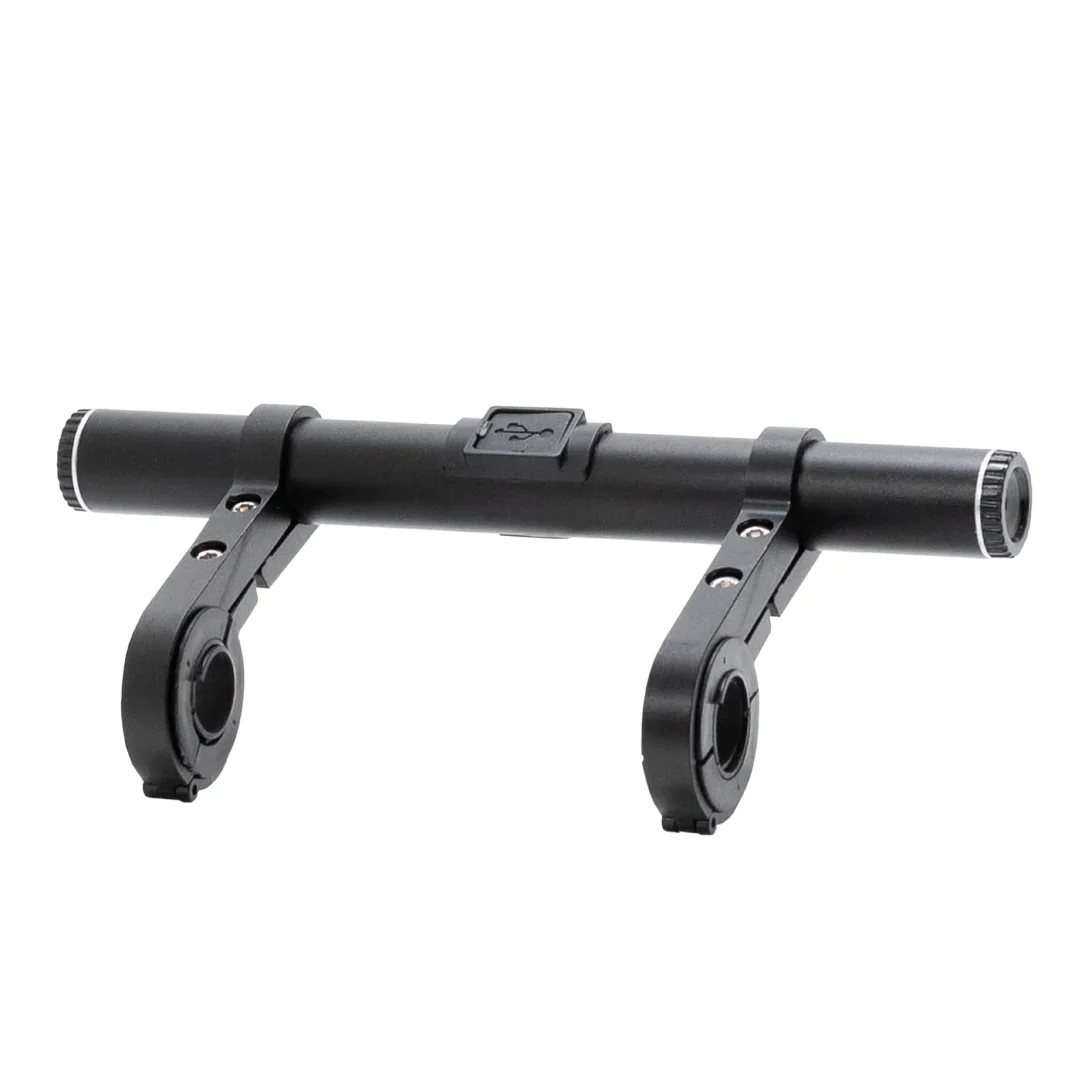
Lectric eBikes Handlebar Extension Mount
Lectric eBikes Handlebar Extension Mount
For Lectric eBikes products, we are no longer able to sell them online. They are only available for purchase in person at our warehouse.
Need more room on your handlebars for accessories? The Handlebar Extension Mount is perfect for comfortably adding all the accessories you need to your eBike, and charging them up as needed!
- Provides 8 inches of extra handlebar space.
- Includes charging capabilities for your devices while on the go.
- Rechargeable to keep you Lectrified at all times.
- Versatile mounting options allow for a setup tailored to your preferences.
Compatibility:
- All Lectric eBike Models
- Most standard bicycles or eBikes
What's in the box:
- (1) Crossbar
- (2) Handlebar clamps
- (1) 3mm Hex wrench
- (1) USB charging cable
- (2) Large Spacers
- (2) Small Spacers
Product Specifications:
- 4000m AH (lithium-ion) battery life
- Output: 5 Volts
- Dimensions: 8" Length x 4" Tall
- Outer Diameter: 22mm
- USB & USB-C Port
- Charge time: 2-3 hours
- Material: Aluminum
Please note that Lectric have a strict no-return policy on accessories.
Handlebar Extension Mount Installation
Handlebar Extension Mount Installation
Need more room on your handlebars for accessories? The Handlebar Extension Mount is perfect for comfortably adding all the accessories you need to your eBike, and charging them up as needed!
Installation Instructions:
- Begin by using the 3mm Hex key to loosen the 3mm bolt holding the smaller opening of the clamps in place. Loosening the bolt will give it enough play to be able to slide the crossbar into the top of the clamp.
Once you have it in the position you would like on the crossbar, tighten the 3mm bolt. Repeat this process with the other clamp on the other side of the crossbar. - Next, remove the 3mm bolt holding the larger opening of the clamp in place to open the latch.
- Place the open clamp onto the handlebars with the desired number of spacers; depending on where you place the clamp, you may need to adjust the amount of spacers required for a secure fit.
- Next, secure the clamp with the 3mm bolt and repeat this process on the other clamp.
- To make any adjustments, slightly loosen the 3mm bolts to be able to slide the mount to your optimal positioning and retighten.
Charging Instructions:
- Open the rubber plug on the back of the bar.
- Plug in the charging cord to the USB port
- Then plug the other end of the cord into a wall socket or a charge block.
- After 2-3 hours, the Handlebar Extension Mount should be fully recharged and able to be turned on.
Power Bank Instructions:
- Open the rubber plug on the back of the bar.
- Plug in the cord to the USB or USB-C port.
- Then plug the other end of the cord into your personal device.
- Then press the white power button on the back (a blue light will appear).
If you have any questions, please don't hesitate to contact our support team at [email protected] or 412-567-4390.
Product Information
Product Information
Shipping & Returns
Shipping & Returns


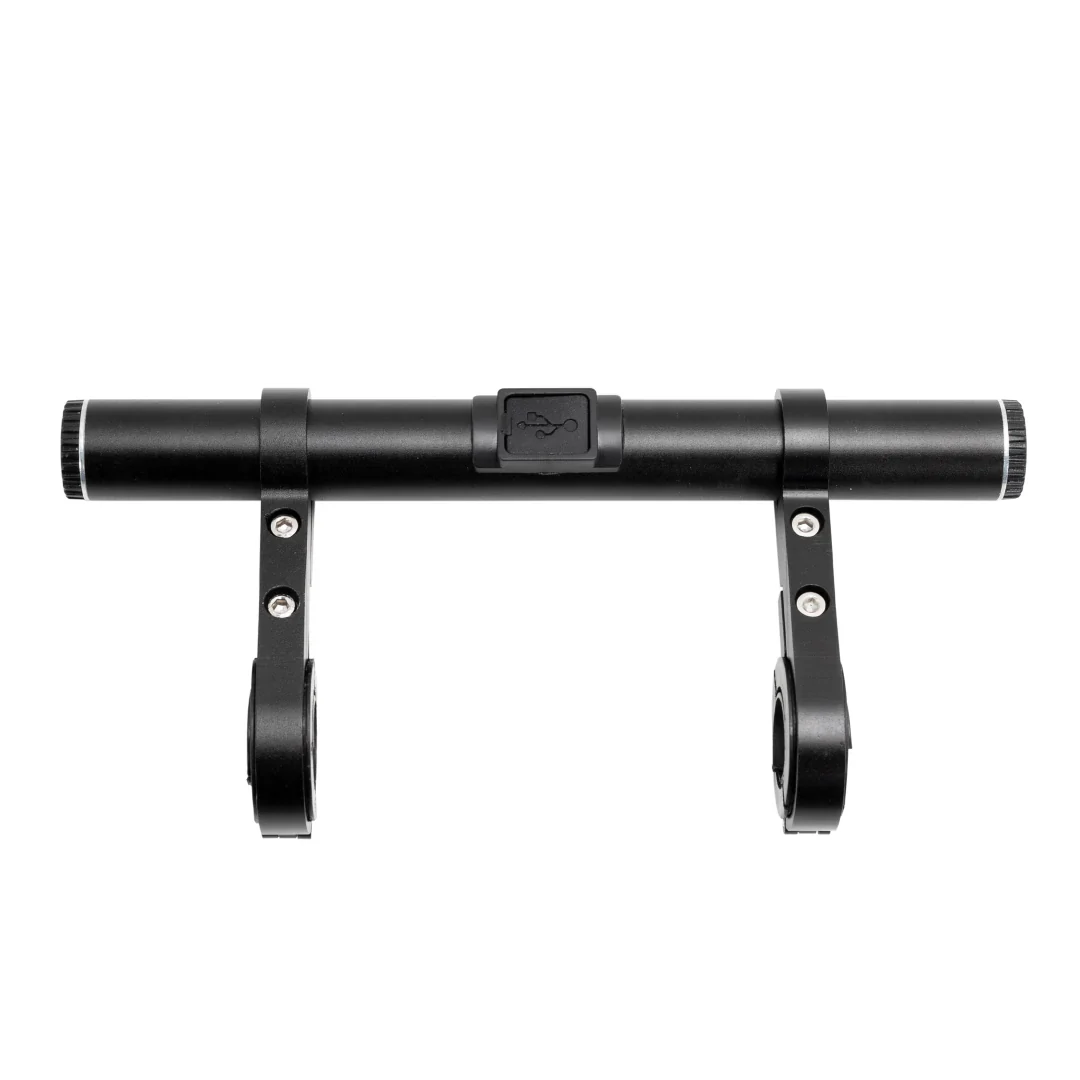


Lectric eBikes Handlebar Extension Mount
Lectric eBikes Handlebar Extension Mount
Lectric eBikes Handlebar Extension Mount
For Lectric eBikes products, we are no longer able to sell them online. They are only available for purchase in person at our warehouse.
Need more room on your handlebars for accessories? The Handlebar Extension Mount is perfect for comfortably adding all the accessories you need to your eBike, and charging them up as needed!
- Provides 8 inches of extra handlebar space.
- Includes charging capabilities for your devices while on the go.
- Rechargeable to keep you Lectrified at all times.
- Versatile mounting options allow for a setup tailored to your preferences.
Compatibility:
- All Lectric eBike Models
- Most standard bicycles or eBikes
What's in the box:
- (1) Crossbar
- (2) Handlebar clamps
- (1) 3mm Hex wrench
- (1) USB charging cable
- (2) Large Spacers
- (2) Small Spacers
Product Specifications:
- 4000m AH (lithium-ion) battery life
- Output: 5 Volts
- Dimensions: 8" Length x 4" Tall
- Outer Diameter: 22mm
- USB & USB-C Port
- Charge time: 2-3 hours
- Material: Aluminum
Please note that Lectric have a strict no-return policy on accessories.
Handlebar Extension Mount Installation
Handlebar Extension Mount Installation
Need more room on your handlebars for accessories? The Handlebar Extension Mount is perfect for comfortably adding all the accessories you need to your eBike, and charging them up as needed!
Installation Instructions:
- Begin by using the 3mm Hex key to loosen the 3mm bolt holding the smaller opening of the clamps in place. Loosening the bolt will give it enough play to be able to slide the crossbar into the top of the clamp.
Once you have it in the position you would like on the crossbar, tighten the 3mm bolt. Repeat this process with the other clamp on the other side of the crossbar. - Next, remove the 3mm bolt holding the larger opening of the clamp in place to open the latch.
- Place the open clamp onto the handlebars with the desired number of spacers; depending on where you place the clamp, you may need to adjust the amount of spacers required for a secure fit.
- Next, secure the clamp with the 3mm bolt and repeat this process on the other clamp.
- To make any adjustments, slightly loosen the 3mm bolts to be able to slide the mount to your optimal positioning and retighten.
Charging Instructions:
- Open the rubber plug on the back of the bar.
- Plug in the charging cord to the USB port
- Then plug the other end of the cord into a wall socket or a charge block.
- After 2-3 hours, the Handlebar Extension Mount should be fully recharged and able to be turned on.
Power Bank Instructions:
- Open the rubber plug on the back of the bar.
- Plug in the cord to the USB or USB-C port.
- Then plug the other end of the cord into your personal device.
- Then press the white power button on the back (a blue light will appear).
If you have any questions, please don't hesitate to contact our support team at [email protected] or 412-567-4390.
Product Information
Product Information
Shipping & Returns
Shipping & Returns
Description
Lectric eBikes Handlebar Extension Mount
For Lectric eBikes products, we are no longer able to sell them online. They are only available for purchase in person at our warehouse.
Need more room on your handlebars for accessories? The Handlebar Extension Mount is perfect for comfortably adding all the accessories you need to your eBike, and charging them up as needed!
- Provides 8 inches of extra handlebar space.
- Includes charging capabilities for your devices while on the go.
- Rechargeable to keep you Lectrified at all times.
- Versatile mounting options allow for a setup tailored to your preferences.
Compatibility:
- All Lectric eBike Models
- Most standard bicycles or eBikes
What's in the box:
- (1) Crossbar
- (2) Handlebar clamps
- (1) 3mm Hex wrench
- (1) USB charging cable
- (2) Large Spacers
- (2) Small Spacers
Product Specifications:
- 4000m AH (lithium-ion) battery life
- Output: 5 Volts
- Dimensions: 8" Length x 4" Tall
- Outer Diameter: 22mm
- USB & USB-C Port
- Charge time: 2-3 hours
- Material: Aluminum
Please note that Lectric have a strict no-return policy on accessories.
Handlebar Extension Mount Installation
Handlebar Extension Mount Installation
Need more room on your handlebars for accessories? The Handlebar Extension Mount is perfect for comfortably adding all the accessories you need to your eBike, and charging them up as needed!
Installation Instructions:
- Begin by using the 3mm Hex key to loosen the 3mm bolt holding the smaller opening of the clamps in place. Loosening the bolt will give it enough play to be able to slide the crossbar into the top of the clamp.
Once you have it in the position you would like on the crossbar, tighten the 3mm bolt. Repeat this process with the other clamp on the other side of the crossbar. - Next, remove the 3mm bolt holding the larger opening of the clamp in place to open the latch.
- Place the open clamp onto the handlebars with the desired number of spacers; depending on where you place the clamp, you may need to adjust the amount of spacers required for a secure fit.
- Next, secure the clamp with the 3mm bolt and repeat this process on the other clamp.
- To make any adjustments, slightly loosen the 3mm bolts to be able to slide the mount to your optimal positioning and retighten.
Charging Instructions:
- Open the rubber plug on the back of the bar.
- Plug in the charging cord to the USB port
- Then plug the other end of the cord into a wall socket or a charge block.
- After 2-3 hours, the Handlebar Extension Mount should be fully recharged and able to be turned on.
Power Bank Instructions:
- Open the rubber plug on the back of the bar.
- Plug in the cord to the USB or USB-C port.
- Then plug the other end of the cord into your personal device.
- Then press the white power button on the back (a blue light will appear).
If you have any questions, please don't hesitate to contact our support team at [email protected] or 412-567-4390.