Lectric eBikes Large Rear Basket
Lectric eBikes Large Rear Basket
For Lectric eBikes products, we are no longer able to sell them online. They are only available for purchase in person at our warehouse.
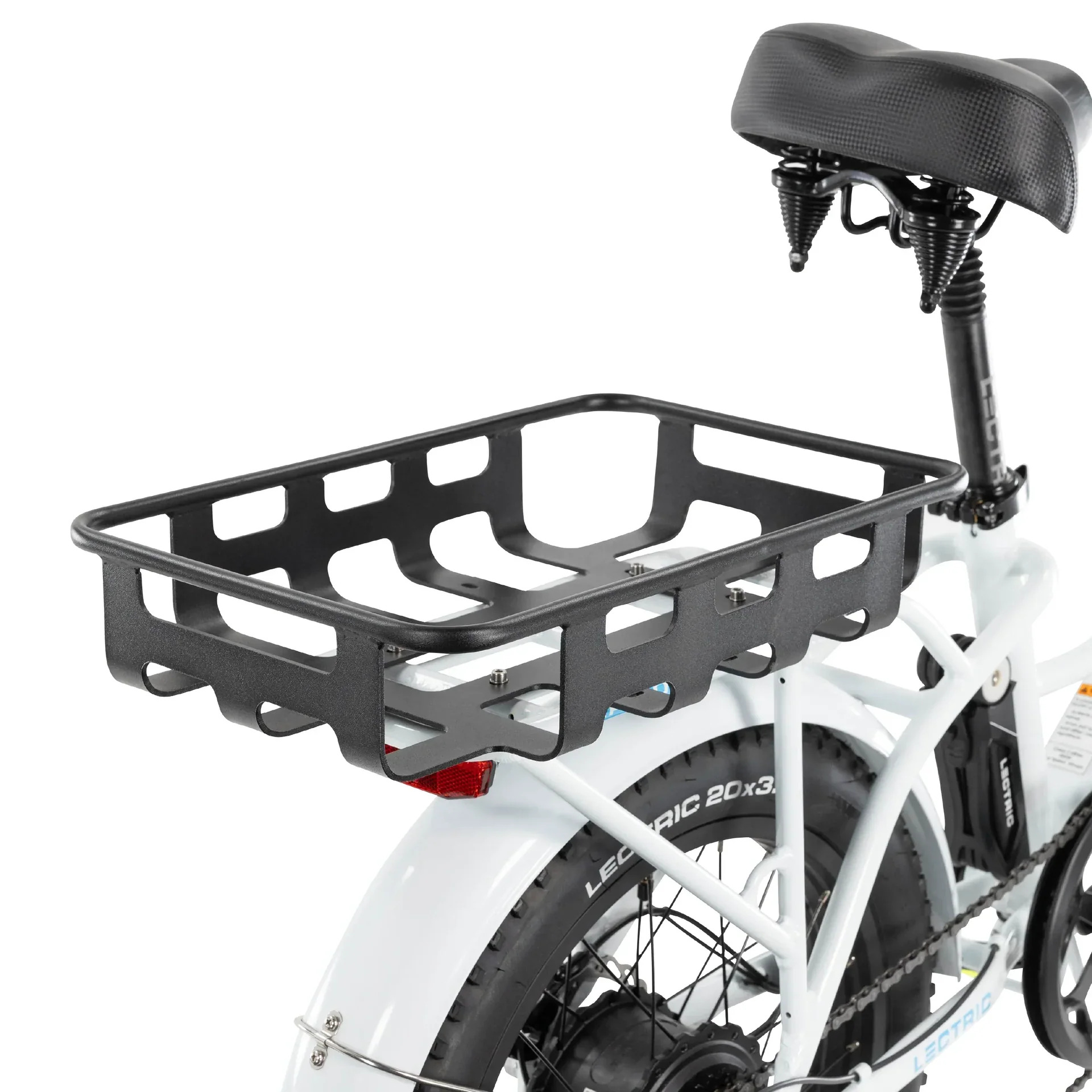
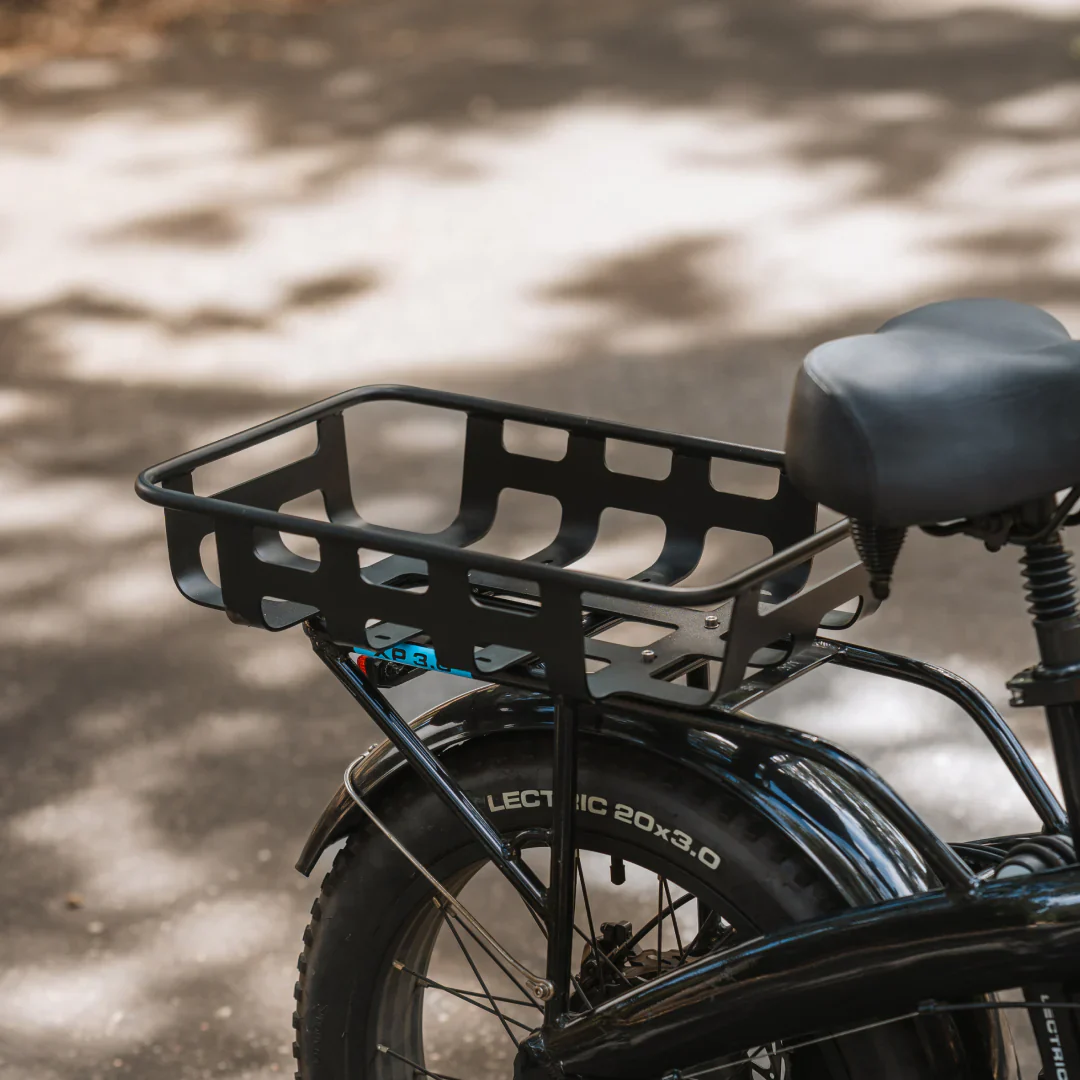
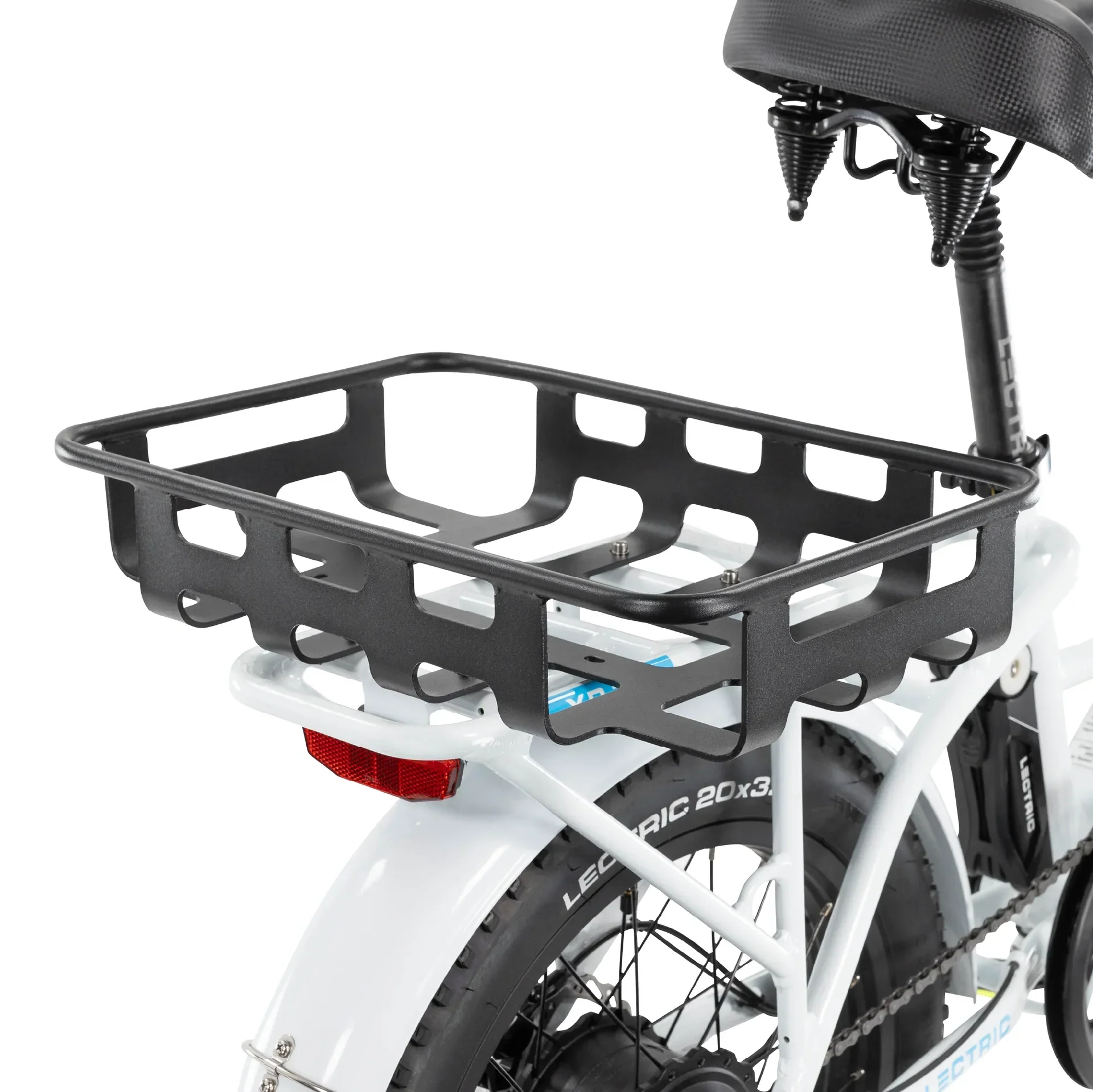
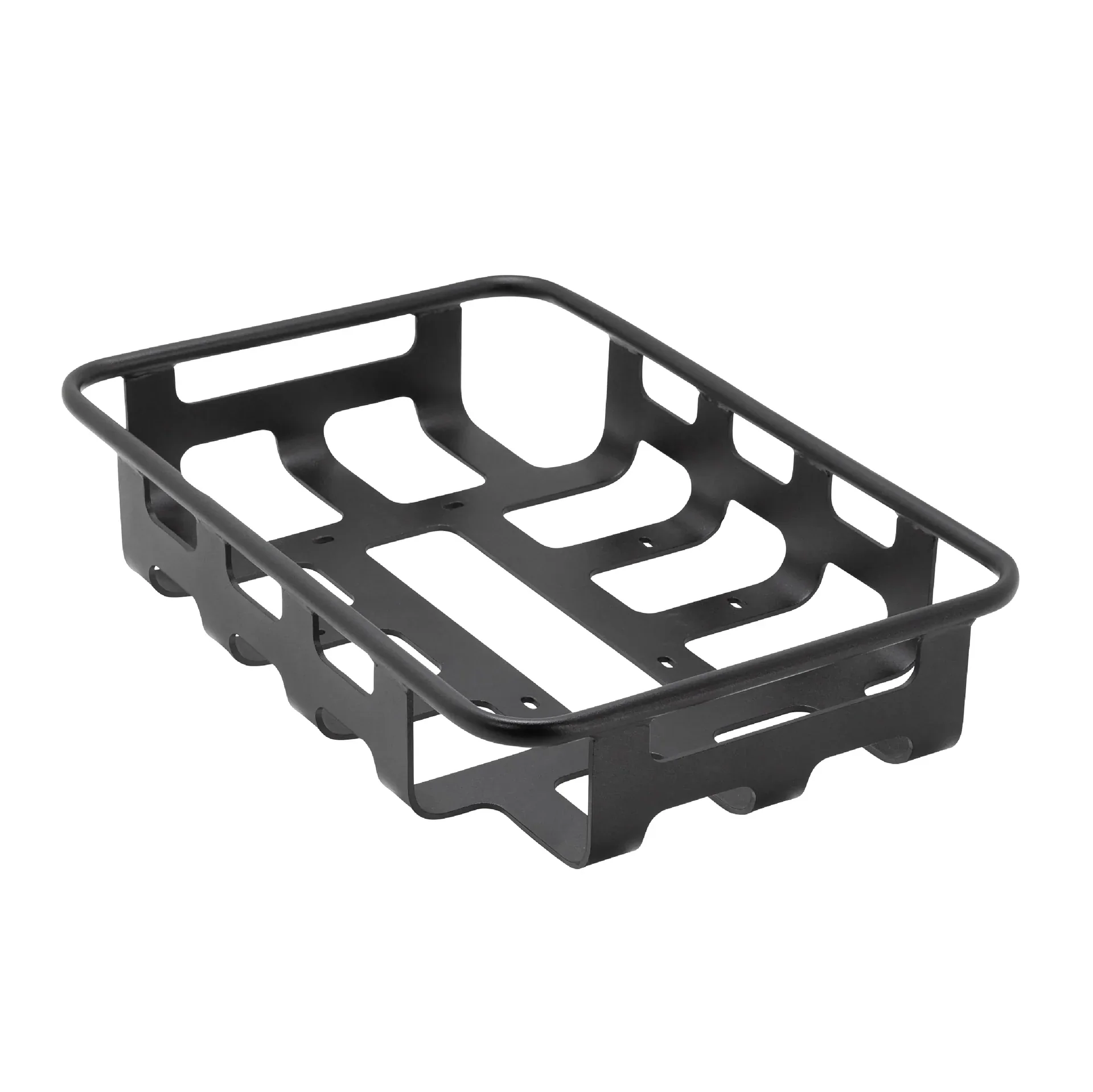
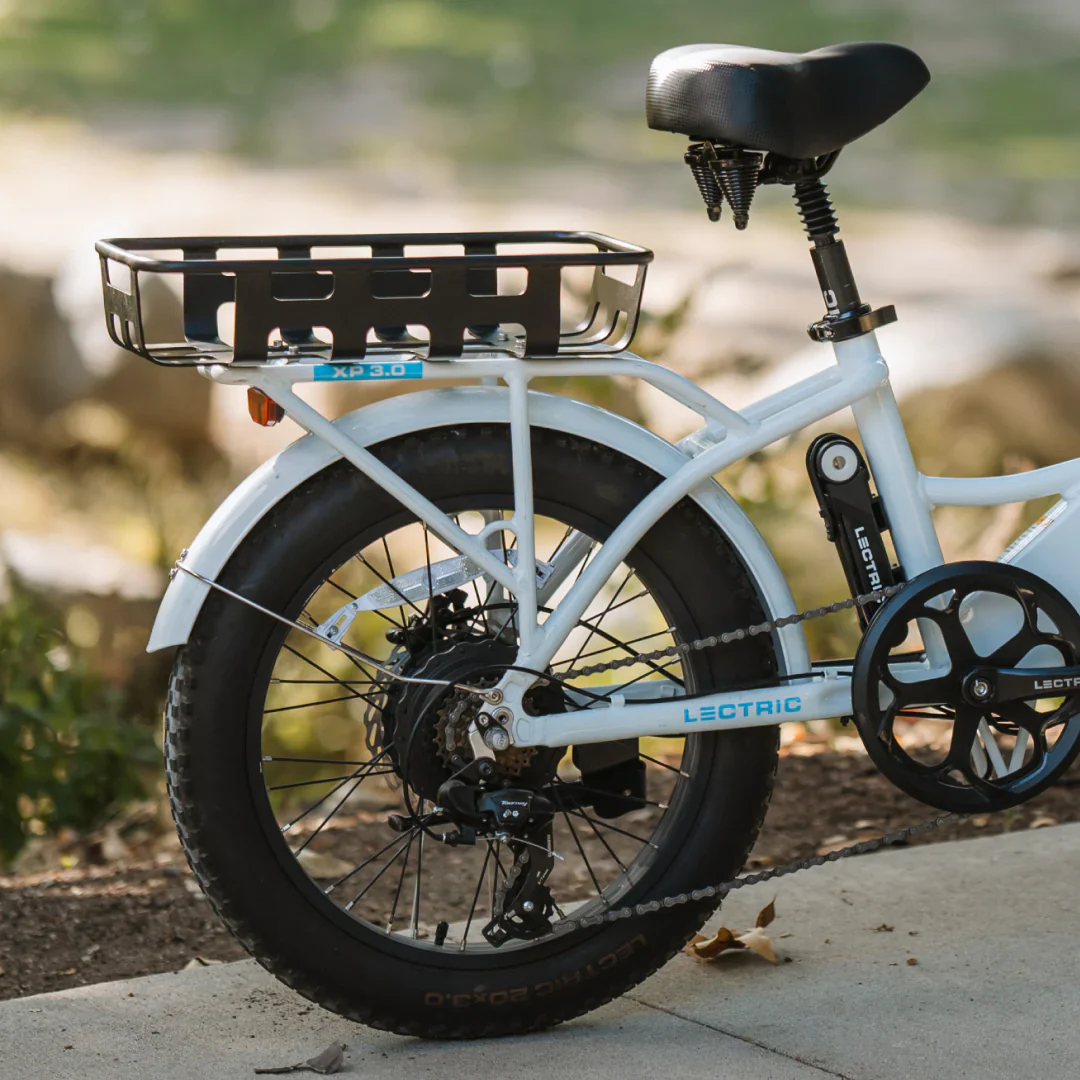
From a cooler on a hot day to a pet carrier on a morning ride, the Large Basket is ideal for taking all of your favorite on-the-go items with you!
- Able to mount vertically or horizontally to the bike depending on rider preference.
- Steel encasing and hardware ensure extra stability.
- Full compatibility with the Lectric standard and Premium Headlight.
- Easy installation - basket is attached to the rear rack with just a few pieces of hardware, included in your purchase.
Compatibility:
- Lectric XP (XP 2.0, XP 3.0, & XP4 models)
- Lectric XP Lite* (1.0 & 2.0 models)
- Lectric XPremium
- Lectric XP Trike (Model 1 & 2)
- Lectric XPedition (1.0 & 2.0 models)
- Lectric ONE*
*eBike models with an asterisk do not include a rear rack to mount a rear basket, but can be purchased separately.
Note: A Rear Rack is required to properly install the Large basket (and/or our legacy front rack).
Product Specifications:
-
Large basket dimensions: 458mm x 310mm x 88mm
- Mounting screws included
Please note that Lectric have a strict no-return policy on accessories.
Instructions
Basket Installation
Our steel baskets are great accessories for all your cargo needs!
Installing the baskets properly is very important for optimal safety. Written instructions are below:
Installing a Front Basket to the Bike Frame:
- Place the mounting bracket of the Front Basket up against the head tube of the bike frame while aligning the screw holes above the mounting points of the frame.
- Use a 4mm or 5mm Allen wrench (depending on your bike model) to fasten the screws with a washer so that the basket attaches to the rack.
- Perform a light pull test to ensure it is properly installed.
Installing a Basket to the Rear Rack:
Stand-alone baskets are intended to be installed on the rear rack, however, customers with our legacy front rack can also install them on the front.
- Place the basket above the rack while aligning the screw holes above the insertion points of the rack.
- Use a 4mm or 5mm Allen wrench (depending on your bike model) to fasten the screws with a washer so that the basket attaches to the rack.
- Perform a light pull test to ensure it is properly installed.
The basket may be placed perpendicular or parallel to the rear rack, depending on personal preference.
Cargo Package Installation:
If you have any questions, please don't hesitate to contact our support team at [email protected] or 412-567-4390.
Product Information
Product Information
Shipping & Returns
Shipping & Returns

Lectric eBikes Large Rear Basket
Lectric eBikes Large Rear Basket
Lectric eBikes Large Rear Basket
For Lectric eBikes products, we are no longer able to sell them online. They are only available for purchase in person at our warehouse.
From a cooler on a hot day to a pet carrier on a morning ride, the Large Basket is ideal for taking all of your favorite on-the-go items with you!
- Able to mount vertically or horizontally to the bike depending on rider preference.
- Steel encasing and hardware ensure extra stability.
- Full compatibility with the Lectric standard and Premium Headlight.
- Easy installation - basket is attached to the rear rack with just a few pieces of hardware, included in your purchase.
Compatibility:
- Lectric XP (XP 2.0, XP 3.0, & XP4 models)
- Lectric XP Lite* (1.0 & 2.0 models)
- Lectric XPremium
- Lectric XP Trike (Model 1 & 2)
- Lectric XPedition (1.0 & 2.0 models)
- Lectric ONE*
*eBike models with an asterisk do not include a rear rack to mount a rear basket, but can be purchased separately.
Note: A Rear Rack is required to properly install the Large basket (and/or our legacy front rack).
Product Specifications:
-
Large basket dimensions: 458mm x 310mm x 88mm
- Mounting screws included
Please note that Lectric have a strict no-return policy on accessories.
Instructions
Basket Installation
Our steel baskets are great accessories for all your cargo needs!
Installing the baskets properly is very important for optimal safety. Written instructions are below:
Installing a Front Basket to the Bike Frame:
- Place the mounting bracket of the Front Basket up against the head tube of the bike frame while aligning the screw holes above the mounting points of the frame.
- Use a 4mm or 5mm Allen wrench (depending on your bike model) to fasten the screws with a washer so that the basket attaches to the rack.
- Perform a light pull test to ensure it is properly installed.
Installing a Basket to the Rear Rack:
Stand-alone baskets are intended to be installed on the rear rack, however, customers with our legacy front rack can also install them on the front.
- Place the basket above the rack while aligning the screw holes above the insertion points of the rack.
- Use a 4mm or 5mm Allen wrench (depending on your bike model) to fasten the screws with a washer so that the basket attaches to the rack.
- Perform a light pull test to ensure it is properly installed.
The basket may be placed perpendicular or parallel to the rear rack, depending on personal preference.
Cargo Package Installation:
If you have any questions, please don't hesitate to contact our support team at [email protected] or 412-567-4390.
Original: $109.00
-65%$109.00
$38.15Product Information
Product Information
Shipping & Returns
Shipping & Returns
Description
Lectric eBikes Large Rear Basket
For Lectric eBikes products, we are no longer able to sell them online. They are only available for purchase in person at our warehouse.
From a cooler on a hot day to a pet carrier on a morning ride, the Large Basket is ideal for taking all of your favorite on-the-go items with you!
- Able to mount vertically or horizontally to the bike depending on rider preference.
- Steel encasing and hardware ensure extra stability.
- Full compatibility with the Lectric standard and Premium Headlight.
- Easy installation - basket is attached to the rear rack with just a few pieces of hardware, included in your purchase.
Compatibility:
- Lectric XP (XP 2.0, XP 3.0, & XP4 models)
- Lectric XP Lite* (1.0 & 2.0 models)
- Lectric XPremium
- Lectric XP Trike (Model 1 & 2)
- Lectric XPedition (1.0 & 2.0 models)
- Lectric ONE*
*eBike models with an asterisk do not include a rear rack to mount a rear basket, but can be purchased separately.
Note: A Rear Rack is required to properly install the Large basket (and/or our legacy front rack).
Product Specifications:
-
Large basket dimensions: 458mm x 310mm x 88mm
- Mounting screws included
Please note that Lectric have a strict no-return policy on accessories.
Instructions
Basket Installation
Our steel baskets are great accessories for all your cargo needs!
Installing the baskets properly is very important for optimal safety. Written instructions are below:
Installing a Front Basket to the Bike Frame:
- Place the mounting bracket of the Front Basket up against the head tube of the bike frame while aligning the screw holes above the mounting points of the frame.
- Use a 4mm or 5mm Allen wrench (depending on your bike model) to fasten the screws with a washer so that the basket attaches to the rack.
- Perform a light pull test to ensure it is properly installed.
Installing a Basket to the Rear Rack:
Stand-alone baskets are intended to be installed on the rear rack, however, customers with our legacy front rack can also install them on the front.
- Place the basket above the rack while aligning the screw holes above the insertion points of the rack.
- Use a 4mm or 5mm Allen wrench (depending on your bike model) to fasten the screws with a washer so that the basket attaches to the rack.
- Perform a light pull test to ensure it is properly installed.
The basket may be placed perpendicular or parallel to the rear rack, depending on personal preference.
Cargo Package Installation:
If you have any questions, please don't hesitate to contact our support team at [email protected] or 412-567-4390.