Rapsodo MLM2PRO™
MLM2PRO™
- 45-Day Trial Premium Membership included with purchase
- Target Range Play mode with 72 unique target distances and 4 fairway targets
- Dual optical camera vision + radar processing for precision accuracy
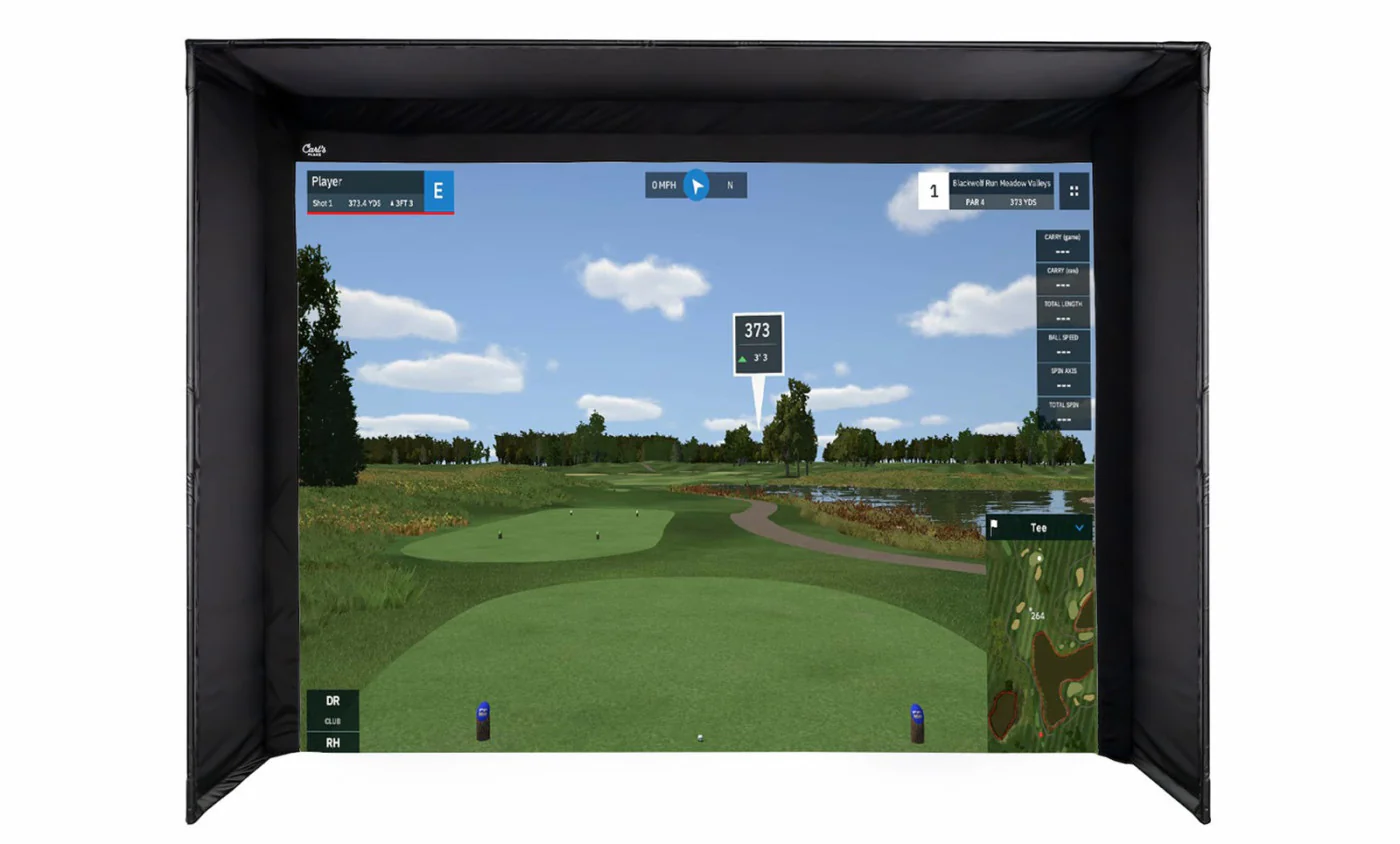
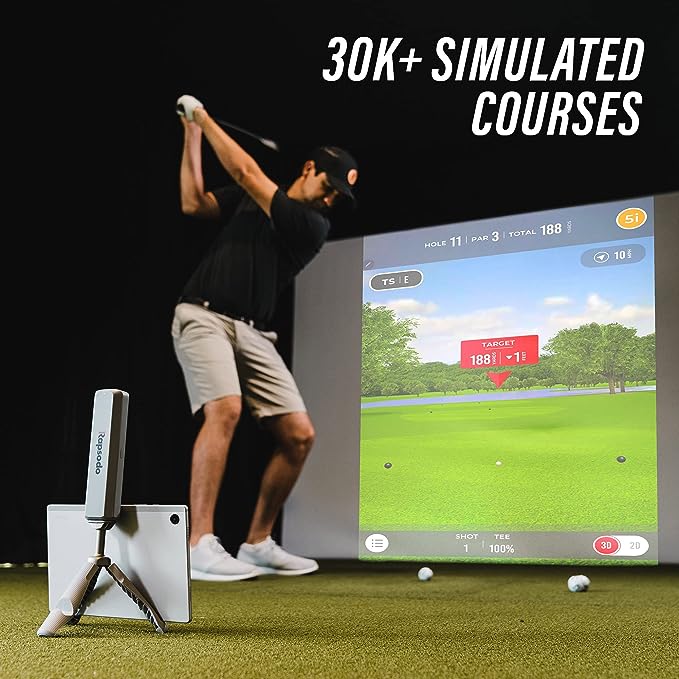
- Simulation at 30,000+ golf courses + 2 virtual ranges
- 15 metrics - 8 measured metrics - including spin rate, spin axis, angle of attack and club path
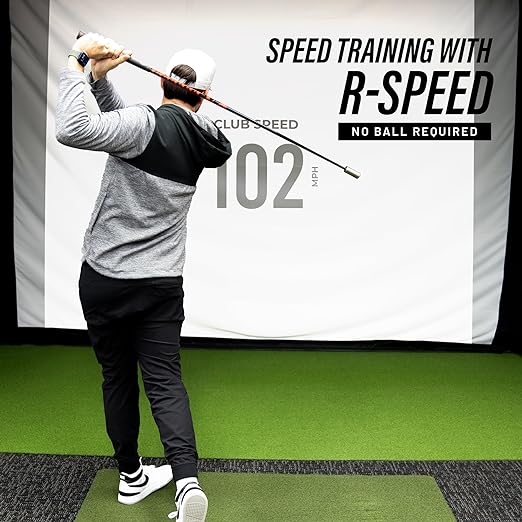
- R-Speed: Non-impact swing speed training platform
- Rapsodo Combine: Award-winning, gamified practice experience
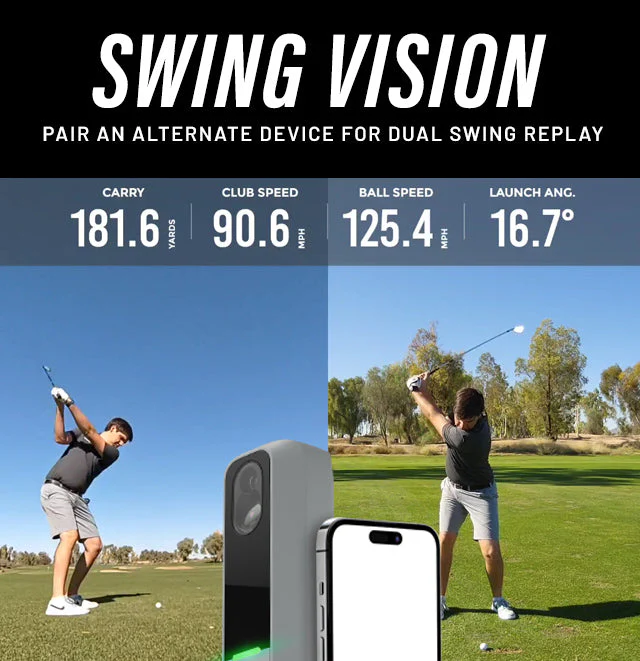
- Shot Vision and Impact Vision for multi-angle swing replay
- R-Cloud – Full access to complete session history, shot videos, plus data export
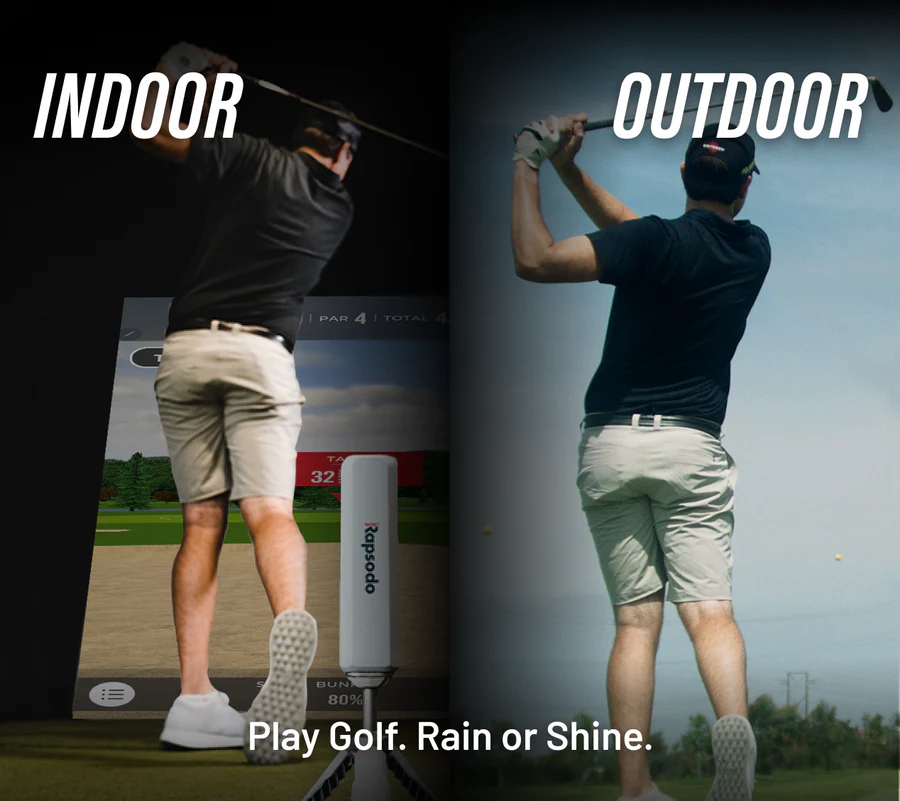
- Full functionality indoors and outdoors
-
Apple and Android compatible
Rapsodo Enhanced Simulation.
Major Game Upgrade! Every Rapsodo Course & Range experience had been completely renovated for every MLM2PRO Premium Member. The Enhanced Rapsodo Courses & Range makes simulated golf more engaging, more real and more fun. Along with upgrades to Rapsodo Courses & Range, you will also see:
PREMIUM PARTNERS
GSPro
The Rapsodo MLM2PRO is now fully-integrated with GSPro giving you access to over 500 exquisitely-crafted courses.
E6 Apex
Seamlessly compatible with the MLM2PRO™ Launch Monitor + Golf Simulator to have photo-realistic courses at your fingertips.
E6 Connect
Seamlessly compatible with the MLM2PRO™ Launch Monitor + Golf Simulator, effortlessly play photorealistic courses anytime.
Awesome Golf
Seamless compatibility with the MLM2PRO™ Launch Monitor + Golf Simulator makes it easy to play and compete with friends and family.
Reasons you'll love it
Golf Anytime, Anywhere.
Play more than 30,000 Rapsodo Courses, the Rapsodo Range, plus other premium partner trials from GSPro, E6 and Awesome Golf.
Target Range
Target Range gives you the ability to practice shots you would encounter on the golf course by hitting from different tee boxes to a variety of different green and fairway targets.
Multi Angle Swing Replay
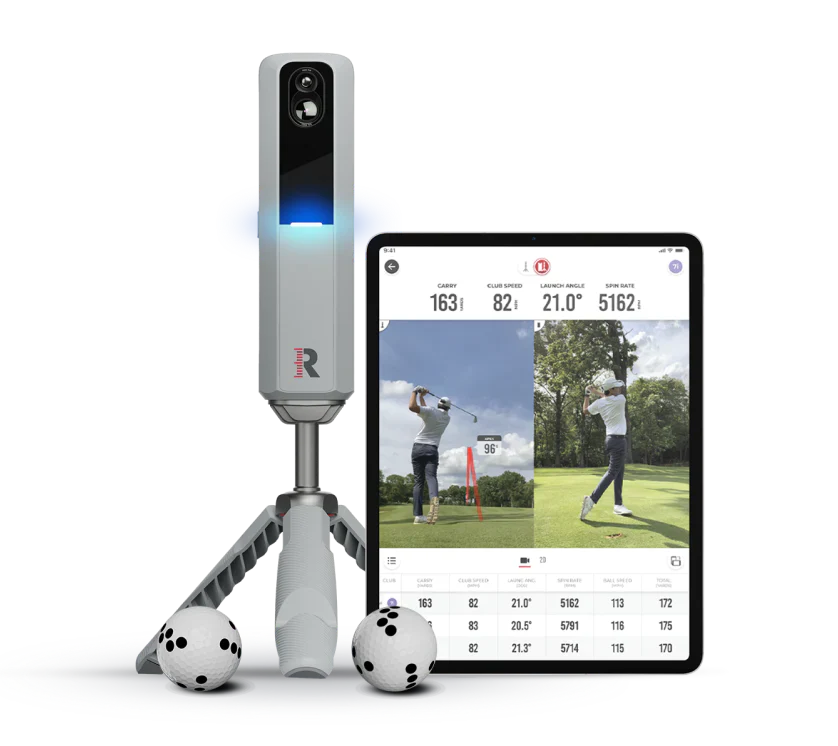

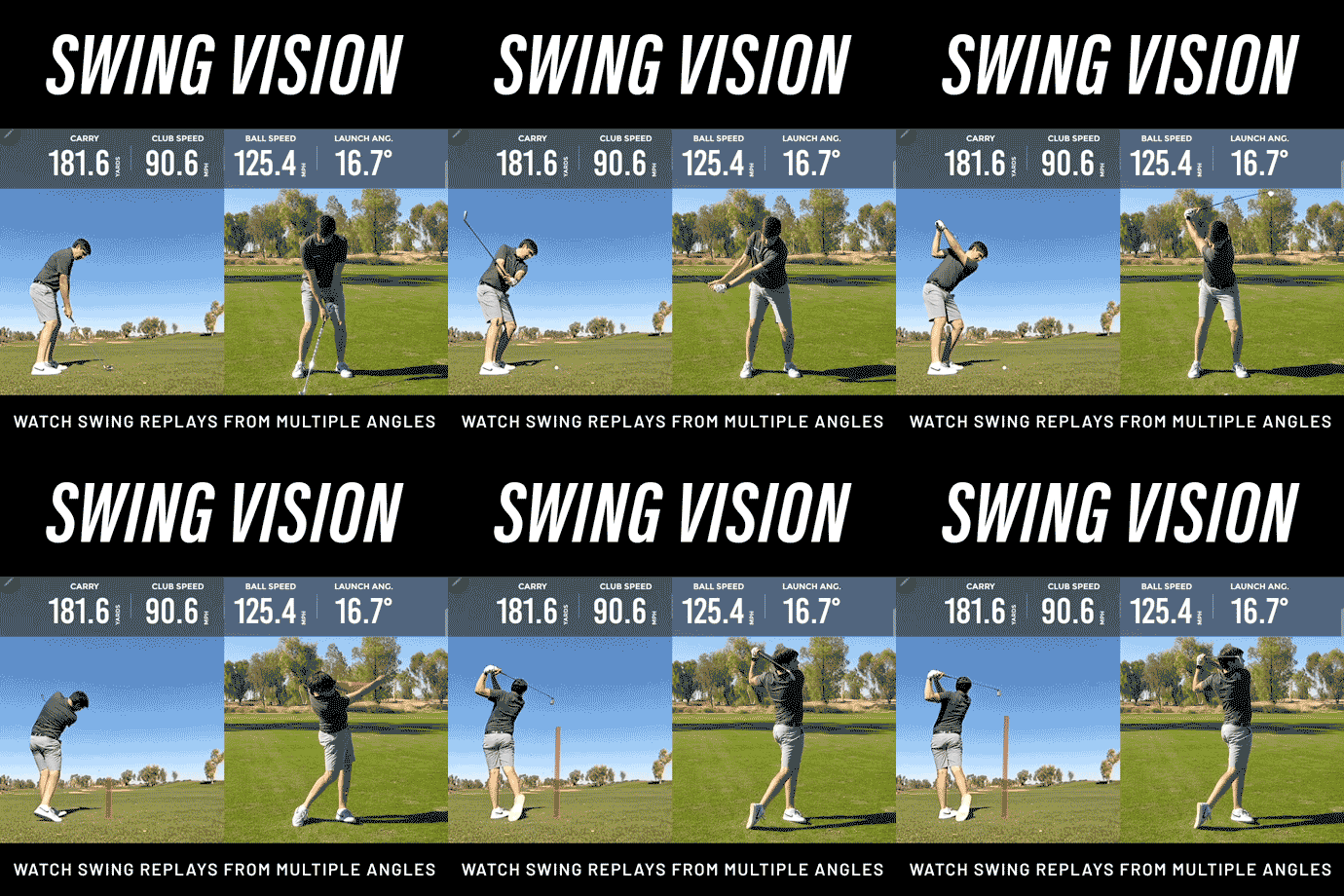
Down the line, face on, both at the same time plus slow motion replay at the moment of impact. All the vision you need to look deep into you swing.
15 Recorded Metrics
Capture up to 15 metrics with every swing, with 8 measured metrics including spin rate and spin axis when using Callaway® of Titleist® Golf Balls w/ RPT™.
The shortest distance to mastery is measurement.
Swing Replay with Shot Tracer
Club Gapping and Shot Dispersion
Rapsodo Insights
Ball Striking Index
Lifetime Stats History
Rapsodo Combine (Award-Winning)
Engineered for Accuracy

Custom designed RPT™ Golf Balls were developed specifically for the MLM2PRO™ Impact Vision camera. The camera recognizes the RPT™ print pattern and captures images at 240 fps for pro-level spin rate and spin axis measurements. It’s a partnership in precision engineering.
EASILY TRAIN & TRACK SPEED PERFORMANCE
The R-Speed platform allows golfers to easily work on their speed training and is compatible with all major swing speed training programs. Users can easily track and evaluate the performance from every training session on R-Speed with R-Cloud integration. See your improvement and share your results!
Meet MLM2PRO. It's time to upgrade your game.
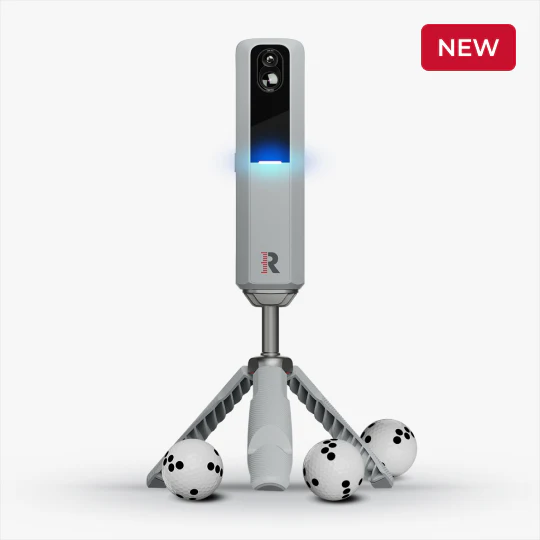
MLM2PRO™ is a launch monitor and golf simulator designed for complete visibility into your game. Stacked with two advanced cameras plus Doppler Radar to provide video feedback and precise measurement on all golf shots. Pair MLM2PRO with any Android, Apple phone, or tablet to record multiple angles of your swing and watch your golf game grow.
Download on the App Store
Get It On Google Play
PREMIUM MEMBERSHIP FEATURES
PREMIUM MEMBERSHIP FEATURES
45-DAY TRIAL IS INCLUDED WITH YOUR PURCHASE
Features
MLM2PRO™ PREMIUM
Cloud Video Storage
Slow Motion Replay
Session Insights
Rapsodo Combine
Spin Rate & Spin Access (w/ RPT Balls)
Club Path, Angle Of Attack
Rapsodo Courses
Rapsodo Range
Impact Vision
Dual Camera
R-Cloud - Web access to session history, shot videos and data export
R-Speed - Non-Impact speed training platform that measures and tracks swing speed performance
Includes 45 days free trial. Non-transferable. Cancel anytime.
What's Measured
The MLM2PRO™ provides 15 metrics including:
Angle of Attack (measured) Club Path (measured) Ball Speed (measured)
Club Speed (measured)
Smash Factor
Launch Angle (measured)
Launch Direction (measured)
Carry Distance
Total Distance
Spin Rate (measured)
Spin Axis (measured)
Descent Angle
Side Carry
Apex
Shot Type
If you can track it, you can improve it.
Total Distance
Distance the golf ball travels from the point of impact to the point it stops moving
Carry Distance
Distance the golf ball travels through the air before it hits the ground
Side Carry
The distance from the target line based on where the ball lands
Ball Speed
Velocity of the ball just after impact
Launch Direction
Initial direction the ball starts relative to the target line
Club Speed
Velocity of the club head at impact
Smash Factor
Ratio of ball speed to club speed
Launch Angle
Initial angle of ascent of the golf ball immediately after impact
Descent Angle
The angle at which the golf ball approaches the ground
Shot Apex
The maximum height of the golf ball's trajectory
Shot Type
Shape and relative curve of the flight of the ball.
Spin Rate
The amount of spin on the golf ball immediately after impact
Spin Axis
The measurement of axis tilt that the ball spins on
Club Path
Direction the clubhead is moving at the moment of impact with the golf ball, relative to the target line
Angle of Attack
Vertical direction of the clubhead's geometric center as it moves through impact with the ball
Set Up & Space Requirements
Set up requirements for outdoor use:
The MLM2PRO™ is designed to sit 6.5-8.5 feet directly behind the ball aimed down the target line.
Ideal space requirements to set up MLM2PRO™ indoors:
A little more than 14 total feet is needed. First, 8 feet is needed from ball to the net. Then, the MLM2PRO™ requires another 6.5-8.5 feet behind the ball. Taller players may need to place the device further back to capture their entire swing video.
Compatibility
iOS
iPhone
iOS 14 or higher
iPad
iPad 2017 (5th Generation) and up (must support 1080p)
Android
10.0 Android Operating System or higher (API level 29)
Compatible with phones and tablets
Device must natively support Google Play Store
MLM2PRO™ App
Download on the App Store
Get it on Google Play
Tutorials
Kindly click the link below to access the MLM2PRO™ Tutorials:
MLM2PRO™ Tutorials
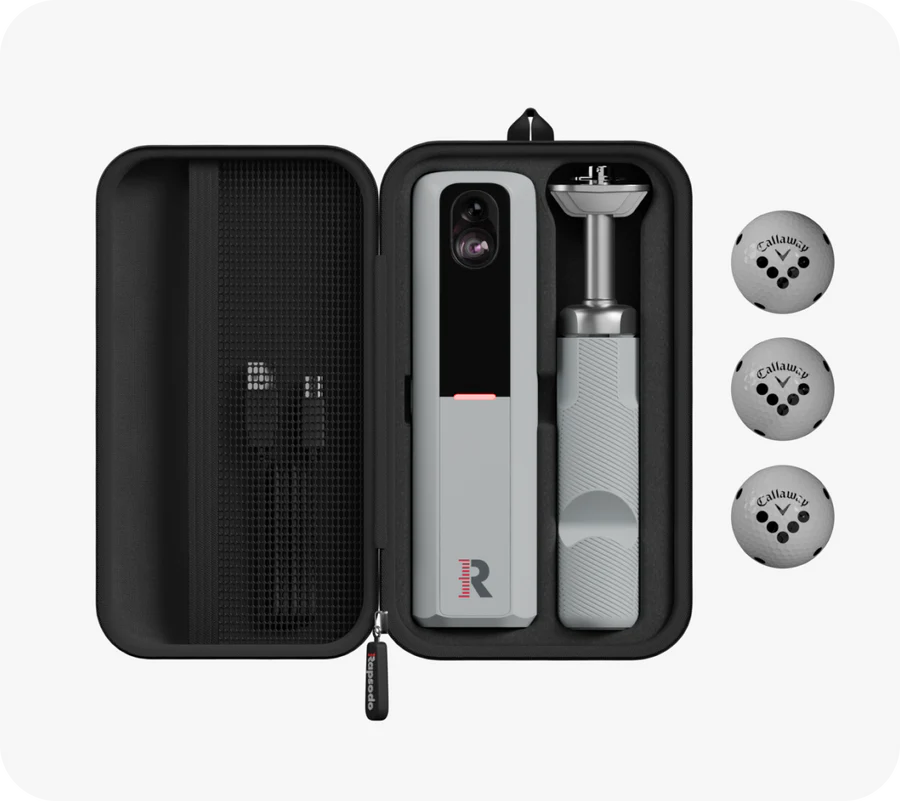
What's Inside The Box
MLM2PRO™ x1
Tripod x1
Carrying Case x1
Charging Cable x1
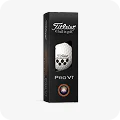
Titleist 2025 PRO V1 Golf Balls w/ RPT x3
Your purchase will include the MLM2PRO, tripod, charging cable, quick start guide, your choice of a 3-ball sleeve of Callaway Chrome Tour or Titleist PRO V1 golf balls and a 45-day free trial of the MLM2PRO Premium Membership
FAQ
What is included with a MLM2PRO purchase?
MLM2PRO™, tripod, charging cable, Quick Start Guide, sleeve of Callaway® RPT™ Chrome Soft X® golf balls and one year of the MLM2PRO Premium Membership ($199 Value)
What Apple and Android devices is MLM2PRO™ compatible with?
iPhone
iOS 14 or higher
Compatible with iPhone, iPad
iPad
iPad 2017 and up (must support 1080p)
Android
10.0 Android Operating System or higher (API level 29)
Compatible with phones and tablets
Device must natively support Google Play Store
Can I upload my data and information from my MLM to my MLM2PRO™?
The MLM2PRO™ platform is separate from the MLM platform and will require a separate app download. You will be able to download the new MLM2PRO™ App from the Apple Store and Google Play.
What metrics does the Rapsodo MLM2PRO™ measure?
The MLM2PRO™ provides 13 metrics including:
Ball Speed (measured)
Club Speed (measured)
Smash Factor
Launch Angle (measured)
Launch Direction (measured)
Carry Distance
Total Distance
Spin Rate (measured)
Spin Axis (measured)
Descent Angle
Side Carry
Apex
Shot Type
Does MLM2PRO™ require a Premium Membership?
The MLM2PRO™ first year of Premium Membership ($199) is included with your purchase. A Premium Membership is not required, however, the MLM2PRO™ Premium Membership significantly enhances the user experience with access to thousands of simulated golf courses, training platforms and more.
How are spin rate and spin axis measured?
Through our partnership with Callaway, we specially engineered balls using Callaway’s Truvis Technology. These new golf balls are called, Callaway® RPT™ Chrome Soft X® Golf Balls and are designed with Rapsodo Precision Technology™ (RPT™) so the MLM2PRO™ can track the in-flight spin rate and spin axis of the ball. This allows you to receive spin measurements within 1% of the accuracy of high-priced launch monitors.
Will I get spin rate and spin axis if I use a regular golf ball instead of the Callaway® RPT™ balls?
Callaway® RPT™ Golf Balls are required to show spin numbers.
What are the set up requirements for outdoor use?
The MLM2PRO™ is designed to sit 6.5-8.5 feet directly behind the ball aimed down the target line.
What are the ideal space requirements to set up MLM2PRO™ indoors?
A little more than 14 total feet is needed. First, 8 feet is needed from ball to the net. Then, the MLM2PRO™ requires another 6.5-8.5 feet behind the ball. Taller players may need to place the device further back to capture their entire swing video.
How does ball type or elevation affect the results?
Elevation affects distances, trajectory and descent angle
The higher the elevation, the less dense the air is. Because of this, there is less drag force on the ball (resistance) allowing it to maintain speed during flight, resulting in greater distance.
General rule of thumb is every 1500 ft of increased elevation = ball will travel 3-5% further A range ball vs premium ball will also affect your data.
A range ball will fly shorter, generate less spin, and not produce as much ball speed as a premium golf ball. Within the MLM2PRO™ App, you can adjust your settings to account for elevation and ball type to ensure your data is as accurate as possible.
What are the steps to establish MLM2PRO Direct Connection?
- Turn on the MLM2PRO unit
- Open the MLM2PRO app
- Tap on ‘Profile’ > Connect MLM2PRO, or select a Play mode from the Play tab.
- Tap on “Establish Direct Wi-Fi Connection”.
- Select your MLM2PRO unit. Your unit may take up to 45 seconds to connect on its first connection. LED will flash blue while connecting.
- Once the LED is a solid blue light you are connected.
- You will get a “Connection Successful” pop up and the ability to start a session or view device info.
- If you choose “View Device Info” you will be brought to your MLM2PRO screen where you have the option to toggle on Quick Connect to either your Direct WiFi connection or your Local Network. This will allow you to select a connection mode to quick connect when you use your MLM2PRO.
Note:
- You may only have one Quick Connect type toggled on at a time.
Watch Step by Step Detail on establishing MLM2PRO Direction Connection:
Rapsodo MLM2PRO™ | Direct Connection
What are the steps to establish Local Network Connection?
- Turn on the MLM2PRO unit
- Open the MLM2PRO app
- Tap on ‘Profile’ > Connect MLM2PRO, or select a Play mode from the Play tab.
- Tap on Local Network Connection.
- Select your MLM2PRO unit
- Select your Local Wi-Fi Network and hit the red “Connect” button and enter the password for your network connection.
- LED will flash blue while connecting and turn a sold blue once connected.
- You will get a “Connection Successful” pop up and the ability to start a session or view device info.
- If you choose “View Device Info” you will be brought to your MLM2PRO screen where you have the option to toggle on Quick Connect to either your Direct Wi-Fi or your Local Network. This will allow you to select a connection mode to quick connect when you use your MLM2PRO.
Note:
- You may only have one Quick Connect type toggled on at a time.
Watch Step by Step Detail on establishing Local Network Connection:
Rapsodo MLM2PRO™ | Local Network Connection
How do I set up Quick Connect?
There are two options to set up Quick Connect. To enable Quick Connect for the first time, you must first establish connection through either MLM2PRO Direct Connection or Local Network Connection.
App Settings:
From Profile > App Settings, you can control your Quick Connect preference. This can be done with or without the MLM2PRO Connected.
Device Info:
Once you are connected to your MLM2PRO go to Profile > Connection. Here you can set up Quick Connect to either your MLM2PRO Direction Connection or Local Network Connection.
Watch Step by Step Detail on setting up Quick Connect:
Rapsodo MLM2PRO™ | Quick Connect
What does the green, yellow, red and gray colors mean for Local Network Connection?
The green, yellow, red, and gray colors are showing the stability of your network to your MLM2PRO unit.
Green: Very good WiFi signal with very good speed.
Yellow: Fair WiFi signal strength. Video stream may lag or produce a gray flicker on screen. Sim performance may decrease.
Red: Poor WiFi signal strength. May have issues connecting or receive disconnections during use.
Gray: Unusable. Please connect to a different network.
How long should it take to connect to the MLM2PRO unit?
The first time you are making a connection to either a Direct Connection or Local Network Connection please allow about 30-45 seconds to connect. The LED will flash blue and then be a solid blue once connected.
Please allow for up to 45 seconds for the process. MLM2PRO Direct Connections will usually connect much faster.
How do I use Quick Connect for Direct Connection and Local Network Connection?
Quick Connect will allow your unit to automatically connect to your MLM2PRO app without having to go through the full connection process each time you turn on your device. Quick Connect speeds up the connection process to maximize practice time at home or at the range.
If it’s the first time an MLM2PRO has been connected, simply follow the on-screen prompts to establish a Direct WiFi or Local Network Connection, then visit the Device Info screen accessible from the Profile tab. Use the toggles to enable Quick Connect for Direct WiFi or Local Network.
Note: Only one auto-connect function can be toggled on at a time
What if Quick Connect is enabled and I would like to connect to a new network?
If Quick Connect is enabled, the MLM2PRO app will search for the preferred connection when a connection is initiated. If the preferred connection method is not available, the establish connection flow will be started from the beginning.
For example, if Quick Connect – Local Network is enabled for a home simulation set up, but the MLM2PRO is taken to the driving range, once the MLM2PRO App searches for the home network and is unable to connect, both connection options will be displayed so a new connection can be initiated.
I am still having issues with Direction Connection and Local Network Connection; what else should I consider?
If connection with MLM2PRO issues continue, there are a few additional steps to consider: Check Firmware - Check your profile in the MLM2PRO app and confirm that Firmware is up-to-date. The MLM2PRO app will explicitly state if new Firmware is available to download. Watch Step by Step Detail on updating MLM2PRO: Rapsodo MLM2PRO™ | Firmware Update Free-up Storage Space – In order to have the best user experience with MLM2PRO. It is recommended that the phone or tablet has ample storage space for the app. Rapsodo Golf recommends having at least 3GB of storage space. Consider deleting old apps, images, or videos in order to clear more space on your phone or tablet.
Manual
Product Information
Product Information
Shipping & Returns
Shipping & Returns


Rapsodo MLM2PRO™
Rapsodo MLM2PRO™
MLM2PRO™
- 45-Day Trial Premium Membership included with purchase
- Target Range Play mode with 72 unique target distances and 4 fairway targets
- Dual optical camera vision + radar processing for precision accuracy
- Simulation at 30,000+ golf courses + 2 virtual ranges
- 15 metrics - 8 measured metrics - including spin rate, spin axis, angle of attack and club path
- R-Speed: Non-impact swing speed training platform
- Rapsodo Combine: Award-winning, gamified practice experience
- Shot Vision and Impact Vision for multi-angle swing replay
- R-Cloud – Full access to complete session history, shot videos, plus data export
- Full functionality indoors and outdoors
-
Apple and Android compatible
Rapsodo Enhanced Simulation.
Major Game Upgrade! Every Rapsodo Course & Range experience had been completely renovated for every MLM2PRO Premium Member. The Enhanced Rapsodo Courses & Range makes simulated golf more engaging, more real and more fun. Along with upgrades to Rapsodo Courses & Range, you will also see:
PREMIUM PARTNERS
GSPro
The Rapsodo MLM2PRO is now fully-integrated with GSPro giving you access to over 500 exquisitely-crafted courses.
E6 Apex
Seamlessly compatible with the MLM2PRO™ Launch Monitor + Golf Simulator to have photo-realistic courses at your fingertips.
E6 Connect
Seamlessly compatible with the MLM2PRO™ Launch Monitor + Golf Simulator, effortlessly play photorealistic courses anytime.
Awesome Golf
Seamless compatibility with the MLM2PRO™ Launch Monitor + Golf Simulator makes it easy to play and compete with friends and family.
Reasons you'll love it
Golf Anytime, Anywhere.
Play more than 30,000 Rapsodo Courses, the Rapsodo Range, plus other premium partner trials from GSPro, E6 and Awesome Golf.
Target Range
Target Range gives you the ability to practice shots you would encounter on the golf course by hitting from different tee boxes to a variety of different green and fairway targets.
Multi Angle Swing Replay
Down the line, face on, both at the same time plus slow motion replay at the moment of impact. All the vision you need to look deep into you swing.
15 Recorded Metrics
Capture up to 15 metrics with every swing, with 8 measured metrics including spin rate and spin axis when using Callaway® of Titleist® Golf Balls w/ RPT™.
The shortest distance to mastery is measurement.
Swing Replay with Shot Tracer
Club Gapping and Shot Dispersion
Rapsodo Insights
Ball Striking Index
Lifetime Stats History
Rapsodo Combine (Award-Winning)
Engineered for Accuracy
Custom designed RPT™ Golf Balls were developed specifically for the MLM2PRO™ Impact Vision camera. The camera recognizes the RPT™ print pattern and captures images at 240 fps for pro-level spin rate and spin axis measurements. It’s a partnership in precision engineering.
EASILY TRAIN & TRACK SPEED PERFORMANCE
The R-Speed platform allows golfers to easily work on their speed training and is compatible with all major swing speed training programs. Users can easily track and evaluate the performance from every training session on R-Speed with R-Cloud integration. See your improvement and share your results!
Meet MLM2PRO. It's time to upgrade your game.
MLM2PRO™ is a launch monitor and golf simulator designed for complete visibility into your game. Stacked with two advanced cameras plus Doppler Radar to provide video feedback and precise measurement on all golf shots. Pair MLM2PRO with any Android, Apple phone, or tablet to record multiple angles of your swing and watch your golf game grow.
Download on the App Store
Get It On Google Play
PREMIUM MEMBERSHIP FEATURES
PREMIUM MEMBERSHIP FEATURES
45-DAY TRIAL IS INCLUDED WITH YOUR PURCHASE
Features
MLM2PRO™ PREMIUM
Cloud Video Storage
Slow Motion Replay
Session Insights
Rapsodo Combine
Spin Rate & Spin Access (w/ RPT Balls)
Club Path, Angle Of Attack
Rapsodo Courses
Rapsodo Range
Impact Vision
Dual Camera
R-Cloud - Web access to session history, shot videos and data export
R-Speed - Non-Impact speed training platform that measures and tracks swing speed performance
Includes 45 days free trial. Non-transferable. Cancel anytime.
What's Measured
The MLM2PRO™ provides 15 metrics including:
Angle of Attack (measured) Club Path (measured) Ball Speed (measured)
Club Speed (measured)
Smash Factor
Launch Angle (measured)
Launch Direction (measured)
Carry Distance
Total Distance
Spin Rate (measured)
Spin Axis (measured)
Descent Angle
Side Carry
Apex
Shot Type
If you can track it, you can improve it.
Total Distance
Distance the golf ball travels from the point of impact to the point it stops moving
Carry Distance
Distance the golf ball travels through the air before it hits the ground
Side Carry
The distance from the target line based on where the ball lands
Ball Speed
Velocity of the ball just after impact
Launch Direction
Initial direction the ball starts relative to the target line
Club Speed
Velocity of the club head at impact
Smash Factor
Ratio of ball speed to club speed
Launch Angle
Initial angle of ascent of the golf ball immediately after impact
Descent Angle
The angle at which the golf ball approaches the ground
Shot Apex
The maximum height of the golf ball's trajectory
Shot Type
Shape and relative curve of the flight of the ball.
Spin Rate
The amount of spin on the golf ball immediately after impact
Spin Axis
The measurement of axis tilt that the ball spins on
Club Path
Direction the clubhead is moving at the moment of impact with the golf ball, relative to the target line
Angle of Attack
Vertical direction of the clubhead's geometric center as it moves through impact with the ball
Set Up & Space Requirements
Set up requirements for outdoor use:
The MLM2PRO™ is designed to sit 6.5-8.5 feet directly behind the ball aimed down the target line.
Ideal space requirements to set up MLM2PRO™ indoors:
A little more than 14 total feet is needed. First, 8 feet is needed from ball to the net. Then, the MLM2PRO™ requires another 6.5-8.5 feet behind the ball. Taller players may need to place the device further back to capture their entire swing video.
Compatibility
iOS
iPhone
iOS 14 or higher
iPad
iPad 2017 (5th Generation) and up (must support 1080p)
Android
10.0 Android Operating System or higher (API level 29)
Compatible with phones and tablets
Device must natively support Google Play Store
MLM2PRO™ App
Download on the App Store
Get it on Google Play
Tutorials
Kindly click the link below to access the MLM2PRO™ Tutorials:
MLM2PRO™ Tutorials
What's Inside The Box
MLM2PRO™ x1
Tripod x1
Carrying Case x1
Charging Cable x1
Titleist 2025 PRO V1 Golf Balls w/ RPT x3
Your purchase will include the MLM2PRO, tripod, charging cable, quick start guide, your choice of a 3-ball sleeve of Callaway Chrome Tour or Titleist PRO V1 golf balls and a 45-day free trial of the MLM2PRO Premium Membership
FAQ
What is included with a MLM2PRO purchase?
MLM2PRO™, tripod, charging cable, Quick Start Guide, sleeve of Callaway® RPT™ Chrome Soft X® golf balls and one year of the MLM2PRO Premium Membership ($199 Value)
What Apple and Android devices is MLM2PRO™ compatible with?
iPhone
iOS 14 or higher
Compatible with iPhone, iPad
iPad
iPad 2017 and up (must support 1080p)
Android
10.0 Android Operating System or higher (API level 29)
Compatible with phones and tablets
Device must natively support Google Play Store
Can I upload my data and information from my MLM to my MLM2PRO™?
The MLM2PRO™ platform is separate from the MLM platform and will require a separate app download. You will be able to download the new MLM2PRO™ App from the Apple Store and Google Play.
What metrics does the Rapsodo MLM2PRO™ measure?
The MLM2PRO™ provides 13 metrics including:
Ball Speed (measured)
Club Speed (measured)
Smash Factor
Launch Angle (measured)
Launch Direction (measured)
Carry Distance
Total Distance
Spin Rate (measured)
Spin Axis (measured)
Descent Angle
Side Carry
Apex
Shot Type
Does MLM2PRO™ require a Premium Membership?
The MLM2PRO™ first year of Premium Membership ($199) is included with your purchase. A Premium Membership is not required, however, the MLM2PRO™ Premium Membership significantly enhances the user experience with access to thousands of simulated golf courses, training platforms and more.
How are spin rate and spin axis measured?
Through our partnership with Callaway, we specially engineered balls using Callaway’s Truvis Technology. These new golf balls are called, Callaway® RPT™ Chrome Soft X® Golf Balls and are designed with Rapsodo Precision Technology™ (RPT™) so the MLM2PRO™ can track the in-flight spin rate and spin axis of the ball. This allows you to receive spin measurements within 1% of the accuracy of high-priced launch monitors.
Will I get spin rate and spin axis if I use a regular golf ball instead of the Callaway® RPT™ balls?
Callaway® RPT™ Golf Balls are required to show spin numbers.
What are the set up requirements for outdoor use?
The MLM2PRO™ is designed to sit 6.5-8.5 feet directly behind the ball aimed down the target line.
What are the ideal space requirements to set up MLM2PRO™ indoors?
A little more than 14 total feet is needed. First, 8 feet is needed from ball to the net. Then, the MLM2PRO™ requires another 6.5-8.5 feet behind the ball. Taller players may need to place the device further back to capture their entire swing video.
How does ball type or elevation affect the results?
Elevation affects distances, trajectory and descent angle
The higher the elevation, the less dense the air is. Because of this, there is less drag force on the ball (resistance) allowing it to maintain speed during flight, resulting in greater distance.
General rule of thumb is every 1500 ft of increased elevation = ball will travel 3-5% further A range ball vs premium ball will also affect your data.
A range ball will fly shorter, generate less spin, and not produce as much ball speed as a premium golf ball. Within the MLM2PRO™ App, you can adjust your settings to account for elevation and ball type to ensure your data is as accurate as possible.
What are the steps to establish MLM2PRO Direct Connection?
- Turn on the MLM2PRO unit
- Open the MLM2PRO app
- Tap on ‘Profile’ > Connect MLM2PRO, or select a Play mode from the Play tab.
- Tap on “Establish Direct Wi-Fi Connection”.
- Select your MLM2PRO unit. Your unit may take up to 45 seconds to connect on its first connection. LED will flash blue while connecting.
- Once the LED is a solid blue light you are connected.
- You will get a “Connection Successful” pop up and the ability to start a session or view device info.
- If you choose “View Device Info” you will be brought to your MLM2PRO screen where you have the option to toggle on Quick Connect to either your Direct WiFi connection or your Local Network. This will allow you to select a connection mode to quick connect when you use your MLM2PRO.
Note:
- You may only have one Quick Connect type toggled on at a time.
Watch Step by Step Detail on establishing MLM2PRO Direction Connection:
Rapsodo MLM2PRO™ | Direct Connection
What are the steps to establish Local Network Connection?
- Turn on the MLM2PRO unit
- Open the MLM2PRO app
- Tap on ‘Profile’ > Connect MLM2PRO, or select a Play mode from the Play tab.
- Tap on Local Network Connection.
- Select your MLM2PRO unit
- Select your Local Wi-Fi Network and hit the red “Connect” button and enter the password for your network connection.
- LED will flash blue while connecting and turn a sold blue once connected.
- You will get a “Connection Successful” pop up and the ability to start a session or view device info.
- If you choose “View Device Info” you will be brought to your MLM2PRO screen where you have the option to toggle on Quick Connect to either your Direct Wi-Fi or your Local Network. This will allow you to select a connection mode to quick connect when you use your MLM2PRO.
Note:
- You may only have one Quick Connect type toggled on at a time.
Watch Step by Step Detail on establishing Local Network Connection:
Rapsodo MLM2PRO™ | Local Network Connection
How do I set up Quick Connect?
There are two options to set up Quick Connect. To enable Quick Connect for the first time, you must first establish connection through either MLM2PRO Direct Connection or Local Network Connection.
App Settings:
From Profile > App Settings, you can control your Quick Connect preference. This can be done with or without the MLM2PRO Connected.
Device Info:
Once you are connected to your MLM2PRO go to Profile > Connection. Here you can set up Quick Connect to either your MLM2PRO Direction Connection or Local Network Connection.
Watch Step by Step Detail on setting up Quick Connect:
Rapsodo MLM2PRO™ | Quick Connect
What does the green, yellow, red and gray colors mean for Local Network Connection?
The green, yellow, red, and gray colors are showing the stability of your network to your MLM2PRO unit.
Green: Very good WiFi signal with very good speed.
Yellow: Fair WiFi signal strength. Video stream may lag or produce a gray flicker on screen. Sim performance may decrease.
Red: Poor WiFi signal strength. May have issues connecting or receive disconnections during use.
Gray: Unusable. Please connect to a different network.
How long should it take to connect to the MLM2PRO unit?
The first time you are making a connection to either a Direct Connection or Local Network Connection please allow about 30-45 seconds to connect. The LED will flash blue and then be a solid blue once connected.
Please allow for up to 45 seconds for the process. MLM2PRO Direct Connections will usually connect much faster.
How do I use Quick Connect for Direct Connection and Local Network Connection?
Quick Connect will allow your unit to automatically connect to your MLM2PRO app without having to go through the full connection process each time you turn on your device. Quick Connect speeds up the connection process to maximize practice time at home or at the range.
If it’s the first time an MLM2PRO has been connected, simply follow the on-screen prompts to establish a Direct WiFi or Local Network Connection, then visit the Device Info screen accessible from the Profile tab. Use the toggles to enable Quick Connect for Direct WiFi or Local Network.
Note: Only one auto-connect function can be toggled on at a time
What if Quick Connect is enabled and I would like to connect to a new network?
If Quick Connect is enabled, the MLM2PRO app will search for the preferred connection when a connection is initiated. If the preferred connection method is not available, the establish connection flow will be started from the beginning.
For example, if Quick Connect – Local Network is enabled for a home simulation set up, but the MLM2PRO is taken to the driving range, once the MLM2PRO App searches for the home network and is unable to connect, both connection options will be displayed so a new connection can be initiated.
I am still having issues with Direction Connection and Local Network Connection; what else should I consider?
If connection with MLM2PRO issues continue, there are a few additional steps to consider: Check Firmware - Check your profile in the MLM2PRO app and confirm that Firmware is up-to-date. The MLM2PRO app will explicitly state if new Firmware is available to download. Watch Step by Step Detail on updating MLM2PRO: Rapsodo MLM2PRO™ | Firmware Update Free-up Storage Space – In order to have the best user experience with MLM2PRO. It is recommended that the phone or tablet has ample storage space for the app. Rapsodo Golf recommends having at least 3GB of storage space. Consider deleting old apps, images, or videos in order to clear more space on your phone or tablet.
Manual
Original: $599.99
-65%$599.99
$210.00Product Information
Product Information
Shipping & Returns
Shipping & Returns
Description
MLM2PRO™
- 45-Day Trial Premium Membership included with purchase
- Target Range Play mode with 72 unique target distances and 4 fairway targets
- Dual optical camera vision + radar processing for precision accuracy
- Simulation at 30,000+ golf courses + 2 virtual ranges
- 15 metrics - 8 measured metrics - including spin rate, spin axis, angle of attack and club path
- R-Speed: Non-impact swing speed training platform
- Rapsodo Combine: Award-winning, gamified practice experience
- Shot Vision and Impact Vision for multi-angle swing replay
- R-Cloud – Full access to complete session history, shot videos, plus data export
- Full functionality indoors and outdoors
-
Apple and Android compatible
Rapsodo Enhanced Simulation.
Major Game Upgrade! Every Rapsodo Course & Range experience had been completely renovated for every MLM2PRO Premium Member. The Enhanced Rapsodo Courses & Range makes simulated golf more engaging, more real and more fun. Along with upgrades to Rapsodo Courses & Range, you will also see:
PREMIUM PARTNERS
GSPro
The Rapsodo MLM2PRO is now fully-integrated with GSPro giving you access to over 500 exquisitely-crafted courses.
E6 Apex
Seamlessly compatible with the MLM2PRO™ Launch Monitor + Golf Simulator to have photo-realistic courses at your fingertips.
E6 Connect
Seamlessly compatible with the MLM2PRO™ Launch Monitor + Golf Simulator, effortlessly play photorealistic courses anytime.
Awesome Golf
Seamless compatibility with the MLM2PRO™ Launch Monitor + Golf Simulator makes it easy to play and compete with friends and family.
Reasons you'll love it
Golf Anytime, Anywhere.
Play more than 30,000 Rapsodo Courses, the Rapsodo Range, plus other premium partner trials from GSPro, E6 and Awesome Golf.
Target Range
Target Range gives you the ability to practice shots you would encounter on the golf course by hitting from different tee boxes to a variety of different green and fairway targets.
Multi Angle Swing Replay
Down the line, face on, both at the same time plus slow motion replay at the moment of impact. All the vision you need to look deep into you swing.
15 Recorded Metrics
Capture up to 15 metrics with every swing, with 8 measured metrics including spin rate and spin axis when using Callaway® of Titleist® Golf Balls w/ RPT™.
The shortest distance to mastery is measurement.
Swing Replay with Shot Tracer
Club Gapping and Shot Dispersion
Rapsodo Insights
Ball Striking Index
Lifetime Stats History
Rapsodo Combine (Award-Winning)
Engineered for Accuracy
Custom designed RPT™ Golf Balls were developed specifically for the MLM2PRO™ Impact Vision camera. The camera recognizes the RPT™ print pattern and captures images at 240 fps for pro-level spin rate and spin axis measurements. It’s a partnership in precision engineering.
EASILY TRAIN & TRACK SPEED PERFORMANCE
The R-Speed platform allows golfers to easily work on their speed training and is compatible with all major swing speed training programs. Users can easily track and evaluate the performance from every training session on R-Speed with R-Cloud integration. See your improvement and share your results!
Meet MLM2PRO. It's time to upgrade your game.
MLM2PRO™ is a launch monitor and golf simulator designed for complete visibility into your game. Stacked with two advanced cameras plus Doppler Radar to provide video feedback and precise measurement on all golf shots. Pair MLM2PRO with any Android, Apple phone, or tablet to record multiple angles of your swing and watch your golf game grow.
Download on the App Store
Get It On Google Play
PREMIUM MEMBERSHIP FEATURES
PREMIUM MEMBERSHIP FEATURES
45-DAY TRIAL IS INCLUDED WITH YOUR PURCHASE
Features
MLM2PRO™ PREMIUM
Cloud Video Storage
Slow Motion Replay
Session Insights
Rapsodo Combine
Spin Rate & Spin Access (w/ RPT Balls)
Club Path, Angle Of Attack
Rapsodo Courses
Rapsodo Range
Impact Vision
Dual Camera
R-Cloud - Web access to session history, shot videos and data export
R-Speed - Non-Impact speed training platform that measures and tracks swing speed performance
Includes 45 days free trial. Non-transferable. Cancel anytime.
What's Measured
The MLM2PRO™ provides 15 metrics including:
Angle of Attack (measured) Club Path (measured) Ball Speed (measured)
Club Speed (measured)
Smash Factor
Launch Angle (measured)
Launch Direction (measured)
Carry Distance
Total Distance
Spin Rate (measured)
Spin Axis (measured)
Descent Angle
Side Carry
Apex
Shot Type
If you can track it, you can improve it.
Total Distance
Distance the golf ball travels from the point of impact to the point it stops moving
Carry Distance
Distance the golf ball travels through the air before it hits the ground
Side Carry
The distance from the target line based on where the ball lands
Ball Speed
Velocity of the ball just after impact
Launch Direction
Initial direction the ball starts relative to the target line
Club Speed
Velocity of the club head at impact
Smash Factor
Ratio of ball speed to club speed
Launch Angle
Initial angle of ascent of the golf ball immediately after impact
Descent Angle
The angle at which the golf ball approaches the ground
Shot Apex
The maximum height of the golf ball's trajectory
Shot Type
Shape and relative curve of the flight of the ball.
Spin Rate
The amount of spin on the golf ball immediately after impact
Spin Axis
The measurement of axis tilt that the ball spins on
Club Path
Direction the clubhead is moving at the moment of impact with the golf ball, relative to the target line
Angle of Attack
Vertical direction of the clubhead's geometric center as it moves through impact with the ball
Set Up & Space Requirements
Set up requirements for outdoor use:
The MLM2PRO™ is designed to sit 6.5-8.5 feet directly behind the ball aimed down the target line.
Ideal space requirements to set up MLM2PRO™ indoors:
A little more than 14 total feet is needed. First, 8 feet is needed from ball to the net. Then, the MLM2PRO™ requires another 6.5-8.5 feet behind the ball. Taller players may need to place the device further back to capture their entire swing video.
Compatibility
iOS
iPhone
iOS 14 or higher
iPad
iPad 2017 (5th Generation) and up (must support 1080p)
Android
10.0 Android Operating System or higher (API level 29)
Compatible with phones and tablets
Device must natively support Google Play Store
MLM2PRO™ App
Download on the App Store
Get it on Google Play
Tutorials
Kindly click the link below to access the MLM2PRO™ Tutorials:
MLM2PRO™ Tutorials
What's Inside The Box
MLM2PRO™ x1
Tripod x1
Carrying Case x1
Charging Cable x1
Titleist 2025 PRO V1 Golf Balls w/ RPT x3
Your purchase will include the MLM2PRO, tripod, charging cable, quick start guide, your choice of a 3-ball sleeve of Callaway Chrome Tour or Titleist PRO V1 golf balls and a 45-day free trial of the MLM2PRO Premium Membership
FAQ
What is included with a MLM2PRO purchase?
MLM2PRO™, tripod, charging cable, Quick Start Guide, sleeve of Callaway® RPT™ Chrome Soft X® golf balls and one year of the MLM2PRO Premium Membership ($199 Value)
What Apple and Android devices is MLM2PRO™ compatible with?
iPhone
iOS 14 or higher
Compatible with iPhone, iPad
iPad
iPad 2017 and up (must support 1080p)
Android
10.0 Android Operating System or higher (API level 29)
Compatible with phones and tablets
Device must natively support Google Play Store
Can I upload my data and information from my MLM to my MLM2PRO™?
The MLM2PRO™ platform is separate from the MLM platform and will require a separate app download. You will be able to download the new MLM2PRO™ App from the Apple Store and Google Play.
What metrics does the Rapsodo MLM2PRO™ measure?
The MLM2PRO™ provides 13 metrics including:
Ball Speed (measured)
Club Speed (measured)
Smash Factor
Launch Angle (measured)
Launch Direction (measured)
Carry Distance
Total Distance
Spin Rate (measured)
Spin Axis (measured)
Descent Angle
Side Carry
Apex
Shot Type
Does MLM2PRO™ require a Premium Membership?
The MLM2PRO™ first year of Premium Membership ($199) is included with your purchase. A Premium Membership is not required, however, the MLM2PRO™ Premium Membership significantly enhances the user experience with access to thousands of simulated golf courses, training platforms and more.
How are spin rate and spin axis measured?
Through our partnership with Callaway, we specially engineered balls using Callaway’s Truvis Technology. These new golf balls are called, Callaway® RPT™ Chrome Soft X® Golf Balls and are designed with Rapsodo Precision Technology™ (RPT™) so the MLM2PRO™ can track the in-flight spin rate and spin axis of the ball. This allows you to receive spin measurements within 1% of the accuracy of high-priced launch monitors.
Will I get spin rate and spin axis if I use a regular golf ball instead of the Callaway® RPT™ balls?
Callaway® RPT™ Golf Balls are required to show spin numbers.
What are the set up requirements for outdoor use?
The MLM2PRO™ is designed to sit 6.5-8.5 feet directly behind the ball aimed down the target line.
What are the ideal space requirements to set up MLM2PRO™ indoors?
A little more than 14 total feet is needed. First, 8 feet is needed from ball to the net. Then, the MLM2PRO™ requires another 6.5-8.5 feet behind the ball. Taller players may need to place the device further back to capture their entire swing video.
How does ball type or elevation affect the results?
Elevation affects distances, trajectory and descent angle
The higher the elevation, the less dense the air is. Because of this, there is less drag force on the ball (resistance) allowing it to maintain speed during flight, resulting in greater distance.
General rule of thumb is every 1500 ft of increased elevation = ball will travel 3-5% further A range ball vs premium ball will also affect your data.
A range ball will fly shorter, generate less spin, and not produce as much ball speed as a premium golf ball. Within the MLM2PRO™ App, you can adjust your settings to account for elevation and ball type to ensure your data is as accurate as possible.
What are the steps to establish MLM2PRO Direct Connection?
- Turn on the MLM2PRO unit
- Open the MLM2PRO app
- Tap on ‘Profile’ > Connect MLM2PRO, or select a Play mode from the Play tab.
- Tap on “Establish Direct Wi-Fi Connection”.
- Select your MLM2PRO unit. Your unit may take up to 45 seconds to connect on its first connection. LED will flash blue while connecting.
- Once the LED is a solid blue light you are connected.
- You will get a “Connection Successful” pop up and the ability to start a session or view device info.
- If you choose “View Device Info” you will be brought to your MLM2PRO screen where you have the option to toggle on Quick Connect to either your Direct WiFi connection or your Local Network. This will allow you to select a connection mode to quick connect when you use your MLM2PRO.
Note:
- You may only have one Quick Connect type toggled on at a time.
Watch Step by Step Detail on establishing MLM2PRO Direction Connection:
Rapsodo MLM2PRO™ | Direct Connection
What are the steps to establish Local Network Connection?
- Turn on the MLM2PRO unit
- Open the MLM2PRO app
- Tap on ‘Profile’ > Connect MLM2PRO, or select a Play mode from the Play tab.
- Tap on Local Network Connection.
- Select your MLM2PRO unit
- Select your Local Wi-Fi Network and hit the red “Connect” button and enter the password for your network connection.
- LED will flash blue while connecting and turn a sold blue once connected.
- You will get a “Connection Successful” pop up and the ability to start a session or view device info.
- If you choose “View Device Info” you will be brought to your MLM2PRO screen where you have the option to toggle on Quick Connect to either your Direct Wi-Fi or your Local Network. This will allow you to select a connection mode to quick connect when you use your MLM2PRO.
Note:
- You may only have one Quick Connect type toggled on at a time.
Watch Step by Step Detail on establishing Local Network Connection:
Rapsodo MLM2PRO™ | Local Network Connection
How do I set up Quick Connect?
There are two options to set up Quick Connect. To enable Quick Connect for the first time, you must first establish connection through either MLM2PRO Direct Connection or Local Network Connection.
App Settings:
From Profile > App Settings, you can control your Quick Connect preference. This can be done with or without the MLM2PRO Connected.
Device Info:
Once you are connected to your MLM2PRO go to Profile > Connection. Here you can set up Quick Connect to either your MLM2PRO Direction Connection or Local Network Connection.
Watch Step by Step Detail on setting up Quick Connect:
Rapsodo MLM2PRO™ | Quick Connect
What does the green, yellow, red and gray colors mean for Local Network Connection?
The green, yellow, red, and gray colors are showing the stability of your network to your MLM2PRO unit.
Green: Very good WiFi signal with very good speed.
Yellow: Fair WiFi signal strength. Video stream may lag or produce a gray flicker on screen. Sim performance may decrease.
Red: Poor WiFi signal strength. May have issues connecting or receive disconnections during use.
Gray: Unusable. Please connect to a different network.
How long should it take to connect to the MLM2PRO unit?
The first time you are making a connection to either a Direct Connection or Local Network Connection please allow about 30-45 seconds to connect. The LED will flash blue and then be a solid blue once connected.
Please allow for up to 45 seconds for the process. MLM2PRO Direct Connections will usually connect much faster.
How do I use Quick Connect for Direct Connection and Local Network Connection?
Quick Connect will allow your unit to automatically connect to your MLM2PRO app without having to go through the full connection process each time you turn on your device. Quick Connect speeds up the connection process to maximize practice time at home or at the range.
If it’s the first time an MLM2PRO has been connected, simply follow the on-screen prompts to establish a Direct WiFi or Local Network Connection, then visit the Device Info screen accessible from the Profile tab. Use the toggles to enable Quick Connect for Direct WiFi or Local Network.
Note: Only one auto-connect function can be toggled on at a time
What if Quick Connect is enabled and I would like to connect to a new network?
If Quick Connect is enabled, the MLM2PRO app will search for the preferred connection when a connection is initiated. If the preferred connection method is not available, the establish connection flow will be started from the beginning.
For example, if Quick Connect – Local Network is enabled for a home simulation set up, but the MLM2PRO is taken to the driving range, once the MLM2PRO App searches for the home network and is unable to connect, both connection options will be displayed so a new connection can be initiated.
I am still having issues with Direction Connection and Local Network Connection; what else should I consider?
If connection with MLM2PRO issues continue, there are a few additional steps to consider: Check Firmware - Check your profile in the MLM2PRO app and confirm that Firmware is up-to-date. The MLM2PRO app will explicitly state if new Firmware is available to download. Watch Step by Step Detail on updating MLM2PRO: Rapsodo MLM2PRO™ | Firmware Update Free-up Storage Space – In order to have the best user experience with MLM2PRO. It is recommended that the phone or tablet has ample storage space for the app. Rapsodo Golf recommends having at least 3GB of storage space. Consider deleting old apps, images, or videos in order to clear more space on your phone or tablet.