Uneekor QED Launch Monitor
Uneekor QED Launch Monitor
QED
Behind Every Great Swing
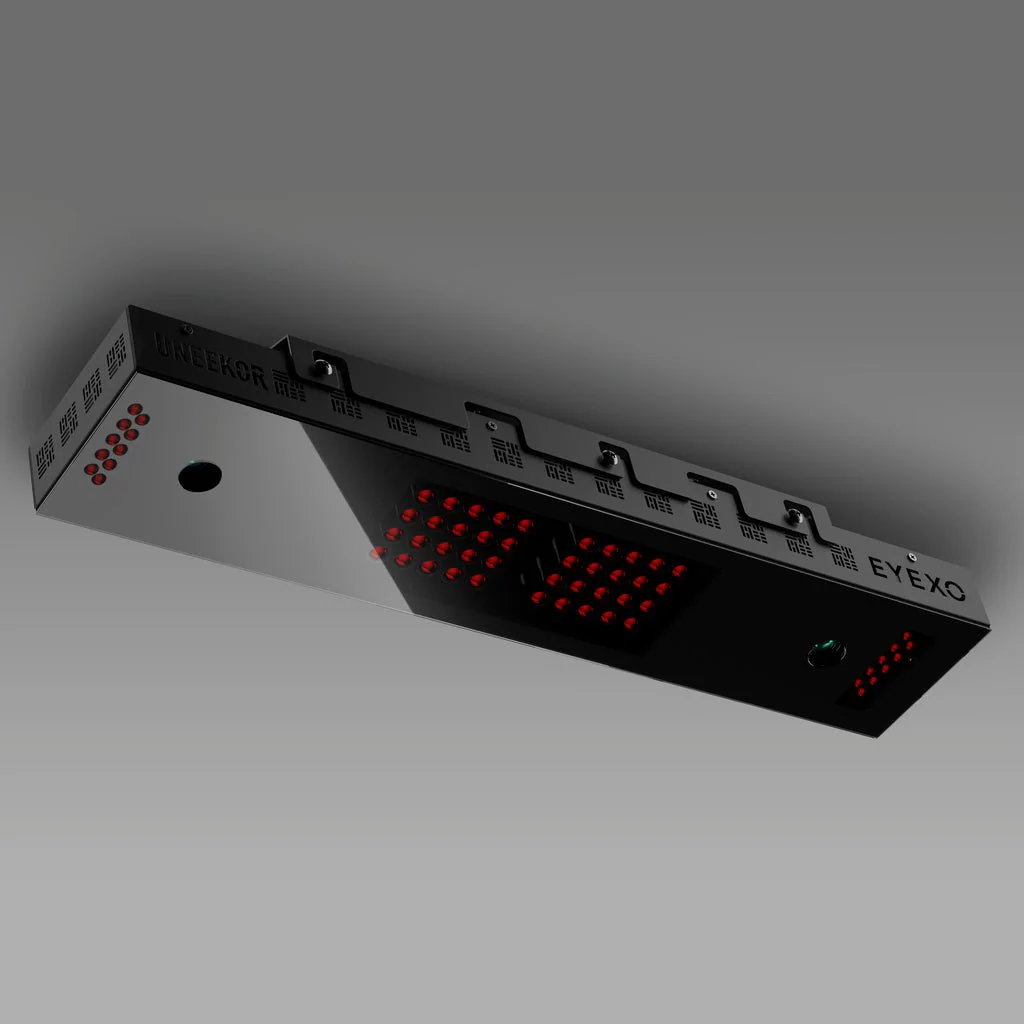
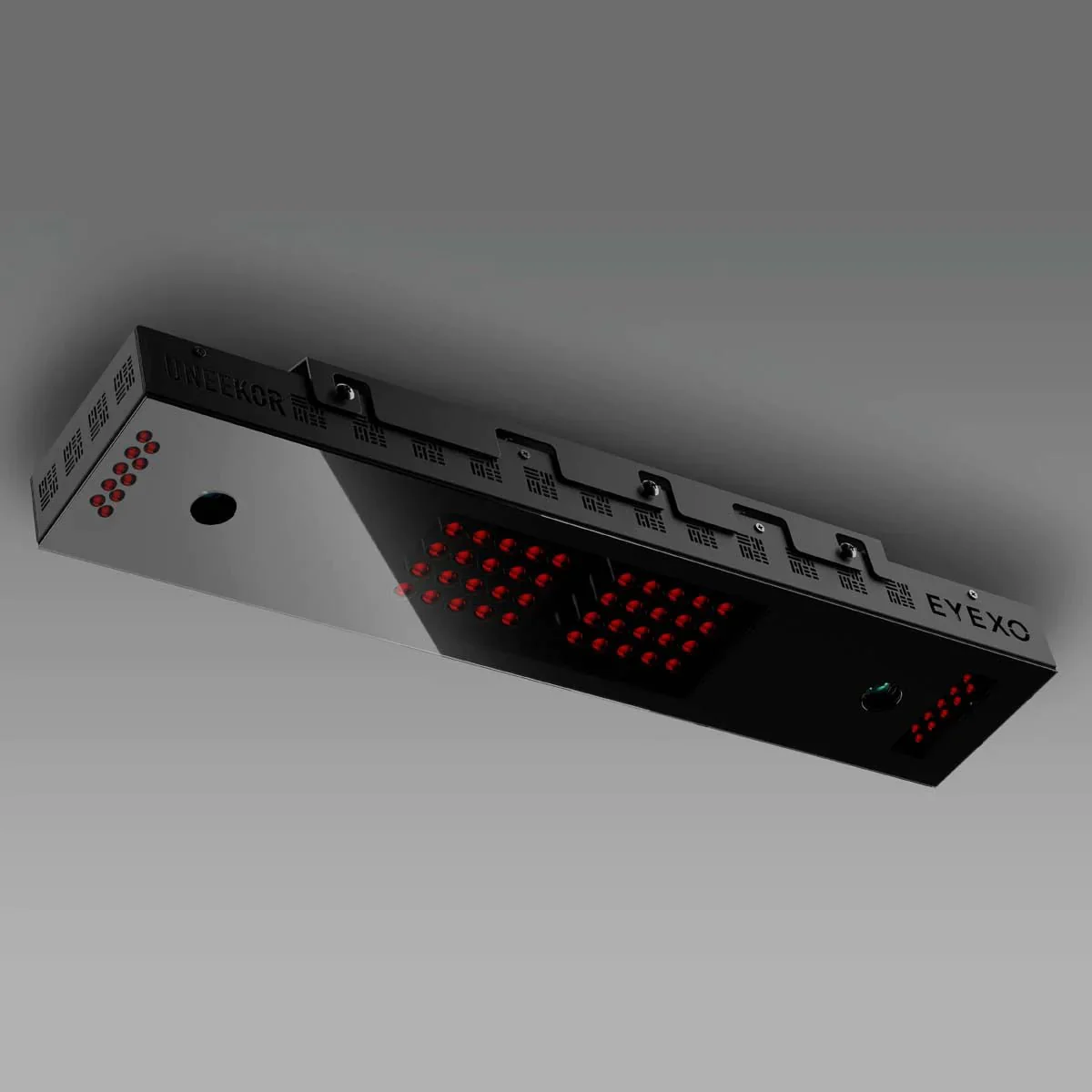
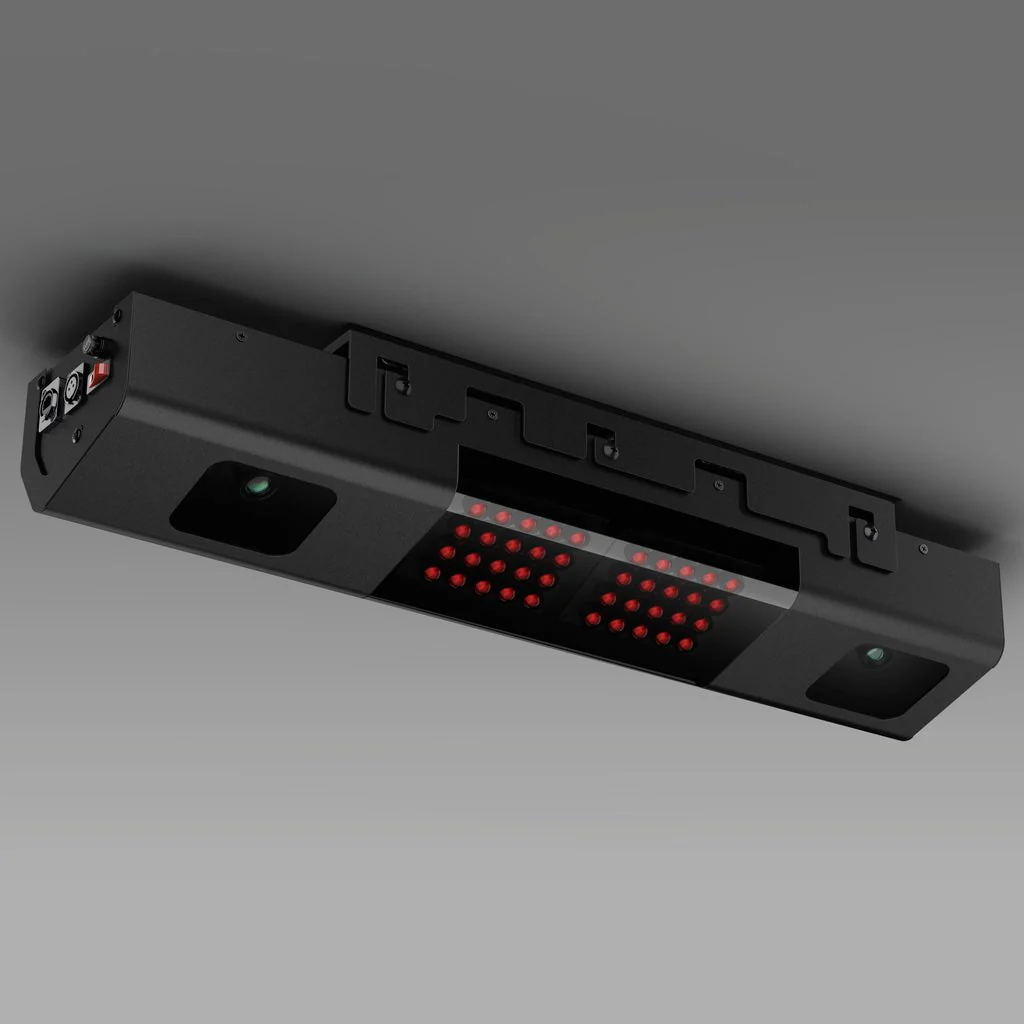
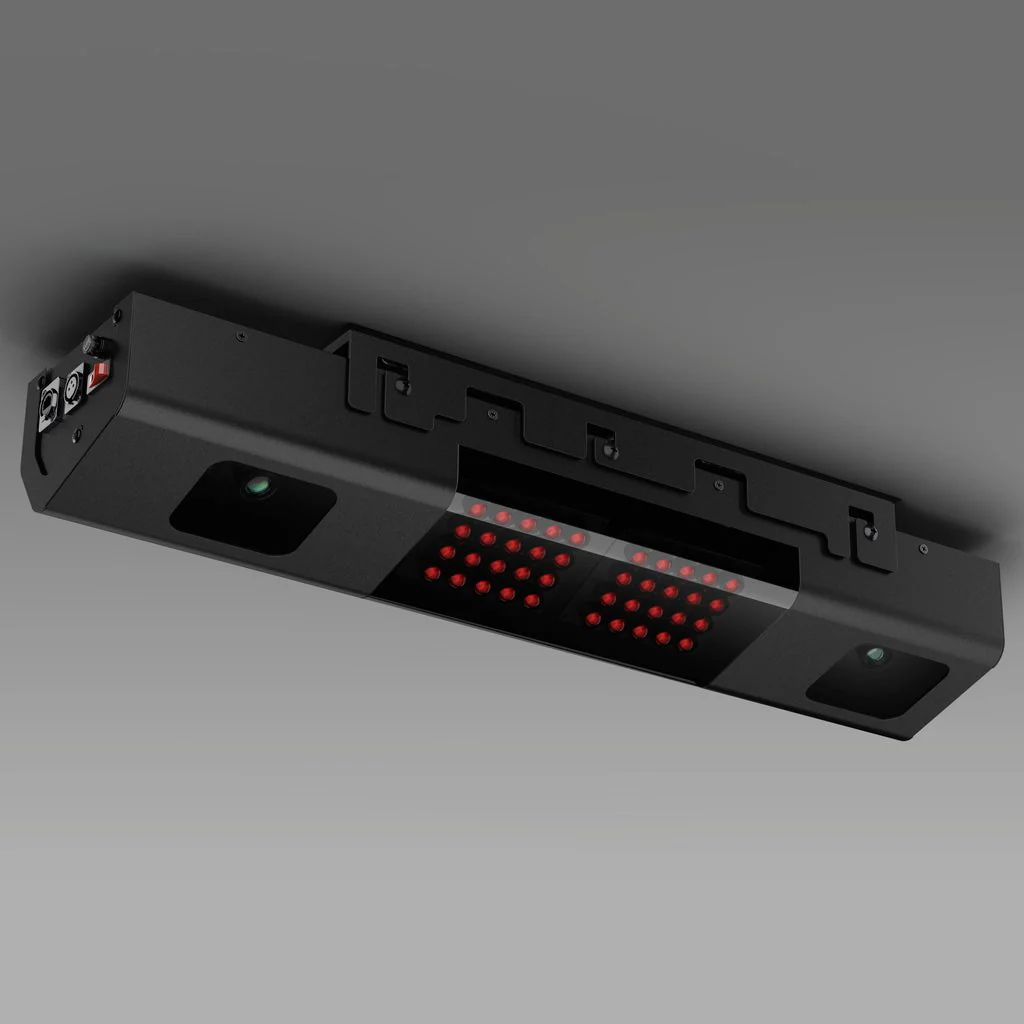
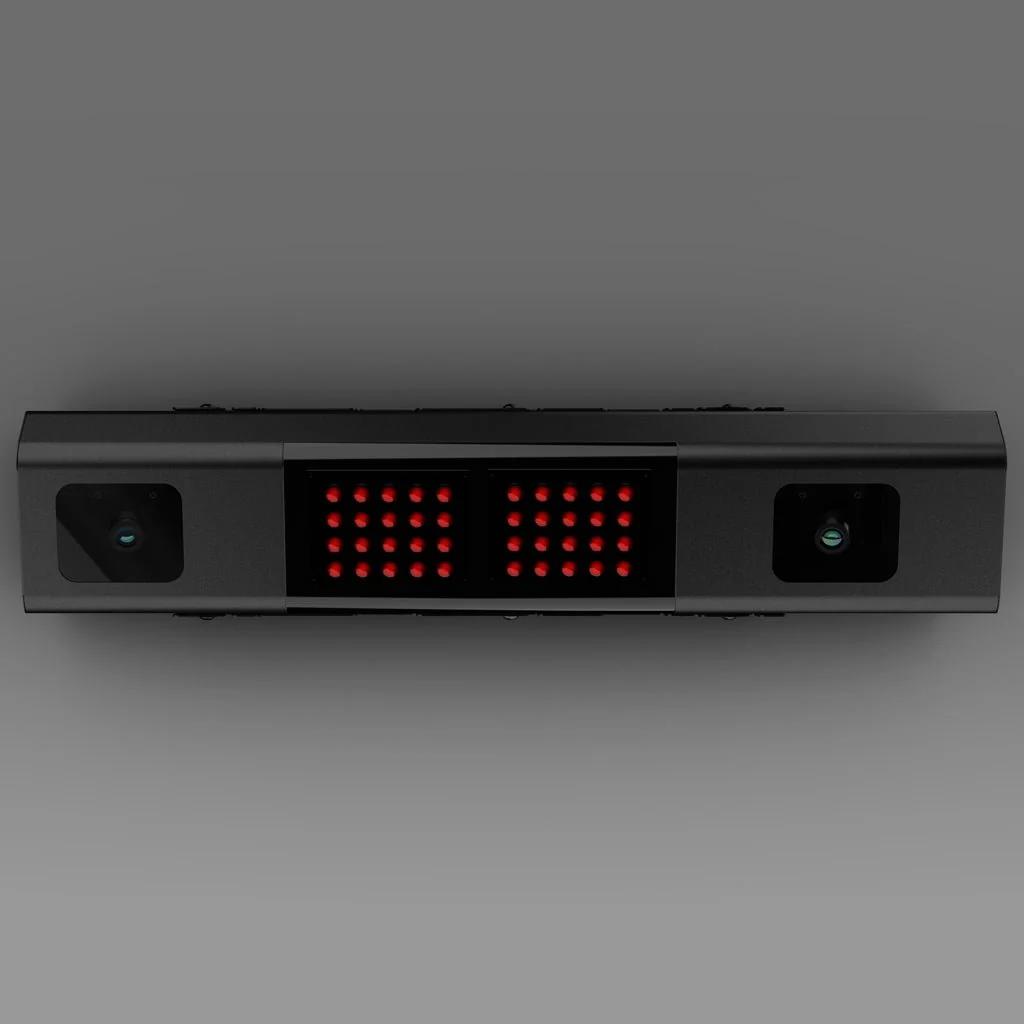
Unlock your game with the QED. Boasting a cutting-edge rear-mounted design and advanced marked ball technology, it delivers precise analysis, capturing every swing with unmatched accuracy. Gain instant access to real-time data on your ball flight and club performance.
Marked Balls
Fine-Tuned Performance
Take the guesswork out of practice with Uneekor's QED Marked Ball technology. Each marked ball provides precise data, allowing you to refine your skills and boost performance effectively.
Club Optix
See Your Impact
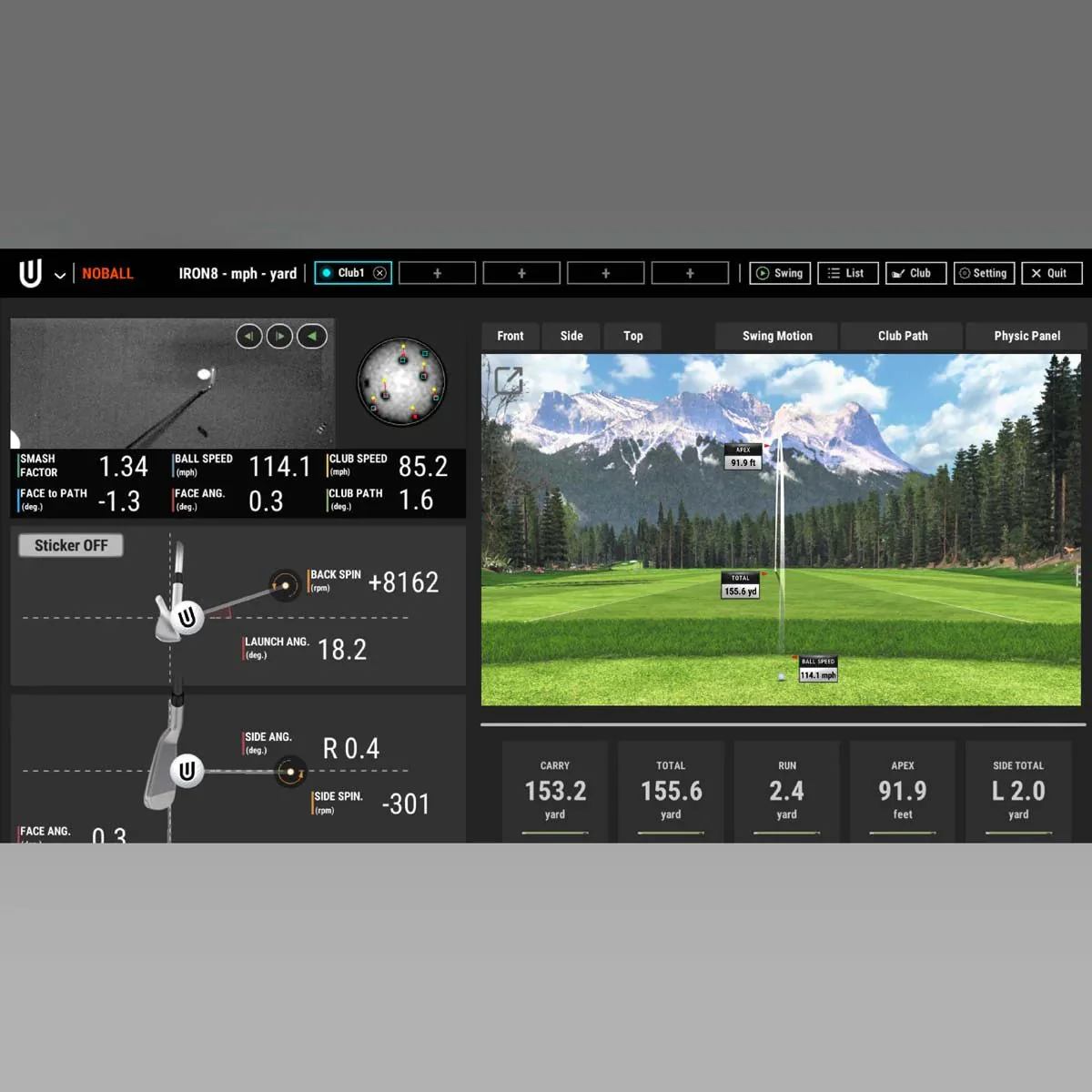
Experience every detail with Club Optix—an advanced visual tool that offers immediate feedback to clearly show what occurred at impact, providing valuable insights to enhance your performance.
20 Data Points
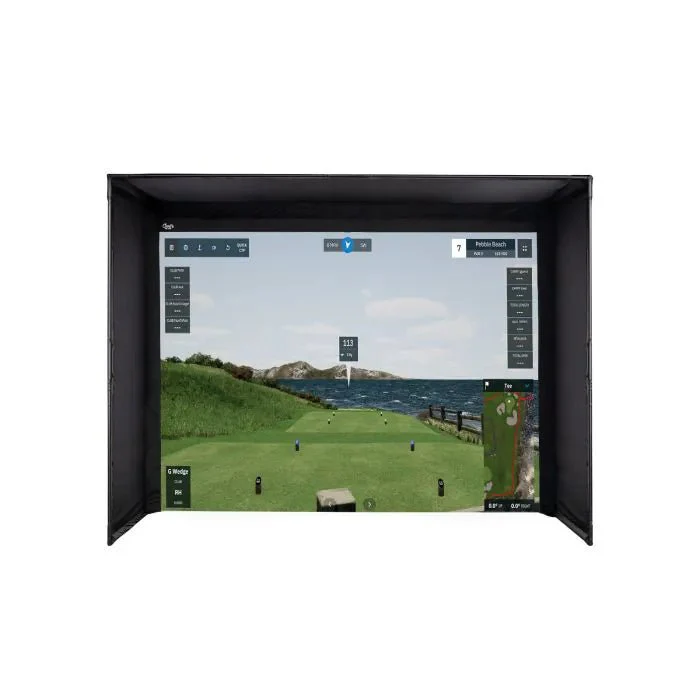
Every data point that you need at your fingertips, not behind a paywall. Use actionable data to elevate your training. When paired with Performance Optix technology, it's never been easier to define and expand your skill set anywhere you play.
View Data Points
| Ball Data | |
|---|---|
| Ball Speed | Velocity at which the ball is traveling when it leaves the club face after impact. |
| Side Spin | Horizontal spin measurement affecting golf ball movement left or right in flight. |
| Back Spin | The amount of spin on the golf ball immediately after impact, measured in revolutions per minute (RPM). It plays a crucial role in determining the height, distance, and control of a shot by influencing the ball's lift and trajectory through the air. |
| Side Angle | Angle at which the ball starts its flight, relative to a straight target line (Horizontal launch angle). |
| Side Total | Deviation left or right of the target while the ball is in the air. |
| Launch Angle | The initial vertical launch angle of the golf ball post-clubface impact (relative to the ground). |
| Angle of Descent | The descent angle of the golf ball after reaching its peak trajectory. |
| Flight Time | The total amount of time the golf ball is in the air. |
| Spin Axis | The tilt angle of the golf ball's rotational axis after it leaves the clubface. This angle determines the curvature of the ball's flight. A positive spin axis results in a flight that curves right. A negative spin axis results in a flight that curves left. |
| Distance to Apex | The distance covered by the ball in the air until it reaches the highest point of its trajectory. |
| Apex | The peak height of the ball's trajectory. |
| Ball Flight Type | Description of the balls initial start direction and shot shape. |
| Carry Distance | Total distance the ball traveled in the air. |
| Run | Distance the ball travels after making contact with the ground. |
| Total Distance | Total distance the golf ball travels including the carry and run. |
| Club Data | |
|---|---|
| Club Speed | The speed of the club at impact. |
| Smash Factor | Quantifies the efficiency of impact between the club face and the golf ball. It is calculated by dividing the speed of the ball by the speed of the club head at impact. A higher smash factor indicates a more efficient transfer of energy from the club to the ball, typically resulting in greater distance and accuracy. |
| Face to Path | The angular difference between the face angle and club path. |
| Club Path | The in to out, or out to in movement of the club head's geometric center at the center at the time of impact. Club Path is the direction (right or left) the club head is moving at impact and is measured relative to the target line. |
| Face Angle | The angular direction of the clubface at impact with the golf ball. |
Specifications
Specifications
Cameras
Two (2)
Hitting Zone
12” W x 16” L
Data Points
18
Ball Type
Marked Balls
Placement
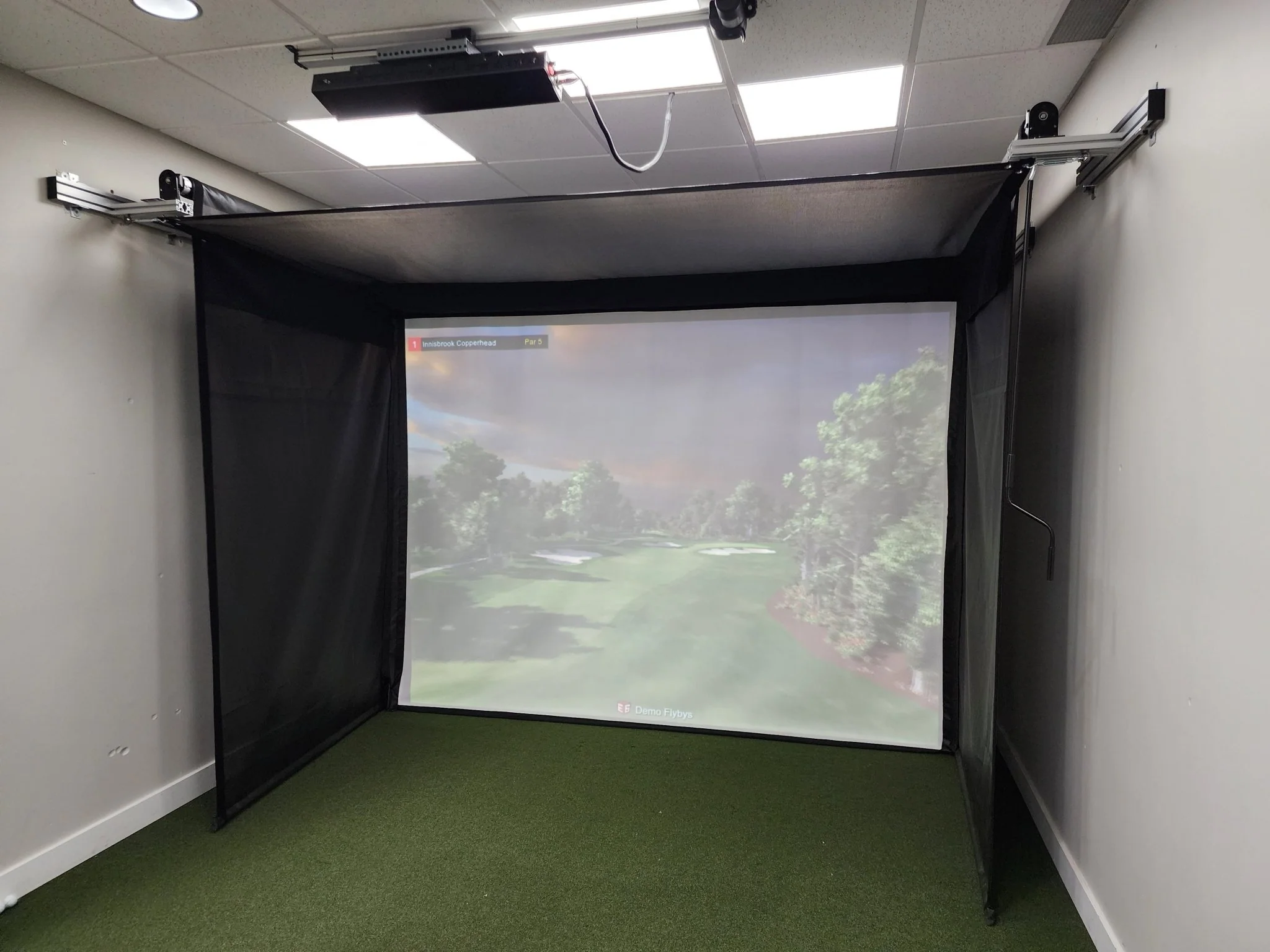
Rear Overhead
3rd Party Compatible
Yes
PC Required
Yes
Trouble Mat Compatible
No
Club Data Included
Yes

What’s Included
What’s Included
- QED Sensor Bar
- Bracket
- Calibration Chart
- Power Cable
- Power Adapter
- Power Connector
- USB Ethernet Adapter
- Ethernet LAN Cable
- Level
- M4 32mm screws
- M6 15mm screws
- Club Stickers
Installation
Installation Environment


* AMD: 3rd gen Ryzen or higher and AMD Ryzen 3600 or higher (AMD 2700 is not compatible).
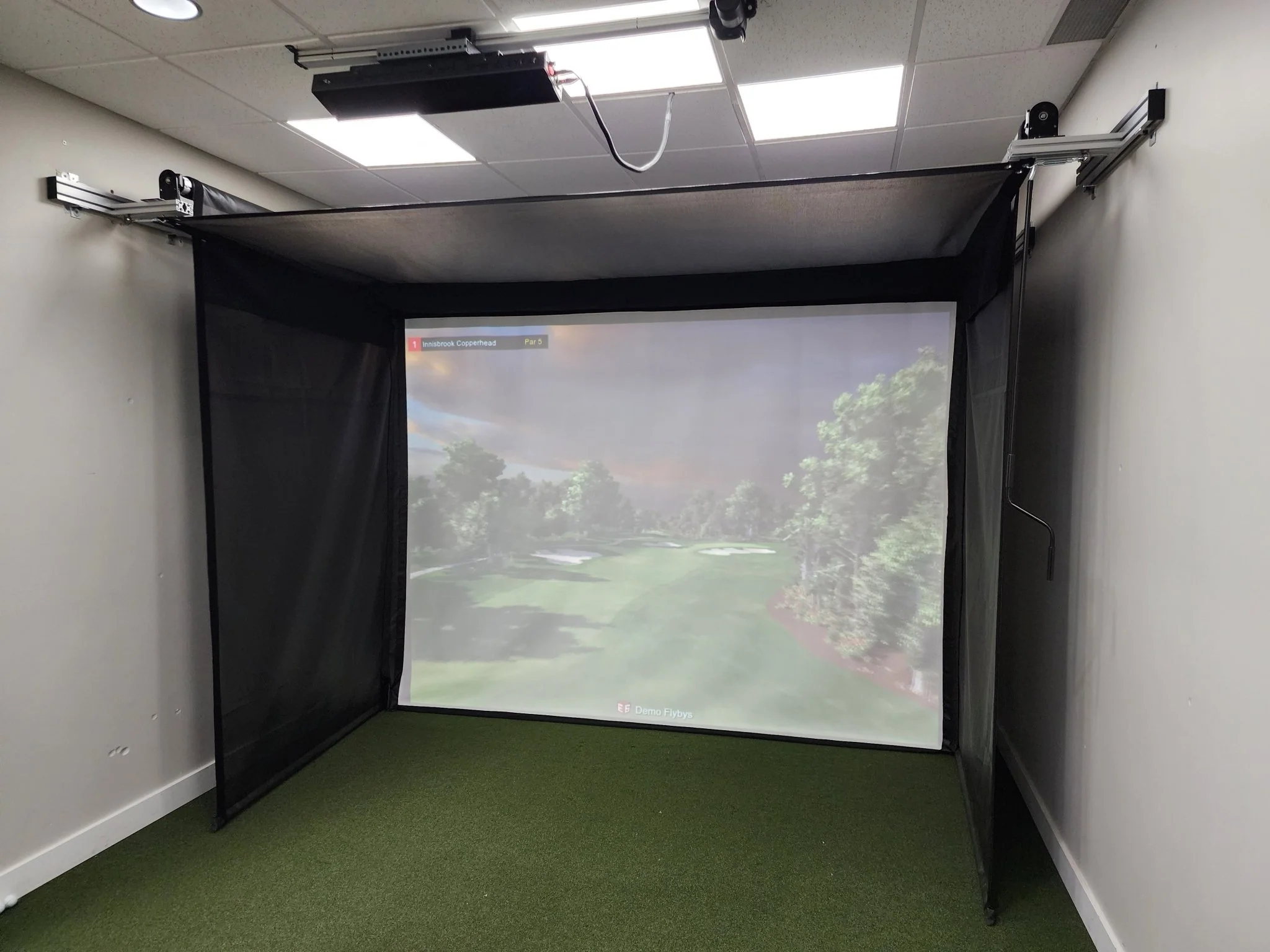
The mounting position of the QED sensor must be perfectly aligned 3 feet 6 inches behind the center of your tee position and between 9 - 10 feet for the ceiling height. Failure to meet these requirements will result in accuracy issues.

Software
Uneekor Simulator Software
VIEW
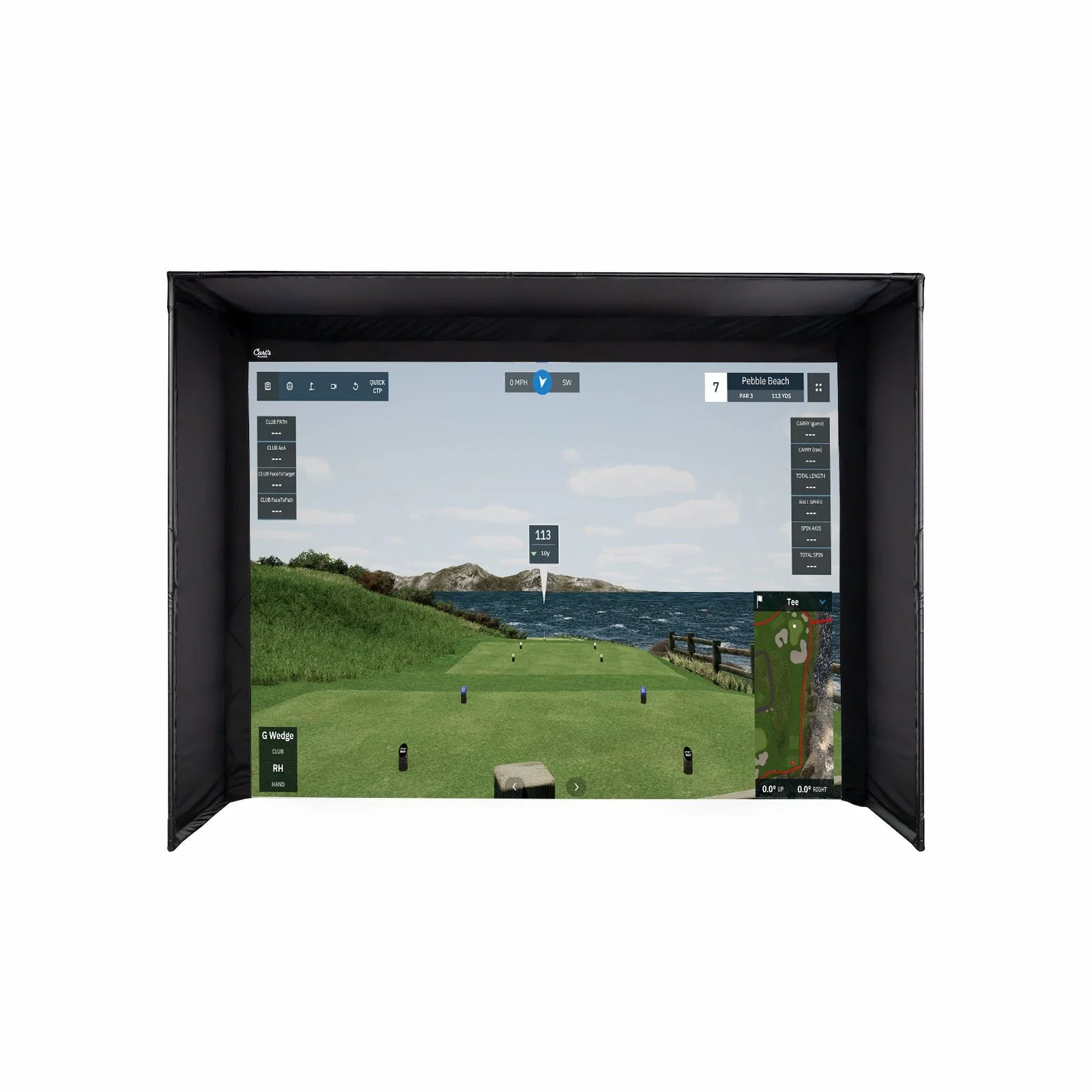
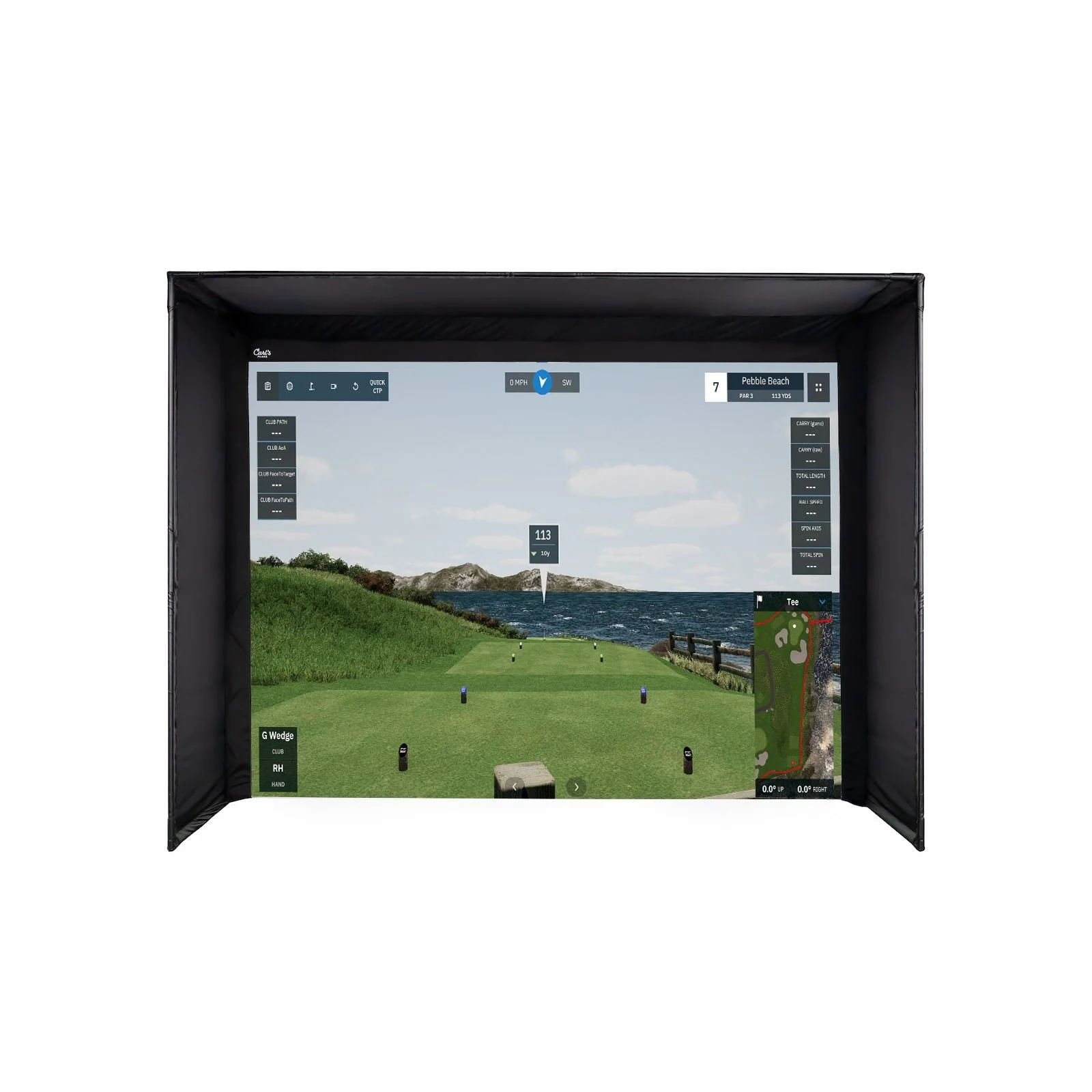
Your personal driving range. Unleash your potential with our most popular software, included as standard. Enjoy an immersive experience where you can analyze ball and club data, view swing replays, generate reports, and more.
REFINE & REFINE+
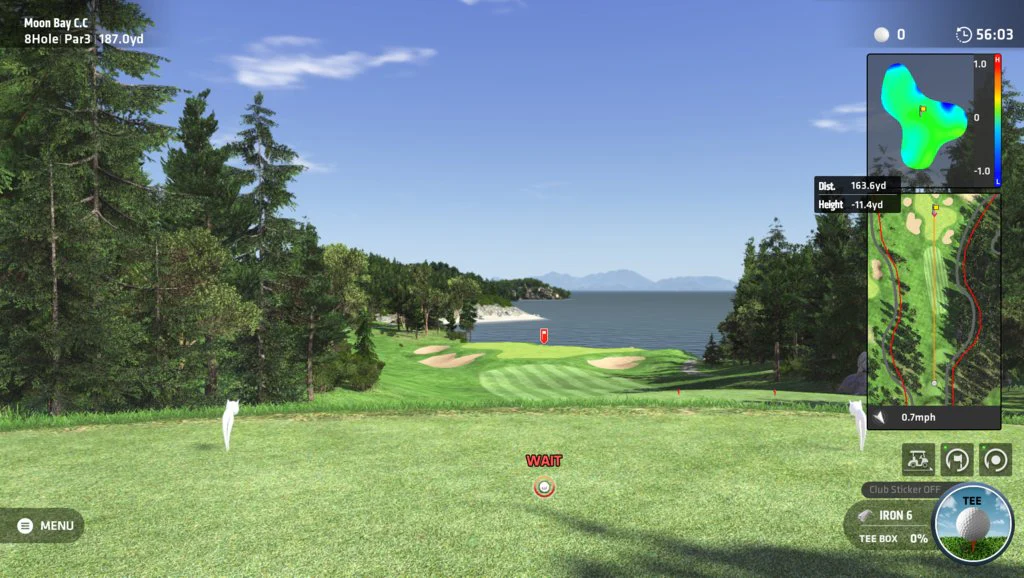
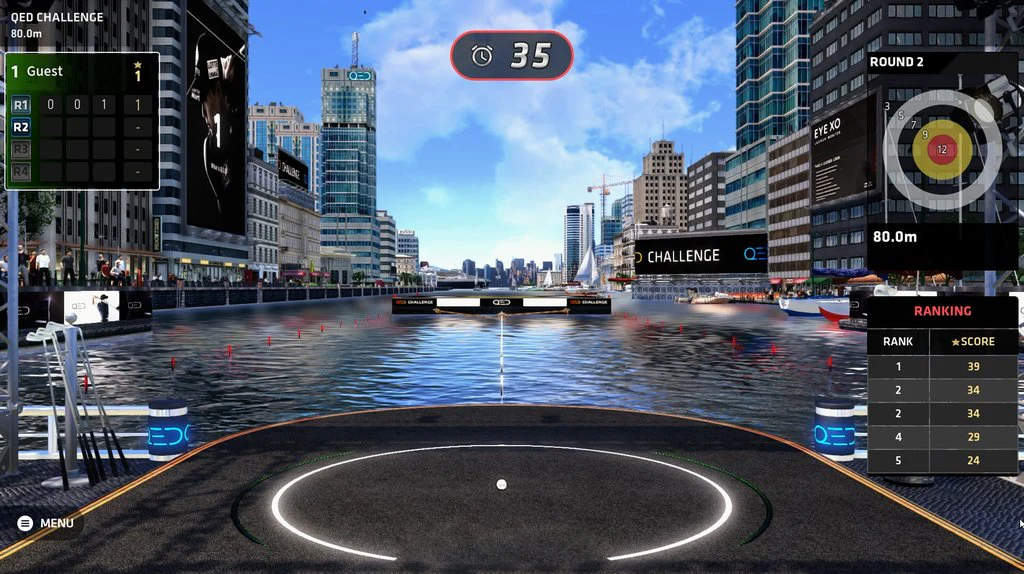
Experience the luxury of your own personal golf resort. Challenge yourself with short game drills or play on beautiful golf courses. For those looking for more course variety, Refine+ expands your access to additional world-class courses.
GameDay
Experience vivid golf simulations on the most beautiful golf courses in 4K resolution. Enjoy premier practice facilities and engaging game modes to compete with friends. (COMING SOON)
Third Party Compatibility
Broaden your horizons and easily experience hundreds of golf courses with 3rd party software. Compatible with GSPRO, E6 Connect, TGC 2019, ProTee Play, and Creative Golf.
Software Packages
Explore the perfect Uneekor software package for your game and unlock the full potential of golf simulation.
Player Package
Everything you need to get started with data analysis. The Player Package includes ball and club data points, a single user profile, and 15 sessions to begin capturing and reviewing your swing metrics. Ideal for golfers looking to dive into performance tracking with essential data insights.
Included
Features
Uneekor VIEW PC Software
Included
Ball Data Points
Included
Club Data Points
Included
Profiles (Profiles in View software are user-specific accounts that store session data, allowing users to manage their sessions and customize their experience with View.)
1
Sessions (Sessions are individual practice records stored in a View software profile. Each profile can have a set number of sessions before needing to delete old ones to make room for new ones. Sessions do not expire.)
15
Refine/Refine+
-
Third-Party Connector
-
Pro Package
Take your game to the next level with the Pro Package. Gain access to Power-U Reports for deeper analysis, additional profiles for multiple users, and more sessions to meticulously track data across your entire bag. Plus, enjoy access to REFINE with five golf courses and third-party connectivity to expand your simulation options.
$199/year
Features
Uneekor VIEW PC Software
Included
Ball Data Points
Included
Club Data Points
Included
Profiles (Profiles in View software are user-specific accounts that store session data, allowing users to manage their sessions and customize their experience with View.)
5
Sessions (Sessions are individual practice records stored in a View software profile. Each profile can have a set number of sessions before needing to delete old ones to make room for new ones. Sessions do not expire.)
100
Refine/Refine+
Refine (5 Courses)
Third-Party Connector
Included
Champion Package
Our most advanced package for the dedicated golfer. The Champion Package includes 50 profiles for multi-user data tracking, 500 sessions, and REFINE+ with 20+ courses, offering the ultimate golf simulation experience. Perfect for those looking to maximize every aspect of their game and bring their performance to new heights.
$399/year
Features
Uneekor VIEW PC Software
Included
Ball Data Points
Included
Club Data Points
Included
Profiles (Profiles in View software are user-specific accounts that store session data, allowing users to manage their sessions and customize their experience with View.)
50
Sessions (Sessions are individual practice records stored in a View software profile. Each profile can have a set number of sessions before needing to delete old ones to make room for new ones. Sessions do not expire.)
500
Refine/Refine+
Refine+ (20 Courses)
Third-Party Connector
Included
Comparison
Still can't decide?
Take a look at our full range and work out which suits you best.
|
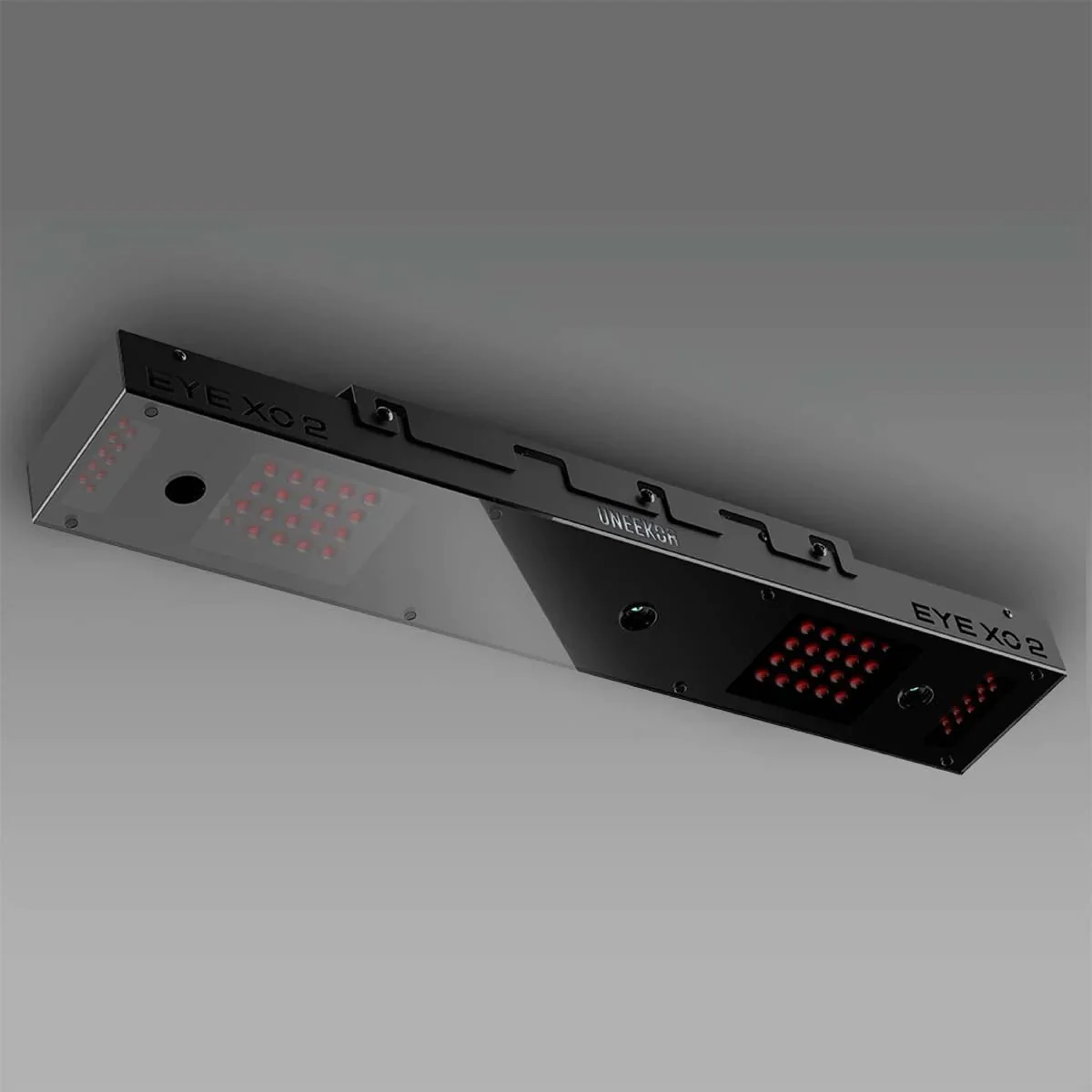
EYE XO2 Experience our most advanced overhead launch monitor, featuring three high-speed cameras, patented EYE XO engine, a 300% larger hitting zone, and ultra realistic rough and bunker mat recognition. EYE XO2 delivers “The closest thing to the real thing.” |
EYE XO Elevate your game with the EYE XO, featuring an advanced front-mounted design and cutting-edge photometric technology. Equipped with dual high-speed cameras, the EYE XO captures club and ball analytics to give you the best insights. Use your own golf ball with our patented Dimple Optix technology. |
QED Unlock your game with the QED. Featuring an innovative rear-mounted design and advanced marked ball technology, it offers precise analysis – ensuring that every swing is captured with accuracy. Experience real-time data on your ball flight and club performance. |
|
Specifications |
Specifications | Specifications |
|
Cameras Three (3) |
Cameras Two (2) |
Cameras Two (2) |
|
Hitting Zone 28” W x 21” L |
Hitting Zone 12” W x 16” L |
Hitting Zone 12” W x 16” L |
|
Data Points 24 |
Data Points 24 |
Data Points 18 |
|
Ball Type Any |
Ball Type Any |
Ball Type Marked Balls |
|
Placement Front Overhead |
Placement Front Overhead |
Placement Rear Overhead |
|
3rd Party Compatible Yes |
3rd Party Compatible Yes |
3rd Party Compatible Yes |
|
PC Required Yes |
PC Required Yes |
PC Required Yes |
|
Trouble Mat Compatible Yes |
Trouble Mat Compatible No |
Trouble Mat Compatible No |
|
Club Data Included Yes |
Club Data Included Yes |
Club Data Included Yes |
Resources
Uneekor Resources
Uneekor Launcher
Installation Guide.PDF
Overview Guide.PDF
Manual
QED User Manual.PDF
Product Information
Product Information
Shipping & Returns
Shipping & Returns
Uneekor QED Launch Monitor
Uneekor QED Launch Monitor
Uneekor QED Launch Monitor
QED
Behind Every Great Swing
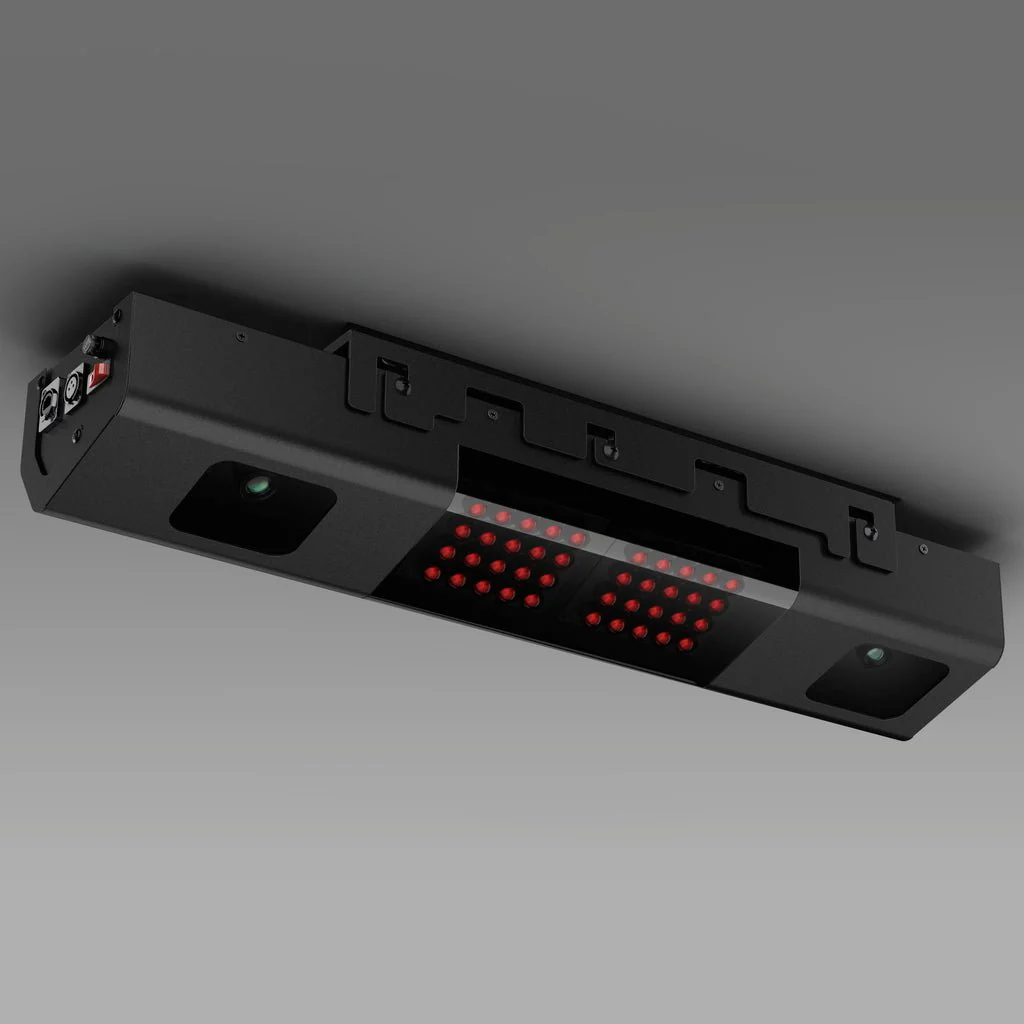
Unlock your game with the QED. Boasting a cutting-edge rear-mounted design and advanced marked ball technology, it delivers precise analysis, capturing every swing with unmatched accuracy. Gain instant access to real-time data on your ball flight and club performance.
Marked Balls
Fine-Tuned Performance
Take the guesswork out of practice with Uneekor's QED Marked Ball technology. Each marked ball provides precise data, allowing you to refine your skills and boost performance effectively.
Club Optix
See Your Impact
Experience every detail with Club Optix—an advanced visual tool that offers immediate feedback to clearly show what occurred at impact, providing valuable insights to enhance your performance.
20 Data Points
Every data point that you need at your fingertips, not behind a paywall. Use actionable data to elevate your training. When paired with Performance Optix technology, it's never been easier to define and expand your skill set anywhere you play.
View Data Points
| Ball Data | |
|---|---|
| Ball Speed | Velocity at which the ball is traveling when it leaves the club face after impact. |
| Side Spin | Horizontal spin measurement affecting golf ball movement left or right in flight. |
| Back Spin | The amount of spin on the golf ball immediately after impact, measured in revolutions per minute (RPM). It plays a crucial role in determining the height, distance, and control of a shot by influencing the ball's lift and trajectory through the air. |
| Side Angle | Angle at which the ball starts its flight, relative to a straight target line (Horizontal launch angle). |
| Side Total | Deviation left or right of the target while the ball is in the air. |
| Launch Angle | The initial vertical launch angle of the golf ball post-clubface impact (relative to the ground). |
| Angle of Descent | The descent angle of the golf ball after reaching its peak trajectory. |
| Flight Time | The total amount of time the golf ball is in the air. |
| Spin Axis | The tilt angle of the golf ball's rotational axis after it leaves the clubface. This angle determines the curvature of the ball's flight. A positive spin axis results in a flight that curves right. A negative spin axis results in a flight that curves left. |
| Distance to Apex | The distance covered by the ball in the air until it reaches the highest point of its trajectory. |
| Apex | The peak height of the ball's trajectory. |
| Ball Flight Type | Description of the balls initial start direction and shot shape. |
| Carry Distance | Total distance the ball traveled in the air. |
| Run | Distance the ball travels after making contact with the ground. |
| Total Distance | Total distance the golf ball travels including the carry and run. |
| Club Data | |
|---|---|
| Club Speed | The speed of the club at impact. |
| Smash Factor | Quantifies the efficiency of impact between the club face and the golf ball. It is calculated by dividing the speed of the ball by the speed of the club head at impact. A higher smash factor indicates a more efficient transfer of energy from the club to the ball, typically resulting in greater distance and accuracy. |
| Face to Path | The angular difference between the face angle and club path. |
| Club Path | The in to out, or out to in movement of the club head's geometric center at the center at the time of impact. Club Path is the direction (right or left) the club head is moving at impact and is measured relative to the target line. |
| Face Angle | The angular direction of the clubface at impact with the golf ball. |
Specifications
Specifications
Cameras
Two (2)
Hitting Zone
12” W x 16” L
Data Points
18
Ball Type
Marked Balls
Placement
Rear Overhead
3rd Party Compatible
Yes
PC Required
Yes
Trouble Mat Compatible
No
Club Data Included
Yes
What’s Included
What’s Included
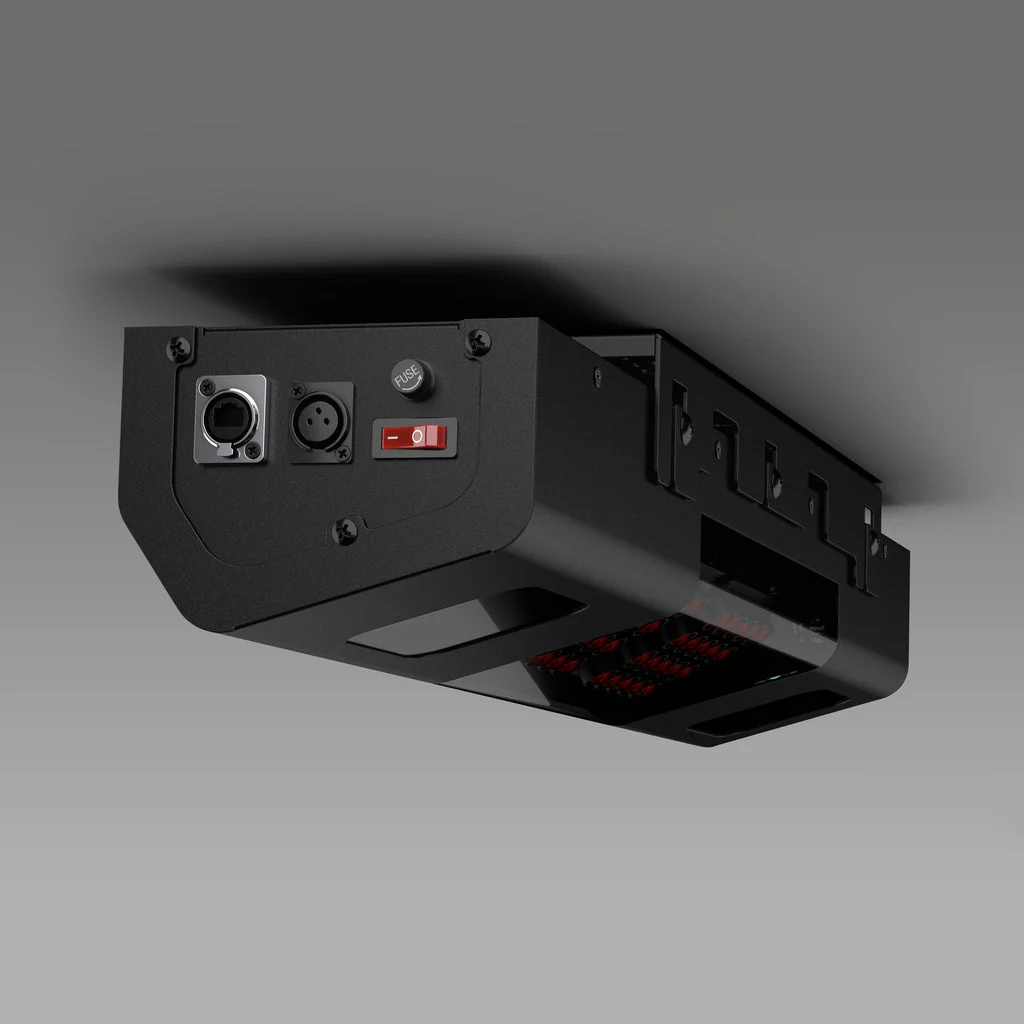
- QED Sensor Bar
- Bracket
- Calibration Chart
- Power Cable
- Power Adapter
- Power Connector
- USB Ethernet Adapter
- Ethernet LAN Cable
- Level
- M4 32mm screws
- M6 15mm screws
- Club Stickers
Installation
Installation Environment
* AMD: 3rd gen Ryzen or higher and AMD Ryzen 3600 or higher (AMD 2700 is not compatible).
The mounting position of the QED sensor must be perfectly aligned 3 feet 6 inches behind the center of your tee position and between 9 - 10 feet for the ceiling height. Failure to meet these requirements will result in accuracy issues.
Software
Uneekor Simulator Software
VIEW
Your personal driving range. Unleash your potential with our most popular software, included as standard. Enjoy an immersive experience where you can analyze ball and club data, view swing replays, generate reports, and more.
REFINE & REFINE+
Experience the luxury of your own personal golf resort. Challenge yourself with short game drills or play on beautiful golf courses. For those looking for more course variety, Refine+ expands your access to additional world-class courses.
GameDay
Experience vivid golf simulations on the most beautiful golf courses in 4K resolution. Enjoy premier practice facilities and engaging game modes to compete with friends. (COMING SOON)
Third Party Compatibility
Broaden your horizons and easily experience hundreds of golf courses with 3rd party software. Compatible with GSPRO, E6 Connect, TGC 2019, ProTee Play, and Creative Golf.
Software Packages
Explore the perfect Uneekor software package for your game and unlock the full potential of golf simulation.
Player Package
Everything you need to get started with data analysis. The Player Package includes ball and club data points, a single user profile, and 15 sessions to begin capturing and reviewing your swing metrics. Ideal for golfers looking to dive into performance tracking with essential data insights.
Included
Features
Uneekor VIEW PC Software
Included
Ball Data Points
Included
Club Data Points
Included
Profiles (Profiles in View software are user-specific accounts that store session data, allowing users to manage their sessions and customize their experience with View.)
1
Sessions (Sessions are individual practice records stored in a View software profile. Each profile can have a set number of sessions before needing to delete old ones to make room for new ones. Sessions do not expire.)
15
Refine/Refine+
-
Third-Party Connector
-
Pro Package
Take your game to the next level with the Pro Package. Gain access to Power-U Reports for deeper analysis, additional profiles for multiple users, and more sessions to meticulously track data across your entire bag. Plus, enjoy access to REFINE with five golf courses and third-party connectivity to expand your simulation options.
$199/year
Features
Uneekor VIEW PC Software
Included
Ball Data Points
Included
Club Data Points
Included
Profiles (Profiles in View software are user-specific accounts that store session data, allowing users to manage their sessions and customize their experience with View.)
5
Sessions (Sessions are individual practice records stored in a View software profile. Each profile can have a set number of sessions before needing to delete old ones to make room for new ones. Sessions do not expire.)
100
Refine/Refine+
Refine (5 Courses)
Third-Party Connector
Included
Champion Package
Our most advanced package for the dedicated golfer. The Champion Package includes 50 profiles for multi-user data tracking, 500 sessions, and REFINE+ with 20+ courses, offering the ultimate golf simulation experience. Perfect for those looking to maximize every aspect of their game and bring their performance to new heights.
$399/year
Features
Uneekor VIEW PC Software
Included
Ball Data Points
Included
Club Data Points
Included
Profiles (Profiles in View software are user-specific accounts that store session data, allowing users to manage their sessions and customize their experience with View.)
50
Sessions (Sessions are individual practice records stored in a View software profile. Each profile can have a set number of sessions before needing to delete old ones to make room for new ones. Sessions do not expire.)
500
Refine/Refine+
Refine+ (20 Courses)
Third-Party Connector
Included
Comparison
Still can't decide?
Take a look at our full range and work out which suits you best.
|
EYE XO2 Experience our most advanced overhead launch monitor, featuring three high-speed cameras, patented EYE XO engine, a 300% larger hitting zone, and ultra realistic rough and bunker mat recognition. EYE XO2 delivers “The closest thing to the real thing.” |
EYE XO Elevate your game with the EYE XO, featuring an advanced front-mounted design and cutting-edge photometric technology. Equipped with dual high-speed cameras, the EYE XO captures club and ball analytics to give you the best insights. Use your own golf ball with our patented Dimple Optix technology. |
QED Unlock your game with the QED. Featuring an innovative rear-mounted design and advanced marked ball technology, it offers precise analysis – ensuring that every swing is captured with accuracy. Experience real-time data on your ball flight and club performance. |
|
Specifications |
Specifications | Specifications |
|
Cameras Three (3) |
Cameras Two (2) |
Cameras Two (2) |
|
Hitting Zone 28” W x 21” L |
Hitting Zone 12” W x 16” L |
Hitting Zone 12” W x 16” L |
|
Data Points 24 |
Data Points 24 |
Data Points 18 |
|
Ball Type Any |
Ball Type Any |
Ball Type Marked Balls |
|
Placement Front Overhead |
Placement Front Overhead |
Placement Rear Overhead |
|
3rd Party Compatible Yes |
3rd Party Compatible Yes |
3rd Party Compatible Yes |
|
PC Required Yes |
PC Required Yes |
PC Required Yes |
|
Trouble Mat Compatible Yes |
Trouble Mat Compatible No |
Trouble Mat Compatible No |
|
Club Data Included Yes |
Club Data Included Yes |
Club Data Included Yes |
Resources
Uneekor Resources
Uneekor Launcher
Installation Guide.PDF
Overview Guide.PDF
Manual
QED User Manual.PDF
Original: $6,000.00
-65%$6,000.00
$2,100.00Product Information
Product Information
Shipping & Returns
Shipping & Returns
Description
Uneekor QED Launch Monitor
QED
Behind Every Great Swing
Unlock your game with the QED. Boasting a cutting-edge rear-mounted design and advanced marked ball technology, it delivers precise analysis, capturing every swing with unmatched accuracy. Gain instant access to real-time data on your ball flight and club performance.
Marked Balls
Fine-Tuned Performance
Take the guesswork out of practice with Uneekor's QED Marked Ball technology. Each marked ball provides precise data, allowing you to refine your skills and boost performance effectively.
Club Optix
See Your Impact
Experience every detail with Club Optix—an advanced visual tool that offers immediate feedback to clearly show what occurred at impact, providing valuable insights to enhance your performance.
20 Data Points
Every data point that you need at your fingertips, not behind a paywall. Use actionable data to elevate your training. When paired with Performance Optix technology, it's never been easier to define and expand your skill set anywhere you play.
View Data Points
| Ball Data | |
|---|---|
| Ball Speed | Velocity at which the ball is traveling when it leaves the club face after impact. |
| Side Spin | Horizontal spin measurement affecting golf ball movement left or right in flight. |
| Back Spin | The amount of spin on the golf ball immediately after impact, measured in revolutions per minute (RPM). It plays a crucial role in determining the height, distance, and control of a shot by influencing the ball's lift and trajectory through the air. |
| Side Angle | Angle at which the ball starts its flight, relative to a straight target line (Horizontal launch angle). |
| Side Total | Deviation left or right of the target while the ball is in the air. |
| Launch Angle | The initial vertical launch angle of the golf ball post-clubface impact (relative to the ground). |
| Angle of Descent | The descent angle of the golf ball after reaching its peak trajectory. |
| Flight Time | The total amount of time the golf ball is in the air. |
| Spin Axis | The tilt angle of the golf ball's rotational axis after it leaves the clubface. This angle determines the curvature of the ball's flight. A positive spin axis results in a flight that curves right. A negative spin axis results in a flight that curves left. |
| Distance to Apex | The distance covered by the ball in the air until it reaches the highest point of its trajectory. |
| Apex | The peak height of the ball's trajectory. |
| Ball Flight Type | Description of the balls initial start direction and shot shape. |
| Carry Distance | Total distance the ball traveled in the air. |
| Run | Distance the ball travels after making contact with the ground. |
| Total Distance | Total distance the golf ball travels including the carry and run. |
| Club Data | |
|---|---|
| Club Speed | The speed of the club at impact. |
| Smash Factor | Quantifies the efficiency of impact between the club face and the golf ball. It is calculated by dividing the speed of the ball by the speed of the club head at impact. A higher smash factor indicates a more efficient transfer of energy from the club to the ball, typically resulting in greater distance and accuracy. |
| Face to Path | The angular difference between the face angle and club path. |
| Club Path | The in to out, or out to in movement of the club head's geometric center at the center at the time of impact. Club Path is the direction (right or left) the club head is moving at impact and is measured relative to the target line. |
| Face Angle | The angular direction of the clubface at impact with the golf ball. |
Specifications
Specifications
Cameras
Two (2)
Hitting Zone
12” W x 16” L
Data Points
18
Ball Type
Marked Balls
Placement
Rear Overhead
3rd Party Compatible
Yes
PC Required
Yes
Trouble Mat Compatible
No
Club Data Included
Yes
What’s Included
What’s Included
- QED Sensor Bar
- Bracket
- Calibration Chart
- Power Cable
- Power Adapter
- Power Connector
- USB Ethernet Adapter
- Ethernet LAN Cable
- Level
- M4 32mm screws
- M6 15mm screws
- Club Stickers
Installation
Installation Environment
* AMD: 3rd gen Ryzen or higher and AMD Ryzen 3600 or higher (AMD 2700 is not compatible).
The mounting position of the QED sensor must be perfectly aligned 3 feet 6 inches behind the center of your tee position and between 9 - 10 feet for the ceiling height. Failure to meet these requirements will result in accuracy issues.
Software
Uneekor Simulator Software
VIEW
Your personal driving range. Unleash your potential with our most popular software, included as standard. Enjoy an immersive experience where you can analyze ball and club data, view swing replays, generate reports, and more.
REFINE & REFINE+
Experience the luxury of your own personal golf resort. Challenge yourself with short game drills or play on beautiful golf courses. For those looking for more course variety, Refine+ expands your access to additional world-class courses.
GameDay
Experience vivid golf simulations on the most beautiful golf courses in 4K resolution. Enjoy premier practice facilities and engaging game modes to compete with friends. (COMING SOON)
Third Party Compatibility
Broaden your horizons and easily experience hundreds of golf courses with 3rd party software. Compatible with GSPRO, E6 Connect, TGC 2019, ProTee Play, and Creative Golf.
Software Packages
Explore the perfect Uneekor software package for your game and unlock the full potential of golf simulation.
Player Package
Everything you need to get started with data analysis. The Player Package includes ball and club data points, a single user profile, and 15 sessions to begin capturing and reviewing your swing metrics. Ideal for golfers looking to dive into performance tracking with essential data insights.
Included
Features
Uneekor VIEW PC Software
Included
Ball Data Points
Included
Club Data Points
Included
Profiles (Profiles in View software are user-specific accounts that store session data, allowing users to manage their sessions and customize their experience with View.)
1
Sessions (Sessions are individual practice records stored in a View software profile. Each profile can have a set number of sessions before needing to delete old ones to make room for new ones. Sessions do not expire.)
15
Refine/Refine+
-
Third-Party Connector
-
Pro Package
Take your game to the next level with the Pro Package. Gain access to Power-U Reports for deeper analysis, additional profiles for multiple users, and more sessions to meticulously track data across your entire bag. Plus, enjoy access to REFINE with five golf courses and third-party connectivity to expand your simulation options.
$199/year
Features
Uneekor VIEW PC Software
Included
Ball Data Points
Included
Club Data Points
Included
Profiles (Profiles in View software are user-specific accounts that store session data, allowing users to manage their sessions and customize their experience with View.)
5
Sessions (Sessions are individual practice records stored in a View software profile. Each profile can have a set number of sessions before needing to delete old ones to make room for new ones. Sessions do not expire.)
100
Refine/Refine+
Refine (5 Courses)
Third-Party Connector
Included
Champion Package
Our most advanced package for the dedicated golfer. The Champion Package includes 50 profiles for multi-user data tracking, 500 sessions, and REFINE+ with 20+ courses, offering the ultimate golf simulation experience. Perfect for those looking to maximize every aspect of their game and bring their performance to new heights.
$399/year
Features
Uneekor VIEW PC Software
Included
Ball Data Points
Included
Club Data Points
Included
Profiles (Profiles in View software are user-specific accounts that store session data, allowing users to manage their sessions and customize their experience with View.)
50
Sessions (Sessions are individual practice records stored in a View software profile. Each profile can have a set number of sessions before needing to delete old ones to make room for new ones. Sessions do not expire.)
500
Refine/Refine+
Refine+ (20 Courses)
Third-Party Connector
Included
Comparison
Still can't decide?
Take a look at our full range and work out which suits you best.
|
EYE XO2 Experience our most advanced overhead launch monitor, featuring three high-speed cameras, patented EYE XO engine, a 300% larger hitting zone, and ultra realistic rough and bunker mat recognition. EYE XO2 delivers “The closest thing to the real thing.” |
EYE XO Elevate your game with the EYE XO, featuring an advanced front-mounted design and cutting-edge photometric technology. Equipped with dual high-speed cameras, the EYE XO captures club and ball analytics to give you the best insights. Use your own golf ball with our patented Dimple Optix technology. |
QED Unlock your game with the QED. Featuring an innovative rear-mounted design and advanced marked ball technology, it offers precise analysis – ensuring that every swing is captured with accuracy. Experience real-time data on your ball flight and club performance. |
|
Specifications |
Specifications | Specifications |
|
Cameras Three (3) |
Cameras Two (2) |
Cameras Two (2) |
|
Hitting Zone 28” W x 21” L |
Hitting Zone 12” W x 16” L |
Hitting Zone 12” W x 16” L |
|
Data Points 24 |
Data Points 24 |
Data Points 18 |
|
Ball Type Any |
Ball Type Any |
Ball Type Marked Balls |
|
Placement Front Overhead |
Placement Front Overhead |
Placement Rear Overhead |
|
3rd Party Compatible Yes |
3rd Party Compatible Yes |
3rd Party Compatible Yes |
|
PC Required Yes |
PC Required Yes |
PC Required Yes |
|
Trouble Mat Compatible Yes |
Trouble Mat Compatible No |
Trouble Mat Compatible No |
|
Club Data Included Yes |
Club Data Included Yes |
Club Data Included Yes |
Resources
Uneekor Resources
Uneekor Launcher
Installation Guide.PDF
Overview Guide.PDF
Manual
QED User Manual.PDF