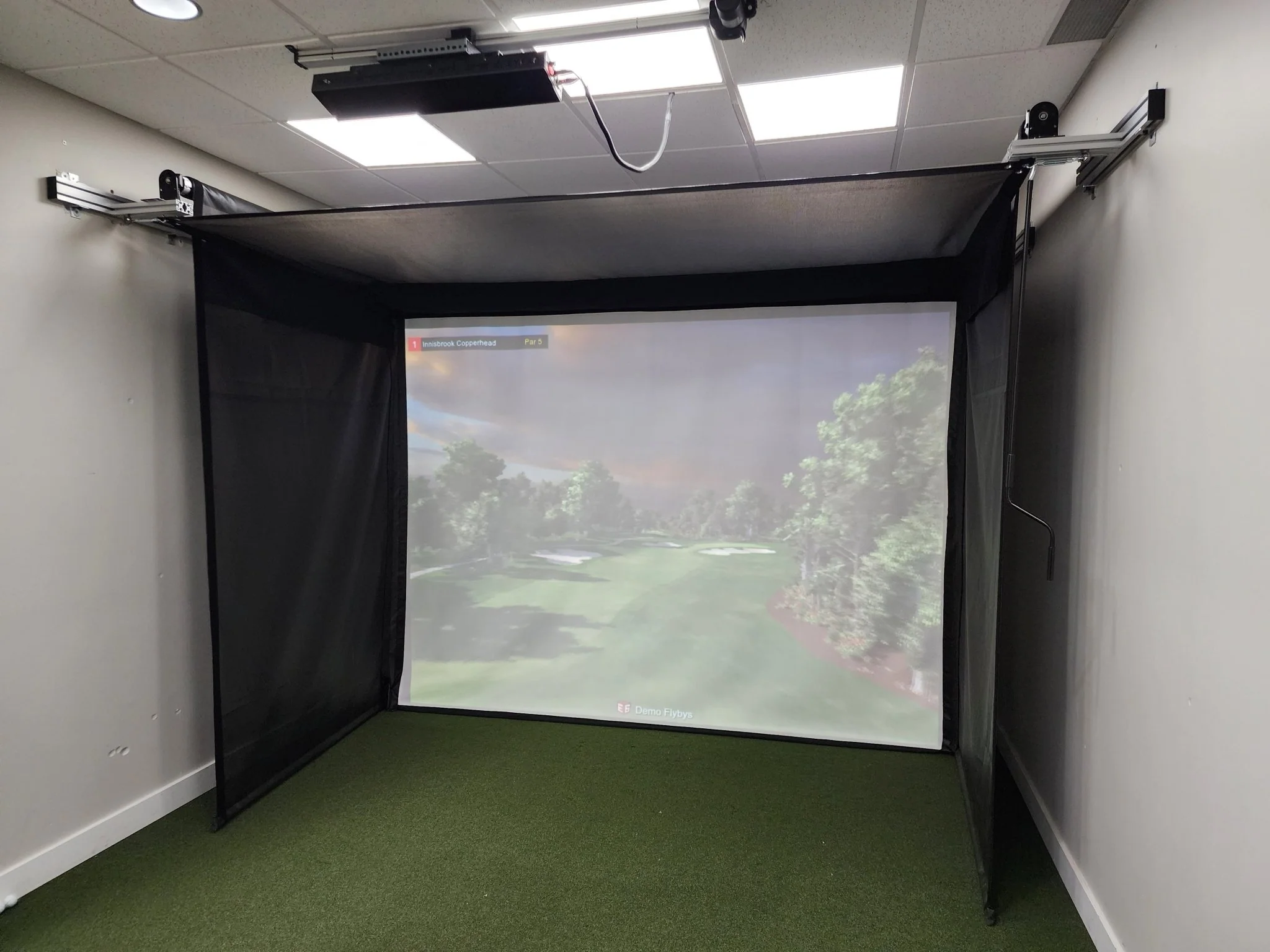
Uneekor EYE XR Launch Monitor
Uneekor EYE XR Launch Monitor
EYE XR
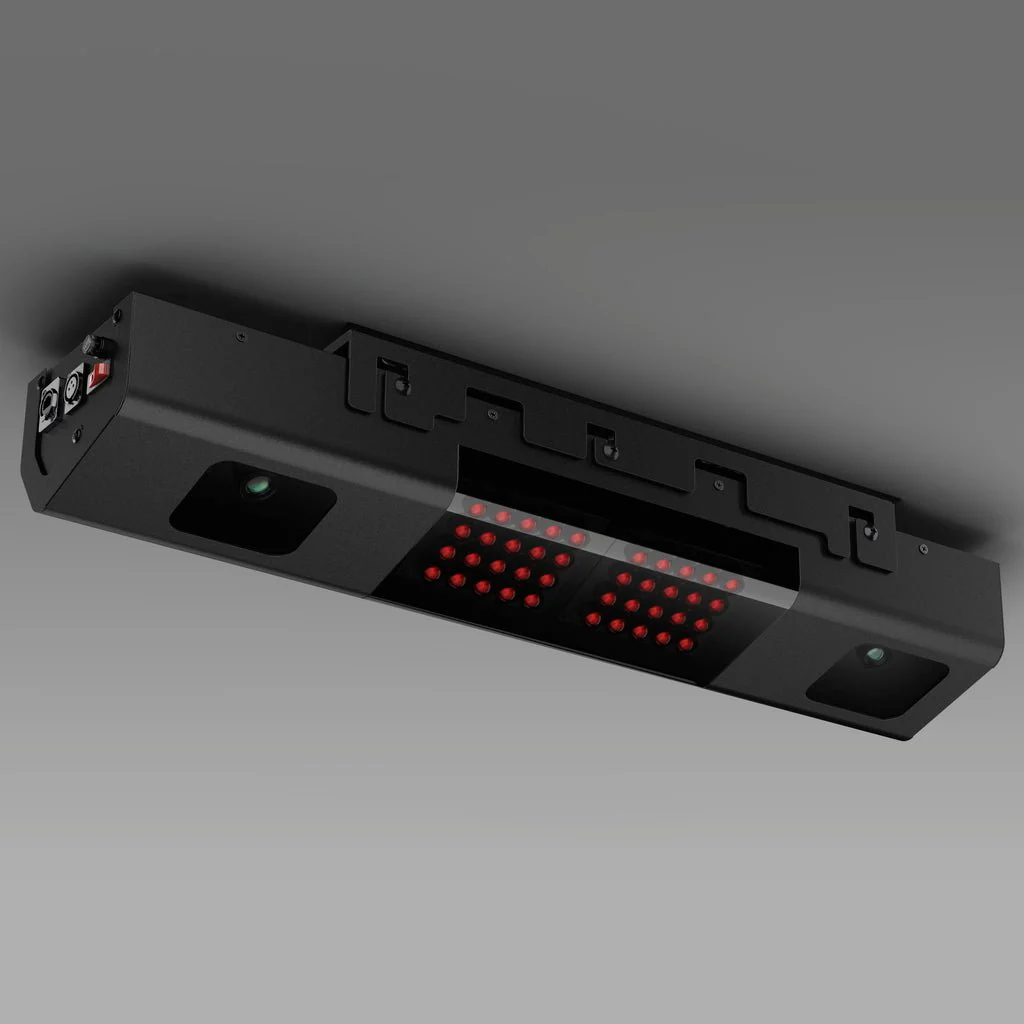
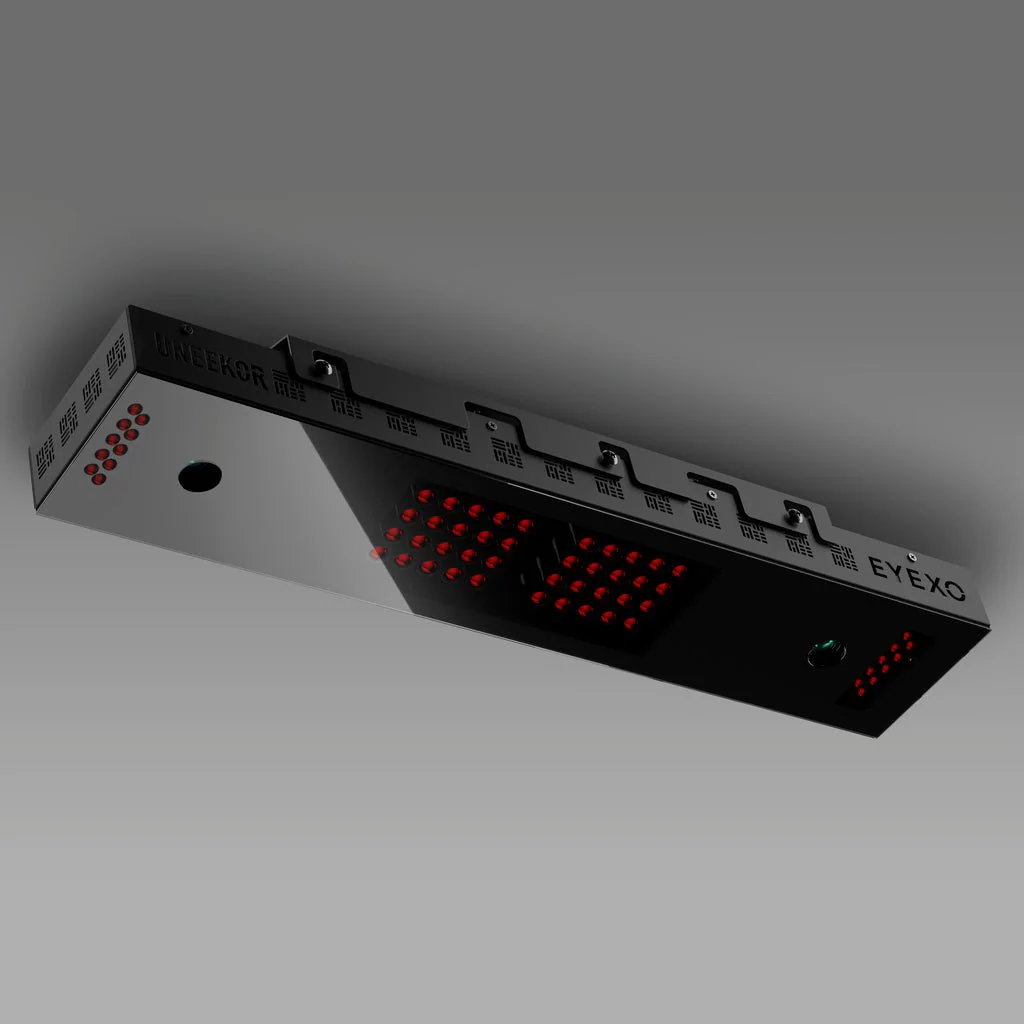
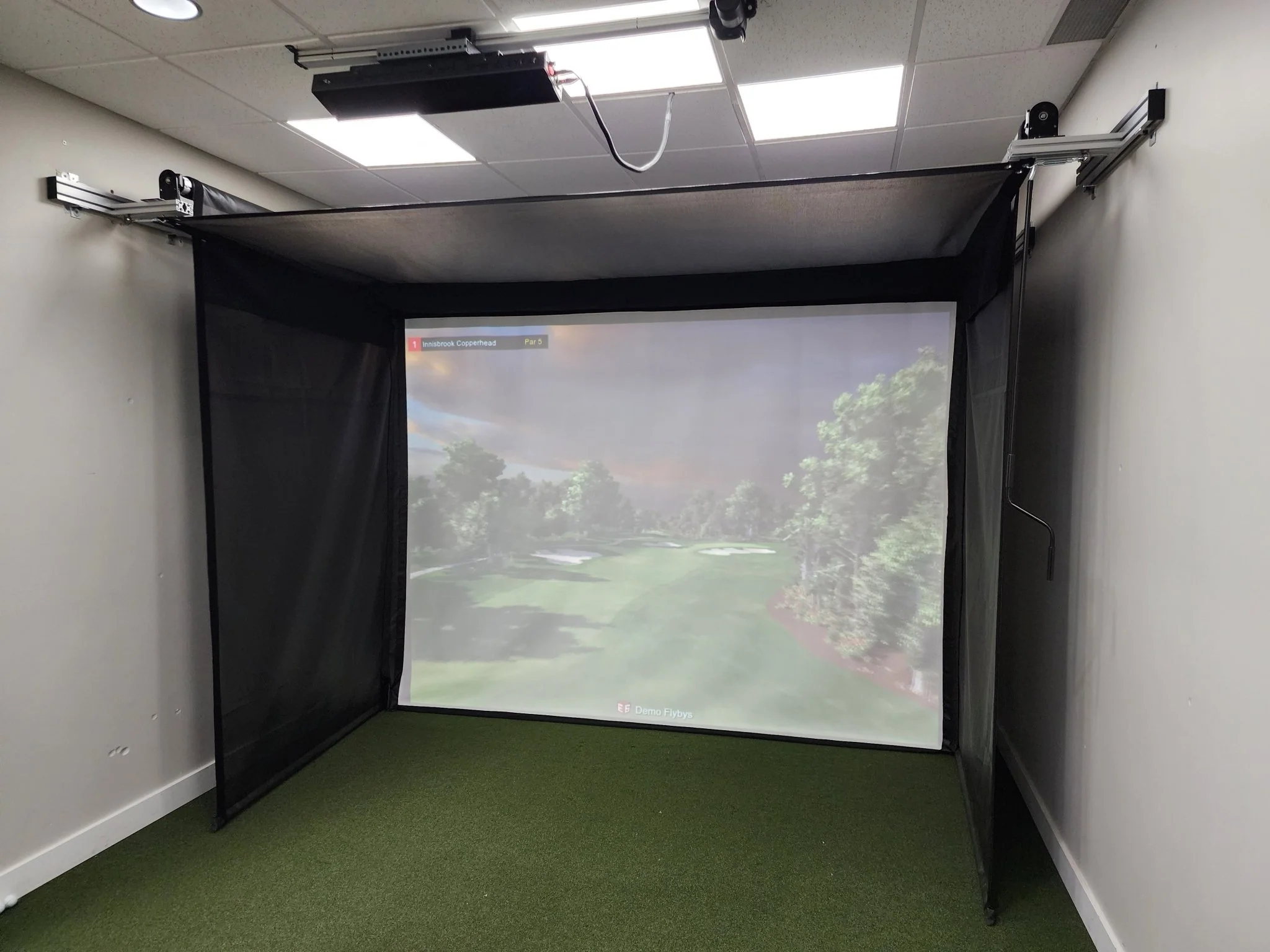
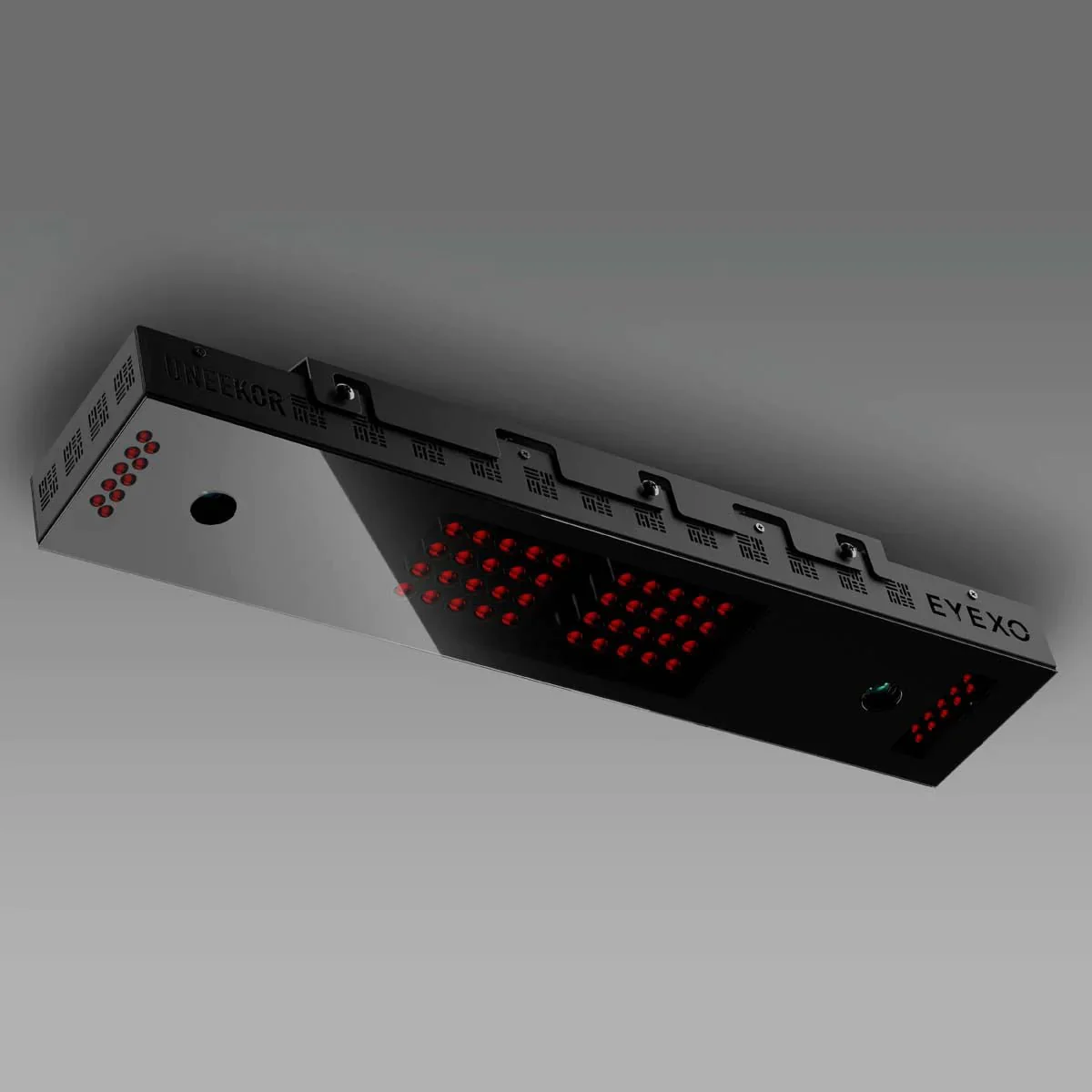
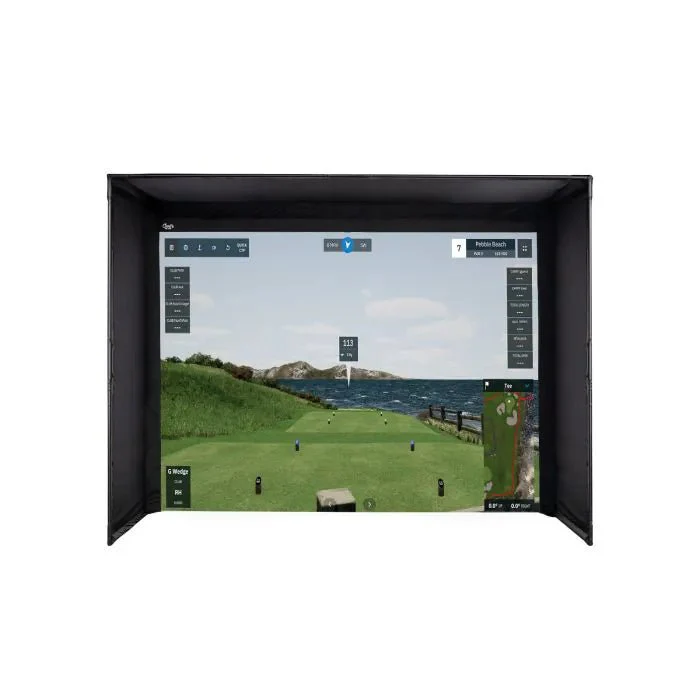
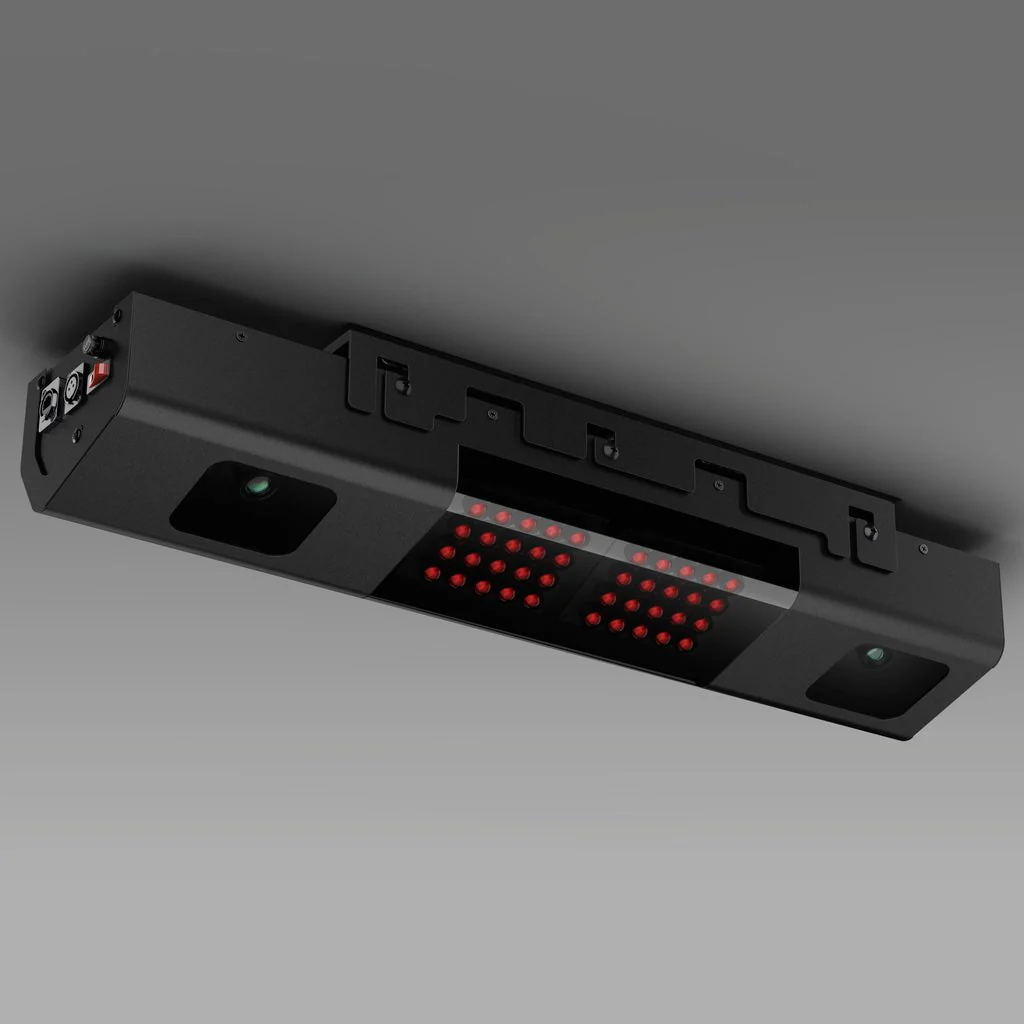
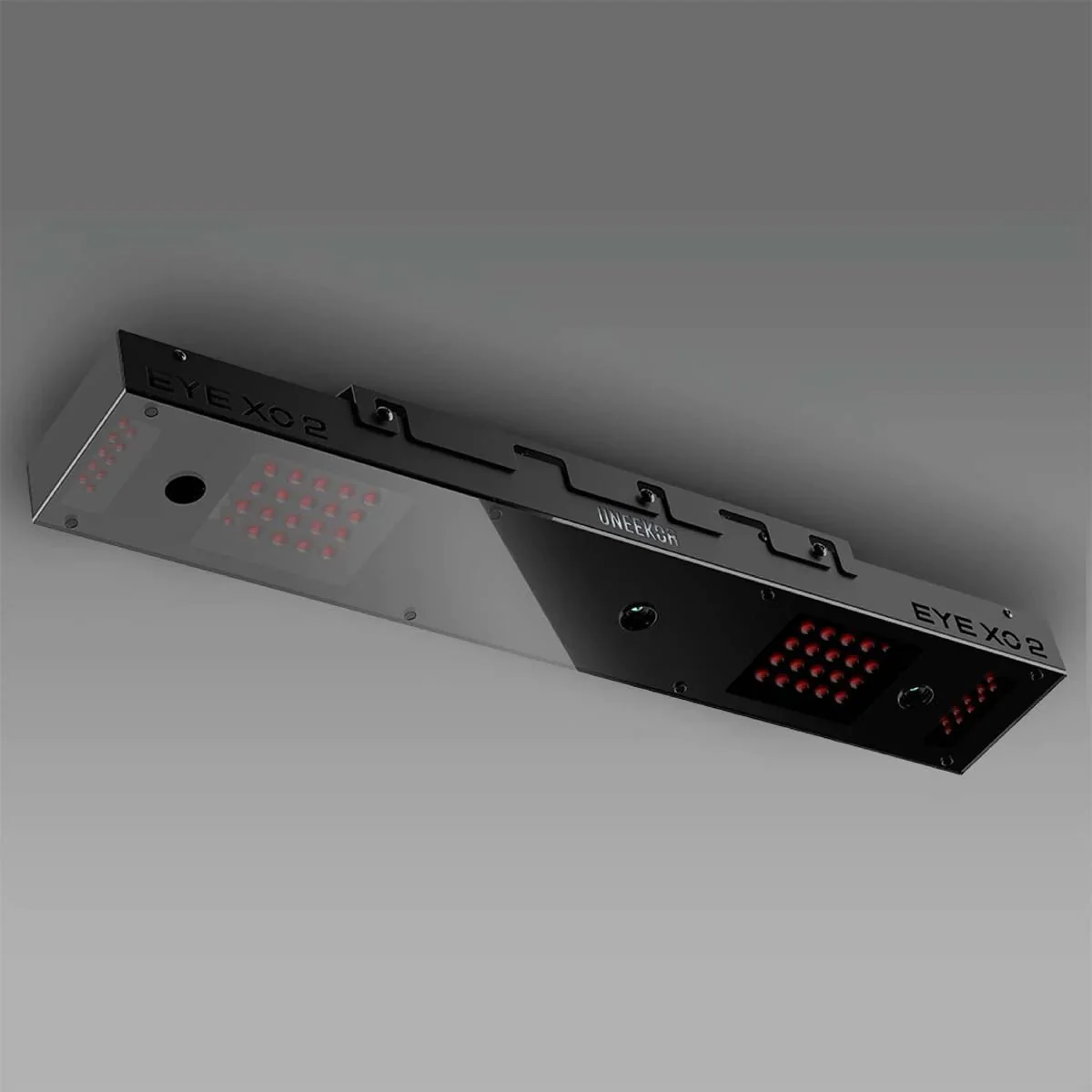
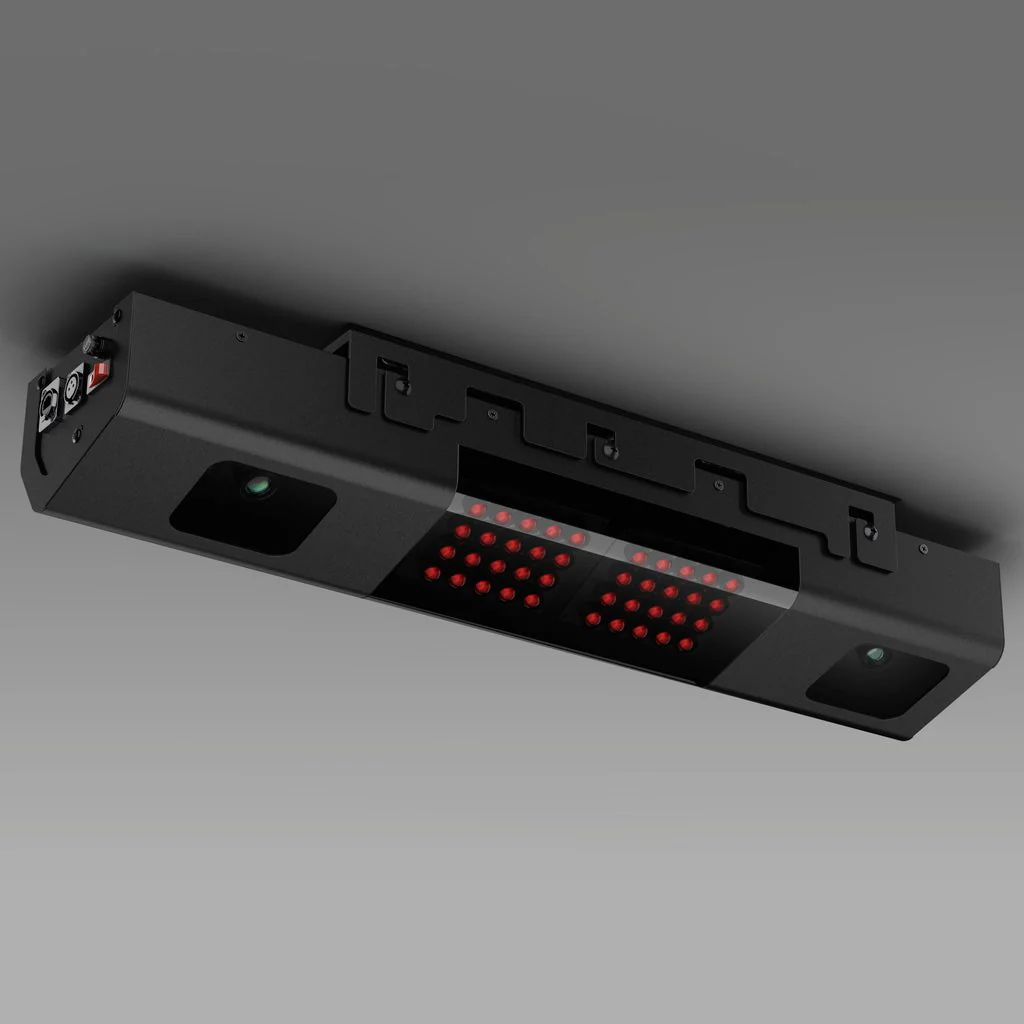
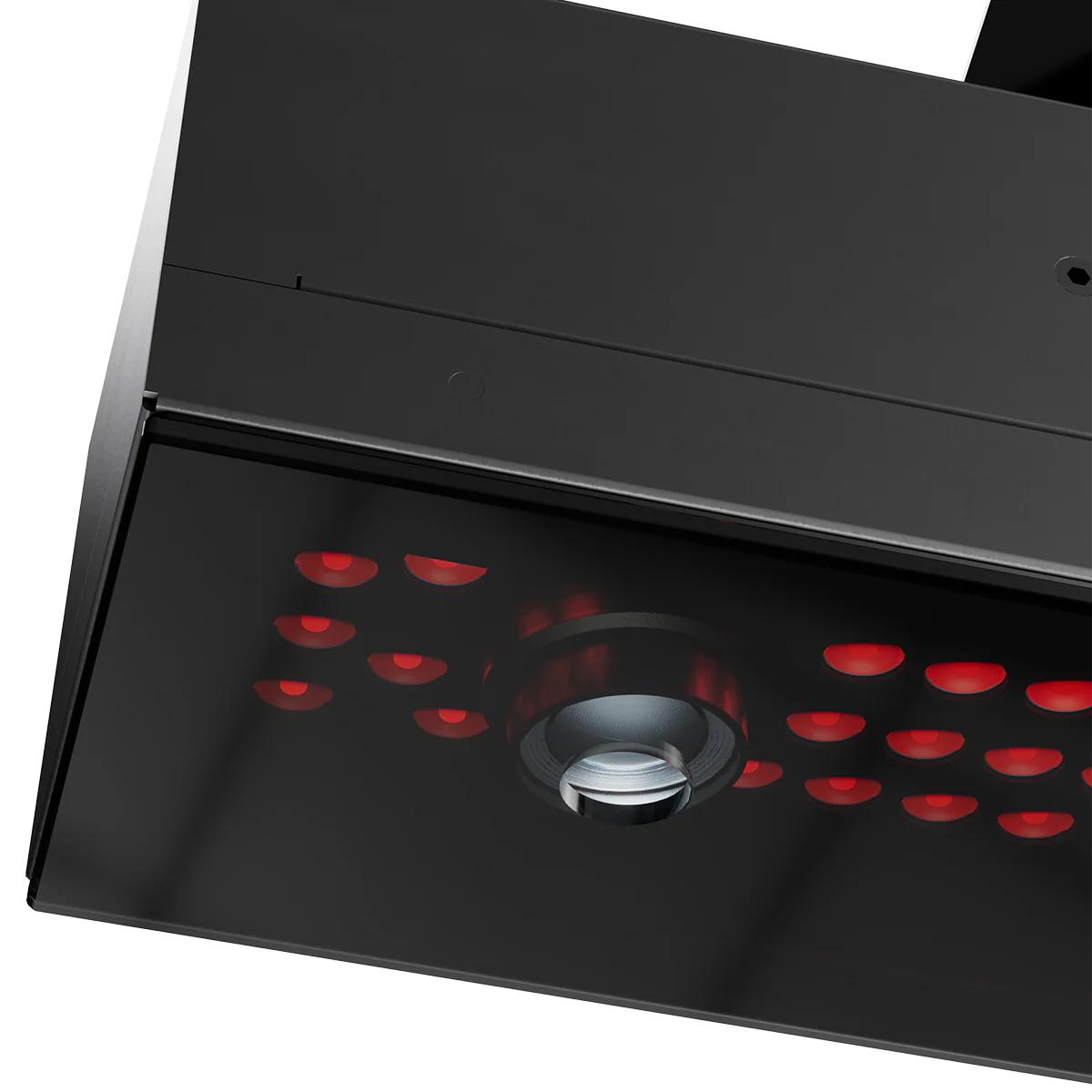
The EYE XR is the ultimate blend of rear-mounted convenience and cutting-edge infrared accuracy, crafted for golfers who prioritize precision, safety, and performance. Its modern, compact build pairs with lightning-fast tracking technology to deliver pro-grade data and insights—perfect for elevating your game without sacrificing space or style.
Dimple Optix
Small Details, Big Insights
With our patented technology, Dimple Optix lets you play with the ball you trust. Our advanced camera system captures the dimples of any golf ball at high frame rates giving you clear insights into your ball's flight and spin.
Club Optix
See Your Impact
Experience every detail with Club Optix—a powerful visual tool that provides instant feedback to help you understand exactly what happened during impact, delivering insights to elevate your performance.
19 Data Points
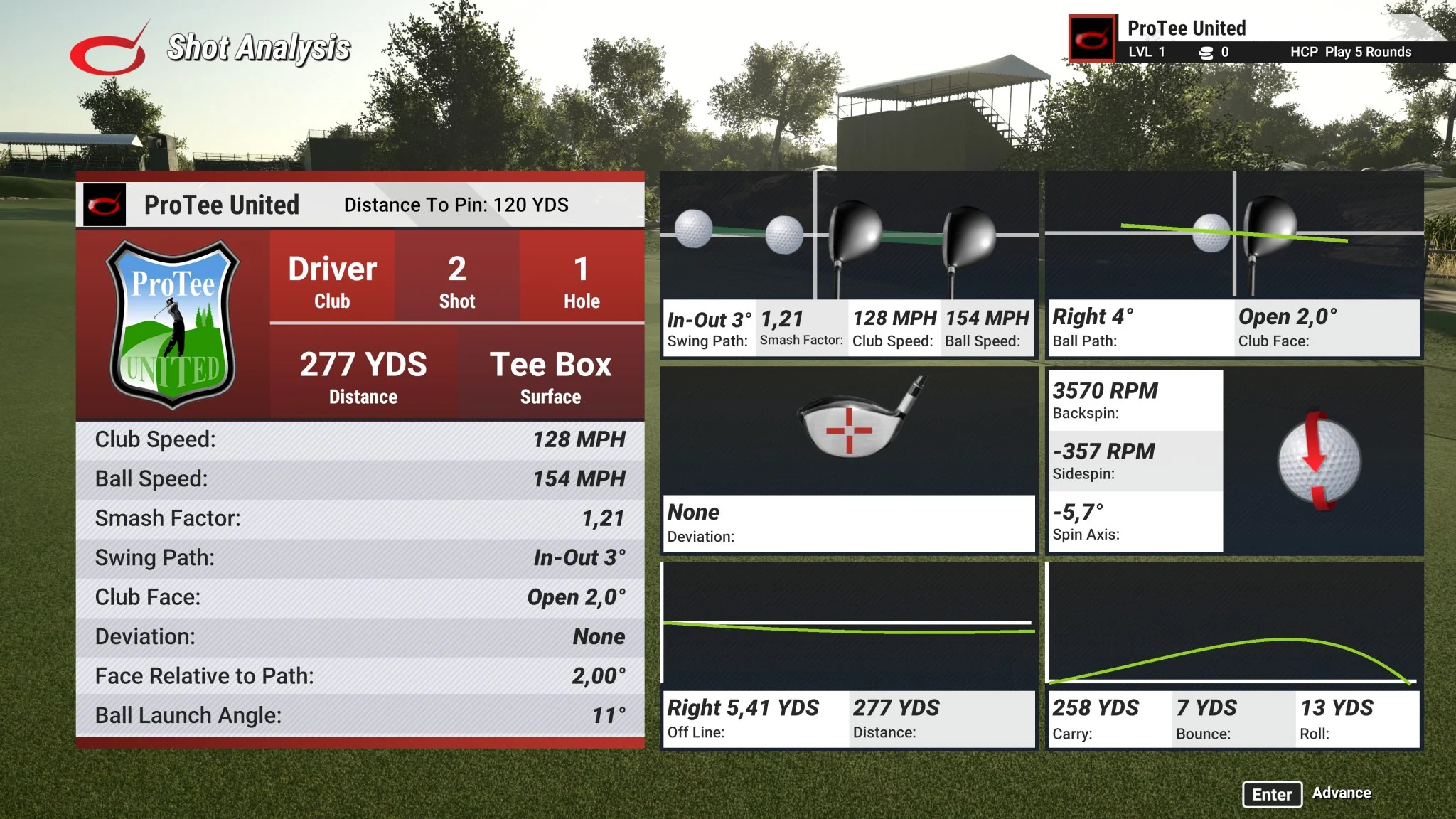
Every data point that you need at your fingertips, not behind a paywall. Use actionable data to elevate your training. When paired with Performance Optix technology, it's never been easier to define and expand your skill set anywhere you play.
| Ball Data | |
|---|---|
| Ball Speed | Velocity at which the ball is traveling when it leaves the club face after impact. |
| Side Spin | Horizontal spin measurement affecting golf ball movement left or right in flight. |
| Back Spin | The amount of spin on the golf ball immediately after impact, measured in revolutions per minute (RPM). It plays a crucial role in determining the height, distance, and control of a shot by influencing the ball's lift and trajectory through the air. |
| Side Angle | Angle at which the ball starts its flight, relative to a straight target line (Horizontal launch angle). |
| Side Total | Deviation left or right of the target while the ball is in the air. |
| Launch Angle | The initial vertical launch angle of the golf ball post-clubface impact (relative to the ground). |
| Angle of Descent | The descent angle of the golf ball after reaching its peak trajectory. |
| Flight Time | The total amount of time the golf ball is in the air. |
| Spin Axis | The tilt angle of the golf ball's rotational axis after it leaves the clubface. This angle determines the curvature of the ball's flight. A positive spin axis results in a flight that curves right. A negative spin axis results in a flight that curves left. |
| Distance to Apex | The distance covered by the ball in the air until it reaches the highest point of its trajectory. |
| Apex | The peak height of the ball's trajectory. |
| Ball Flight Type | Description of the balls initial start direction and shot shape. |
| Carry Distance | Total distance the ball traveled in the air. |
| Run | Distance the ball travels after making contact with the ground. |
| Total Distance | Total distance the golf ball travels including the carry and run. |
| Club Data | |
|---|---|
| Club Speed | The speed of the club at impact. |
| Smash Factor | Quantifies the efficiency of impact between the club face and the golf ball. It is calculated by dividing the speed of the ball by the speed of the club head at impact. A higher smash factor indicates a more efficient transfer of energy from the club to the ball, typically resulting in greater distance and accuracy. |
| Club Path | The in to out, or out to in movement of the club head's geometric center at the center at the time of impact. Club Path is the direction (right or left) the club head is moving at impact and is measured relative to the target line. |
| Face Angle* | The angular direction of the clubface at impact with the golf ball. |
*Face angle in EYE XR is calculated using a proprietary mathematical formula based on available ball and club data, providing an estimate without the need for club stickers.
Unlock Advanced Tools for Peak Performance
Take Your Game Further
Third-Party Connector
Available with Pro Package and Above
Expand your golf journey with Third Party Compatibility, making it easy to integrate with popular platforms like GSPRO, E6, and TGC 2019. Experience hundreds of meticulously designed courses, each ready for you to play without limits. This feature gives you the freedom to explore, practice, and connect with the world's most renowned courses—all from your own setup.
AI Trainer
Available with Champion Package or Standalone Subscription
Your personal coach, powered by cutting-edge artificial intelligence to revolutionize your practice. It analyzes every detail of your swing in real time, providing tailored feedback and personalized recommendations to help you improve faster. With its dynamic learning system, the AI adapts to your unique game, offering smarter insights over time.
**Swing Optix Cameras Required
GAMEDAY
Available with Ultimate Package or Standalone Subscription
GameDay takes your competitive spirit to a new level, offering a stunning selection of golf courses in vibrant 4K resolution. Choose from engaging game modes, explore premier practice facilities, or challenge friends for leaderboard spots. With GameDay, practice becomes thrilling, competition feels real, and every round brings the best of golf right into your space.
Refine/Refine+
Available with Pro Package and Above
Transform your space into a luxury golf retreat with REFINE and REFINE+. Engage in precision-driven short game drills, play on beautifully rendered courses, and enjoy a personal golf experience without leaving home. For golfers who crave variety, REFINE+ expands access to an impressive collection of world-class courses.
Features
Features
Rear Mounted Redefined
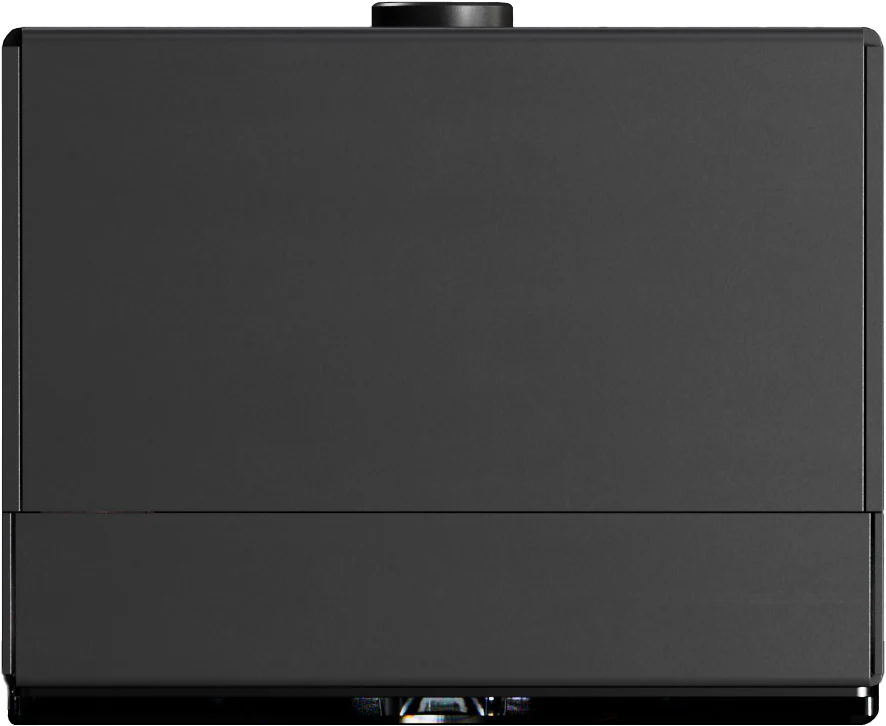
A compact and minimalist design, that integrates seamlessly into modern setups, rear-mounted and out of the way, giving peace of mind from any errant shots.
Club AI Tracking
A new introduction to the Uneekor lineup, allowing you to get the data you need without the hassle of clubface stickers.
19 Data Points
Patented Dimple Optix and Club Optix Technology track the dimples of any ball and capture precise swing visuals for comprehensive analytics. Delivering 19 different data points and actionable insights to truly elevate your game.
Power Over Ethernet
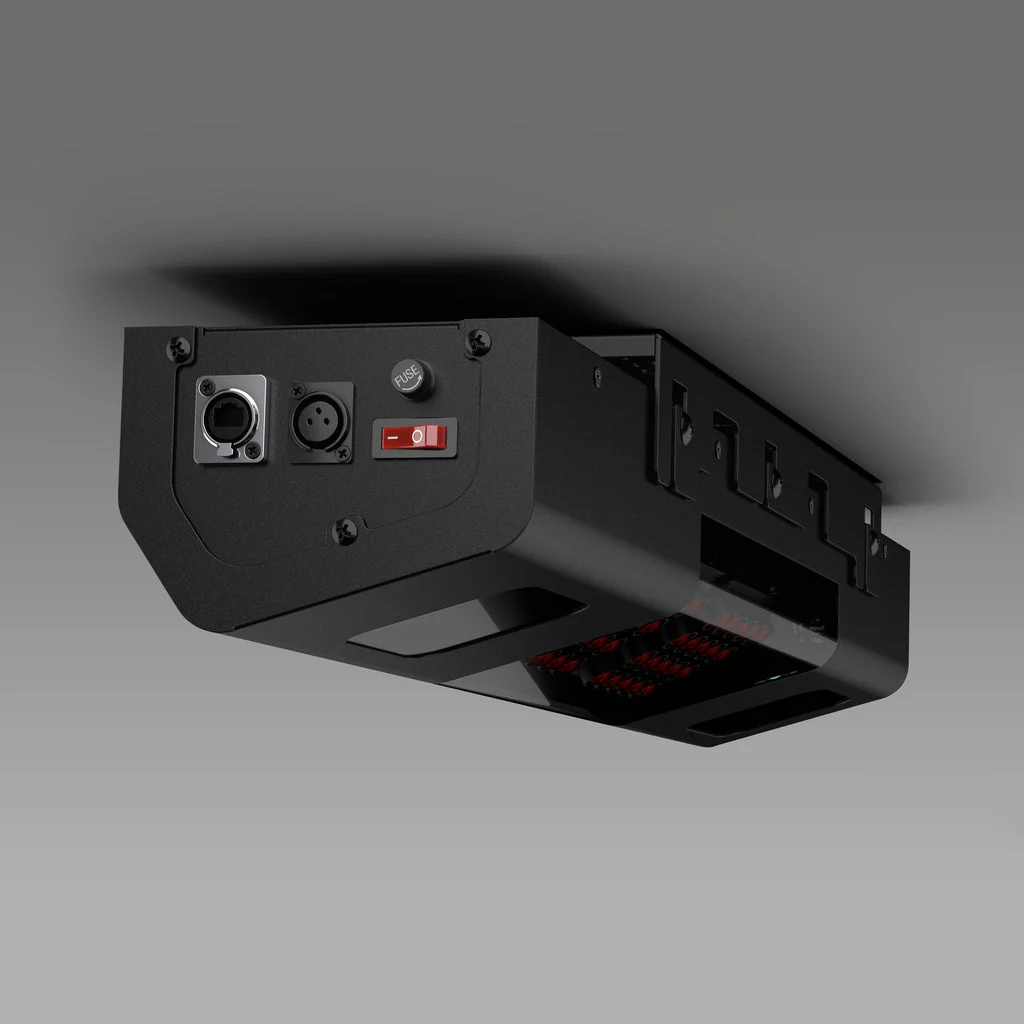
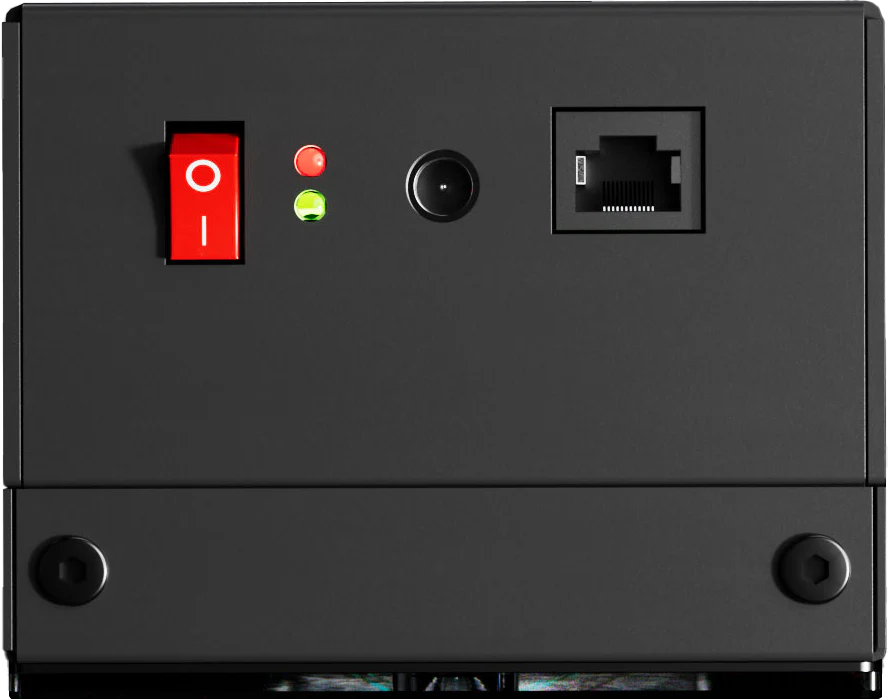
A single cable for both power and data transmission means a clean setup, easier installation, and a more reliable connection for uninterrupted performance.
Specifications
Specifications
Cameras: Two (2)
Hitting Zone: 13.7" W x 11.8" L
Data Points: 19
Ball Type: Any
Placement: Rear Overhead
3rd Party Compatibility: Yes
PC Required: Yes
Trouble Mat Compatible: No
Club Data Included: Yes
Data Points
Data Points
Unlock a complete picture of your game with every data point at your fingertips. EYE XR provides full club and putting data with no additional fees, ensuring you have the insights you need to elevate your performance. From swing analysis to precise putting feedback, experience professional-grade data without limitations.
19 Data Points
| Ball Data | |
|---|---|
| Ball Speed | Velocity at which the ball is traveling when it leaves the club face after impact. |
| Side Spin | Horizontal spin measurement affecting golf ball movement left or right in flight. |
| Back Spin | The amount of spin on the golf ball immediately after impact, measured in revolutions per minute (RPM). It plays a crucial role in determining the height, distance, and control of a shot by influencing the ball's lift and trajectory through the air. |
| Side Angle | Angle at which the ball starts its flight, relative to a straight target line (Horizontal launch angle). |
| Side Total | Deviation left or right of the target while the ball is in the air. |
| Launch Angle | The initial vertical launch angle of the golf ball post-clubface impact (relative to the ground). |
| Angle of Descent | The descent angle of the golf ball after reaching its peak trajectory. |
| Flight Time | The total amount of time the golf ball is in the air. |
| Spin Axis | The tilt angle of the golf ball's rotational axis after it leaves the clubface. This angle determines the curvature of the ball's flight. A positive spin axis results in a flight that curves right. A negative spin axis results in a flight that curves left. |
| Distance to Apex | The distance covered by the ball in the air until it reaches the highest point of its trajectory. |
| Apex | The peak height of the ball's trajectory. |
| Ball Flight Type | Description of the balls initial start direction and shot shape. |
| Carry Distance | Total distance the ball traveled in the air. |
| Run | Distance the ball travels after making contact with the ground. |
| Total Distance | Total distance the golf ball travels including the carry and run. |
| Club Data | |
|---|---|
| Club Speed | The speed of the club at impact. |
| Smash Factor | Quantifies the efficiency of impact between the club face and the golf ball. It is calculated by dividing the speed of the ball by the speed of the club head at impact. A higher smash factor indicates a more efficient transfer of energy from the club to the ball, typically resulting in greater distance and accuracy. |
| Club Path | The in to out, or out to in movement of the club head's geometric center at the center at the time of impact. Club Path is the direction (right or left) the club head is moving at impact and is measured relative to the target line. |
| Face Angle* | The angular direction of the clubface at impact with the golf ball. |
| *Face angle in EYE XR is calculated using a proprietary mathematical formula based on available ball and club data, providing an estimate without the need for club stickers. |
PC Requirements
PC Requirements
To ensure the best performance and accuracy from your EYE XR, it's important to use a PC that meets our recommended specifications. While many modern PCs may run the system, not all will provide the seamless experience needed for high-speed data capture and real-time analysis.
For optimal performance, we highly recommend using a PC that meets or exceeds our recommended specifications to ensure smooth gameplay, accurate readings, and long-term reliability.
Recommended PC Specs
PC Requirements
| Recommended | Minimum | |
| CPU | Intel i7 or higher, 10th generation or later | Intel i5 8400 |
| RAM | 16GB or more | 16GB |
| GPU | NVIDIA RTX 30 series or later | GeForce GTX 1060 |
| GPU Memory | 16GB or more | - |
| Hard Drive | 200GB or more of available space | - |
| OS | Windows 11 (64-bit only) | Windows 10 (64-bit only) Version 1803 or higher |
Note
*PC Sold Separately
*Other operating systems (Mac, Linux) are not supported
*Dedicated Ethernet port required for launch monitor
VIEW Software
VIEW Software
Your Personal Driving Range
Driving Range Freedom
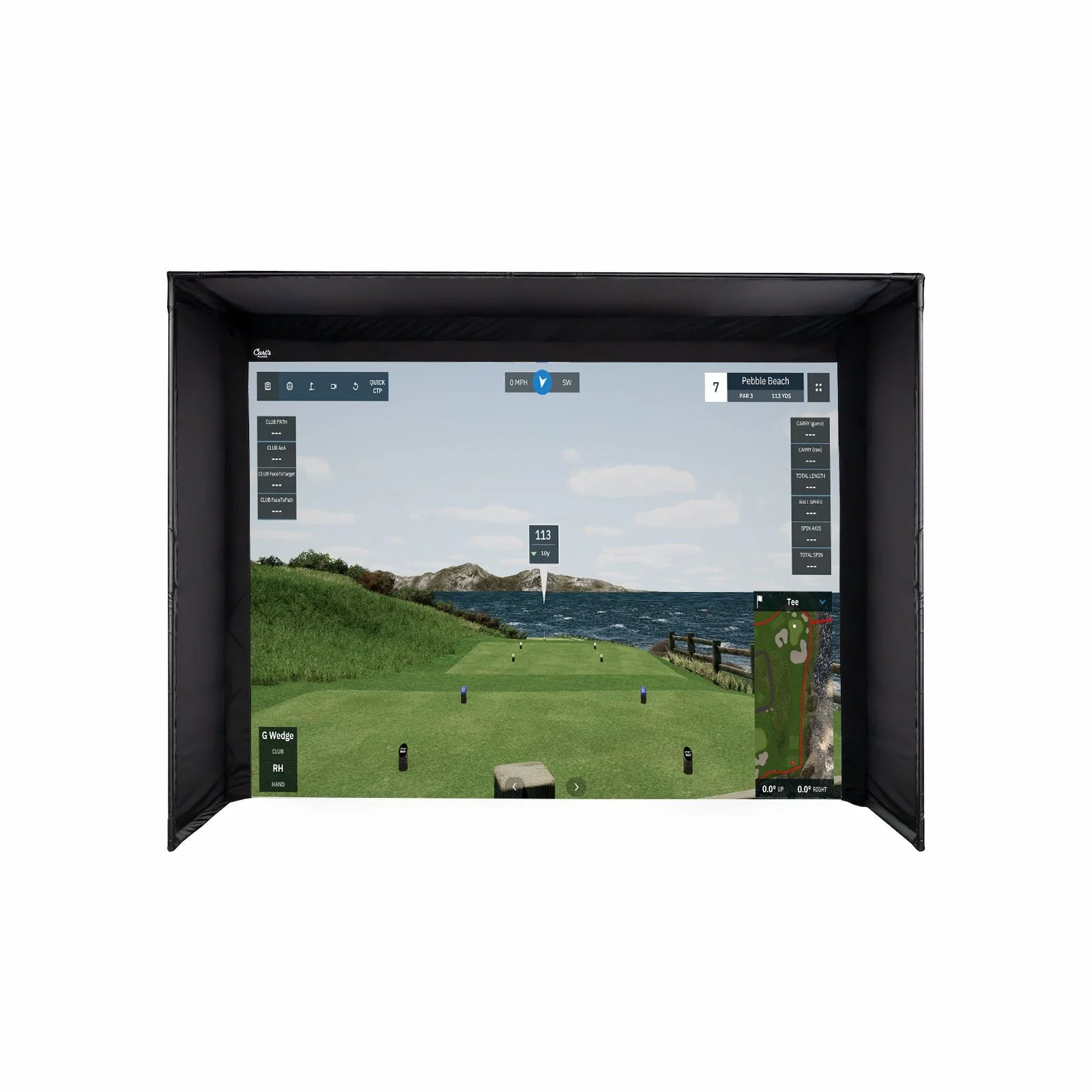
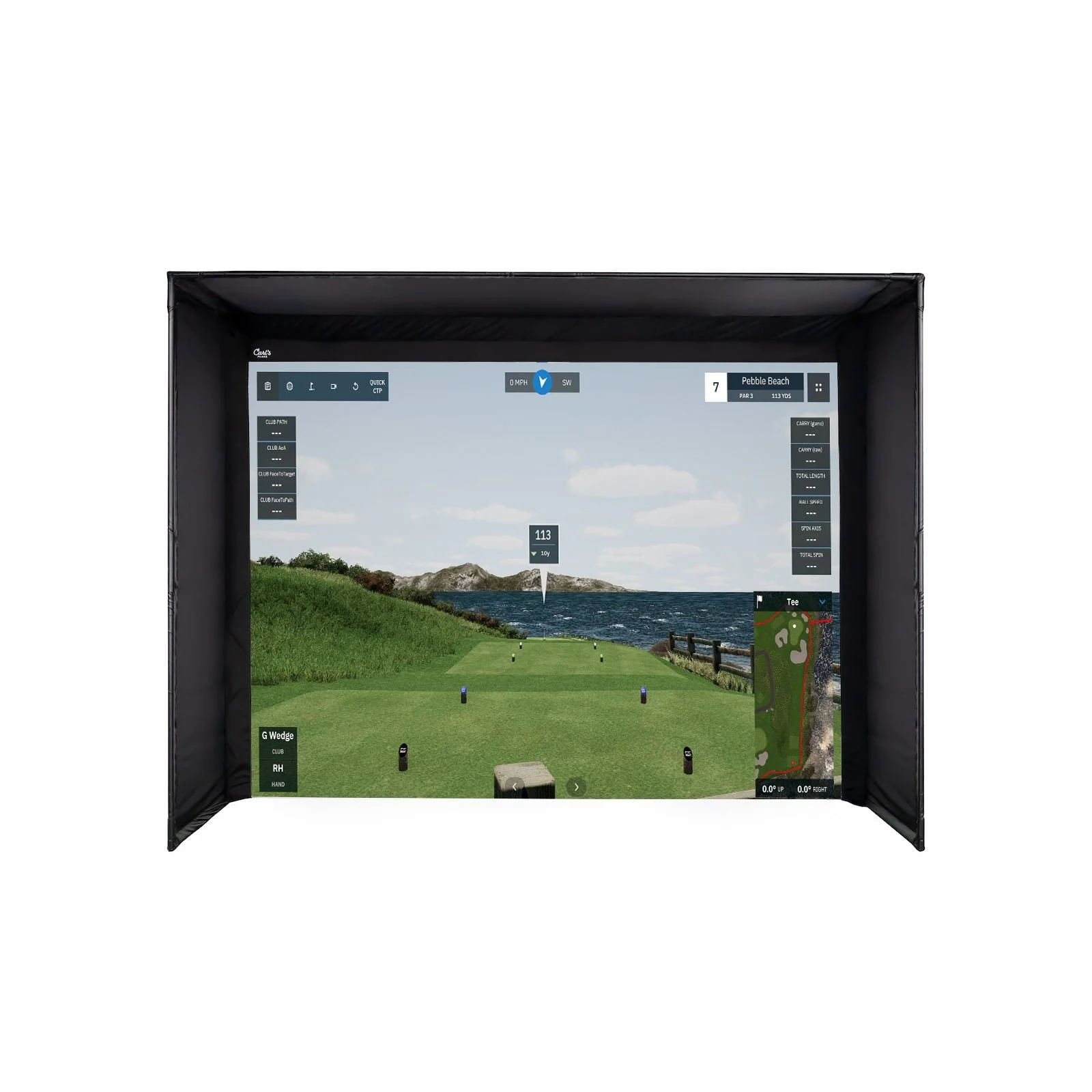
Hit as many shots as you want, whenever you want—no restrictions, no limits. Watch your ball flight in stunning detail, track every shot, and focus on the numbers that matter most. Whether you’re perfecting your swing or just hitting leisurely, VIEW gives you that luxury.
Swing Optix Video
Every swing is a learning opportunity. Watch live and video replays of your shots in crystal-clear detail, giving you the tools to analyze your performance and pinpoint areas for improvement. From setup to follow-through, see what’s working and what needs refining—right after every shot.
Group
With Group, gain a deeper understanding of your game by analyzing shot dispersion, dialing in yardages, and identifying misses. Visualize your shot patterns to uncover tendencies and develop a strategy you can trust during a round.
Power U Report
Access your shot data anytime, share your best shots with anyone, and enjoy full video replays of both club and swing. Easily export your data for more in-depth analysis and progress tracking.
Uneekor Subscriptions
Uneekor Subscriptions
Player
$0
Included
Our complete training essentials, allowing you to just focus on your game.
Ball Data
Club Data
Virtual Driving Range
Advanced Reports (100)
Single Profile
Pro
Popular
$199 /yr
Per unit billed annually
Play like a pro with the additional freedom to explore a variety of world-class courses.
Ball Data
Club Data
Virtual Driving Range
Advanced Reports (500)
Multiple Profiles (5)
Play Third-Party Software
Refine (5 Courses)
Champion
$399 /yr
Per unit billed annually
Unlock AI Trainer technology and more, elevating your game like a true champion.
Ball Data
Club Data
Virtual Driving Range
Advanced Reports (1000)
Multiple Profiles (50)
Play Third-Party Software
Refine+ (20 Courses)
AI Trainer *
Ultimate
Best
$599 /yr
Per unit billed annually
Full access to GameDay with no limitations, allowing you to reach your full potential.
Ball Data
Club Data
Virtual Driving Range
Advanced Reports (1000)
Multiple Profiles (100)
Play Third-Party Software
Refine+ (20 Courses)
AI Trainer *
GameDay *
*AI Trainer ($99/year) and GameDay ($199/year) can also be purchased separately.
FAQs
Frequently Asked Questions
Discover the answers to your questions. Don't see what you're looking for? Reach out to us any time using phone, chat or email.
What are the space requirements?

What’s included with the EYE XR?
Hardware
EYE XR Launch Monitor
Mounting Bracket
Calibration Board
Level
Software
Uneekor Launcher
Player Package Included
3-month Ultimate Package Trial Included
Parts
Power cable, Adapter, and connector - 11ft
USB Ethernet Adapter & CAT6 LAN Cables (15m & 5m)
POE Injector
M4 32mm screws - (10) count total - 9 for installation, 1 spare
Bracket Anlge Guide Pins - (4) count
*Note: start with the 3rd hole (recommended) & adjust as needed for desired hitting area
Do I need a subscription to use EYE XR?
Yes, a software package is required to use the EYE XR. Every Uneekor launch monitor includes the Player Package, which gives you all the essential tools to start your golf simulation journey. To unlock additional features such as REFINE, AI Trainer, and GameDay, a subscription upgrade is required
Does EYE XR work with AI Trainer?
Yes, the EYE XR is fully compatible with AI Trainer. To use AI Trainer, VIEW software requires Swing Optix cameras, which enable the system to deliver real-time, personalized swing analysis. Swing Optix cameras can be purchased as add-on
Resources
Resources
Guides
EYE XR User Manual
Software
Uneekor Launcher
Product Information
Product Information
Shipping & Returns
Shipping & Returns


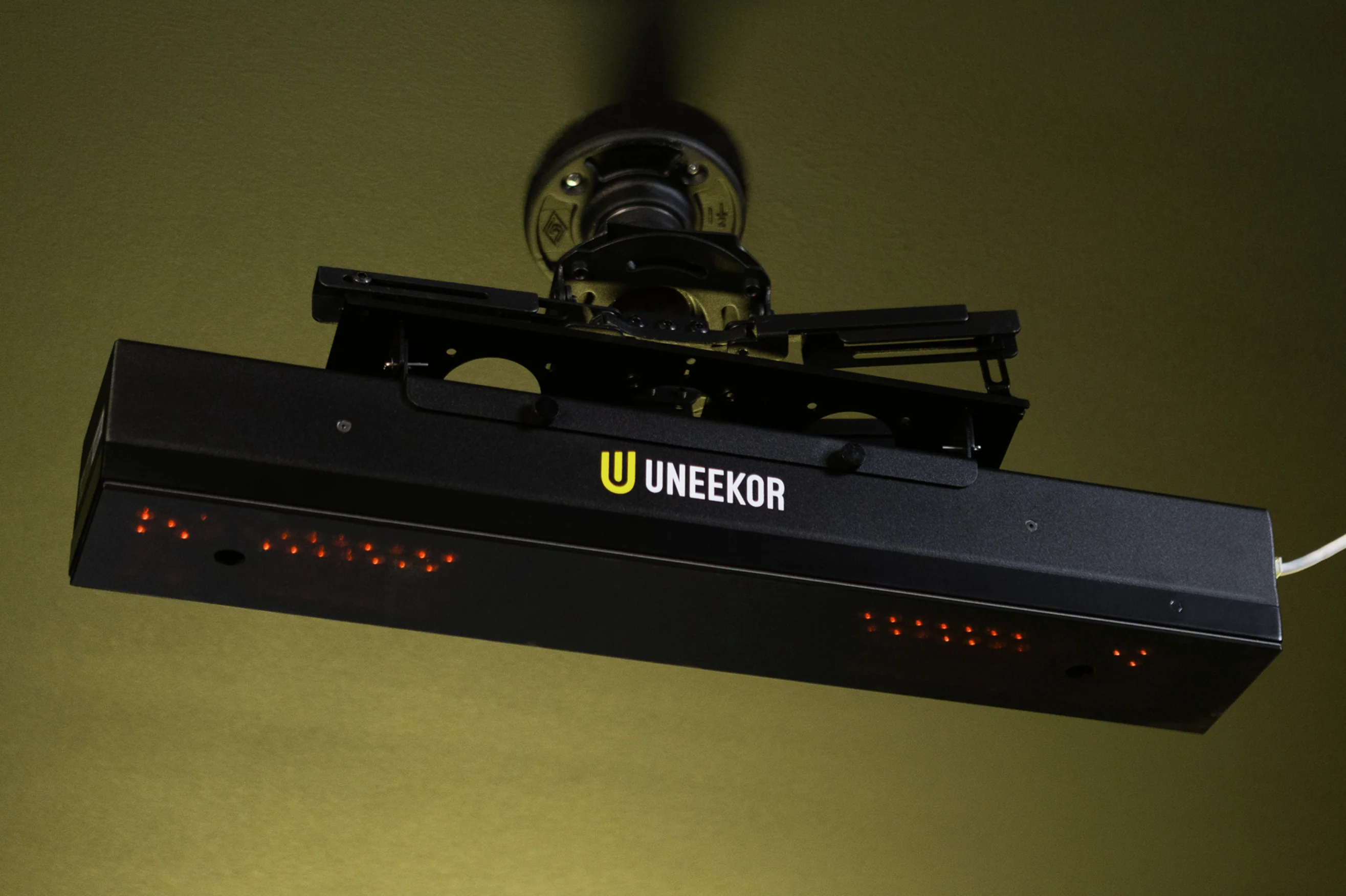


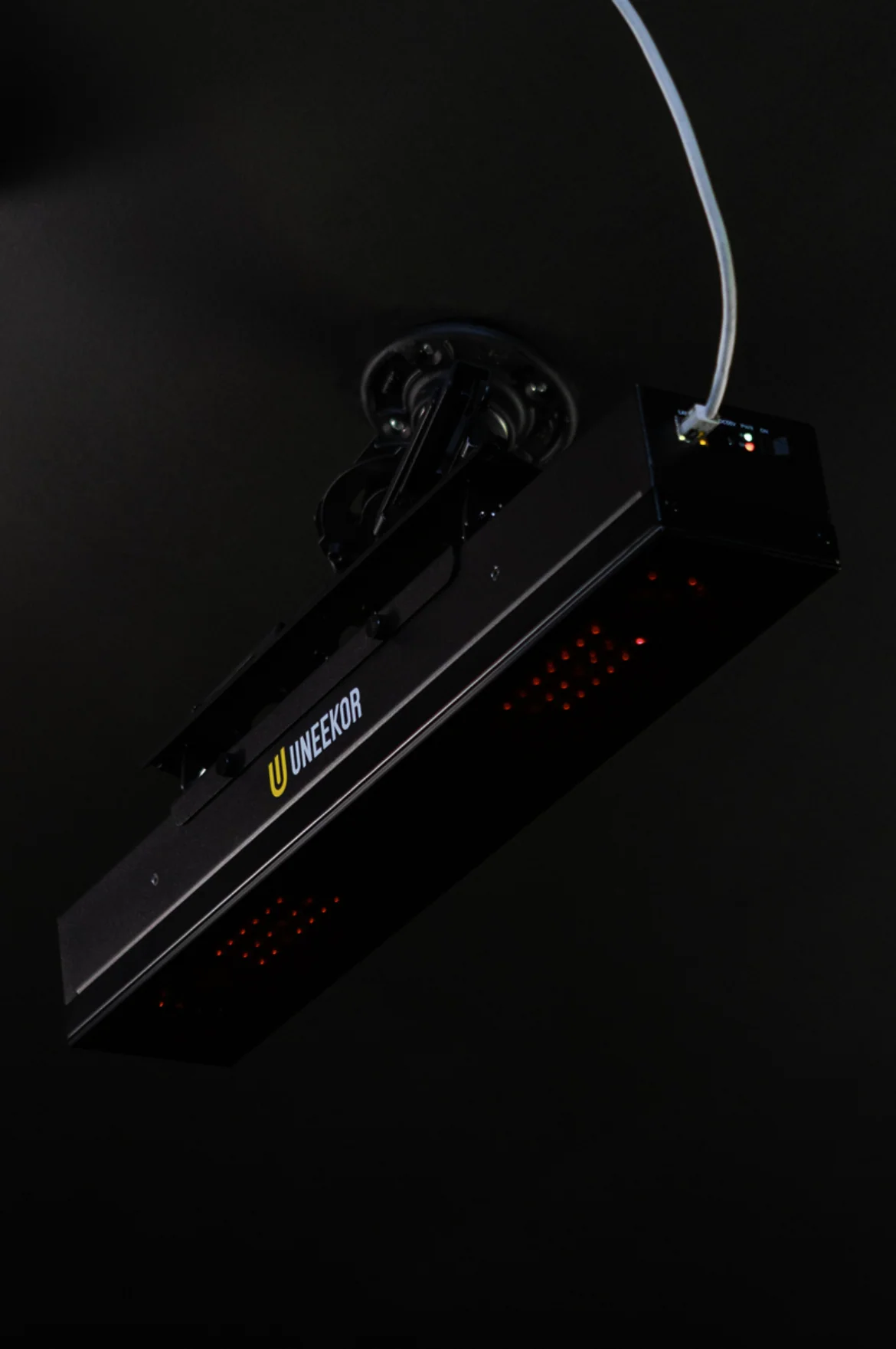
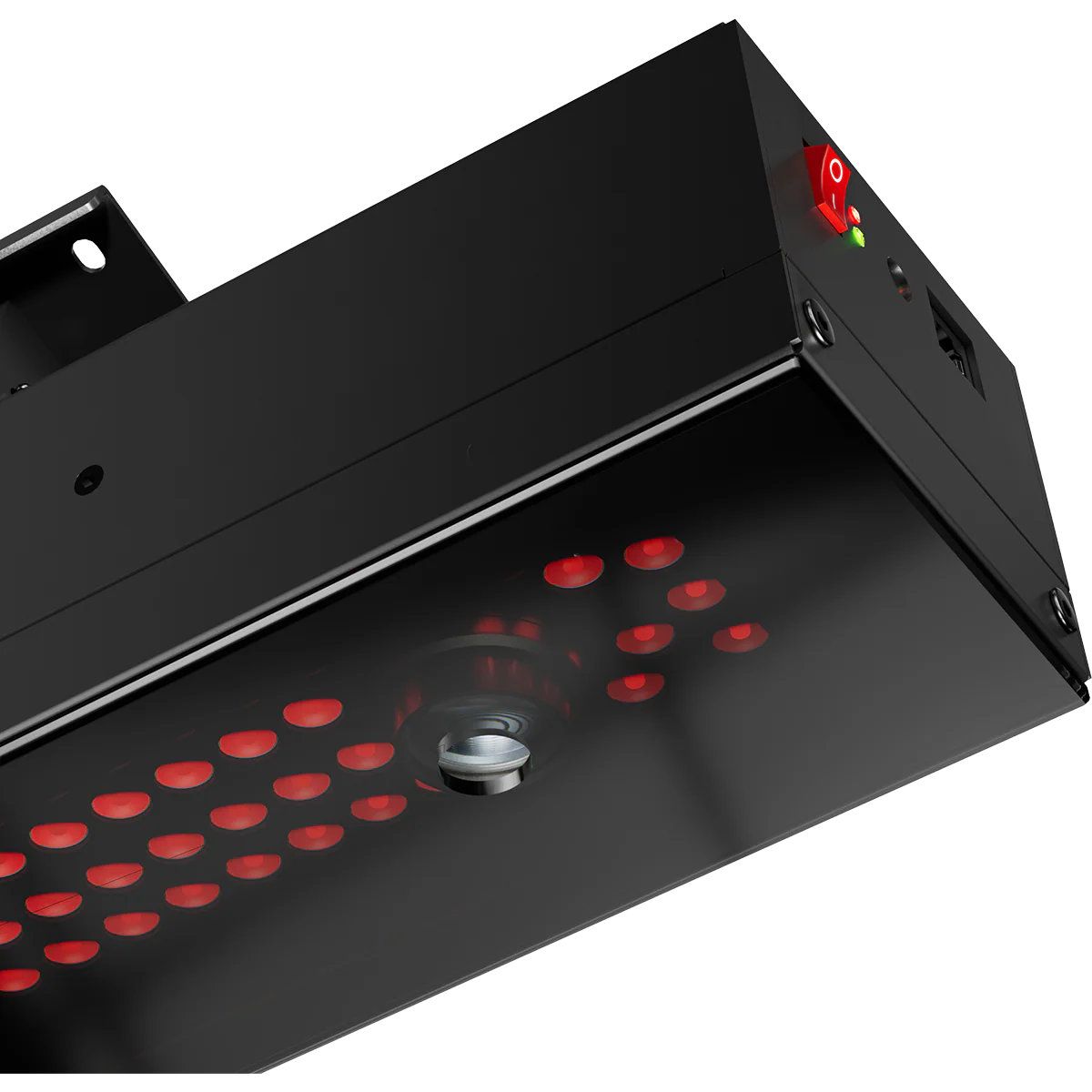
Uneekor EYE XR Launch Monitor
Uneekor EYE XR Launch Monitor
Uneekor EYE XR Launch Monitor
EYE XR
The EYE XR is the ultimate blend of rear-mounted convenience and cutting-edge infrared accuracy, crafted for golfers who prioritize precision, safety, and performance. Its modern, compact build pairs with lightning-fast tracking technology to deliver pro-grade data and insights—perfect for elevating your game without sacrificing space or style.
Dimple Optix
Small Details, Big Insights
With our patented technology, Dimple Optix lets you play with the ball you trust. Our advanced camera system captures the dimples of any golf ball at high frame rates giving you clear insights into your ball's flight and spin.
Club Optix
See Your Impact
Experience every detail with Club Optix—a powerful visual tool that provides instant feedback to help you understand exactly what happened during impact, delivering insights to elevate your performance.
19 Data Points
Every data point that you need at your fingertips, not behind a paywall. Use actionable data to elevate your training. When paired with Performance Optix technology, it's never been easier to define and expand your skill set anywhere you play.
| Ball Data | |
|---|---|
| Ball Speed | Velocity at which the ball is traveling when it leaves the club face after impact. |
| Side Spin | Horizontal spin measurement affecting golf ball movement left or right in flight. |
| Back Spin | The amount of spin on the golf ball immediately after impact, measured in revolutions per minute (RPM). It plays a crucial role in determining the height, distance, and control of a shot by influencing the ball's lift and trajectory through the air. |
| Side Angle | Angle at which the ball starts its flight, relative to a straight target line (Horizontal launch angle). |
| Side Total | Deviation left or right of the target while the ball is in the air. |
| Launch Angle | The initial vertical launch angle of the golf ball post-clubface impact (relative to the ground). |
| Angle of Descent | The descent angle of the golf ball after reaching its peak trajectory. |
| Flight Time | The total amount of time the golf ball is in the air. |
| Spin Axis | The tilt angle of the golf ball's rotational axis after it leaves the clubface. This angle determines the curvature of the ball's flight. A positive spin axis results in a flight that curves right. A negative spin axis results in a flight that curves left. |
| Distance to Apex | The distance covered by the ball in the air until it reaches the highest point of its trajectory. |
| Apex | The peak height of the ball's trajectory. |
| Ball Flight Type | Description of the balls initial start direction and shot shape. |
| Carry Distance | Total distance the ball traveled in the air. |
| Run | Distance the ball travels after making contact with the ground. |
| Total Distance | Total distance the golf ball travels including the carry and run. |
| Club Data | |
|---|---|
| Club Speed | The speed of the club at impact. |
| Smash Factor | Quantifies the efficiency of impact between the club face and the golf ball. It is calculated by dividing the speed of the ball by the speed of the club head at impact. A higher smash factor indicates a more efficient transfer of energy from the club to the ball, typically resulting in greater distance and accuracy. |
| Club Path | The in to out, or out to in movement of the club head's geometric center at the center at the time of impact. Club Path is the direction (right or left) the club head is moving at impact and is measured relative to the target line. |
| Face Angle* | The angular direction of the clubface at impact with the golf ball. |
*Face angle in EYE XR is calculated using a proprietary mathematical formula based on available ball and club data, providing an estimate without the need for club stickers.
Unlock Advanced Tools for Peak Performance
Take Your Game Further
Third-Party Connector
Available with Pro Package and Above
Expand your golf journey with Third Party Compatibility, making it easy to integrate with popular platforms like GSPRO, E6, and TGC 2019. Experience hundreds of meticulously designed courses, each ready for you to play without limits. This feature gives you the freedom to explore, practice, and connect with the world's most renowned courses—all from your own setup.
AI Trainer
Available with Champion Package or Standalone Subscription
Your personal coach, powered by cutting-edge artificial intelligence to revolutionize your practice. It analyzes every detail of your swing in real time, providing tailored feedback and personalized recommendations to help you improve faster. With its dynamic learning system, the AI adapts to your unique game, offering smarter insights over time.
**Swing Optix Cameras Required
GAMEDAY
Available with Ultimate Package or Standalone Subscription
GameDay takes your competitive spirit to a new level, offering a stunning selection of golf courses in vibrant 4K resolution. Choose from engaging game modes, explore premier practice facilities, or challenge friends for leaderboard spots. With GameDay, practice becomes thrilling, competition feels real, and every round brings the best of golf right into your space.
Refine/Refine+
Available with Pro Package and Above
Transform your space into a luxury golf retreat with REFINE and REFINE+. Engage in precision-driven short game drills, play on beautifully rendered courses, and enjoy a personal golf experience without leaving home. For golfers who crave variety, REFINE+ expands access to an impressive collection of world-class courses.
Features
Features
Rear Mounted Redefined
A compact and minimalist design, that integrates seamlessly into modern setups, rear-mounted and out of the way, giving peace of mind from any errant shots.
Club AI Tracking
A new introduction to the Uneekor lineup, allowing you to get the data you need without the hassle of clubface stickers.
19 Data Points
Patented Dimple Optix and Club Optix Technology track the dimples of any ball and capture precise swing visuals for comprehensive analytics. Delivering 19 different data points and actionable insights to truly elevate your game.
Power Over Ethernet
A single cable for both power and data transmission means a clean setup, easier installation, and a more reliable connection for uninterrupted performance.
Specifications
Specifications
Cameras: Two (2)
Hitting Zone: 13.7" W x 11.8" L
Data Points: 19
Ball Type: Any
Placement: Rear Overhead
3rd Party Compatibility: Yes
PC Required: Yes
Trouble Mat Compatible: No
Club Data Included: Yes
Data Points
Data Points
Unlock a complete picture of your game with every data point at your fingertips. EYE XR provides full club and putting data with no additional fees, ensuring you have the insights you need to elevate your performance. From swing analysis to precise putting feedback, experience professional-grade data without limitations.
19 Data Points
| Ball Data | |
|---|---|
| Ball Speed | Velocity at which the ball is traveling when it leaves the club face after impact. |
| Side Spin | Horizontal spin measurement affecting golf ball movement left or right in flight. |
| Back Spin | The amount of spin on the golf ball immediately after impact, measured in revolutions per minute (RPM). It plays a crucial role in determining the height, distance, and control of a shot by influencing the ball's lift and trajectory through the air. |
| Side Angle | Angle at which the ball starts its flight, relative to a straight target line (Horizontal launch angle). |
| Side Total | Deviation left or right of the target while the ball is in the air. |
| Launch Angle | The initial vertical launch angle of the golf ball post-clubface impact (relative to the ground). |
| Angle of Descent | The descent angle of the golf ball after reaching its peak trajectory. |
| Flight Time | The total amount of time the golf ball is in the air. |
| Spin Axis | The tilt angle of the golf ball's rotational axis after it leaves the clubface. This angle determines the curvature of the ball's flight. A positive spin axis results in a flight that curves right. A negative spin axis results in a flight that curves left. |
| Distance to Apex | The distance covered by the ball in the air until it reaches the highest point of its trajectory. |
| Apex | The peak height of the ball's trajectory. |
| Ball Flight Type | Description of the balls initial start direction and shot shape. |
| Carry Distance | Total distance the ball traveled in the air. |
| Run | Distance the ball travels after making contact with the ground. |
| Total Distance | Total distance the golf ball travels including the carry and run. |
| Club Data | |
|---|---|
| Club Speed | The speed of the club at impact. |
| Smash Factor | Quantifies the efficiency of impact between the club face and the golf ball. It is calculated by dividing the speed of the ball by the speed of the club head at impact. A higher smash factor indicates a more efficient transfer of energy from the club to the ball, typically resulting in greater distance and accuracy. |
| Club Path | The in to out, or out to in movement of the club head's geometric center at the center at the time of impact. Club Path is the direction (right or left) the club head is moving at impact and is measured relative to the target line. |
| Face Angle* | The angular direction of the clubface at impact with the golf ball. |
| *Face angle in EYE XR is calculated using a proprietary mathematical formula based on available ball and club data, providing an estimate without the need for club stickers. |
PC Requirements
PC Requirements
To ensure the best performance and accuracy from your EYE XR, it's important to use a PC that meets our recommended specifications. While many modern PCs may run the system, not all will provide the seamless experience needed for high-speed data capture and real-time analysis.
For optimal performance, we highly recommend using a PC that meets or exceeds our recommended specifications to ensure smooth gameplay, accurate readings, and long-term reliability.
Recommended PC Specs
PC Requirements
| Recommended | Minimum | |
| CPU | Intel i7 or higher, 10th generation or later | Intel i5 8400 |
| RAM | 16GB or more | 16GB |
| GPU | NVIDIA RTX 30 series or later | GeForce GTX 1060 |
| GPU Memory | 16GB or more | - |
| Hard Drive | 200GB or more of available space | - |
| OS | Windows 11 (64-bit only) | Windows 10 (64-bit only) Version 1803 or higher |
Note
*PC Sold Separately
*Other operating systems (Mac, Linux) are not supported
*Dedicated Ethernet port required for launch monitor
VIEW Software
VIEW Software
Your Personal Driving Range
Driving Range Freedom
Hit as many shots as you want, whenever you want—no restrictions, no limits. Watch your ball flight in stunning detail, track every shot, and focus on the numbers that matter most. Whether you’re perfecting your swing or just hitting leisurely, VIEW gives you that luxury.
Swing Optix Video
Every swing is a learning opportunity. Watch live and video replays of your shots in crystal-clear detail, giving you the tools to analyze your performance and pinpoint areas for improvement. From setup to follow-through, see what’s working and what needs refining—right after every shot.
Group
With Group, gain a deeper understanding of your game by analyzing shot dispersion, dialing in yardages, and identifying misses. Visualize your shot patterns to uncover tendencies and develop a strategy you can trust during a round.
Power U Report
Access your shot data anytime, share your best shots with anyone, and enjoy full video replays of both club and swing. Easily export your data for more in-depth analysis and progress tracking.
Uneekor Subscriptions
Uneekor Subscriptions
Player
$0
Included
Our complete training essentials, allowing you to just focus on your game.
Ball Data
Club Data
Virtual Driving Range
Advanced Reports (100)
Single Profile
Pro
Popular
$199 /yr
Per unit billed annually
Play like a pro with the additional freedom to explore a variety of world-class courses.
Ball Data
Club Data
Virtual Driving Range
Advanced Reports (500)
Multiple Profiles (5)
Play Third-Party Software
Refine (5 Courses)
Champion
$399 /yr
Per unit billed annually
Unlock AI Trainer technology and more, elevating your game like a true champion.
Ball Data
Club Data
Virtual Driving Range
Advanced Reports (1000)
Multiple Profiles (50)
Play Third-Party Software
Refine+ (20 Courses)
AI Trainer *
Ultimate
Best
$599 /yr
Per unit billed annually
Full access to GameDay with no limitations, allowing you to reach your full potential.
Ball Data
Club Data
Virtual Driving Range
Advanced Reports (1000)
Multiple Profiles (100)
Play Third-Party Software
Refine+ (20 Courses)
AI Trainer *
GameDay *
*AI Trainer ($99/year) and GameDay ($199/year) can also be purchased separately.
FAQs
Frequently Asked Questions
Discover the answers to your questions. Don't see what you're looking for? Reach out to us any time using phone, chat or email.
What are the space requirements?
What’s included with the EYE XR?
Hardware
EYE XR Launch Monitor
Mounting Bracket
Calibration Board
Level
Software
Uneekor Launcher
Player Package Included
3-month Ultimate Package Trial Included
Parts
Power cable, Adapter, and connector - 11ft
USB Ethernet Adapter & CAT6 LAN Cables (15m & 5m)
POE Injector
M4 32mm screws - (10) count total - 9 for installation, 1 spare
Bracket Anlge Guide Pins - (4) count
*Note: start with the 3rd hole (recommended) & adjust as needed for desired hitting area
Do I need a subscription to use EYE XR?
Yes, a software package is required to use the EYE XR. Every Uneekor launch monitor includes the Player Package, which gives you all the essential tools to start your golf simulation journey. To unlock additional features such as REFINE, AI Trainer, and GameDay, a subscription upgrade is required
Does EYE XR work with AI Trainer?
Yes, the EYE XR is fully compatible with AI Trainer. To use AI Trainer, VIEW software requires Swing Optix cameras, which enable the system to deliver real-time, personalized swing analysis. Swing Optix cameras can be purchased as add-on
Resources
Resources
Guides
EYE XR User Manual
Software
Uneekor Launcher
Original: $5,999.00
-65%$5,999.00
$2,099.65Product Information
Product Information
Shipping & Returns
Shipping & Returns
Description
Uneekor EYE XR Launch Monitor
EYE XR
The EYE XR is the ultimate blend of rear-mounted convenience and cutting-edge infrared accuracy, crafted for golfers who prioritize precision, safety, and performance. Its modern, compact build pairs with lightning-fast tracking technology to deliver pro-grade data and insights—perfect for elevating your game without sacrificing space or style.
Dimple Optix
Small Details, Big Insights
With our patented technology, Dimple Optix lets you play with the ball you trust. Our advanced camera system captures the dimples of any golf ball at high frame rates giving you clear insights into your ball's flight and spin.
Club Optix
See Your Impact
Experience every detail with Club Optix—a powerful visual tool that provides instant feedback to help you understand exactly what happened during impact, delivering insights to elevate your performance.
19 Data Points
Every data point that you need at your fingertips, not behind a paywall. Use actionable data to elevate your training. When paired with Performance Optix technology, it's never been easier to define and expand your skill set anywhere you play.
| Ball Data | |
|---|---|
| Ball Speed | Velocity at which the ball is traveling when it leaves the club face after impact. |
| Side Spin | Horizontal spin measurement affecting golf ball movement left or right in flight. |
| Back Spin | The amount of spin on the golf ball immediately after impact, measured in revolutions per minute (RPM). It plays a crucial role in determining the height, distance, and control of a shot by influencing the ball's lift and trajectory through the air. |
| Side Angle | Angle at which the ball starts its flight, relative to a straight target line (Horizontal launch angle). |
| Side Total | Deviation left or right of the target while the ball is in the air. |
| Launch Angle | The initial vertical launch angle of the golf ball post-clubface impact (relative to the ground). |
| Angle of Descent | The descent angle of the golf ball after reaching its peak trajectory. |
| Flight Time | The total amount of time the golf ball is in the air. |
| Spin Axis | The tilt angle of the golf ball's rotational axis after it leaves the clubface. This angle determines the curvature of the ball's flight. A positive spin axis results in a flight that curves right. A negative spin axis results in a flight that curves left. |
| Distance to Apex | The distance covered by the ball in the air until it reaches the highest point of its trajectory. |
| Apex | The peak height of the ball's trajectory. |
| Ball Flight Type | Description of the balls initial start direction and shot shape. |
| Carry Distance | Total distance the ball traveled in the air. |
| Run | Distance the ball travels after making contact with the ground. |
| Total Distance | Total distance the golf ball travels including the carry and run. |
| Club Data | |
|---|---|
| Club Speed | The speed of the club at impact. |
| Smash Factor | Quantifies the efficiency of impact between the club face and the golf ball. It is calculated by dividing the speed of the ball by the speed of the club head at impact. A higher smash factor indicates a more efficient transfer of energy from the club to the ball, typically resulting in greater distance and accuracy. |
| Club Path | The in to out, or out to in movement of the club head's geometric center at the center at the time of impact. Club Path is the direction (right or left) the club head is moving at impact and is measured relative to the target line. |
| Face Angle* | The angular direction of the clubface at impact with the golf ball. |
*Face angle in EYE XR is calculated using a proprietary mathematical formula based on available ball and club data, providing an estimate without the need for club stickers.
Unlock Advanced Tools for Peak Performance
Take Your Game Further
Third-Party Connector
Available with Pro Package and Above
Expand your golf journey with Third Party Compatibility, making it easy to integrate with popular platforms like GSPRO, E6, and TGC 2019. Experience hundreds of meticulously designed courses, each ready for you to play without limits. This feature gives you the freedom to explore, practice, and connect with the world's most renowned courses—all from your own setup.
AI Trainer
Available with Champion Package or Standalone Subscription
Your personal coach, powered by cutting-edge artificial intelligence to revolutionize your practice. It analyzes every detail of your swing in real time, providing tailored feedback and personalized recommendations to help you improve faster. With its dynamic learning system, the AI adapts to your unique game, offering smarter insights over time.
**Swing Optix Cameras Required
GAMEDAY
Available with Ultimate Package or Standalone Subscription
GameDay takes your competitive spirit to a new level, offering a stunning selection of golf courses in vibrant 4K resolution. Choose from engaging game modes, explore premier practice facilities, or challenge friends for leaderboard spots. With GameDay, practice becomes thrilling, competition feels real, and every round brings the best of golf right into your space.
Refine/Refine+
Available with Pro Package and Above
Transform your space into a luxury golf retreat with REFINE and REFINE+. Engage in precision-driven short game drills, play on beautifully rendered courses, and enjoy a personal golf experience without leaving home. For golfers who crave variety, REFINE+ expands access to an impressive collection of world-class courses.
Features
Features
Rear Mounted Redefined
A compact and minimalist design, that integrates seamlessly into modern setups, rear-mounted and out of the way, giving peace of mind from any errant shots.
Club AI Tracking
A new introduction to the Uneekor lineup, allowing you to get the data you need without the hassle of clubface stickers.
19 Data Points
Patented Dimple Optix and Club Optix Technology track the dimples of any ball and capture precise swing visuals for comprehensive analytics. Delivering 19 different data points and actionable insights to truly elevate your game.
Power Over Ethernet
A single cable for both power and data transmission means a clean setup, easier installation, and a more reliable connection for uninterrupted performance.
Specifications
Specifications
Cameras: Two (2)
Hitting Zone: 13.7" W x 11.8" L
Data Points: 19
Ball Type: Any
Placement: Rear Overhead
3rd Party Compatibility: Yes
PC Required: Yes
Trouble Mat Compatible: No
Club Data Included: Yes
Data Points
Data Points
Unlock a complete picture of your game with every data point at your fingertips. EYE XR provides full club and putting data with no additional fees, ensuring you have the insights you need to elevate your performance. From swing analysis to precise putting feedback, experience professional-grade data without limitations.
19 Data Points
| Ball Data | |
|---|---|
| Ball Speed | Velocity at which the ball is traveling when it leaves the club face after impact. |
| Side Spin | Horizontal spin measurement affecting golf ball movement left or right in flight. |
| Back Spin | The amount of spin on the golf ball immediately after impact, measured in revolutions per minute (RPM). It plays a crucial role in determining the height, distance, and control of a shot by influencing the ball's lift and trajectory through the air. |
| Side Angle | Angle at which the ball starts its flight, relative to a straight target line (Horizontal launch angle). |
| Side Total | Deviation left or right of the target while the ball is in the air. |
| Launch Angle | The initial vertical launch angle of the golf ball post-clubface impact (relative to the ground). |
| Angle of Descent | The descent angle of the golf ball after reaching its peak trajectory. |
| Flight Time | The total amount of time the golf ball is in the air. |
| Spin Axis | The tilt angle of the golf ball's rotational axis after it leaves the clubface. This angle determines the curvature of the ball's flight. A positive spin axis results in a flight that curves right. A negative spin axis results in a flight that curves left. |
| Distance to Apex | The distance covered by the ball in the air until it reaches the highest point of its trajectory. |
| Apex | The peak height of the ball's trajectory. |
| Ball Flight Type | Description of the balls initial start direction and shot shape. |
| Carry Distance | Total distance the ball traveled in the air. |
| Run | Distance the ball travels after making contact with the ground. |
| Total Distance | Total distance the golf ball travels including the carry and run. |
| Club Data | |
|---|---|
| Club Speed | The speed of the club at impact. |
| Smash Factor | Quantifies the efficiency of impact between the club face and the golf ball. It is calculated by dividing the speed of the ball by the speed of the club head at impact. A higher smash factor indicates a more efficient transfer of energy from the club to the ball, typically resulting in greater distance and accuracy. |
| Club Path | The in to out, or out to in movement of the club head's geometric center at the center at the time of impact. Club Path is the direction (right or left) the club head is moving at impact and is measured relative to the target line. |
| Face Angle* | The angular direction of the clubface at impact with the golf ball. |
| *Face angle in EYE XR is calculated using a proprietary mathematical formula based on available ball and club data, providing an estimate without the need for club stickers. |
PC Requirements
PC Requirements
To ensure the best performance and accuracy from your EYE XR, it's important to use a PC that meets our recommended specifications. While many modern PCs may run the system, not all will provide the seamless experience needed for high-speed data capture and real-time analysis.
For optimal performance, we highly recommend using a PC that meets or exceeds our recommended specifications to ensure smooth gameplay, accurate readings, and long-term reliability.
Recommended PC Specs
PC Requirements
| Recommended | Minimum | |
| CPU | Intel i7 or higher, 10th generation or later | Intel i5 8400 |
| RAM | 16GB or more | 16GB |
| GPU | NVIDIA RTX 30 series or later | GeForce GTX 1060 |
| GPU Memory | 16GB or more | - |
| Hard Drive | 200GB or more of available space | - |
| OS | Windows 11 (64-bit only) | Windows 10 (64-bit only) Version 1803 or higher |
Note
*PC Sold Separately
*Other operating systems (Mac, Linux) are not supported
*Dedicated Ethernet port required for launch monitor
VIEW Software
VIEW Software
Your Personal Driving Range
Driving Range Freedom
Hit as many shots as you want, whenever you want—no restrictions, no limits. Watch your ball flight in stunning detail, track every shot, and focus on the numbers that matter most. Whether you’re perfecting your swing or just hitting leisurely, VIEW gives you that luxury.
Swing Optix Video
Every swing is a learning opportunity. Watch live and video replays of your shots in crystal-clear detail, giving you the tools to analyze your performance and pinpoint areas for improvement. From setup to follow-through, see what’s working and what needs refining—right after every shot.
Group
With Group, gain a deeper understanding of your game by analyzing shot dispersion, dialing in yardages, and identifying misses. Visualize your shot patterns to uncover tendencies and develop a strategy you can trust during a round.
Power U Report
Access your shot data anytime, share your best shots with anyone, and enjoy full video replays of both club and swing. Easily export your data for more in-depth analysis and progress tracking.
Uneekor Subscriptions
Uneekor Subscriptions
Player
$0
Included
Our complete training essentials, allowing you to just focus on your game.
Ball Data
Club Data
Virtual Driving Range
Advanced Reports (100)
Single Profile
Pro
Popular
$199 /yr
Per unit billed annually
Play like a pro with the additional freedom to explore a variety of world-class courses.
Ball Data
Club Data
Virtual Driving Range
Advanced Reports (500)
Multiple Profiles (5)
Play Third-Party Software
Refine (5 Courses)
Champion
$399 /yr
Per unit billed annually
Unlock AI Trainer technology and more, elevating your game like a true champion.
Ball Data
Club Data
Virtual Driving Range
Advanced Reports (1000)
Multiple Profiles (50)
Play Third-Party Software
Refine+ (20 Courses)
AI Trainer *
Ultimate
Best
$599 /yr
Per unit billed annually
Full access to GameDay with no limitations, allowing you to reach your full potential.
Ball Data
Club Data
Virtual Driving Range
Advanced Reports (1000)
Multiple Profiles (100)
Play Third-Party Software
Refine+ (20 Courses)
AI Trainer *
GameDay *
*AI Trainer ($99/year) and GameDay ($199/year) can also be purchased separately.
FAQs
Frequently Asked Questions
Discover the answers to your questions. Don't see what you're looking for? Reach out to us any time using phone, chat or email.
What are the space requirements?
What’s included with the EYE XR?
Hardware
EYE XR Launch Monitor
Mounting Bracket
Calibration Board
Level
Software
Uneekor Launcher
Player Package Included
3-month Ultimate Package Trial Included
Parts
Power cable, Adapter, and connector - 11ft
USB Ethernet Adapter & CAT6 LAN Cables (15m & 5m)
POE Injector
M4 32mm screws - (10) count total - 9 for installation, 1 spare
Bracket Anlge Guide Pins - (4) count
*Note: start with the 3rd hole (recommended) & adjust as needed for desired hitting area
Do I need a subscription to use EYE XR?
Yes, a software package is required to use the EYE XR. Every Uneekor launch monitor includes the Player Package, which gives you all the essential tools to start your golf simulation journey. To unlock additional features such as REFINE, AI Trainer, and GameDay, a subscription upgrade is required
Does EYE XR work with AI Trainer?
Yes, the EYE XR is fully compatible with AI Trainer. To use AI Trainer, VIEW software requires Swing Optix cameras, which enable the system to deliver real-time, personalized swing analysis. Swing Optix cameras can be purchased as add-on
Resources
Resources
Guides
EYE XR User Manual
Software
Uneekor Launcher